Introduction
Web analytics tools are software applications that track, measure, and report on website traffic and user behavior. Rather than just counting “hits,” modern analytics platforms provide a deep look into how people find your site, which pages they interact with, and where they lose interest. They act as the digital “eyes and ears” for any organization with an online presence, turning raw data into actionable insights about customer intent.
Landscape, web analytics has shifted from simple pageview tracking to comprehensive event-based modeling and predictive intelligence. With the near-total disappearance of third-party cookies, these tools now rely on first-party data and sophisticated machine learning to fill in the gaps in the user journey. Whether it is a developer monitoring site performance or a marketer optimizing a conversion funnel, web analytics provides the objective proof needed to make informed business decisions.
Real-World Use Cases
- Conversion Rate Optimization (CRO): Identifying high-traffic pages with low conversion rates and testing layout changes to improve sales.
- Content Strategy: Determining which blog topics or video assets keep users engaged the longest to guide future production.
- Marketing Attribution: Tracking the path a user takes from a social media ad to an email signup, then finally to a purchase.
- User Experience (UX) Design: Using heatmaps and session recordings to see exactly where users get confused or click on non-interactive elements.
- Product Development: Monitoring how users interact with new features in a SaaS application to prioritize the engineering roadmap.
Evaluation Criteria for Buyers
When selecting a web analytics tool, evaluate:
- Data Privacy & Compliance: Does the tool support cookieless tracking and comply with global laws like GDPR and the EU Data Act?
- Real-Time Capabilities: How quickly does data appear in the dashboard after an action is taken?
- Cross-Platform Tracking: Can it unify data from a website, a mobile app, and a server-side environment?
- Ease of Implementation: Does it require a complex developer setup or can it be deployed via a simple tag manager?
- Predictive Analytics: Does it include AI features to predict future user behavior or churn?
- Data Ownership: Do you own the raw data, or is it stored in a proprietary format that is difficult to export?
- Integration Ecosystem: How easily does it connect with your CRM, advertising platforms, and data warehouses?
- Cost vs. Sampling: At high traffic volumes, does the tool sample data (estimate) or provide 100% accuracy?
Best for: Digital marketers, product managers, data analysts, and business owners who need to validate their digital strategy with hard evidence. Not ideal for: Organizations that do not have the time to review data or those with extremely low traffic where qualitative feedback (interviews) might be more valuable.
Key Trends in Web Analytics Tools
- Cookieless Tracking & Privacy Sandbox: The era of first-party data. Tools now use “Privacy-Preserving” APIs and server-side tracking to maintain accuracy without infringing on user privacy.
- Predictive AI Insights: Platforms now move beyond “what happened” to “what will happen,” automatically identifying which users are most likely to convert in the next seven days.
- Server-Side Tagging: To bypass ad-blockers and improve site speed, more organizations are moving their analytics tracking from the user’s browser to their own servers.
- Unified Identity Resolution: Tools are becoming better at recognizing the same user across a laptop, a tablet, and a smartphone without relying on intrusive tracking.
- Natural Language Querying: Instead of building complex reports, users can now ask the tool questions like “Why did my traffic from India drop yesterday?” and receive an AI-generated explanation.
- Anomaly Detection: Automated alerts now notify teams the moment a metric (like checkout success rate) falls outside of the expected range.
- Focus on Core Web Vitals: Analytics are increasingly merging with performance monitoring, tracking how fast pages load and how stable they are during user interaction.
- Ethical Data Collection: There is a major shift toward “Privacy-by-Design,” where data is anonymized at the point of collection rather than being scrubbed later.
How We Selected These Tools (Methodology)
To select the top 10 web analytics tools, we applied a strict evaluation logic:
- Market Mindshare: We included industry leaders that are essential for professional resumes and enterprise standardizations.
- Privacy Posture: Priority was given to tools that have adapted successfully to the post-cookie world and offer robust compliance features.
- Feature Completeness: We looked for platforms that offer a mix of quantitative (numbers) and qualitative (behavioral) data.
- Performance & Reliability: Only tools with proven high uptime and fast data processing speeds were selected.
- Integration Depth: We evaluated how well these tools connect with the broader tech stack (CRMs, CDPs, and Cloud Warehouses).
- Segment Fitness: The list represents a range of tools suitable for everyone from solo bloggers to global enterprise data teams.
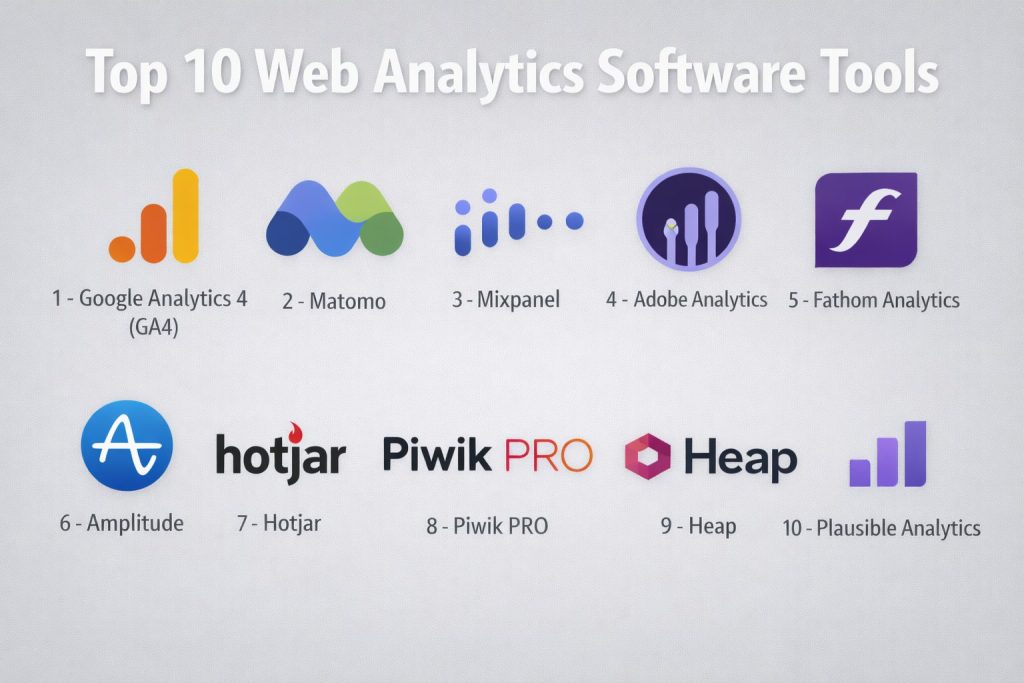
Top 10 Web Analytics Software Tools
#1 — Google Analytics 4 (GA4)
The world’s most widely used analytics platform, offering a powerful, event-based tracking model integrated deeply with the Google Ads ecosystem.
Key Features
- Event-Based Tracking: Everything—from a click to a scroll—is measured as an event, allowing for highly customized user journey mapping.
- Predictive Metrics: Uses Google’s machine learning to predict future actions, such as purchase probability and churn risk.
- BigQuery Integration: Allows enterprise users to export raw data for advanced analysis in Google Cloud.
- Cross-Platform Reporting: Unifies data from web and app (iOS/Android) into a single property.
- Enhanced Measurement: Automatically tracks common interactions like file downloads and video engagement without extra coding.
- Explorations: Flexible reporting tools that go beyond standard dashboards for deep-dive analysis.
- Privacy Controls: Includes advanced features for data deletion and regional data processing to meet compliance needs.
Pros
- Completely free for most businesses, with a massive ecosystem of tutorials and certified experts.
- Best-in-class integration with Google Search Console and Google Ads.
- Powerful AI-driven insights that highlight significant trends automatically.
Cons
- Notoriously steep learning curve for users accustomed to the older “Universal Analytics.”
- Privacy concerns persist in certain EU jurisdictions regarding data transfer to the US.
Platforms / Deployment
- Web / iOS / Android
- Cloud (SaaS)
Security & Compliance
- SSO, MFA, and granular data access controls.
- GDPR and CCPA support features; specific regional compliance varies by configuration.
Integrations & Ecosystem
GA4 is the center of the Google Marketing Platform.
- Native links to Google Ads, AdSense, and Search Console.
- Direct connection to Looker Studio for data visualization.
- APIs for custom data ingestion and export.
Support & Community
Unrivaled community support through forums, YouTube, and specialized agencies. Official support is primarily documentation-based for free users, with dedicated support for GA360 (enterprise) clients.
#2 — Matomo
A powerful, privacy-focused alternative to Google Analytics that gives users 100% data ownership and the option for self-hosting.
Key Features
- 100% Data Ownership: No third party (including Matomo) has access to your data when self-hosted.
- Privacy Configurator: Includes a one-click tool to ensure compliance with GDPR, HIPAA, and CCPA.
- No Data Sampling: Reports are always based on 100% of your traffic, regardless of volume.
- Integrated Heatmaps: Visual representations of where users click and scroll on your pages.
- Session Recordings: Ability to watch replays of user interactions to find UX bottlenecks.
- Tag Manager: A built-in system to manage tracking pixels without editing code.
- Import from GA4: A specialized tool to migrate your historical data from Google Analytics.
Pros
- Excellent for organizations with strict data sovereignty requirements (e.g., government, healthcare).
- Includes features like heatmaps and A/B testing that usually require separate subscriptions.
- No data limits; the software scales with your infrastructure.
Cons
- Self-hosting requires technical knowledge to install and maintain servers.
- The user interface is functional but lacks the modern polish of some SaaS competitors.
Platforms / Deployment
- Web / iOS / Android
- Cloud (SaaS) / Self-hosted (On-premises)
Security & Compliance
- Brute force protection, MFA, and 2FA.
- GDPR, HIPAA, and CCPA compliant by design.
Integrations & Ecosystem
Matomo has a robust marketplace for plugins.
- Plugins for WordPress, Magento, and Joomla.
- Integration with various CRMs and email marketing tools.
Support & Community
Strong open-source community and paid professional support plans for enterprise and cloud customers.
#3 — Mixpanel
A product-focused analytics tool designed to track how users interact with specific features inside web and mobile applications.
Key Features
- Funnel Analysis: See exactly where users drop off in a multi-step process (e.g., a signup flow).
- Retention Reports: Track how often users return to your app over days, weeks, or months.
- Signal Analysis: Identifies which user behaviors are most correlated with long-term retention.
- Group Analytics: Allows B2B companies to analyze data at the “Company” or “Account” level.
- Real-Time Data: Interactions are processed and displayed in the dashboard almost instantly.
- Impact Reports: Measure how launching a new feature affected your key business metrics.
- Data Warehouse Sync: Native connectors to move data to Snowflake, BigQuery, or Redshift.
Pros
- The gold standard for “Product Analytics” and SaaS businesses.
- Extremely fast and intuitive interface for building complex cohort reports.
- Generous free tier for startups and small projects.
Cons
- Can become very expensive as the number of “Monthly Tracked Users” increases.
- Less focused on “Top of Funnel” marketing data (like SEO and ad sources) than GA4.
Platforms / Deployment
- Web / iOS / Android
- Cloud (SaaS)
Security & Compliance
- SSO/SAML, 2FA, and SOC 2 Type II certification.
- GDPR and HIPAA compliant.
Integrations & Ecosystem
Mixpanel thrives in a “Best of Breed” stack.
- Integrates with Segment, mParticle, and various marketing automation tools.
- Robust APIs for custom event tracking.
Support & Community
Offers a comprehensive “Mixpanel Academy,” 24/7 technical support for higher tiers, and a helpful Slack community for power users.
#4 — Adobe Analytics
A high-end enterprise solution that offers deep data science capabilities and integrates seamlessly with the Adobe Experience Cloud.
Key Features
- Analysis Workspace: A flexible, drag-and-drop interface for building custom reports and visualizations.
- Anomaly Detection: AI that automatically flags unusual spikes or dips in data.
- Contribution Analysis: Explains why a metric changed by identifying the underlying factors.
- Customer Journey Analytics: Unifies online and offline data points (like in-store purchases) into one view.
- Calculated Metrics: Allows for complex mathematical formulas to be applied to raw data within the UI.
- Predictive Modeling: Uses machine learning to forecast future trends and customer lifetime value.
- Advanced Segmentation: Unlimited segment nesting for extremely granular audience targeting.
Pros
- Unmatched power for large enterprises with complex, multi-channel data needs.
- Highly customizable; you are not limited by “canned” reports.
- Deeply integrated with Adobe Target for real-time website personalization.
Cons
- Extremely high cost of ownership, making it unsuitable for SMBs.
- Requires a dedicated implementation partner or full-time internal specialist to manage.
Platforms / Deployment
- Web / iOS / Android / IoT
- Cloud (SaaS) / Hybrid
Security & Compliance
- Enterprise-grade security including SSO/SAML and MFA.
- SOC 2, ISO 27001, GDPR, and HIPAA compliant.
Integrations & Ecosystem
Part of the broader Adobe Experience Cloud.
- Native integration with Adobe Experience Manager (CMS) and Marketo.
- Connectors for major CRMs and data warehouses.
Support & Community
Professional 24/7 global support, extensive training via Adobe Experience League, and an elite network of agency partners.
#5 — Fathom Analytics
A simple, lightweight, and privacy-first analytics tool that doesn’t use cookies and complies with all global privacy laws out of the box.
Key Features
- Cookieless Tracking: Respects user privacy without the need for intrusive “Cookie Banners.”
- Single Dashboard: All your metrics are displayed on one easy-to-read page.
- Email Reports: Automated summaries sent to your inbox daily, weekly, or monthly.
- Uptime Monitoring: Notifies you immediately if your website goes down.
- Bypass Ad-Blockers: Uses a custom domain feature to ensure data is collected even when users use blockers.
- Lightweight Script: A tiny tracking code that doesn’t slow down your website’s performance.
- Unlimited Sites: Most plans allow you to track multiple domains under one subscription.
Pros
- The easiest tool on this list to set up and understand (takes less than 5 minutes).
- Completely ethical and privacy-compliant, eliminating legal headaches for business owners.
- Beautiful, minimalist UI that focuses only on the metrics that matter.
Cons
- Lacks the deep event tracking and funnel analysis required by complex SaaS apps.
- No free tier (paid only), though the pricing is transparent and fair.
Platforms / Deployment
- Web
- Cloud (SaaS)
Security & Compliance
- GDPR, CCPA, ePrivacy, and PECR compliant.
- Data is processed on European-owned servers for EU traffic.
Integrations & Ecosystem
Focused on simplicity and common web platforms.
- Easy integration with WordPress, Ghost, and Squarespace.
- API available for basic data retrieval.
Support & Community
Known for high-quality, personal support directly from the founders and a small, dedicated team.
#6 — Amplitude
A leading digital analytics platform that helps teams understand user behavior to drive growth and retention in complex digital products.
Key Features
- Compass: Identifies the “Aha! Moment” by showing which behaviors lead to long-term user retention.
- Pathfinder: Shows all the different paths users take through your product.
- Behavioral Cohorts: Group users based on specific actions they took (or didn’t take) over time.
- Notebooks: Collaborative reporting where teams can add context and storytelling to their data.
- Root Cause Analysis: Automatically surface why a specific KPI is moving up or down.
- Growth Portfolio: Tools for managing and measuring the success of various product experiments.
- Data Governance: Built-in tools to ensure your event data remains clean and organized.
Pros
- Superior for understanding user “LTV” (Lifetime Value) and retention.
- Very strong collaborative features for product and engineering teams.
- Powerful “Starter” plan that is free for up to 50,000 monthly tracked users.
Cons
- High learning curve; requires a dedicated data strategy to get the most value.
- Pricing for the “Growth” and “Enterprise” tiers is not public and can be significant.
Platforms / Deployment
- Web / iOS / Android
- Cloud (SaaS)
Security & Compliance
- SOC 2 Type II and ISO 27001.
- GDPR and HIPAA compliant.
Integrations & Ecosystem
- Integrates with Snowflake, BigQuery, Segment, and Braze.
- Wide range of SDKs for various programming languages.
Support & Community
Comprehensive “Amplitude Academy” and a strong community presence with regular webinars and local meetups.
#7 — Hotjar
A qualitative analytics tool that uses heatmaps and recordings to show why users behave the way they do, complementing traditional quantitative tools.
Key Features
- Heatmaps: Visualizes where users move their mouse, click, and scroll.
- Session Recordings: Replay actual user sessions to see where they get stuck or frustrated.
- On-Site Surveys: Trigger short questions to users at specific moments (e.g., when they are about to leave).
- Feedback Widgets: A small tab on your site where users can rate their experience instantly.
- Funnels: Visual representation of where users are dropping off in the conversion process.
- Interviews: A 2026 feature that allows you to recruit and host moderated user interviews directly through the platform.
- Dashboard Unification: Combines qualitative data with basic traffic metrics for a fuller picture.
Pros
- Incredibly visual and easy to explain to non-technical stakeholders.
- Reveals “invisible” problems that numbers alone can’t show (like “rage clicking”).
- Very generous free-forever plan for small sites.
Cons
- Can impact site performance if many recordings are running simultaneously.
- Not a replacement for a full-scale quantitative tool like GA4 or Matomo.
Platforms / Deployment
- Web
- Cloud (SaaS)
Security & Compliance
- PCI DSS, SOC 2, and GDPR compliant.
- Automatically masks sensitive data (like credit card numbers) in recordings.
Integrations & Ecosystem
- Deep integration with Google Analytics, Slack, and HubSpot.
- Connects with Zapier for thousands of automated workflows.
Support & Community
Excellent self-service help center, active blog on UX research, and responsive technical support.
#8 — Piwik PRO
An enterprise-grade analytics suite that prioritizes data privacy and compliance without sacrificing high-end features.
Key Features
- Analytics Suite: Includes web and app analytics with a familiar, easy-to-use interface.
- Consent Manager: A built-in tool to manage user privacy consents across your entire site.
- Tag Manager: An integrated system for deploying and managing tracking tags.
- Customer Data Platform (CDP): Unifies user data into single profiles for personalized marketing.
- Raw Data Access: Allows for the export of unsampled data to your own data warehouse.
- Safe Cloud & On-Premises: Offers flexible hosting options to meet local data laws.
- Flexible Reporting: Custom reports, dashboards, and advanced segmentation tools.
Pros
- The best “Drop-in” replacement for organizations that miss the simplicity of the old Google Analytics.
- All-in-one suite that includes a Tag Manager and Consent Manager at no extra cost.
- Highly focused on European data privacy standards.
Cons
- The free “Core” plan has limited data retention and volume compared to the enterprise tier.
- Smaller community and fewer third-party plugins than Google or Matomo.
Platforms / Deployment
- Web / iOS / Android
- Cloud (Private/Public) / On-premises
Security & Compliance
- ISO 27001, SOC 2, and GDPR compliant.
- HIPAA and French HDS (Health Data Hosting) support.
Integrations & Ecosystem
- Native integration with Google Search Console and Google Ads.
- Connectors for Tableau, Power BI, and Looker.
Support & Community
Dedicated account managers for enterprise clients and professional technical support based in the EU.
#9 — Heap
A “Low-Code” analytics tool that automatically captures every user interaction from day one, allowing you to define reports retroactively.
Key Features
- Autocapture: Automatically tracks every click, swipe, and pageview without manual tagging.
- Event Visualizer: A point-and-click tool for non-developers to name and organize events.
- Retroactive Analysis: Since everything is captured, you can create a report today for a feature you launched last month.
- Heap Illuminate: An AI layer that automatically surfaces “hidden” friction points in your funnel.
- Journeys: A visual map showing the most common paths users take between two points.
- Session Replay: Integrated recordings that are directly linked to specific data events.
- Data Dictionary: A central place to manage and clean up your data definitions.
Pros
- Eliminates the “tagging bottleneck” where you have to wait for a developer to set up tracking.
- Perfect for fast-moving startups where the product changes frequently.
- AI insights help you find problems you weren’t even looking for.
Cons
- Can lead to “data clutter” if you don’t stay organized with your event naming.
- The automatic tracking script can be heavier than manual alternatives.
Platforms / Deployment
- Web / iOS / Android
- Cloud (SaaS)
Security & Compliance
- SOC 2 Type II certification.
- GDPR and HIPAA compliant.
Integrations & Ecosystem
- Integrates with Salesforce, Shopify, and various testing tools like Optimizely.
- Full API for data export and management.
Support & Community
Offers “Heap University” for training and a very active customer success team for enterprise clients.
#10 — Plausible Analytics
A lightweight, open-source web analytics tool that is completely independent and focused on essential metrics and user privacy.
Key Features
- No Cookies: Completely compliant with privacy laws without needing a cookie banner.
- Under 1 KB Script: One of the smallest tracking scripts in the world, ensuring no impact on SEO or speed.
- Open Source: The code is transparent and can be audited by anyone.
- Simple Reports: A single-page dashboard showing visitors, sources, and top pages.
- Goal Tracking: Simple setup for tracking conversions like button clicks or form signups.
- Shared Dashboards: Easily share your stats with a public link or a password-protected one.
- Search Console Integration: See your top Google keywords directly in the dashboard.
Pros
- The most ethically transparent company in the analytics space.
- Perfect for bloggers, small businesses, and those who hate the complexity of GA4.
- Very affordable, flat-rate pricing based on traffic volume.
Cons
- Lacks advanced features like cohort analysis, heatmaps, or session recordings.
- Not suitable for high-end product analytics or complex SaaS tracking.
Platforms / Deployment
- Web
- Cloud (SaaS) / Self-hosted
Security & Compliance
- 100% GDPR, CCPA, and PECR compliant.
- Based in the EU with a focus on data privacy.
Integrations & Ecosystem
- Built-in WordPress plugin.
- Simple API for retrieving stats or integrating with static site generators.
Support & Community
High-quality email support and an active presence on GitHub where users can contribute to the roadmap.
Comparison Table (Top 10)
| Tool Name | Best For | Platform(s) Supported | Deployment | Standout Feature | Public Rating |
| Google Analytics 4 | General Marketing | Web, iOS, Android | Cloud | Predictive Insights | 4.5/5 |
| Matomo | Data Ownership | Web, iOS, Android | Self-hosted | 100% Data Ownership | 4.6/5 |
| Mixpanel | Product Analytics | Web, iOS, Android | Cloud | Signal Analysis | 4.7/5 |
| Adobe Analytics | Global Enterprise | All Platforms | Hybrid | Analysis Workspace | 4.6/5 |
| Fathom Analytics | Simple Privacy | Web | Cloud | Cookieless Tracking | 4.8/5 |
| Amplitude | User Retention | Web, iOS, Android | Cloud | Compass (Retention) | 4.8/5 |
| Hotjar | Behavior (Qual) | Web | Cloud | Session Recordings | 4.7/5 |
| Piwik PRO | Enterprise Privacy | Web, iOS, Android | Hybrid | Consent Manager | 4.5/5 |
| Heap | Low-Code Teams | Web, iOS, Android | Cloud | Autocapture | 4.4/5 |
| Plausible | Minimalist/Open Src | Web | Cloud | <1 KB Script | 4.9/5 |
Evaluation & Scoring of Web Analytics Tools
| Tool Name | Core (25%) | Ease (15%) | Integrations (15%) | Security (10%) | Performance (10%) | Support (10%) | Value (15%) | Weighted Total |
| Google Analytics 4 | 10 | 4 | 10 | 8 | 9 | 7 | 10 | 8.4 |
| Matomo | 9 | 5 | 8 | 10 | 7 | 8 | 9 | 8.0 |
| Mixpanel | 9 | 8 | 9 | 8 | 10 | 9 | 7 | 8.5 |
| Adobe Analytics | 10 | 3 | 10 | 10 | 9 | 9 | 4 | 7.9 |
| Fathom Analytics | 5 | 10 | 6 | 10 | 10 | 9 | 8 | 7.6 |
| Amplitude | 9 | 6 | 9 | 9 | 10 | 9 | 7 | 8.3 |
| Hotjar | 7 | 9 | 9 | 8 | 7 | 9 | 9 | 8.1 |
| Piwik PRO | 8 | 7 | 8 | 10 | 9 | 9 | 7 | 8.1 |
| Heap | 8 | 9 | 8 | 8 | 8 | 8 | 7 | 8.0 |
| Plausible | 5 | 10 | 6 | 10 | 10 | 8 | 9 | 7.7 |
How to Interpret These Scores
- 0–5: Highly specialized tool that does one thing very well but lacks broad features.
- 6–8: Strong, reliable tools suitable for most standard business needs.
- 9–10: Industry-standard performance, high feature density, and global scalability.
- Note: Scoring is comparative. A “3” in Ease for Adobe reflects its professional complexity, not a lack of quality.
Which Web Analytics Software Tool Is Right for You?
Solo / Freelancer
If you just need to know how many people are visiting your site, Plausible or Fathom are perfect. They are affordable, respect privacy, and won’t overwhelm you with data. If you have no budget, the free version of Google Analytics 4 is the obvious choice.
SMB
Small-to-mid-sized businesses with a marketing focus should stick with Google Analytics 4 for the ad integrations, but consider adding Hotjar to see how users actually move through the site.
Mid-Market
For companies growing their own software or SaaS product, Mixpanel or Amplitude are transformative. They allow you to stop focusing on “visits” and start focusing on “user value” and “retention.”
Enterprise
Large organizations with strict legal requirements should look at Piwik PRO or a self-hosted Matomo instance. For those who need maximum data science power and are already in the Adobe ecosystem, Adobe Analytics is the final word.
Budget vs Premium
- Budget: Plausible and Fathom are very cheap. GA4 and Amplitude have excellent free tiers.
- Premium: Adobe Analytics and Mixpanel (at scale) require significant investment.
Feature Depth vs Ease of Use
If you want to click a button and see data, use Fathom. If you want to spend a week building a custom mathematical model of user behavior, use Adobe Analytics.
Integrations & Scalability
For the best ecosystem, Google Analytics 4 wins. For the best “Best of Breed” connection to data warehouses like Snowflake, Mixpanel and Amplitude lead the pack.
Security & Compliance Needs
If you operate in the EU or have extreme privacy needs, Matomo (Self-hosted) or Piwik PRO are the safest options for full data sovereignty.
Frequently Asked Questions (FAQs)
What is the biggest change in web analytics in 2026?
The biggest change is the shift from “tracking cookies” to “first-party events.” Tools now rely on direct interactions and AI modeling rather than following users around the web with third-party trackers.
Do I still need a “Cookie Banner” if I use privacy-first tools?
In most cases, if you use a truly cookieless tool like Plausible or Fathom and do not track personal data, you may not need a cookie banner. However, you should always consult a legal professional regarding local laws.
Why does GA4 show different numbers than my old analytics?
GA4 uses an “Event-based” model rather than “Sessions.” It also uses “Data Modeling” to estimate traffic from users who have opted out of tracking, which can lead to different totals than legacy systems.
Can web analytics slow down my website?
Yes, if you load too many scripts. Modern tools like Plausible are under 1 KB, but full suites like Hotjar or Adobe can add weight. It is best to use a Tag Manager to load scripts efficiently.
Is my data safe with free analytics tools?
With Google Analytics, you essentially “trade” your data for the free service. Google uses it to improve their ad targeting. If you want 100% data privacy where no one else can see it, you must pay for a tool or self-host.
What is “Server-Side Tracking”?
Instead of the user’s browser sending data directly to the analytics tool, it sends it to your server first. This makes your site faster, bypasses many ad-blockers, and gives you more control over what data is shared.
Can I track mobile apps and websites together?
Yes. Modern “Cross-Platform” tools like GA4, Mixpanel, and Amplitude allow you to see a single user’s journey as they move from your website to your mobile app.
What is “Data Sampling”?
When a site has millions of visitors, some tools only look at a small percentage (e.g., 10%) of the data and “guess” the rest to save on processing power. Premium tools usually offer “Unsampled” data for 100% accuracy.
Do I need to be a programmer to use these tools?
For basic tracking, no. Most have “plugins” for WordPress or Shopify. However, for “Product Analytics” (tracking specific button clicks), you will likely need a developer or a tool like Heap.
How do I choose between Mixpanel and Google Analytics?
Use Google Analytics if your main goal is “Marketing” (where did they come from?). Use Mixpanel if your main goal is “Product” (what are they doing inside the app?). Many successful companies use both.
Conclusion
Web analytics in 2026 is no longer just about counting visitors—it is about understanding the human story behind the data while respecting user privacy. Whether you choose the massive power of Google Analytics 4, the product-focused insights of Mixpanel, or the minimalist ethics of Plausible, your choice should be driven by the specific questions you need to answer.