Introduction
A site search tool is a specialized software engine that allows visitors to find specific content, products, or information within a single website or application. While a global search engine like Google crawls the entire web, a site search tool focuses exclusively on your internal data, providing a search bar that acts as a direct concierge for your users. It indexes your pages, product catalogs, and documents to deliver relevant results in milliseconds.
Landscape, site search has evolved from a basic “matching” utility into a sophisticated discovery engine. With the advent of generative AI and vector-based retrieval, search bars no longer just look for exact word matches; they understand the intent and context behind a query. For businesses, this means the difference between a user bouncing in frustration and a customer finding exactly what they need, often before they finish typing.
Real-World Use Cases
- E-commerce Product Discovery: Helping shoppers find items based on vague descriptions like “summer wedding outfit” rather than specific SKU names.
- Customer Support Self-Service: Powering knowledge bases so users can solve issues independently by finding the right help article instantly.
- Enterprise Knowledge Management: Allowing employees to search across siloed internal documents, slide decks, and wikis from a single interface.
- Content Portals & Media: Enabling readers of large news sites or blogs to filter through years of archives based on topics, authors, or sentiment.
- SaaS Application Navigation: Providing a “command palette” style search that helps users find features or settings within complex software.
Evaluation Criteria for Buyers
When selecting a site search solution, organizations should evaluate:
- Search Relevance: Does it use semantic (meaning-based) search or just keyword matching?
- Indexing Speed: How quickly do new products or content updates appear in search results?
- Mobile & Voice Optimization: Is the UI responsive and compatible with voice-to-text queries?
- AI & Machine Learning: Does the tool automatically learn from user behavior to improve rankings?
- Analytics & Insights: Does it provide data on “searches with no results” or popular trends?
- Security & Compliance: Are the search logs and user data encrypted and compliant with global privacy laws?
- Customization & Merchandising: Can business teams manually boost specific results for promotions?
- Scalability: Can the engine handle massive traffic spikes during peak seasons like Black Friday?
Best for: High-volume e-commerce retailers, large-scale content publishers, and enterprise organizations with vast internal knowledge bases.
Not ideal for: Simple personal blogs or static “one-page” sites where a navigation menu is sufficient and search would add unnecessary overhead.
Key Trends in Site Search Tools
- Generative Answer Layers: Top search bars don’t just show links; they provide an AI-generated summary at the top of the results page to answer the user’s question directly.
- Vector & Semantic Search: Moving beyond keywords, modern engines use mathematical “vectors” to understand that “raincoat” and “waterproof jacket” are essentially the same thing.
- Agentic Search Workflows: Search is becoming proactive. If a user searches for a product that is out of stock, the tool might suggest a restock notification or an AI-curated alternative.
- Zero-Click Discovery: Predictive “search as you type” has become so accurate that many users find their answer in the preview dropdown without ever hitting enter.
- Visual Search Integration: Many site search tools now allow users to upload a photo to find matching or similar items within the site’s database.
- Privacy-First Personalization: Personalization is now handled “on-device” or through anonymized cohorts to comply with strict privacy regulations while still feeling tailored.
- Natural Language Queries: Users now type full questions like “How do I return a broken item?” instead of just “return policy,” and tools are expected to understand the nuance.
- Unified Federated Search: Modern tools can index data from multiple sources—such as a Shopify store, a WordPress blog, and a Zendesk help center—into one unified search bar.
How We Selected These Tools (Methodology)
To select the top 10 site search tools, we followed a comprehensive evaluation methodology:
- Market Adoption & Mindshare: We prioritized tools widely recognized by industry analysts and utilized by leading global brands.
- Feature Completeness: Only platforms that offer a full suite of features—from basic indexing to advanced AI personalization—were considered.
- Technological Innovation: We gave higher weight to tools that have successfully integrated vector search and generative AI features.
- Security & Reliability: We evaluated signals of enterprise-grade security, including encryption standards and global data center availability.
- Ecosystem & Integrations: We looked for tools that provide “one-click” integrations with major CMS and e-commerce platforms like Shopify, Magento, and Contentful.
- User & Developer Experience: We assessed the balance between “no-code” dashboards for marketers and robust APIs for technical teams.
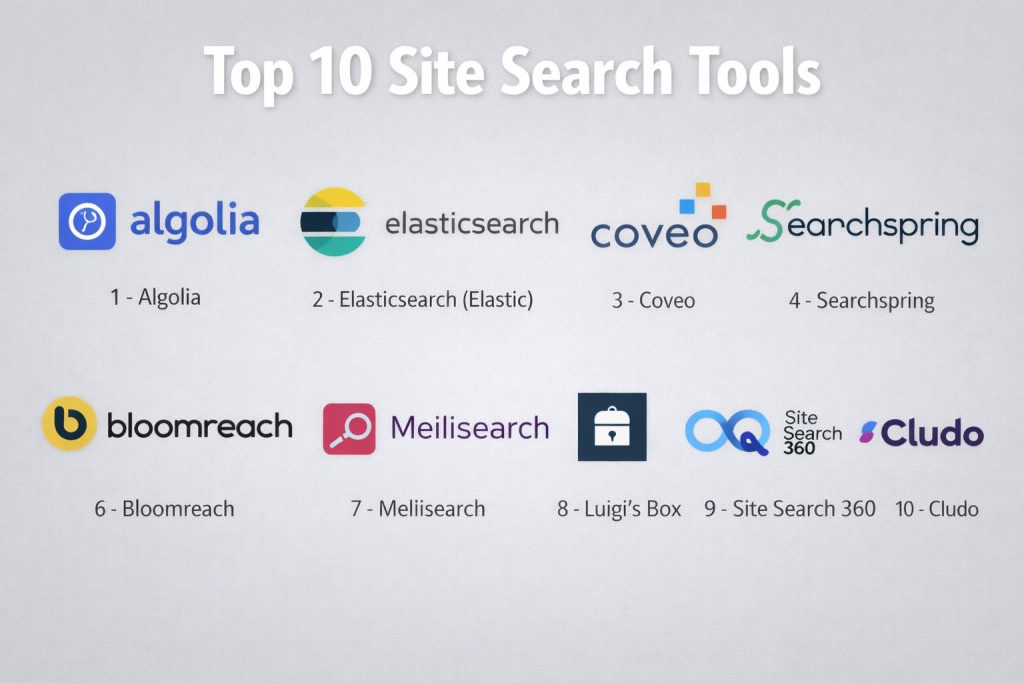
Top 10 Site Search Tools
#1 — Algolia
A high-performance search-as-a-service platform known for its blazingly fast response times and developer-friendly API. It is the go-to choice for real-time “search-as-you-type” experiences.
Key Features
- NeuralSearch: Combines keyword matching with AI-driven vector search for superior relevance and intent understanding.
- InstantSearch Libraries: A set of UI components that allow developers to build rich search interfaces in hours instead of weeks.
- Dynamic Re-ranking: Automatically moves the most popular and relevant items to the top based on real-time user click data.
- A/B Testing: Built-in tools to test different ranking strategies and measure their impact on conversion rates.
- Voice Search Ready: Optimized for handling natural language queries from mobile devices and smart speakers.
- Geo-Search: Ability to filter and rank results based on the user’s physical location.
- Visual Merchandising: A drag-and-drop dashboard that lets non-technical staff manually promote specific products.
Pros
- Unrivaled speed, with most queries returning in under 20 milliseconds.
- Massive global infrastructure ensures low latency regardless of where the user is located.
- Exceptionally well-documented API and broad language support for developers.
Cons
- The pricing model can become expensive as your index size and search volume grow.
- Advanced features like AI re-ranking require significant configuration to master.
Platforms / Deployment
- Web / Windows / macOS / Linux / iOS / Android
- Cloud (SaaS)
Security & Compliance
- SSO/SAML, MFA, and end-to-end encryption.
- SOC 2 Type II, ISO 27001, HIPAA, and GDPR compliant.
Integrations & Ecosystem
Algolia offers a massive marketplace of pre-built integrations.
- Native connectors for Shopify, Netlify, and Salesforce.
- Deep support for frameworks like React, Vue, and Angular.
- API-first architecture makes it highly extensible for custom headless builds.
Support & Community
Algolia provides a world-class documentation portal, a dedicated developer forum, and multiple tiers of professional support for enterprise clients.
#2 — Elasticsearch (Elastic)
A distributed, open-source-based search and analytics engine built on Apache Lucene. It is the powerhouse behind many of the world’s largest search implementations.
Key Features
- Full-Text Search: Powerful capabilities for searching through massive amounts of structured and unstructured data.
- Vector Database Support: Native support for storing and searching high-dimensional vectors for AI-driven semantic search.
- Kibana Integration: A dedicated visualization tool for analyzing search logs and user behavior in real-time.
- Scalability: Horizontal scaling allows the engine to handle petabytes of data across hundreds of servers.
- Machine Learning Features: Built-in anomaly detection and data frame analytics for advanced search optimization.
- Cross-Cluster Search: Ability to search across multiple data centers and cloud regions from a single query.
- Rich Language Support: Advanced tokenization and stemming for over 30 different languages.
Pros
- Virtually unlimited flexibility for custom search logic and complex data models.
- Highly cost-effective for organizations with the engineering resources to self-host.
- A massive, global community ensures that any technical hurdle has a documented solution.
Cons
- Extremely steep learning curve; requires dedicated DevOps and search engineering resources.
- Lacks the “out-of-the-box” UI components found in SaaS competitors like Algolia.
Platforms / Deployment
- Web / Windows / macOS / Linux
- Cloud (SaaS) / Self-hosted / Hybrid
Security & Compliance
- Role-based access control (RBAC), TLS encryption, and audit logging.
- GDPR, HIPAA, and SOC 2 (when using Elastic Cloud).
Integrations & Ecosystem
Elasticsearch is the foundation of the “ELK Stack” (Elasticsearch, Logstash, Kibana).
- Integrates with nearly any data source via Logstash or specialized “Beats.”
- Extensive API support for every major programming language.
- Foundations for custom-built search experiences in large-scale applications.
Support & Community
The community is one of the largest in the tech world. Professional support is available through Elastic NV for those using their managed cloud service.
#3 — Coveo
An AI-powered search and recommendation platform that specializes in providing personalized discovery experiences for enterprise e-commerce and customer service.
Key Features
- Unified Indexing: Connects to over 50 different content sources (SharePoint, Jira, Salesforce) to provide a single search bar.
- Intent-Aware Ranking: Uses machine learning to predict what a user is looking for based on their past behavior and profile.
- Case Deflection: Automatically suggests relevant help articles to customers as they type their support tickets.
- Generative Answering: Uses RAG (Retrieval-Augmented Generation) to provide direct answers based on your internal documentation.
- Automatic Content Tagging: AI-driven metadata extraction to improve the searchability of unstructured documents.
- Commerce Merchandising: Visual tools for retailers to manage product rankings, badges, and banners.
- Behavioral Analytics: Deep insights into the “path to purchase” and how search influences revenue.
Pros
- Exceptional at handling “federated search” across many different internal silos.
- Strong focus on business outcomes like conversion rate and case deflection.
- Provides a very high degree of automation, reducing the need for manual tuning.
Cons
- Implementation can be complex and usually requires professional services.
- Pricing is geared toward large enterprises and may be too high for mid-market companies.
Platforms / Deployment
- Web / iOS / Android
- Cloud (SaaS)
Security & Compliance
- SSO/SAML, MFA, and data residency options.
- SOC 2 Type II, ISO 27001, and HIPAA compliant.
Integrations & Ecosystem
Coveo is designed to live inside your existing enterprise tools.
- Deep, native integrations for Salesforce, ServiceNow, and Sitecore.
- Robust connectors for cloud storage providers like Box and Google Drive.
Support & Community
Coveo offers a comprehensive training academy, 24/7 technical support, and a dedicated customer success manager for enterprise accounts.
#4 — Searchspring
A search, merchandising, and personalization platform purpose-built for e-commerce. It focuses on giving retail teams total control over how products are displayed.
Key Features
- Smart Faceting: Automatically generates the most relevant filters (size, color, brand) based on the search result set.
- Visual Merchandising: A drag-and-drop interface for arranging product grids to highlight high-margin or trending items.
- Search Suggestions: Fast, visual autocomplete that shows product images and prices as the user types.
- Personalized Recommendations: AI-driven “You may also like” and “Complete the look” carousels.
- Landing Page Builder: Quickly create SEO-optimized search results pages for specific marketing campaigns.
- Synonym Management: Easy tools for mapping slang or misspelled terms to the correct products.
- Insights & Reporting: Detailed dashboards showing top searches, zero-result terms, and revenue per search.
Pros
- Specifically designed for retailers, with features that address common e-commerce pain points.
- Very user-friendly for non-technical merchandising teams.
- Excellent balance of AI automation and manual control.
Cons
- Not suitable for general content or internal document search (strictly e-commerce).
- API flexibility is more limited compared to developer-first tools like Algolia.
Platforms / Deployment
- Web
- Cloud (SaaS)
Security & Compliance
- PCI DSS compliant, SSO support, and data encryption.
- GDPR and CCPA compliant.
Integrations & Ecosystem
Searchspring is a staple in the e-commerce platform ecosystem.
- One-click integrations for Shopify, BigCommerce, Magento, and Adobe Commerce.
- Works seamlessly with email marketing tools like Klaviyo for personalized recommendations.
Support & Community
Provides dedicated account management, a robust knowledge base, and proactive optimization audits for high-growth retailers.
#5 — Lucidworks
An enterprise search platform that leverages advanced AI and signal processing to help organizations find value in their most complex datasets.
Key Features
- Fusion: The core platform that combines search, AI, and big data processing into a single workflow.
- Signal Processing: Captures and analyzes user actions (clicks, views, purchases) to tune search relevance automatically.
- Predictive Merchandising: Uses historical data to predict future trends and adjust search rankings accordingly.
- Smart Snippets: Extracts the most relevant sentence or paragraph from a long document to answer a query.
- Semantic Vector Search: Deep learning models that understand the nuances of technical and industry-specific jargon.
- Audit & Explainability: Tools for developers to understand exactly “why” a specific result was ranked where it was.
- Hybrid Search: Combines traditional keyword matching with modern vector retrieval for the best of both worlds.
Pros
- Built for the most demanding enterprise environments and massive datasets.
- Exceptional ability to handle technical and industry-specific language (e.g., legal or medical).
- Highly customizable for organizations that need a “unique” search logic.
Cons
- Requires a high level of technical expertise to deploy and maintain.
- UI for non-technical users can be more complex than competitors like Searchspring.
Platforms / Deployment
- Web
- Cloud (SaaS) / Self-hosted / Hybrid
Security & Compliance
- Enterprise-grade SSO, MFA, and specialized encryption for sensitive data.
- SOC 2, ISO 27001, and HIPAA compliance ready.
Integrations & Ecosystem
Lucidworks is designed to sit on top of large data lakes.
- Integrates with Apache Solr and Spark.
- Connectors for major cloud storage and ERP systems.
Support & Community
Offers professional services for architecture design, 24/7 technical support, and extensive developer training programs.
#6 — Bloomreach
A commerce-first DXP that includes a world-class search and discovery engine driven by “Loomi AI,” designed to maximize revenue through relevance.
Key Features
- Semantic Search: Understands product attributes and user intent without needing manual synonym lists.
- Loomi AI: A proprietary AI engine that personalizes the entire shopping journey in real-time.
- 1:1 Personalization: Tailors search results and product rankings to the specific individual browsing the site.
- Visual Merchandising: Advanced tools for commerce teams to curate the digital storefront.
- SEO-Friendly Search Pages: Automatically generates pages that are indexable by global search engines.
- Multi-Site Management: Ability to manage multiple brands and international regions from one dashboard.
- Search Analytics: Granular data on how search performance correlates with business KPIs like AOV (Average Order Value).
Pros
- One of the best platforms for driving direct revenue growth via intelligent search.
- Highly automated; the AI handles much of the manual tuning that other platforms require.
- Part of a larger ecosystem that includes content and engagement modules.
Cons
- Primarily focused on e-commerce; not a general-purpose site search tool.
- Pricing is squarely in the enterprise bracket, requiring a significant budget.
Platforms / Deployment
- Web / iOS / Android
- Cloud (SaaS)
Security & Compliance
- SSO, MFA, and robust data privacy controls.
- SOC 2 Type II and GDPR compliant.
Integrations & Ecosystem
Bloomreach is highly integrated with the modern commerce stack.
- Native connectors for Shopify, BigCommerce, and SAP.
- Extensive API for headless and mobile application deployments.
Support & Community
Provides dedicated customer success managers, a comprehensive “Academy,” and global professional support services.
#7 — Meilisearch
A lightweight, open-source search engine that prioritizes ease of use and speed. It is often described as the “Blender of site search.”
Key Features
- Typo Tolerance: Exceptional ability to find the right results even when users make spelling mistakes.
- Filterable & Faceted Search: High-performance filtering that stays fast even with large datasets.
- Instant Results: Designed to return results as the user types, creating a seamless experience.
- Simple API: A RESTful API that is remarkably easy for any developer to integrate.
- Multi-Language Support: Optimized for Western and CJK (Chinese, Japanese, Korean) languages out of the box.
- Synonym Mapping: Simple interface for managing related terms.
- Cloud & Self-Hosted: Offers a managed cloud version or a completely free self-hosted version.
Pros
- Incredibly easy to set up and get running, often in less than 30 minutes.
- Blazingly fast for small to mid-sized datasets.
- Transparent, developer-friendly open-source model.
Cons
- Lacks some of the advanced machine learning and AI-ranking features of Algolia or Coveo.
- Not designed for searching through massive quantities of unstructured documents (e.g., petabytes of PDFs).
Platforms / Deployment
- Web / Windows / macOS / Linux
- Cloud (SaaS) / Self-hosted
Security & Compliance
- API key management and standard encryption.
- SOC 2 (managed cloud version).
Integrations & Ecosystem
Meilisearch has a rapidly growing community of contributors.
- Official SDKs for Ruby, Python, JavaScript, and more.
- Plugins for popular frameworks like Laravel and Strapi.
Support & Community
Features a very active GitHub community and Discord server, along with professional support for Cloud subscribers.
#8 — Luigi’s Box
An e-commerce focused search and discovery platform from Europe that emphasizes transparency and ease of integration for SMBs and mid-market players.
Key Features
- AI Search: High-relevance engine that uses machine learning to understand synonyms and word forms.
- Analytics Dashboard: Provides visual insights into search trends and “fixable” search failures.
- Product Recommender: Suggests items based on what other customers viewed or purchased.
- Autocomplete: A fast, visual search preview that helps users find products without leaving the search bar.
- Personalization: Adjusts results based on the individual’s previous browsing history.
- Self-Learning Algorithms: Automatically improves search relevance over time without manual intervention.
- Visual Search: Integration options for finding products via uploaded images.
Pros
- Very easy to implement, often requiring just a single snippet of code.
- Highly transparent pricing that is accessible to smaller retailers.
- Excellent support and localized expertise for European markets.
Cons
- May lack the massive global infrastructure scale of a player like Algolia.
- Feature set is tightly focused on retail, making it less useful for non-commerce sites.
Platforms / Deployment
- Web
- Cloud (SaaS)
Security & Compliance
- Strong focus on GDPR and European data privacy standards.
- SSO and secure data handling practices.
Integrations & Ecosystem
Luigi’s Box is designed to work with common web platforms.
- Connectors for Shopify, WooCommerce, and Shoptet.
- API support for custom web applications.
Support & Community
Known for personalized, human support and a deep library of educational resources for e-commerce managers.
#9 — Site Search 360
A versatile, easy-to-use search engine that specializes in content-heavy sites and enterprise portals, offering a “one-click” setup.
Key Features
- Visual Designer: A no-code tool that lets you customize the look and feel of your search results page.
- Smart Content Extraction: Automatically identifies images and descriptions from your pages to show in search previews.
- PDF & Document Search: Indexes files directly from your site, making them searchable alongside your web pages.
- Semantic Search Support: Uses AI to understand the context of content-heavy queries.
- Query Mapping: Allows you to direct specific searches to specific pages (e.g., “shipping” goes to your FAQ).
- Cross-Domain Search: Search across multiple separate websites from a single search bar.
- Multilingual: Supports over 19 languages with intelligent stemming and processing.
Pros
- Perhaps the easiest tool on this list for content sites to implement.
- Very affordable pricing tiers, including a free version for small sites.
- No coding required for the majority of the setup and styling.
Cons
- Not as powerful as Searchspring or Bloomreach for complex e-commerce merchandising.
- The “managed” nature means developers have less granular control over the raw search algorithm.
Platforms / Deployment
- Web
- Cloud (SaaS)
Security & Compliance
- SSL encryption and GDPR compliance.
- SSO support for enterprise plans.
Integrations & Ecosystem
Site Search 360 is built for ease of integration.
- Plugins for WordPress, Drupal, and Joomla.
- Simple JavaScript integration for any custom site.
Support & Community
Offers responsive email support, a clear documentation site, and personalized onboarding for higher-tier plans.
#10 — Cludo
An enterprise-focused site search solution that prioritizes data insights and ease of use for marketing and communication teams.
Key Features
- Intelligent Autocomplete: Guides users to the right content as they type with visual suggestions.
- Actionable Analytics: Highlights “content gaps” where users are searching for things you don’t have.
- Banners & Promotions: Allows marketers to place advertisements or announcements within search results.
- Custom Crawling: Tailor how and when your site is indexed to ensure results are always fresh.
- Semantic Search: Understands the meaning behind queries to deliver more relevant results.
- Accessibility Focused: Search interfaces designed to meet WCAG 2.1 standards.
- Page Boost: Easily increase the visibility of specific important pages (e.g., a new product launch).
Pros
- Excellent for non-technical marketing and communications departments.
- Focus on accessibility makes it a top choice for government and non-profit sites.
- Very clean, modern interface for both the user and the administrator.
Cons
- May be less suitable for high-frequency, complex e-commerce catalogs compared to specialized retail tools.
- Pricing is generally geared toward mid-to-large organizations.
Platforms / Deployment
- Web
- Cloud (SaaS)
Security & Compliance
- SSO/SAML, MFA, and strong data protection measures.
- GDPR and SOC 2 compliant.
Integrations & Ecosystem
Cludo is designed to be platform-agnostic.
- Works with any CMS, including Sitecore, Adobe, and WordPress.
- Simple integration via a small JavaScript snippet.
Support & Community
Provides dedicated customer success managers, an extensive knowledge base, and regular performance reviews for enterprise clients.
Comparison Table (Top 10)
| Tool Name | Best For | Platform(s) Supported | Deployment | Standout Feature | Public Rating |
| Algolia | Real-time Search | All Platforms | Cloud (SaaS) | NeuralSearch AI | 4.8/5 |
| Elasticsearch | Developer Control | All Platforms | Hybrid | ELK Stack Ecosystem | 4.7/5 |
| Coveo | Enterprise Portals | Web, Mobile | Cloud (SaaS) | Case Deflection | 4.6/5 |
| Searchspring | Retail Merchandising | Web | Cloud (SaaS) | Visual Merchandising | 4.7/5 |
| Lucidworks | Complex Datasets | Web | Hybrid | Signal Processing | 4.5/5 |
| Bloomreach | Commerce Discovery | Web, Mobile | Cloud (SaaS) | Loomi AI | 4.7/5 |
| Meilisearch | Lightweight Speed | All Platforms | Hybrid | Typo Tolerance | 4.6/5 |
| Luigi’s Box | SMB E-commerce | Web | Cloud (SaaS) | Fixable Failure Analytics | 4.5/5 |
| Site Search 360 | Content-Heavy Sites | Web | Cloud (SaaS) | Visual Design Editor | 4.3/5 |
| Cludo | Marketing Insights | Web | Cloud (SaaS) | Content Gap Analytics | 4.4/5 |
Evaluation & Scoring of Site Search Tools
| Tool Name | Core (25%) | Ease (15%) | Integrations (15%) | Security (10%) | Performance (10%) | Support (10%) | Value (15%) | Weighted Total |
| Algolia | 10 | 7 | 10 | 9 | 10 | 9 | 7 | 8.9 |
| Elasticsearch | 10 | 3 | 9 | 8 | 10 | 8 | 9 | 8.1 |
| Coveo | 9 | 5 | 10 | 10 | 9 | 9 | 6 | 8.1 |
| Searchspring | 8 | 9 | 9 | 8 | 9 | 9 | 7 | 8.3 |
| Lucidworks | 10 | 4 | 8 | 9 | 9 | 8 | 6 | 7.7 |
| Bloomreach | 9 | 6 | 9 | 9 | 9 | 9 | 6 | 7.9 |
| Meilisearch | 7 | 10 | 7 | 7 | 10 | 7 | 10 | 8.0 |
| Luigi’s Box | 8 | 9 | 8 | 8 | 8 | 9 | 8 | 8.2 |
| Site Search 360 | 7 | 10 | 8 | 7 | 8 | 8 | 9 | 7.8 |
| Cludo | 8 | 9 | 8 | 9 | 8 | 9 | 7 | 8.1 |
How to Interpret These Scores
- 0–5: Niche tool with significant manual setup or a high technical barrier for standard users.
- 6–8: Strong performance in specific categories (e.g., e-commerce vs general content) with good overall reliability.
- 9–10: Industry-leading performance, future-proof AI features, and global infrastructure scale.
- Note: Scoring is comparative. A “3” in Ease for Elasticsearch reflects the high engineering requirement, not the quality of the software itself.
Which Site Search Tool Is Right for You?
Solo / Freelancer
For an individual or small blog, Meilisearch (self-hosted) or Site Search 360 (free/low-cost tier) are the best choices. They are simple to install and provide a professional experience without a high monthly fee.
SMB
Small-to-mid-sized retailers should look at Luigi’s Box or Searchspring. These tools provide the merchandising power needed to compete with larger brands without the complexity of a massive enterprise suite.
Mid-Market
Companies with multiple content sites or growing e-commerce stores will benefit most from Algolia or Cludo. They offer a balance of high-end performance, robust analytics, and manageable costs.
Enterprise
Large-scale corporations, government entities, and global retailers should prioritize Coveo, Lucidworks, or Elasticsearch. These platforms are designed for the security, data volume, and customization required at a massive scale.
Budget vs Premium
- Budget: Meilisearch (Open-source) and Site Search 360 offer the best entry-level pricing.
- Premium: Algolia, Coveo, and Bloomreach represent the high-end “premium” tier with the most advanced AI features.
Feature Depth vs Ease of Use
If you want total control over every mathematical detail of your search, go with Elasticsearch. If you want a beautiful search bar that works perfectly after pasting one line of code, go with Site Search 360.
Integrations & Scalability
For a modern “composable” stack, Algolia is the undisputed leader in terms of integrations and developer flexibility.
Security & Compliance Needs
Organizations in highly regulated sectors (Finance, Healthcare, Public Sector) should prioritize Coveo or Cludo, as they have the strongest focus on security certifications and accessibility standards.
Frequently Asked Questions (FAQs)
What is the difference between keyword search and vector search?
Keyword search looks for exact matches of the letters you type. Vector search (or semantic search) understands the “meaning” of your query. For example, a vector search knows that “running shoes” and “sneakers” are related, even if those specific words don’t appear together.
How much do site search tools typically cost in 2026?
Small sites can find tools for free or under $50/month. Mid-market e-commerce tools usually start around $500–$1,000/month. Enterprise solutions are typically custom-priced based on volume and can exceed $5,000/month.
Do I need a developer to install a site search tool?
It depends on the tool. “Snippet-based” tools like Site Search 360 can be installed by anyone who can edit a website’s header. API-first tools like Algolia or Meilisearch definitely require a developer to build the front-end and sync the data.
Will these tools work on mobile apps as well as websites?
Yes. Most of the tools on this list offer SDKs (Software Development Kits) for iOS and Android, allowing you to provide a consistent search experience across your entire digital ecosystem.
How long does it take for new products to show up in search results?
With modern SaaS tools like Algolia or Searchspring, indexing is nearly instantaneous. As soon as you update a product in your CMS or store, it can be searchable within seconds.
Can site search tools handle different languages?
Yes. Most professional tools support at least 20–30 languages, including complex ones like Arabic, Chinese, and Japanese. They use advanced “stemming” to understand word variations in different languages.
What is “Case Deflection” in site search?
Case deflection is a feature (common in Coveo) that shows relevant help articles to a customer as they are typing a support ticket. The goal is to solve their problem instantly so they don’t need to submit the ticket, saving the company money.
Is my data secure with a cloud-based search tool?
Generally, yes. Professional vendors use high-level encryption (TLS) for data in transit and at rest. They are also compliant with major standards like SOC 2 and GDPR to ensure your user’s search history is protected.
What happens if my site goes down? Does search still work?
Most SaaS site search tools host your index on their own servers. This means that even if your main website is having issues, the search results might still be accessible, though the links would lead to broken pages.
How do site search tools affect my SEO?
Good site search can actually improve your SEO indirectly. By helping users find what they need faster, you reduce your “bounce rate” and increase “time on site,” which are positive signals to search engines like Google.
Conclusion
In 2026, a site search bar is no longer just a box in the corner of your website; it is the most powerful tool you have for understanding user intent and driving conversion. Whether you choose the massive scale of Elasticsearch, the retail-focused power of Searchspring, or the simple elegance of Site Search 360, the “best” tool is the one that removes friction for your visitors.