Introduction
In plain English, a wiki is a collaborative website or database that allows users to create, browse, and edit content in a structured way. Unlike a traditional static website, a wiki is designed to be living documentation where information is continuously updated by its community or team members. It uses a simplified markup language or a visual editor to ensure that any user—regardless of technical skill—can contribute knowledge without needing to know how to code.
Wikis have evolved from simple text repositories into intelligent knowledge hubs. They no longer just store information; they actively organize it using AI and link it across various platforms to prevent “knowledge silos.” In an era of remote work and rapid information turnover, a well-maintained wiki serves as the “single source of truth” for an organization, ensuring that critical processes and tribal knowledge aren’t lost when a team member moves on.
Real-World Use Cases
- Internal Company Knowledge Bases: Storing employee handbooks, HR policies, and onboarding guides for new hires.
- Technical Documentation: Creating developer-facing API guides, system architectures, and troubleshooting runbooks.
- Project Management Hubs: Centralizing project timelines, stakeholder meeting notes, and resource lists.
- Customer-Facing Help Centers: Providing a searchable library of “how-to” articles and FAQs for product users.
- Community-Driven Encyclopedias: Building massive public repositories of information for hobbies, gaming, or academic research.
Evaluation Criteria for Buyers
When selecting a wiki platform, buyers should evaluate:
- Search Capabilities: Does the tool feature AI-powered semantic search that understands context and intent?
- Ease of Use: Is the editor intuitive enough for non-technical staff to use without training?
- Real-Time Collaboration: Can multiple users edit a page simultaneously without version conflicts?
- Integration Ecosystem: Does it sync with existing tools like Slack, Microsoft Teams, or Jira?
- Access Control: Are there granular permissions to keep sensitive HR or financial data private?
- Version History: Does it maintain a clear audit trail of who changed what and when?
- Automation Features: Can it automatically flag outdated content for review or verify information accuracy?
- Deployment Flexibility: Is it available as a managed cloud service or can it be self-hosted for maximum data sovereignty?
Best for: Growing startups, enterprise engineering teams, non-profit organizations, and any group that needs to centralize fragmented information into a searchable, editable format.
Not ideal for: High-frequency real-time messaging (use Slack/Teams instead) or complex spreadsheet-based data analysis (where dedicated databases are superior).
Key Trends in Wikis
- AI-Powered “Ask” Interfaces: Modern wikis now feature chat-style interfaces that allow users to ask questions like “How do I request a refund?” and receive an instant answer cited directly from the wiki pages.
- Automated Content Verification: To prevent “wiki rot,” systems now automatically ping content owners after a set period (e.g., 90 days) to verify that the information is still accurate.
- Git-Based Workflows for Teams: For developers, wikis are increasingly being stored as code (Git), allowing for pull requests and code reviews on documentation changes.
- Unified Knowledge Graphs: Instead of linear pages, wikis use graph-based structures to show how different documents and concepts are linked, helping users discover related info.
- Headless Wiki Architectures: Organizations are using “headless” wikis to store content once and push it to multiple places, such as an internal app and an external customer help center.
- Real-Time Video Integration: Many platforms now allow for the direct embedding of screen recordings and AI-transcribed meetings, making visual documentation easier to create.
- Zero-Trust Knowledge Security: Compliance standards now require that even internal wikis support encryption at rest and advanced identity management to prevent internal data leaks.
- Sustainability in Storage: Cloud-based wiki providers are moving toward carbon-neutral data centers, allowing enterprises to include their documentation footprint in ESG reporting.
How We Selected These Tools (Methodology)
To select the top 10 Wikis, we applied a comprehensive evaluation logic focused on:
- Market Mindshare: We prioritized tools that are widely adopted by top-tier engineering and marketing teams globally.
- Feature Completeness: Only platforms that offer a full suite of editing, searching, and versioning tools were considered.
- AI Readiness: Preference was given to tools that have effectively integrated AI for content retrieval and summarization.
- User Experience: We evaluated the friction involved in the onboarding process for both technical and non-technical users.
- Enterprise Security Signals: We looked for platforms that offer SSO, MFA, and compliance certifications like SOC 2 or GDPR.
- Community and Ecosystem: We considered the availability of third-party plugins, templates, and active community forums.
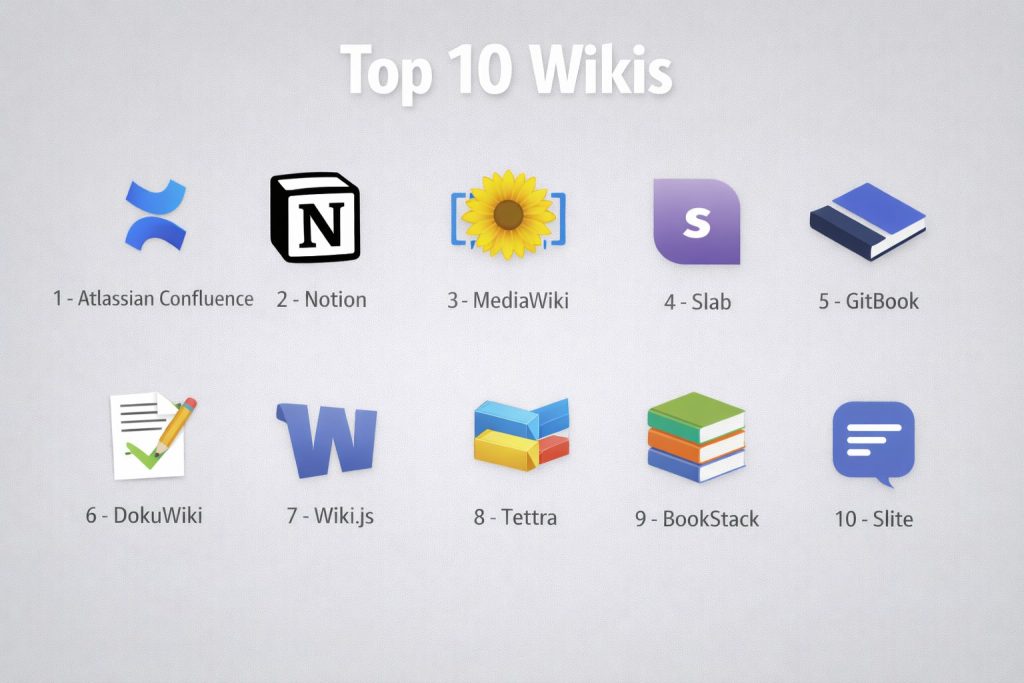
Top 10 Wiki Tools
#1 — Confluence (Atlassian)
The industry-standard enterprise wiki designed for high-scale collaboration and deep integration with the Atlassian ecosystem.
Key Features
- Spaces and Hierarchy: Organizes content into distinct areas for different teams, with a deep nested page structure.
- Real-Time Collaborative Editing: Allows multiple team members to work on a single document simultaneously with live cursor tracking.
- Jira Integration: Native ability to embed Jira issues and track project progress directly within wiki pages.
- Smart Links: Automatically previews content from external tools like Figma, Google Drive, and Slack when pasted.
- Macro Library: A vast collection of dynamic elements for adding tables of contents, status bars, and automated lists.
- AI Search & Summarization: A feature that provides instant summaries of long pages and answers questions across spaces.
- Granular Permissions: Advanced control over who can view, edit, or comment at the space and page level.
Pros
- Unmatched integration with technical project management tools (Jira, Bitbucket).
- Extremely scalable, handling thousands of users and millions of pages with ease.
- Extensive template library for everything from meeting notes to product requirements.
Cons
- Can feel complex and “heavy” for smaller teams or simple note-taking tasks.
- The search functionality can sometimes feel cluttered if not properly organized by users.
Platforms / Deployment
- Web / Windows / macOS / iOS / Android
- Cloud (SaaS) / Data Center (Self-hosted)
Security & Compliance
- SSO/SAML, MFA, and Atlassian Access for enterprise management.
- SOC 2, ISO 27001, HIPAA, and GDPR compliant.
Integrations & Ecosystem
Confluence acts as the central knowledge hub for the Atlassian stack.
- Direct sync with Jira Software and Jira Service Management.
- Marketplace with thousands of apps for diagramming, workflows, and analytics.
- Slack and Microsoft Teams notification bridges.
Support & Community
Atlassian provides 24/7 enterprise support, a massive community forum, and the “Atlassian University” for professional certifications.
#2 — Notion
An all-in-one workspace that blends wikis, notes, and databases into a highly flexible, block-based platform popular with startups.
Key Features
- Block-Based Editor: Every element (text, image, table) is a block that can be moved and transformed easily.
- Linked Databases: Powerful tables that can be viewed as calendars, Kanban boards, or lists while acting as a wiki.
- Notion AI: An integrated assistant that helps write, summarize, and translate content directly in the editor.
- Internal Linking: Simple “@” mentions to link pages, people, or dates, creating a web of knowledge.
- Custom Templates: Users can build and share complex page layouts for specific business needs.
- Synced Blocks: Edit a block in one place, and it updates everywhere that block is embedded.
- Public Web Publishing: Turn any wiki page into a live, public-facing website with one click.
Pros
- Incredibly flexible; it can be a wiki, a project manager, and a personal notebook simultaneously.
- Clean, modern UI that attracts high adoption rates from creative and marketing teams.
- Powerful database features allow for structured metadata on wiki pages.
Cons
- The extreme flexibility can lead to a lack of structure if not managed by a dedicated “wiki master.”
- Large, complex pages with many databases can experience performance slowdowns.
Platforms / Deployment
- Web / Windows / macOS / iOS / Android
- Cloud (SaaS)
Security & Compliance
- SSO/SAML for Enterprise plans.
- SOC 2 Type II compliant; GDPR and CCPA support.
Integrations & Ecosystem
Notion features a modern API and a vast library of community-made templates.
- Integrates with Slack, GitHub, and Jira.
- Wide range of “widget” support for adding weather, clocks, and custom charts.
Support & Community
Notion has one of the most passionate user communities, with thousands of shared templates and a dedicated help center with video guides.
#3 — MediaWiki
The robust, open-source engine that powers Wikipedia. It is designed for massive volumes of content and high levels of customization.
Key Features
- Wikitext Markup: A specialized language designed for creating complex, interconnected encyclopedic entries.
- Massive Scalability: Built to handle millions of pages and hundreds of thousands of concurrent users.
- Version Control & History: Every single change is tracked with an immutable history and easy rollback features.
- Extension Architecture: Thousands of free extensions available for adding maps, math formulas, and advanced search.
- Category System: A powerful way to organize pages into hierarchical or cross-referenced groups.
- Discussion Pages: Every content page has an associated talk page for community collaboration.
- Internationalization: Support for hundreds of languages and localized content structures.
Pros
- Completely free and open-source, giving users total control over their data and infrastructure.
- Familiar interface for anyone who has used Wikipedia.
- Exceptional for public-facing community projects and huge knowledge repositories.
Cons
- Steeper learning curve for non-technical users who aren’t familiar with wikitext.
- Requires manual setup and server maintenance, which can be an overhead for small teams.
Platforms / Deployment
- Web (Self-hosted) / Linux / Windows / macOS
- Self-hosted / Private Cloud
Security & Compliance
- Varies (Depends on the user’s hosting environment and configuration).
- Supports LDAP and OpenID Connect via extensions.
Integrations & Ecosystem
MediaWiki is highly extensible but requires technical skill to integrate.
- API support for external bots and data analysis.
- Integration with search engines like Elasticsearch through extensions.
Support & Community
As a non-profit-led project, support is primarily community-driven through extensive documentation, IRC channels, and mailing lists.
#4 — Slab
A modern internal wiki that emphasizes a clean writing experience and powerful search capabilities across a company’s entire tech stack.
Key Features
- Unified Search: Searches not just the wiki, but also connected tools like Slack, Google Drive, and GitHub.
- Topics and Folders: A simplified organizational system that prevents the clutter of traditional folder hierarchies.
- Slab AI: Provides instant answers to questions based on the content stored within the wiki.
- Clean Editor: A distraction-free writing environment with support for Markdown and visual formatting.
- Read Analytics: Shows which team members have read specific pages, useful for policy updates.
- Mention Support: Easily tag teammates and other pages to keep the context connected.
- Template Gallery: Pre-built structures for engineering, HR, and product management.
Pros
- Exceptionally fast and easy to navigate compared to older enterprise wikis.
- The “Unified Search” feature is a game-changer for finding info hidden in other apps.
- Strong focus on readability and a minimalist aesthetic that encourages writing.
Cons
- Fewer advanced “database” or “project management” features compared to Notion or Confluence.
- Primarily focused on internal teams; less suitable for public-facing documentation.
Platforms / Deployment
- Web / Windows / macOS / iOS / Android
- Cloud (SaaS)
Security & Compliance
- SSO/SAML, MFA, and encrypted data storage.
- SOC 2 compliant.
Integrations & Ecosystem
Slab is designed to be the “central nervous system” of your tools.
- Deep integrations with Slack, Microsoft Teams, and GitHub.
- Connections to Google Drive and Dropbox for file referencing.
Support & Community
Slab provides a detailed help center and responsive customer support for business and enterprise tiers.
#5 — GitBook
A documentation platform that uses Git workflows to help technical teams build beautiful public and private wikis.
Key Features
- Git-Sync: Bi-directional sync with GitHub or GitLab, allowing developers to write in their IDE and sync to the wiki.
- Markdown Support: A native Markdown editor that is easy for developers but friendly for non-technical users.
- Versioned Documentation: Ability to maintain different versions of the wiki for different product releases.
- Collaboration Workflows: Support for “drafts” and “merging” changes, similar to code pull requests.
- AI-Powered Search: Natural language search that finds specific technical answers across the documentation.
- Custom Domains: Host your wiki on your own domain with custom branding and styling.
- Content Blocks: Insert code snippets, API endpoints, and hints with specialized visual formatting.
Pros
- Perfect for developer-focused organizations that want “documentation as code.”
- Beautiful, polished output that is ideal for customer-facing product manuals.
- Robust version control ensures that old documentation remains accessible.
Cons
- Can be more technical than necessary for non-engineering departments (like HR or Sales).
- The pricing model can get expensive for teams with many external collaborators.
Platforms / Deployment
- Web / Windows / macOS
- Cloud (SaaS)
Security & Compliance
- SSO, MFA, and private space controls.
- SOC 2 compliant.
Integrations & Ecosystem
GitBook lives in the developer ecosystem.
- Native GitHub, GitLab, and Bitbucket integrations.
- Slack and Discord notifications for change logs.
Support & Community
Offers high-quality documentation, a community Discord, and dedicated support for enterprise accounts.
#6 — DokuWiki
A simple, lightweight, open-source wiki that doesn’t require a database, making it incredibly easy to move and backup.
Key Features
- File-Based Storage: Stores all data in plain text files rather than a database like MySQL.
- Access Control Lists (ACL): Robust system for defining who can read and edit specific pages or namespaces.
- Plugin System: Over 1,000 community plugins for adding functionality like tag clouds, calendars, and galleries.
- Simple Syntax: Uses a clean and readable markup that is easy to learn for beginners.
- Multi-Language Support: Built-in features for creating wikis in multiple languages.
- Revision History: Full history of every page change with easy “diff” views to see what was altered.
- Built-in Search: A fast, index-based search engine that works without external dependencies.
Pros
- Extremely low server requirements; it can run on almost any hosting environment.
- Very easy to backup or migrate—you just copy the folder to another location.
- High degree of stability; the core software is mature and highly reliable.
Cons
- The default interface can look dated compared to modern SaaS platforms.
- Not designed for complex real-time “multi-user” editing in the same way modern cloud tools are.
Platforms / Deployment
- Web (Self-hosted) / PHP based
- Self-hosted
Security & Compliance
- Supports LDAP, Active Directory, and OpenID via plugins.
- Not publicly stated (Depends on server security).
Integrations & Ecosystem
DokuWiki relies on its extensive plugin library for connectivity.
- Plugins for integrating with LDAP servers for enterprise authentication.
- Support for exporting pages to PDF or OpenDocument formats.
Support & Community
Has a very loyal and active open-source community that maintains documentation and provides help through forums and mailing lists.
#7 — Wiki.js
A modern, powerful open-source wiki built on Node.js that features a beautiful UI and support for multiple storage backends.
Key Features
- Multiple Editors: Support for Markdown, WYSIWYG, HTML, and even specialized code editors.
- Storage Sync: Can automatically backup and sync your wiki content to Git, AWS S3, Google Cloud Storage, or Azure.
- Flexible Authentication: Native support for over 40 social and enterprise login providers (Google, GitHub, Okta).
- Modern Dashboard: A sleek, high-performance administration panel for managing users and settings.
- Themeable Engine: Fully customizable look and feel with support for light and dark modes.
- Localized Content: Comprehensive support for multi-lingual wikis with side-by-side translation.
- Asset Manager: Built-in system for managing images and files with drag-and-drop support.
Pros
- One of the best-looking open-source wikis on the market today.
- High performance due to its modern Node.js architecture.
- Offers enterprise-grade features (like SSO and Git-sync) for free.
Cons
- Requires some technical knowledge to install and configure the server and database.
- The community plugin ecosystem is smaller than that of older tools like MediaWiki.
Platforms / Deployment
- Web (Self-hosted) / Docker / Linux / Windows
- Self-hosted / Private Cloud
Security & Compliance
- Built-in MFA, SSO (Okta, Entra ID), and granular permissions.
- Varies (Depends on self-hosted setup).
Integrations & Ecosystem
Wiki.js is designed to be highly connected to modern cloud services.
- Direct sync to GitHub/GitLab for content backup.
- Support for cloud storage providers for media assets.
Support & Community
Primarily supported through GitHub discussions, a detailed documentation site, and community-led guides.
#8 — Tettra
A knowledge management tool that lives inside Slack, designed to help teams answer repetitive questions and centralize scattered info.
Key Features
- Slack Integration: Search and share wiki pages directly within Slack without switching apps.
- Question and Answer: A specialized workflow where users can ask questions and experts can turn the answer into a wiki page.
- Content Verification: Automatically prompts “subject matter experts” to review and update content on a schedule.
- Simple Hierarchies: Organizes content into categories and sub-categories that are easy for anyone to navigate.
- Editor for All: A simple visual editor that supports basic formatting, code snippets, and embeds.
- Read Receipts: Track who in the company has seen important internal announcements or policies.
- Slack Alerts: Notifications when new knowledge is added or when an expert answers a question.
Pros
- Perfect for teams that are “Slack-first” and want to reduce repetitive questions.
- Focuses on “verifying” knowledge, which solves the problem of outdated info.
- Very low barrier to entry for non-technical users.
Cons
- Less powerful as a “general purpose” wiki for large-scale technical documentation.
- Requires a Slack or Microsoft Teams account to get the full value.
Platforms / Deployment
- Web / Slack / Microsoft Teams
- Cloud (SaaS)
Security & Compliance
- SSO/SAML support for higher-tier plans.
- Data encryption at rest and in transit.
Integrations & Ecosystem
Tettra is built specifically for the modern chat-based workplace.
- Deep integration with Slack and Microsoft Teams.
- Connections to Google Drive and GitHub for referencing external documents.
Support & Community
Provides a dedicated help center, email support, and a blog focused on knowledge management best practices.
#9 — BookStack
An opinionated, open-source wiki system that organizes information using a “Library” metaphor (Shelves, Books, Chapters, and Pages).
Key Features
- Hierarchical Structure: Uses a fixed, intuitive hierarchy of Shelves -> Books -> Chapters -> Pages to keep content organized.
- Simple WYSIWYG Editor: A familiar word-processor-style interface that requires no technical knowledge.
- Markdown Support: An optional Markdown editor for those who prefer writing in code.
- Custom Branding: Easily change colors, logos, and names to match your company’s identity.
- Multi-Language UI: Available in over 30 languages.
- Role-Based Permissions: Granular control over who can create or delete books and pages.
- API Access: Full REST API for integrating BookStack with other internal business systems.
Pros
- The “Library” metaphor makes it almost impossible for users to get lost.
- Very fast and clean interface with zero bloat or unnecessary features.
- One of the easiest self-hosted wikis to set up for a small business.
Cons
- The fixed hierarchy (Shelf/Book/Page) can feel restrictive for very complex, cross-linked datasets.
- Fewer “live” collaboration features compared to modern cloud-native tools.
Platforms / Deployment
- Web (Self-hosted) / PHP based
- Self-hosted
Security & Compliance
- Support for LDAP, Social logins (Google/GitHub), and OIDC.
- Varies (Depends on self-hosted setup).
Integrations & Ecosystem
BookStack is designed to be a standalone repository but offers basic connectivity.
- REST API for custom automation and data extraction.
- Support for simple authentication bridges.
Support & Community
A dedicated open-source project with active maintenance, a detailed user guide, and a community on GitHub and Reddit.
#10 — Slite
An AI-powered knowledge base designed for remote-first teams who need to keep information fresh and searchable.
Key Features
- “Ask by Slite”: An AI assistant that reads your entire wiki and answers questions in natural language.
- Channel-Based Organization: Content is grouped into “channels” (similar to Slack), keeping projects separate and organized.
- Verification System: Set expiration dates for pages to ensure they are reviewed by owners periodically.
- Catch-Up Screen: A personalized view that highlights the latest changes and most relevant content for each user.
- Infinite Canvas: Add collaborative whiteboards and diagrams directly into wiki pages.
- Real-Time Collaboration: Fast, reliable editing with mentions and inline comments for feedback.
- Smart Search: Context-aware search that understands natural language queries.
Pros
- Excellent for remote teams who need to stay “in the loop” without constant meetings.
- The AI features drastically reduce the time spent searching for specific information.
- Beautifully designed, encouraging team members to actually use and contribute to the wiki.
Cons
- The free plan is quite limited in terms of document count.
- May lack some of the deep “database” powers found in Notion.
Platforms / Deployment
- Web / Windows / macOS / iOS / Android
- Cloud (SaaS)
Security & Compliance
- SSO, MFA, and secure data handling.
- SOC 2 compliant.
Integrations & Ecosystem
Slite is built to connect with the modern remote stack.
- Slack integration for searching and receiving updates.
- Embeds for Figma, Google Drive, and YouTube.
- API for building custom automated workflows.
Support & Community
Offers a comprehensive help center, proactive customer success for teams, and a community of remote work enthusiasts.
Comparison Table (Top 10)
| Tool Name | Best For | Platform(s) Supported | Deployment | Standout Feature | Public Rating |
| Atlassian Confluence | Enterprises | All Platforms | Hybrid | Jira Integration | 4.6/5 |
| Notion | All-in-one Teams | All Platforms | Cloud (SaaS) | Linked Databases | 4.8/5 |
| MediaWiki | Public Communities | Web | Self-hosted | Wikipedia Engine | 4.4/5 |
| Slab | Internal Knowledge | All Platforms | Cloud (SaaS) | Unified Search | 4.7/5 |
| GitBook | Developers | Web, Win, Mac | Cloud (SaaS) | Git-Sync Workflow | 4.5/5 |
| DokuWiki | Low-resource IT | Web | Self-hosted | Database-less files | 4.0/5 |
| Wiki.js | Modern Open Source | Web, Docker | Self-hosted | Multi-backend sync | 4.7/5 |
| Tettra | Slack-first Teams | Web, Slack | Cloud (SaaS) | Q&A Workflow | 4.3/5 |
| BookStack | Structured SMBs | Web | Self-hosted | Library Metaphor | 4.6/5 |
| Slite | Remote Teams | All Platforms | Cloud (SaaS) | “Ask” AI Assistant | 4.7/5 |
Evaluation & Scoring of Wikis
| Tool Name | Core (25%) | Ease (15%) | Integrations (15%) | Security (10%) | Performance (10%) | Support (10%) | Value (15%) | Weighted Total |
| Confluence | 10 | 6 | 10 | 10 | 8 | 9 | 6 | 8.4 |
| Notion | 9 | 8 | 9 | 8 | 7 | 9 | 9 | 8.5 |
| MediaWiki | 10 | 3 | 6 | 5 | 10 | 6 | 10 | 7.1 |
| Slab | 8 | 9 | 9 | 8 | 9 | 8 | 8 | 8.3 |
| GitBook | 8 | 7 | 8 | 8 | 9 | 8 | 7 | 7.7 |
| DokuWiki | 6 | 5 | 5 | 5 | 9 | 6 | 10 | 6.1 |
| Wiki.js | 9 | 7 | 8 | 8 | 9 | 7 | 10 | 8.3 |
| Tettra | 7 | 9 | 9 | 7 | 8 | 8 | 8 | 7.7 |
| BookStack | 8 | 10 | 6 | 6 | 9 | 7 | 10 | 8.0 |
| Slite | 9 | 9 | 8 | 8 | 9 | 9 | 7 | 8.5 |
How to Interpret These Scores
- 0–5: Highly specialized or legacy tools that require significant technical effort or are limited in scope.
- 6–8: Strong, reliable tools that excel in specific areas like technical documentation or small-team collaboration.
- 9–10: Market-leading solutions offering the best combination of features, scalability, and ease of use.
- Note: Scoring is comparative. A low score in “Integrations” for BookStack reflects its intentional simplicity, not a failure in its core purpose as a standalone library.
Which Wiki Tool Is Right for You?
Solo / Freelancer
For an individual, Notion is the most powerful choice as it can replace your notes, calendar, and task list. If you want something lightweight and open-source, Wiki.js or a local DokuWiki setup provides excellent privacy.
SMB
Small-to-mid-sized businesses benefit most from Slite or Slab. These tools are easy to set up and don’t require a dedicated administrator to keep the content organized and searchable.
Mid-Market
For growing companies that need structured documentation, BookStack (if self-hosting) or Tettra (if using Slack) offer the right balance of governance and user adoption.
Enterprise
Large organizations with deep security requirements and complex team structures should look at Confluence or Notion Enterprise. These platforms offer the compliance and administrative tools necessary for thousands of users.
Budget vs Premium
- Budget: MediaWiki, DokuWiki, and BookStack are free and open-source (excluding hosting costs).
- Premium: Confluence and Notion can become significant line items as your team grows, but they provide the most value in terms of time saved.
Feature Depth vs Ease of Use
If you need deep, technical customization, go with MediaWiki or Wiki.js. If you want your non-technical team to start writing immediately without a manual, choose BookStack or Slab.
Integrations & Scalability
For organizations that use Jira or Bitbucket, Confluence is the only logical choice. For those who want their wiki to live where their communication is, Tettra is the best integration-first option.
Security & Compliance Needs
Enterprises in finance or healthcare should prioritize Confluence or Acquia (Drupal-based wikis), as they offer the most transparent and audited security protocols for managed cloud environments.
Frequently Asked Questions (FAQs)
What is the biggest advantage of using a wiki over a shared folder of documents?
A wiki is designed for interconnectedness and discoverability. Unlike a folder of PDFs or Word docs, a wiki allows for internal linking, real-time collaboration, and powerful full-text search, ensuring information is easy to find and update.
Can a wiki be used for external customer support?
Yes. Many tools like GitBook, Notion, and MediaWiki allow you to publish specific spaces or pages to the public. This makes them ideal for hosting “Help Centers” or product documentation that customers can access without logging in.
Is it hard to keep a wiki organized as a company grows?
Yes, “wiki rot” is a common problem. To prevent this, successful teams appoint “Wiki Champions” and use tools like Slite or Tettra that feature automated verification reminders to ensure content stays fresh and accurate.
Do I need to know Markdown or HTML to use a wiki?
In 2026, most wikis (like Notion, BookStack, or Slab) feature visual WYSIWYG editors that work just like Microsoft Word. While some tools support Markdown for speed, it is rarely a requirement for basic users.
Are open-source wikis less secure than paid cloud versions?
Not necessarily. Open-source tools like Wiki.js or MediaWiki can be extremely secure if configured correctly on your own servers. However, cloud versions handle the security updates and compliance (like SOC 2) for you, which saves time.
How do wikis handle version control?
Most wikis maintain a full history of every change. You can see who made an edit, compare versions side-by-side, and “roll back” to a previous version if an error occurs. This creates an immutable audit trail for important documentation.
Can wikis handle images and videos?
Yes. Modern wikis allow you to drag and drop images and embed videos from YouTube or Loom directly into the page. Some even allow for live “iframes” where you can interact with a Figma design or a Google Sheet inside the wiki.
Is it possible to migrate content from one wiki to another?
It depends on the tool. Most wikis support exporting content to Markdown, HTML, or PDF. Tools like Notion and Confluence also have dedicated importers to help you move content from their competitors with minimal formatting loss.
What is the role of AI in wikis today?
AI is primarily used for “Knowledge Retrieval.” Instead of scrolling through pages, you can ask the AI a question, and it will find the answer and summarize it for you. AI also helps with drafting content and fixing grammar.
How much does it cost to host a self-hosted wiki?
The software itself is often free (like DokuWiki or BookStack). Your main cost will be a VPS (Virtual Private Server), which can range from $5 to $50 per month depending on the traffic and storage needs of your organization.
Conclusion
A wiki is far more than just a digital notebook; it is the foundation of an organization’s intelligence. In 2026, the gap between a team that “knows” and a team that “documents” is the difference between constant confusion and streamlined success. Whether you choose the enterprise power of Confluence, the flexibility of Notion, or the open-source freedom of Wiki.js, the key is to start documenting today.