Introduction
In simple terms, knowledge base software is a digital library where organizations store, organize, and share information. Think of it as a private “Wikipedia” for a company. It allows businesses to collect everything from employee handbooks and technical specifications to customer FAQs and troubleshooting steps in one searchable location. This ensures that the right answer is always available to the right person, whether they are a support agent helping a client or a new hire learning company policies.
These platforms have evolved from static document repositories into “active intelligence hubs.” With the explosion of remote work and complex technical stacks, having a single source of truth is no longer optional—it is a survival requirement. Modern knowledge bases now use artificial intelligence to draft articles automatically, verify information accuracy in real-time, and even suggest answers to customers before they finish typing their questions.
Real-World Use Cases
- Customer Self-Service: Providing a public-facing help center where customers can solve common issues like password resets or order tracking without contacting support.
- Internal Employee Onboarding: Centralizing training materials, benefit guides, and standard operating procedures (SOPs) for a consistent new-hire experience.
- IT and Engineering Documentation: Storing code snippets, API documentation, and system architecture diagrams for technical teams.
- Agent Assist in Call Centers: Helping support representatives find verified answers instantly while they are on a live call with a customer.
- Product Management: Maintaining feature roadmaps, user research notes, and version history in a collaborative environment.
Evaluation Criteria for Buyers
When selecting a knowledge base tool, organizations should evaluate:
- AI Search Capabilities: Does it offer semantic search that understands “intent” rather than just matching keywords?
- Content Authoring Tools: Is the editor intuitive? Does it support Markdown, rich text, and AI-assisted drafting?
- Security & Access Control: Can you set granular permissions (RBAC) and manage users via SSO?
- Analytics & Insights: Does it track “failed searches” to tell you exactly what content is missing?
- Integration Ecosystem: Does it plug directly into your help desk (e.g., Zendesk, Salesforce) or chat tools (e.g., Slack, Teams)?
- Multi-Language Support: Can it automatically translate and manage versions of articles for global teams?
- Content Verification: Does it have a “stale content” alert system to ensure information stays up to date?
- Scalability: Can it handle thousands of articles and millions of monthly visits without slowing down?
Mandatory Paragraph
- Best for: Customer support teams looking to reduce ticket volume, HR departments managing internal policies, and engineering teams needing a centralized technical wiki.
- Not ideal for: Organizations with extremely simple needs that can be handled by a basic shared folder, or companies that lack the resources to maintain and update a content library.
Key Trends in Knowledge Base Software
- Agentic AI Workflows: AI is no longer a passive assistant. Modern platforms feature “Knowledge Agents” that can autonomously update articles based on resolved support tickets and verify facts against internal data sources.
- Predictive Knowledge Delivery: Instead of waiting for a user to search, the software now uses machine learning to “predict” what information an agent or customer needs based on their current activity or open ticket context.
- Verified-Only Search: To combat AI hallucinations, high-end tools now allow administrators to toggle a “Verified Only” mode, ensuring the AI only generates answers from human-approved documents.
- Multimedia-First Documentation: Static text is being replaced by AI-generated video summaries, interactive troubleshooting flows, and screen-recorded “walkthroughs” that are automatically transcribed and indexed.
- Decentralized Data Mesh: Modern tools allow companies to connect multiple data sources (like Google Drive, Slack, and Jira) into a unified search experience without moving the actual files.
- Contextual Help Widgets: Knowledge is increasingly delivered through “in-app” overlays and banners, bringing the answer directly to the user’s current screen rather than forcing them to a separate help page.
- Automated Content Health Audits: AI now proactively identifies conflicting information across different articles and flags them for human review to maintain a “single source of truth.”
- Voice-Activated Knowledge Retrieval: With the rise of advanced voice interfaces, internal knowledge bases are now fully accessible via voice commands for field technicians and warehouse workers.
How We Selected These Tools (Methodology)
To identify the top 10 knowledge base software solutions, we applied a rigorous evaluation framework:
- Market Mindshare & Adoption: We prioritized tools used by market leaders and those with high visibility in the enterprise and SMB sectors.
- Feature Completeness: We looked for platforms that offer a full lifecycle of knowledge management, from creation and organization to delivery and analytics.
- Reliability & Performance Signals: We evaluated uptime records and the platform’s ability to handle high-concurrency search queries.
- Security & Compliance Standards: Preference was given to vendors with mature security postures, including SOC 2 and GDPR compliance.
- AI Integration Maturity: We assessed how deeply AI is woven into the core workflow—specifically focusing on automated drafting and semantic search.
- Ecosystem Connectivity: We evaluated how well each tool integrates with the broader “productivity stack” like CRMs and messaging apps.
- User Feedback & Sentiment: We analyzed professional reviews and customer satisfaction signals to gauge real-world usability and support quality.
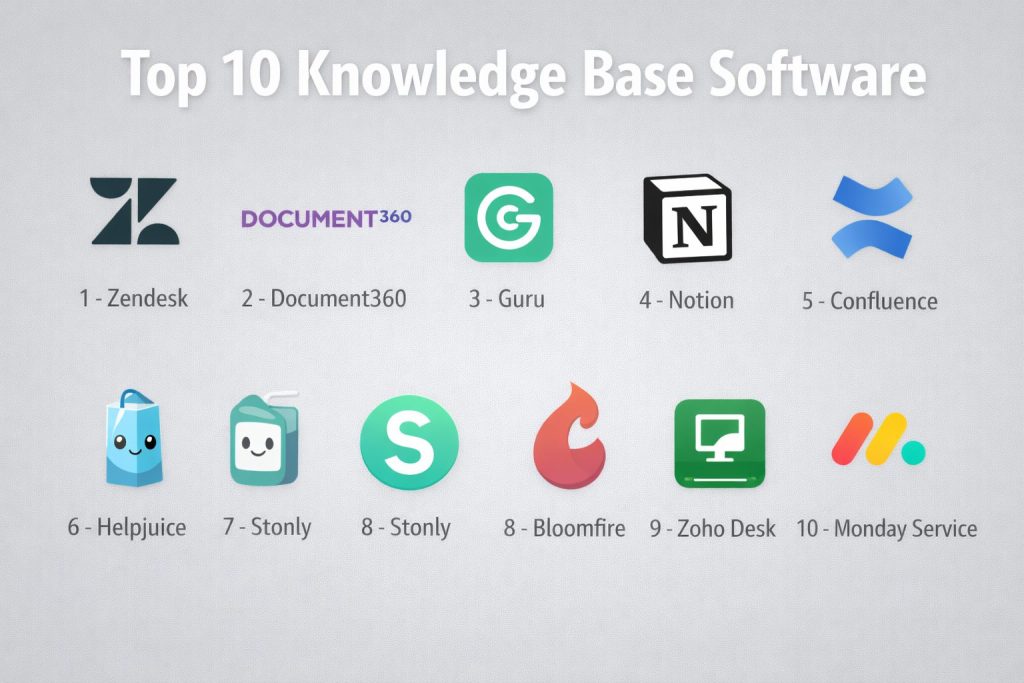
Top 10 Knowledge Base Software Tools
#1 — Zendesk
A powerhouse in the customer service world, providing a deeply integrated knowledge base (Zendesk Guide) that powers self-service and agent productivity.
Key Features
- AI Content Cues: Automatically identifies gaps in your knowledge base by analyzing customer questions that couldn’t be answered.
- Generative AI for Agents: Summarizes long articles into quick “bullet points” for agents to use during live chats.
- Multibrand Support: Allows large companies to host multiple unique help centers from a single centralized account.
- Knowledge Capture App: Enables support agents to create or flag articles for updates directly from the ticket interface.
- Unified Workspace: Seamlessly connects the help center with email, chat, and social media support channels.
- Advanced Permissions: Granular control over who can view, edit, and publish content at the folder and article level.
- Theme Customization: A flexible templating engine that allows for full branding of the public help center.
Pros
- Unrivaled integration for teams already using the Zendesk ecosystem.
- Exceptional at “ticket deflection,” shifting customer volume from humans to self-service.
- Robust reporting that links knowledge usage directly to support performance metrics.
Cons
- Can be very expensive as it is typically bundled with the broader Zendesk suite.
- The setup process for advanced branding and custom themes requires technical expertise.
Platforms / Deployment
- Web / iOS / Android
- Cloud (SaaS)
Security & Compliance
- SSO/SAML, MFA, and IP restrictions.
- SOC 2 Type II, ISO 27001, GDPR, and HIPAA compliant.
Integrations & Ecosystem
Zendesk features one of the largest app marketplaces in the SaaS industry.
- Deep integrations with Salesforce, Slack, and Shopify.
- Extensive REST APIs for building custom “headless” help centers.
- Hundreds of community-built apps for productivity and translation.
Support & Community
Provides 24/7 enterprise-grade support, a massive “Zendesk Neighborhood” community forum, and a comprehensive online academy for certifications.
#2 — Document360
A dedicated knowledge base platform designed specifically for building professional, high-performance documentation for customers and employees.
Key Features
- Eddy AI: An advanced AI assistant that provides instant answers to users and helps authors write content faster.
- Mixed Editor: Supports both a “What You See Is What You Get” (WYSIWYG) editor and a powerful Markdown editor.
- Versioning & Rollback: Tracks every change made to an article, allowing users to compare versions and restore previous ones instantly.
- Category Manager: A sophisticated drag-and-drop interface for organizing complex article hierarchies up to six levels deep.
- Private Knowledge Base: Securely host internal documentation that is only accessible to authenticated team members.
- Content Migration: Specialized tools to import existing documentation from Word, PDF, or other help centers.
- Article Redirects: Built-in SEO management to handle broken links and moved content automatically.
Pros
- Extremely fast and responsive user interface for both authors and readers.
- One of the best Markdown support systems on the market for technical writers.
- Transparent and scalable pricing that fits both startups and enterprises.
Cons
- Lacks a full “help desk” (ticketing) system, meaning you must integrate it with another tool for support.
- Some advanced analytics features are restricted to higher-tier enterprise plans.
Platforms / Deployment
- Web
- Cloud (SaaS)
Security & Compliance
- SSO, MFA, and domain mapping security.
- SOC 2 Type II and GDPR compliant.
Integrations & Ecosystem
Document360 focuses on being the “content hub” for your existing tools.
- Integrates with Zendesk, Freshdesk, and Intercom.
- Support for Slack and Microsoft Teams for internal knowledge retrieval.
- Chrome extension for accessing knowledge while browsing other apps.
Support & Community
Offers excellent documentation (built on their own platform), a dedicated customer success manager for enterprise clients, and a rapid response support team.
#3 — Guru
A knowledge management platform that focuses on delivering “bite-sized” verified answers directly into the apps where your team is already working.
Key Features
- Browser Extension: Delivers knowledge cards directly on top of Salesforce, Slack, or any web application.
- Knowledge Verification: A unique workflow that prompts experts to “verify” content accuracy on a set schedule.
- Guru GPT: A conversational interface that allows team members to ask questions and get answers from verified internal data.
- AI Suggestions: Automatically surfaces relevant knowledge cards based on the text an agent is currently typing.
- Collections & Boards: A flexible way to organize information by department, project, or specific use case.
- Slack Integration: Allows users to search for, create, and share knowledge without leaving the Slack interface.
- Contextual Knowledge: Pins specific information to certain websites or app pages so the team sees it automatically.
Pros
- Best-in-class for “internal” knowledge where information changes frequently.
- Forces a culture of accuracy through its built-in verification system.
- Drastically reduces “context switching” by bringing knowledge to the user.
Cons
- Not ideal for long-form, technical manuals that require complex formatting.
- The “card” format can become difficult to manage if the organization has tens of thousands of documents.
Platforms / Deployment
- Web / iOS / Android / Browser Extensions
- Cloud (SaaS)
Security & Compliance
- SSO/SAML, SCIM, and advanced permissioning.
- SOC 2 Type II, ISO 27001, and GDPR compliant.
Integrations & Ecosystem
Guru is designed to live “everywhere” your team works.
- Deep integrations with Slack, Microsoft Teams, and Zoom.
- Connectors for Google Drive, Box, and Confluence to search across silos.
Support & Community
Provides a robust help center, a “Guru Community” for sharing best practices, and proactive customer success engagement.
#4 — Notion
A highly flexible, collaborative workspace that combines notes, docs, and databases into a single, customizable knowledge hub.
Key Features
- Notion AI: A powerful built-in assistant that can draft pages, summarize long documents, and fix grammar.
- Database Views: Allows you to view the same knowledge as a table, list, gallery, or “Kanban” board.
- Block-Based Editor: A unique system where every paragraph, image, or table is a “block” that can be moved and transformed.
- Team Spaces: Dedicated areas for different departments (HR, Engineering, Marketing) with their own permissions.
- Custom Templates: Thousands of community-created templates for wikis, meeting notes, and project trackers.
- Relational Data: Link different pieces of knowledge together (e.g., link a “SOP” page to a “Project” database).
- Public Pages: One-click publishing to turn any Notion page into a public-facing website.
Pros
- The most flexible tool on the list; you can build exactly the structure you want.
- Excellent real-time collaboration features for teams writing together.
- Very cost-effective for small teams and startups.
Cons
- The lack of a rigid structure can lead to “document chaos” if not properly managed.
- Lacks specialized “customer support” features like ticket deflection or advanced help center SEO.
Platforms / Deployment
- Web / Windows / macOS / iOS / Android
- Cloud (SaaS)
Security & Compliance
- SSO/SAML (Enterprise), MFA, and Workspace-level permissions.
- SOC 2 Type II compliant.
Integrations & Ecosystem
Notion features a rapidly growing API and a massive community of template creators.
- Syncs with Slack, GitHub, Jira, and Google Calendar.
- Support for thousands of automation workflows via Zapier and Make.
Support & Community
Relies heavily on a massive global community of “Notion Ambassadors” and influencers, supplemented by a standard support ticketing system.
#5 — Confluence
The industry standard for technical documentation and internal wikis, specifically designed for teams working within the Atlassian ecosystem.
Key Features
- Jira Integration: Seamlessly link knowledge articles to Jira issues and display project status directly in Confluence.
- Structured Hierarchy: Uses a “Space” and “Page” system that is ideal for large-scale enterprise organization.
- Macro System: Powerful widgets to embed dynamic content like roadmaps, calendars, and Jira reports.
- Whiteboards: A built-in visual collaboration tool for brainstorming ideas that can then be turned into docs.
- Version History: Comprehensive tracking of every edit with the ability to “watch” pages for changes.
- Standardized Templates: Professionally designed layouts for retrospectives, product requirements, and how-to guides.
- Advanced Search: Highly optimized search engine that indexes text within PDFs and images.
Pros
- Essential for any team already using Jira for project management.
- Handles massive amounts of complex, technical information with ease.
- Deep enterprise features for compliance, auditing, and user management.
Cons
- The interface can feel “heavy” and corporate compared to modern, lightweight alternatives.
- Setting up complex permissions and spaces requires a dedicated administrator.
Platforms / Deployment
- Web / iOS / Android
- Cloud (SaaS) / Data Center (Self-hosted)
Security & Compliance
- SSO, MFA, and Atlassian Access for central security management.
- SOC 2, ISO 27001, HIPAA, and GDPR compliant.
Integrations & Ecosystem
Confluence is a core part of the massive Atlassian Marketplace.
- Direct integration with Trello, Slack, and Microsoft Teams.
- Thousands of third-party “Add-ons” for diagrams, analytics, and theme customization.
Support & Community
Benefit from Atlassian’s global support infrastructure and the “Atlassian Community,” one of the largest professional user groups in the tech world.
#6 — Helpjuice
A dedicated knowledge base solution focused on extreme customization and powerful search for both internal and external users.
Key Features
- Instant Search: One of the fastest search engines in the category, showing results as you type.
- Customization Service: Offers a unique “we’ll build it for you” service to match your help center exactly to your brand.
- Article Lifecycle Management: Tools to track article performance, freshness, and user feedback.
- Intelligent Insights: Analytics that show exactly what people are searching for and where they are getting stuck.
- Category Organization: Simple yet powerful multi-level categorization for large content libraries.
- Auto-Translation: Built-in tools to manage multilingual content for global audiences.
- Collaborative Editing: Allows multiple team members to work on a single article simultaneously with a clear audit trail.
Pros
- The most brand-flexible tool; you have total control over the CSS and layout.
- Flat-rate pricing models that don’t penalize you for adding more users.
- Exceptional customer support that often includes hands-on design help.
Cons
- The backend interface for authors is slightly less modern than tools like Notion.
- Lacks native “project management” or “ticketing” features found in integrated suites.
Platforms / Deployment
- Web
- Cloud (SaaS)
Security & Compliance
- SSO, MFA, and private/public access toggles.
- SOC 2 Type II and GDPR compliant.
Integrations & Ecosystem
Focuses on deep connectivity with the most popular support and communication tools.
- Integrates with Slack, Salesforce, and Zendesk.
- Open API for building custom search integrations into your own mobile app.
Support & Community
Helpjuice is famous for its high-touch support, including free customization and 24/7 technical assistance.
#7 — Stonly
A unique knowledge base platform that replaces traditional static articles with interactive, step-by-step troubleshooting guides.
Key Features
- Interactive Guides: Uses “choice-based” paths to lead users to the exact solution based on their specific situation.
- In-App Widgets: Delivers help directly inside your software via tooltips, banners, and search bars.
- Modular Search: An AI-powered engine that points users to the specific step in a guide rather than just the whole article.
- Data-Driven Routing: Can trigger specific actions (like opening a ticket) if a user reaches the end of a guide without resolution.
- Visual Editor: A drag-and-drop builder for creating complex logic trees without writing a single line of code.
- Personalized Help: Shows different content to users based on their plan level or user role.
- Agent Copilot: Gives support reps the exact troubleshooting script they need to follow for a specific issue.
Pros
- Far more effective for complex technical support than traditional “walls of text.”
- Drastically improves “first-contact resolution” (FCR) by guiding users through the right steps.
- Beautiful, modern design that feels like a natural part of your product.
Cons
- Requires more effort to “build” a guide compared to just writing a standard article.
- May not be the best choice for pure “policy” documentation (like an HR manual).
Platforms / Deployment
- Web / iOS / Android
- Cloud (SaaS)
Security & Compliance
- SSO, MFA, and secure widget embedding.
- SOC 2 and GDPR compliant.
Integrations & Ecosystem
Stonly is designed to sit “on top” of your existing support tools.
- Deeply integrates with Zendesk, Freshdesk, and Intercom.
- Supports Segment for tracking user data and behavior.
Support & Community
Provides excellent onboarding services and a dedicated library of interactive training guides to help you get started.
#8 — Bloomfire
An enterprise-wide knowledge sharing platform designed to centralize information across departments and break down organizational silos.
Key Features
- AI-Powered Search (Synapse): Uses advanced natural language processing to find answers inside videos, PDFs, and slide decks.
- Automatic Categorization: Uses AI to tag and organize content based on its meaning, reducing manual admin work.
- Q&A Module: A community-driven feature where users can ask questions and experts provide verified answers.
- Video Indexing: Automatically transcribes video content, allowing users to search for and jump to specific moments.
- Custom Newsletters: Send automated updates to specific groups to keep them informed about new knowledge.
- Engagement Analytics: Track which departments are the most active and which pieces of knowledge are most valuable.
- Rich Media Support: Native handling of everything from white papers to webinars and podcasts.
Pros
- Exceptional at finding “hidden” knowledge buried inside large files.
- Fosters a culture of collaboration and community-based learning.
- Very strong for “Market Research” and “Sales Enablement” use cases.
Cons
- Can be overkill for small teams with only a few dozen articles.
- The focus on “sharing” means it is less of a pure “technical manual” tool like Confluence.
Platforms / Deployment
- Web / iOS / Android
- Cloud (SaaS)
Security & Compliance
- SSO/SAML, SCIM, and advanced encryption.
- SOC 2 Type II and HIPAA compliant.
Integrations & Ecosystem
Bloomfire acts as the “search layer” for your company’s disparate data.
- Integrates with Slack, Microsoft Teams, and Salesforce.
- Connectors for Google Drive, OneDrive, and SharePoint.
Support & Community
Provides dedicated customer success managers for all enterprise clients and a structured onboarding program.
#9 — Zoho Desk
A comprehensive help desk suite that includes a powerful, AI-driven knowledge base (ASAP) designed for high-volume support.
Key Features
- Zia AI Assistant: A conversational bot that can answer customer questions directly from the knowledge base articles.
- Help Center Customization: Full control over the layout, branding, and domain of your public support site.
- Contextual ASAP: A widget that can be embedded in your app to show relevant help articles based on the user’s current screen.
- Article Permissions: Control exactly who can view or edit articles based on department or user role.
- Multilingual Knowledge Base: Support for over 10 languages with side-by-side translation management.
- SEO Management: Built-in tools to ensure your help articles rank well on search engines for common customer queries.
- Feedback Mechanism: Allows users to rate articles and leave comments so you know what needs improvement.
Pros
- Incredible value for money, especially for teams already in the Zoho ecosystem.
- Very strong AI capabilities that are accessible even to smaller businesses.
- Unified experience—your ticketing, knowledge base, and chat are all in one place.
Cons
- The interface can be cluttered and has a steeper learning curve than dedicated tools like Document360.
- Customization options are powerful but can be confusing for non-technical users.
Platforms / Deployment
- Web / iOS / Android
- Cloud (SaaS)
Security & Compliance
- SSO, MFA, and IP fencing.
- SOC 2, ISO 27001, GDPR, and HIPAA compliant.
Integrations & Ecosystem
Zoho Desk is part of the massive Zoho suite (45+ apps).
- Seamless integration with Zoho CRM, Zoho Analytics, and Zoho Projects.
- Hundreds of third-party integrations available in the Zoho Marketplace.
Support & Community
Offers 24/5 (or 24/7 for premium) support, a large community forum, and a vast library of “Zoho University” training content.
#10 — Monday Service
A modern, service-led knowledge management platform built on the monday.com Work OS, ideal for teams wanting to bridge the gap between tasks and knowledge.
Key Features
- Automated Article Creation: Turn a resolved support ticket into a draft knowledge base article with a single click.
- No-Code Automations: Set up rules to alert writers when an article hasn’t been updated in 6 months.
- Connected Workflows: Link knowledge base articles directly to project boards and task lists.
- Visual Dashboards: High-level views of content health, search trends, and team productivity.
- Customizable Forms: Collect information from users and automatically route it to the right department for article creation.
- Collaborative Boards: Use the power of “monday boards” to manage the editorial calendar for your knowledge base.
- SaaS Management: Centralized control over who has access to which knowledge spaces.
Pros
- Perfect for organizations already using monday.com for project management.
- Highly visual and easy to use, even for non-technical staff.
- Exceptional at managing the “process” of creating knowledge, not just the final document.
Cons
- As a relatively new “Service” offering, it may lack some of the deep technical SEO features of Document360.
- Requires a monday.com subscription, which can be expensive if you only need a knowledge base.
Platforms / Deployment
- Web / Windows / macOS / iOS / Android
- Cloud (SaaS)
Security & Compliance
- SSO/SAML, MFA, and enterprise-grade security controls.
- SOC 2 Type II, ISO 27001, and HIPAA compliant.
Integrations & Ecosystem
Leverages the extensive monday.com integration marketplace.
- Deep links with Slack, Google Workspace, and Microsoft 365.
- Thousands of custom automations via the internal “Automation Center.”
Support & Community
Provides 24/7 global support and an incredibly active community of “monday experts” and consultants.
Comparison Table (Top 10)
| Tool Name | Best For | Platform(s) Supported | Deployment | Standout Feature | Public Rating |
| Zendesk | Integrated Support | Web, iOS, Android | Cloud (SaaS) | AI Content Cues | 4.8/5 |
| Document360 | Technical Docs | Web | Cloud (SaaS) | Mixed Markdown Editor | 4.7/5 |
| Guru | Workflow Support | Web, Browser Ext. | Cloud (SaaS) | Content Verification | 4.9/5 |
| Notion | Collaborative Wikis | Web, Win, Mac | Cloud (SaaS) | Database Views | 4.7/5 |
| Confluence | Engineering/IT | All Platforms | Hybrid | Jira Integration | 4.5/5 |
| Helpjuice | Customization | Web | Cloud (SaaS) | Customization Service | 4.7/5 |
| Stonly | Interactive Guides | Web, iOS, Android | Cloud (SaaS) | Step-by-Step Paths | 4.6/5 |
| Bloomfire | Enterprise Search | All Platforms | Cloud (SaaS) | Synapse AI Search | 4.6/5 |
| Zoho Desk | Integrated Support | All Platforms | Cloud (SaaS) | Zia AI Assistant | 4.5/5 |
| Monday Service | Service Workflows | All Platforms | Cloud (SaaS) | Task-to-Article Auto | 4.6/5 |
Evaluation & Scoring of Knowledge Base Software
| Tool Name | Core (25%) | Ease (15%) | Integrations (15%) | Security (10%) | Performance (10%) | Support (10%) | Value (15%) | Weighted Total |
| Zendesk | 9 | 6 | 10 | 10 | 9 | 9 | 6 | 8.2 |
| Document360 | 10 | 9 | 8 | 8 | 10 | 9 | 8 | 9.0 |
| Guru | 8 | 9 | 9 | 8 | 9 | 8 | 8 | 8.4 |
| Notion | 8 | 10 | 7 | 6 | 9 | 7 | 10 | 8.1 |
| Confluence | 10 | 5 | 10 | 9 | 8 | 8 | 7 | 8.2 |
| Helpjuice | 8 | 8 | 8 | 8 | 9 | 10 | 8 | 8.3 |
| Stonly | 9 | 7 | 9 | 8 | 9 | 8 | 7 | 8.1 |
| Bloomfire | 9 | 7 | 8 | 9 | 8 | 9 | 7 | 8.1 |
| Zoho Desk | 8 | 7 | 9 | 9 | 8 | 8 | 9 | 8.1 |
| Monday Service | 7 | 9 | 9 | 9 | 9 | 9 | 8 | 8.3 |
How to Interpret These Scores
- 0–5: Basic or niche tools that may lack enterprise-grade reliability or feature depth.
- 6–8: Strong contenders that lead in specific sub-categories like collaborative wikis or internal sharing.
- 9–10: Industry-leading performance, specifically in areas like technical authoring and complex security.
- Note: Scoring is comparative. A “5” in Ease for Confluence reflects its high technical overhead, not its quality as an enterprise tool.
Which Knowledge Base Software Tool Is Right for You?
Solo / Freelancer
If you are an individual managing your own documentation, Notion is the hands-down winner. Its free tier is exceptionally powerful, and the interface is intuitive enough to get started in minutes without technical help.
SMB
For small and growing businesses, Document360 or Zoho Desk offer the best balance of features and cost. They provide professional-grade help centers that make your company look larger and more established to your customers.
Mid-Market
Companies that are scaling their support teams should look at Guru or Helpjuice. Guru is excellent for internal team consistency, while Helpjuice allows you to build a beautifully branded help center that matches your product perfectly.
Enterprise
Large organizations with thousands of employees and complex data silos should prioritize Confluence (for technical teams) or Zendesk (for customer support). These platforms offer the security, audit logs, and global scalability required at the enterprise level.
Budget vs Premium
- Budget: Notion and Blender (if choosing open-source alternatives) offer the highest value for zero or low cost.
- Premium: Zendesk and Confluence represent a significant investment but provide the most comprehensive ecosystems in the world.
Feature Depth vs Ease of Use
If you need deep technical documentation with Markdown and versioning, choose Document360. If you want a tool that anyone in your company can pick up and use instantly, choose Monday Service or Notion.
Integrations & Scalability
For teams that live in their communication tools, Guru (Slack-centric) and Confluence (Jira-centric) are the best choices. They ensure knowledge is delivered where the work is actually happening.
Security & Compliance Needs
Organizations in finance, healthcare, or government should focus on Confluence, Zendesk, or Bloomfire, as these vendors have the most mature compliance certifications (including HIPAA and FedRAMP readiness).
Frequently Asked Questions (FAQs)
What is the biggest mistake companies make when starting a knowledge base?
The most common mistake is treat a knowledge base as a “set it and forget it” project. Without a clear owner and a process for updating old information, the library quickly becomes untrustworthy, leading employees and customers to stop using it altogether.
Can knowledge base software really reduce support ticket volume?
Yes. Effective self-service knowledge bases (like those built on Zendesk or Document360) can “deflect” up to 30-50% of common support queries by providing instant answers to questions about password resets, pricing, and basic troubleshooting.
How does AI change the way we write articles in 2026?
AI now acts as a “first drafter.” You can feed it a set of release notes or a recorded meeting, and it will generate a structured article with headings and bullet points. However, human review is still essential to ensure tone and accuracy.
Is it better to have one big knowledge base or multiple small ones?
For most companies, a “Single Source of Truth” is better. However, you should use permissions to show different content to different people. For example, your support agents see “Internal Notes” that your customers cannot see.
What hardware do I need to run this software?
Virtually all top-tier 2026 knowledge base tools are Cloud-based (SaaS). You only need a modern web browser and a stable internet connection. No local servers are required unless you choose a specialized “On-premises” version of Confluence.
Does the software support video content?
Yes. Modern tools like Bloomfire and Stonly excel at multimedia. They don’t just “host” the video; they transcribe it and make the spoken words searchable, so a user can jump directly to the 30-second mark where a specific feature is explained.
How much does it cost to implement these tools?
Startups can often use Notion or Zoho for less than $10 per month. Large enterprises using Zendesk or Confluence may spend tens of thousands of dollars annually, depending on the number of seats and the level of support required.
What is “Knowledge Centered Service” (KCS)?
KCS is a methodology where support agents create and update knowledge as part of their daily workflow of resolving tickets. Tools like Zendesk and Guru are specifically designed to support this “learn-as-you-do” process.
Can I migrate my content if I want to switch tools later?
Most professional tools allow you to export your data in standard formats like HTML, Markdown, or JSON. However, migrating complex “interactive” content (like Stonly guides) is more difficult and usually requires manual rebuilding.
How do I know if my knowledge base is actually working?
You should track three key metrics: Search Success Rate (how often people find what they need), Article Helpful Ratings, and Ticket Deflection Rate (the ratio of help center visits to new support tickets).
Conclusion
Building a world-class knowledge base in 2026 is no longer just about writing documents—it’s about creating a living, breathing ecosystem of information. Whether you choose the interactive power of Stonly, the technical precision of Document360, or the collaborative ease of Notion, the goal remains the same: eliminating information silos and empowering your team.