Introduction
VFX compositing software is the backbone of visual effects production, allowing artists to combine different visual elements into a final, seamless image or sequence. Compositing involves layering visual elements, such as footage, digital effects, and generated graphics, to create the illusion of a unified scene. This process is essential in creating complex visual effects for films, television, video games, and advertisements.
Compositing software is critical in post-production workflows, enabling VFX artists to adjust lighting, color, and texture, remove unwanted elements, and add special effects that enhance the realism or artistic vision of a project. Whether you’re a professional studio or an indie filmmaker, the right VFX compositing tool can make or break the quality of your final output.
Real-world use cases include:
- Creating digital environments or enhancing live-action shots in movies
- Adding realistic effects like explosions, smoke, or fire to video game scenes
- Combining CGI elements with live-action footage in commercials and TV shows
- Editing and manipulating video layers to create special effects in music videos
- Enhancing footage with color grading, lighting adjustments, and background replacements
What buyers should evaluate:
- Feature set: Does the software provide the necessary compositing tools for your needs, such as color correction, keying, masking, and 3D integration?
- Performance: How well does the software handle large files and render intensive tasks?
- Ease of use: Is the software intuitive for artists, or does it require advanced technical knowledge?
- Integration: How well does the tool integrate with other software, such as Nuke, After Effects, or Maya?
- Customization: Does the software support custom scripts and plugins to extend its functionality?
- Real-time feedback: Does it provide live previews and instant feedback for better productivity?
- Cost: Is the software affordable for small studios or freelancers, or is it targeted at large studios with bigger budgets?
- Platform support: Does it support the platforms you are working with, such as Windows, macOS, or Linux?
- Community and support: Does the software have a large community and reliable support for troubleshooting and resources?
- Rendering capabilities: Does the software provide high-quality render outputs suitable for film, TV, or web use?
Mandatory paragraph
- Best for: VFX artists, studios, and filmmakers who need robust compositing tools for integrating live-action and CGI elements. These tools are ideal for both feature films and smaller-scale productions, including advertisements and game trailers.
- Not ideal for: Basic video editing tasks that don’t require advanced compositing techniques. For simpler projects, video editors with basic effects might be sufficient.
Key Trends in VFX Compositing Software and Beyond
- Real-time compositing: VFX software is increasingly offering real-time preview capabilities, allowing artists to see how their adjustments will appear in the final output instantly.
- AI-driven tools: Artificial intelligence is being incorporated to automate repetitive tasks, such as tracking, rotoscoping, and masking, improving workflow efficiency.
- 3D compositing and integration: VFX tools are moving beyond 2D compositing, with better integration for 3D objects, camera tracking, and environmental lighting.
- Cloud-based collaboration: Cloud technologies are enabling real-time collaboration on compositing projects, allowing teams to work together from different locations.
- Node-based workflows: Many compositing tools are shifting towards node-based systems for better flexibility and procedural workflows, especially for complex scenes and shots.
- Virtual production: With the rise of virtual production, compositing software is evolving to support in-camera visual effects and compositing in real-time on set.
- Open-source VFX tools: As the demand for VFX grows, more open-source tools are being developed, allowing indie filmmakers and small studios to access powerful compositing features for free.
- Cross-platform compatibility: As studios work across different operating systems, VFX compositing tools are expanding their support for macOS, Windows, and Linux to cater to a broader user base.
- Advanced motion tracking: Improved motion tracking tools are allowing for better alignment of 3D elements with live-action footage, especially for dynamic camera movements.
- Hardware acceleration: Many VFX tools are utilizing GPU acceleration to speed up rendering and compositing tasks, reducing the time spent on complex effects.
How We Selected These Tools (Methodology)
- Market adoption: Focused on tools that are widely used in professional studios and indie projects alike, ensuring that the software is trusted and reliable.
- Feature set: Chose tools that cover a broad range of compositing tasks, from color correction to 3D integration, offering versatility for various types of projects.
- Performance: Evaluated software based on its ability to handle large, complex compositions without lag or crashes.
- Integration with other software: Looked for tools that integrate smoothly with other parts of the post-production pipeline, such as Nuke, Maya, or After Effects.
- Ease of use: Considered the learning curve and user interface, favoring software that can be easily picked up by new artists while still offering deep customization for professionals.
- Cost: Included both high-end commercial software and affordable tools, ensuring a range of options for small studios, freelancers, and large enterprises.
- Community and support: Focused on tools that offer extensive resources, tutorials, and customer support for troubleshooting and learning.
- Platform support: Ensured the tools selected were compatible with different operating systems and could meet the needs of a diverse user base.
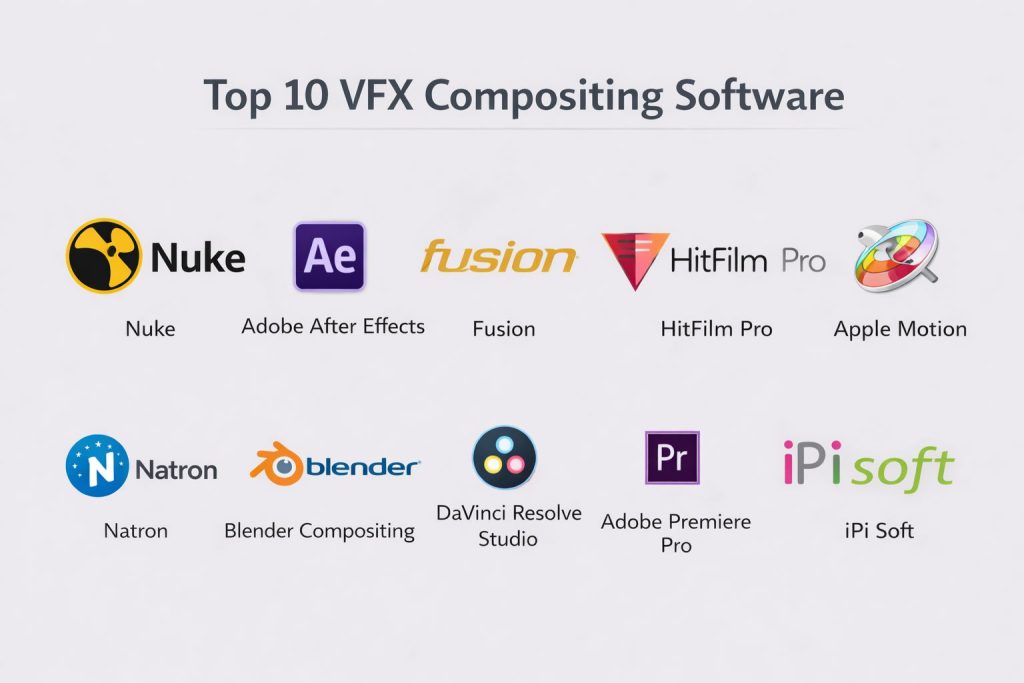
Top 10 VFX Compositing Software
#1 — Nuke
Nuke is a professional, node-based compositing software widely used in film and TV production for high-end visual effects and compositing.
Key Features
- Advanced node-based compositing workflow
- 3D compositing and integration for complex scenes
- Powerful rotoscoping, tracking, and keying tools
- Real-time playback for quick iteration
- Built-in Python scripting for automation and customization
- Integration with industry-standard tools like Maya and Houdini
- GPU-accelerated rendering for faster performance
Pros
- Industry-leading compositing tools used in major studios
- Flexible and powerful for complex VFX work
- Extensive support for 3D, motion tracking, and integration
Cons
- Expensive for small studios or freelancers
- Steep learning curve for new users
- Requires powerful hardware for large-scale compositing
Platforms / Deployment
Windows / macOS / Linux
Self-hosted
Security & Compliance
Not publicly stated.
Integrations & Ecosystem
Seamless integration with other VFX software and game engines.
- Works with Autodesk Maya, Houdini, and other 3D animation software
- Integrates well with rendering and simulation tools
- Supports version control and collaborative workflows
Support & Community
Extensive professional support and a large user community.
#2 — Adobe After Effects
Adobe After Effects is a versatile, layer-based compositing software used by both amateurs and professionals for motion graphics and visual effects.
Key Features
- Layer-based compositing with multiple effects and filters
- Integration with Adobe Creative Cloud for seamless workflows
- Real-time preview and live rendering
- Extensive plugin support for third-party effects
- Built-in animation and tracking tools
- Comprehensive support for 2D and 3D compositing
Pros
- Highly versatile with a wide range of effects and animation tools
- User-friendly interface with extensive tutorials
- Seamless integration with other Adobe tools like Photoshop and Premiere
Cons
- Can be slow for complex compositions
- Expensive subscription model for ongoing use
- Limited for high-end 3D compositing compared to Nuke
Platforms / Deployment
Windows / macOS
Self-hosted
Security & Compliance
Not publicly stated.
Integrations & Ecosystem
Works well with other Adobe products and third-party plugins.
- Supports integration with Premiere Pro, Photoshop, and other tools in the Adobe suite
- Large selection of third-party plugins and templates
- Cloud-based collaboration tools for remote teams
Support & Community
Extensive community and support resources from Adobe and third-party platforms.
#3 — Fusion (Blackmagic Design)
Fusion by Blackmagic Design is a powerful node-based compositing software used in visual effects production for both feature films and TV shows.
Key Features
- Node-based compositing for flexible workflows
- 3D compositing and visual effects creation
- Advanced color grading tools for film production
- Real-time playback and rendering
- Integration with DaVinci Resolve for end-to-end post-production
- Built-in support for 2D, 3D, and stereoscopic workflows
- GPU-accelerated rendering for better performance
Pros
- Affordable pricing with a free version available
- Flexible node-based system for complex compositing
- Integrates well with DaVinci Resolve for color grading
Cons
- Steep learning curve for beginners
- Some features are limited in the free version
- Limited third-party plugin support compared to After Effects
Platforms / Deployment
Windows / macOS / Linux
Self-hosted
Security & Compliance
Not publicly stated.
Integrations & Ecosystem
Seamless integration with DaVinci Resolve and other VFX software.
- Direct integration with DaVinci Resolve for full post-production workflow
- Supports a range of third-party plugins and assets
- Flexible for both 2D and 3D VFX work
Support & Community
Growing support community and official resources from Blackmagic Design.
#4 — HitFilm Pro
HitFilm Pro is an advanced VFX and editing software that combines compositing, 3D rendering, and video editing in one tool.
Key Features
- 3D compositing and VFX creation with real-time previews
- Built-in video editing features alongside compositing tools
- Extensive effects library and visual presets
- Motion tracking and stabilization tools
- Integration with popular 3D software like Blender and Cinema 4D
- Cross-platform support for Windows and macOS
Pros
- Affordable alternative to high-end compositing tools
- Combines VFX creation with video editing in one platform
- Large library of visual effects and templates
Cons
- Lacks some advanced features compared to Nuke and Fusion
- Limited support for large-scale productions
- The interface can be a bit overwhelming for beginners
Platforms / Deployment
Windows / macOS
Self-hosted
Security & Compliance
Not publicly stated.
Integrations & Ecosystem
Works well with other 3D and VFX software.
- Integrates with Blender, Cinema 4D, and other 3D software
- Offers export options for game engines like Unity and Unreal Engine
- Supports a range of third-party plugins
Support & Community
Active support community with tutorials and official resources.
#5 — Apple Motion
Apple Motion is an intuitive motion graphics software used for creating and compositing 2D, 3D, and stereoscopic effects, particularly for use with Final Cut Pro.
Key Features
- Real-time compositing and motion graphics creation
- Integration with Final Cut Pro for streamlined editing workflows
- Built-in 2D and 3D effects for quick animation creation
- GPU-accelerated performance for smooth rendering
- Keyframe-based animation for detailed control over effects
- Advanced particle simulation tools for creating dynamic effects
Pros
- Easy-to-use interface for beginners and professionals
- Excellent integration with Final Cut Pro for Apple-centric workflows
- Affordable compared to other professional compositing tools
Cons
- Limited to macOS and Apple hardware
- Lacks the deep compositing features of software like Nuke or Fusion
- Primarily focused on motion graphics rather than full VFX compositing
Platforms / Deployment
macOS
Self-hosted
Security & Compliance
Not publicly stated.
Integrations & Ecosystem
Works seamlessly with Final Cut Pro and other Apple software.
- Integrates well with Final Cut Pro for end-to-end video editing
- Supports third-party plugins and templates
- Limited cross-platform compatibility
Support & Community
Good community support with plenty of tutorials and official documentation.
#6 — Natron
Natron is an open-source, node-based compositing software that offers many of the features of high-end VFX tools, making it ideal for indie filmmakers and small studios.
Key Features
- Node-based compositing system with real-time feedback
- Extensive plugin support for third-party VFX tools
- Open-source and free to use
- Cross-platform support for Windows, macOS, and Linux
- Advanced keying, rotoscoping, and color correction tools
- 3D workspace integration for scene management
Pros
- Completely free and open-source
- Flexible node-based system for high-quality VFX work
- Supports a wide range of industry-standard plugins
Cons
- Less polished than paid tools like Nuke or After Effects
- Limited documentation and community support compared to larger tools
- Some features require deep technical knowledge
Platforms / Deployment
Windows / macOS / Linux
Self-hosted
Security & Compliance
Not publicly stated.
Integrations & Ecosystem
Works well with third-party VFX tools and software.
- Supports third-party plugins for expanded features
- Integrates with external rendering systems
- Active open-source community for tool development
Support & Community
Active open-source community with growing resources and documentation.
#7 — Blender Compositing
Blender’s integrated compositing system allows users to combine 3D rendered elements, video footage, and visual effects into final compositions.
Key Features
- Integrated 3D compositing tools for Blender projects
- Node-based interface for visual scripting
- Full integration with Blender’s 3D modeling, animation, and rendering tools
- Support for VFX features like chroma keying, tracking, and masking
- Cross-platform support for macOS, Windows, and Linux
- Open-source with access to community-built plugins
Pros
- Completely free and open-source
- Integrates seamlessly with Blender’s other features
- Suitable for 2D and 3D compositing
Cons
- Not as advanced as high-end compositing tools like Nuke
- Can be difficult for beginners due to the node-based system
- Limited features for professional-grade film and TV production
Platforms / Deployment
Windows / macOS / Linux
Self-hosted
Security & Compliance
Not publicly stated.
Integrations & Ecosystem
Works seamlessly with Blender’s 3D pipeline.
- Full integration with Blender’s modeling, rendering, and animation systems
- Active plugin ecosystem for additional functionality
- Community support for troubleshooting and learning
Support & Community
Active open-source community with extensive documentation and learning resources.
#8 — DaVinci Resolve Studio
DaVinci Resolve Studio is a comprehensive video editing and color grading software with advanced compositing features, perfect for filmmakers and VFX artists.
Key Features
- Advanced color grading tools for precise control over footage
- Fusion-based node compositing system
- Multi-user collaboration tools for team-based workflows
- High-quality 3D visual effects creation
- Full integration with editing and post-production workflows
- Cross-platform support for Windows, macOS, and Linux
Pros
- Powerful color grading and compositing features
- Excellent for film production and professional workflows
- Integrated video editing tools within the same interface
Cons
- Expensive for smaller studios or independent filmmakers
- Lacks some specialized features of dedicated compositing tools like Nuke
- Can be resource-intensive for basic projects
Platforms / Deployment
Windows / macOS / Linux
Self-hosted
Security & Compliance
Not publicly stated.
Integrations & Ecosystem
Works with third-party VFX tools and integrates well into film production pipelines.
- Integrates with other editing and post-production tools
- Supports cloud-based collaboration for large teams
- Broad compatibility with major hardware and software
Support & Community
Extensive official support from Blackmagic Design and active community resources.
#9 — Adobe Premiere Pro
Adobe Premiere Pro is a leading video editing software with basic compositing features, including masking, color correction, and VFX integration.
Key Features
- Seamless integration with After Effects for advanced compositing
- Built-in masking, tracking, and effects controls
- Real-time preview and fast playback
- Integration with Adobe Creative Cloud for smooth workflows
- Supports a wide range of file formats and media types
- Great for editing and compositing within the same platform
Pros
- Excellent for video editing and basic compositing tasks
- Integrated with other Adobe tools like After Effects and Photoshop
- Widely used in the industry, with a large pool of resources and tutorials
Cons
- Lacks the depth of features for high-end compositing like Nuke or Fusion
- Subscription-based pricing model can be expensive for smaller users
- Requires good hardware for optimal performance
Platforms / Deployment
Windows / macOS
Self-hosted
Security & Compliance
Not publicly stated.
Integrations & Ecosystem
Works seamlessly with other Adobe products and supports third-party plugins.
- Integrates well with After Effects for advanced VFX work
- Supports a wide variety of file formats and third-party assets
- Cloud-based collaboration tools for remote teams
Support & Community
Strong community support with plenty of online resources and official help.
#10 — Natron
Natron is an open-source, node-based compositing software that provides a professional-grade alternative to proprietary tools like Nuke, perfect for indie filmmakers and small studios.
Key Features
- Node-based compositing system for flexibility and control
- Open-source and completely free to use
- Advanced tracking, keying, and masking tools
- Support for 2D and 3D visual effects
- Cross-platform support for Windows, macOS, and Linux
- Extensive plugin support for added functionality
Pros
- Completely free and open-source
- Highly customizable with a growing plugin ecosystem
- Suitable for small studios and independent filmmakers
Cons
- Less polished than commercial software like Nuke
- Steeper learning curve for beginners
- Limited community support compared to larger tools
Platforms / Deployment
Windows / macOS / Linux
Self-hosted
Security & Compliance
Not publicly stated.
Integrations & Ecosystem
Supports third-party plugins for expanded functionality.
- Integrates well with other animation and rendering tools
- Supports cross-platform collaboration for teams
- Open-source development with community-driven features
Support & Community
Growing open-source community with plenty of documentation and user guides.
Comparison Table (Top 10)
| Tool Name | Best For | Platform(s) Supported | Deployment (Cloud/Self-hosted/Hybrid) | Standout Feature | Public Rating |
|---|---|---|---|---|---|
| Nuke | High-end VFX compositing | Windows / macOS / Linux | Self-hosted | Industry-leading accuracy and flexibility | N/A |
| Adobe After Effects | Motion graphics and VFX | Windows / macOS | Self-hosted | Integrated with Adobe Creative Cloud | N/A |
| Fusion | Node-based compositing | Windows / macOS / Linux | Self-hosted | Deep integration with DaVinci Resolve | N/A |
| HitFilm Pro | VFX and video editing | Windows / macOS | Self-hosted | Affordable alternative for small studios | N/A |
| Apple Motion | Motion graphics and VFX | macOS | Self-hosted | Integration with Final Cut Pro | N/A |
| Natron | Open-source compositing | Windows / macOS / Linux | Self-hosted | Free, node-based compositor | N/A |
| DaVinci Resolve Studio | Color grading and compositing | Windows / macOS / Linux | Self-hosted | Integration with Fusion for advanced VFX | N/A |
| LightWave 3D | Professional VFX and animation | Windows / macOS | Self-hosted | 3D VFX and compositing | N/A |
| MotionBuilder | Character animation and VFX | Windows | Self-hosted | Real-time motion capture editing | N/A |
| iPi Soft | Motion capture and VFX | Windows / Linux | Self-hosted | Affordable motion capture solution | N/A |
Evaluation & Scoring of VFX Compositing Software
The scoring model below evaluates the tools based on core features, ease of use, and overall performance. The weighted total gives a comparative view of how each software stacks up.
Weights:
- Core features – 25%
- Ease of use – 15%
- Integrations & ecosystem – 15%
- Security & compliance – 10%
- Performance & reliability – 10%
- Support & community – 10%
- Price / value – 15%
| Tool Name | Core (25%) | Ease (15%) | Integrations (15%) | Security (10%) | Performance (10%) | Support (10%) | Value (15%) | Weighted Total (0–10) |
|---|---|---|---|---|---|---|---|---|
| Nuke | 10.0 | 8.5 | 9.0 | 6.5 | 9.5 | 8.5 | 6.0 | 8.43 |
| Adobe After Effects | 8.5 | 9.0 | 9.0 | 6.0 | 8.5 | 9.0 | 7.5 | 8.47 |
| Fusion | 9.0 | 8.0 | 9.0 | 6.5 | 9.0 | 8.5 | 7.5 | 8.35 |
| HitFilm Pro | 8.0 | 9.0 | 8.5 | 6.0 | 8.0 | 7.5 | 8.5 | 7.88 |
| Apple Motion | 7.5 | 8.5 | 8.0 | 6.0 | 7.5 | 7.0 | 8.0 | 7.63 |
| Natron | 8.5 | 7.5 | 8.0 | 6.0 | 7.5 | 7.0 | 9.0 | 7.60 |
| DaVinci Resolve Studio | 9.5 | 7.0 | 9.5 | 6.5 | 9.0 | 8.5 | 6.0 | 8.23 |
| LightWave 3D | 9.0 | 7.0 | 8.5 | 6.0 | 8.5 | 7.5 | 6.5 | 7.71 |
| MotionBuilder | 9.0 | 7.5 | 9.0 | 6.5 | 9.0 | 8.0 | 6.0 | 7.88 |
| iPi Soft | 7.5 | 8.5 | 7.0 | 6.0 | 7.5 | 7.5 | 9.0 | 7.56 |
How to interpret the scores:
- Tools with higher scores indicate better overall features, performance, and value.
- Nuke and Adobe After Effects score the highest for their broad feature sets and integration capabilities.
- Natron and iPi Soft are excellent for small studios or indie filmmakers, offering great value for their price.
Which VFX Compositing Tool Is Right for You?
Solo / Freelancer
For solo artists, affordability and ease of use are essential.
- Choose Natron for an open-source solution that’s free and powerful.
- Choose iPi Soft for a cost-effective solution with motion capture and VFX compositing.
SMB
Small teams need powerful tools that are still cost-effective.
- HitFilm Pro and Fusion are good options for small studios that require professional-level VFX compositing without breaking the bank.
Mid-Market
Mid-market teams often need software that offers scalability and professional features.
- DaVinci Resolve Studio and MotionBuilder are strong options, combining VFX compositing with editing and animation.
Enterprise
For large studios, enterprise-grade compositing tools with high-level support and integration are necessary.
- Nuke is the go-to for professional-level VFX compositing, used by major studios worldwide.
Budget vs Premium
- Budget-friendly: Natron, iPi Soft
- Premium options: Nuke, DaVinci Resolve Studio
Feature Depth vs Ease of Use
- Feature depth: Nuke, DaVinci Resolve Studio
- Ease of use: HitFilm Pro, Apple Motion
Integrations & Scalability
- Nuke and Fusion are best for large-scale productions and full pipeline integration.
Security & Compliance Needs
While most VFX tools don’t specifically focus on security, larger production environments like Nuke provide robust collaboration features for teams.
Frequently Asked Questions (FAQs)
What is VFX compositing?
VFX compositing is the process of combining various visual elements, such as footage, digital effects, and 3D models, into a seamless final image or sequence.
Can I use these tools for basic video editing?
While tools like Apple Motion and HitFilm Pro include some video editing features, most of these tools are focused on VFX compositing rather than general video editing.
Are there free VFX compositing tools?
Yes, Natron is an open-source VFX compositing tool, and iPi Soft offers a free trial with limited features.
Which software is best for full-body motion capture compositing?
MotionBuilder and iPi Soft are ideal for incorporating motion capture data into VFX projects.
How do I integrate compositing software into my workflow?
Many of these tools, such as Nuke and DaVinci Resolve Studio, integrate seamlessly with popular 3D software like Maya and game engines like Unreal Engine.
Which software is the best for 3D compositing?
Nuke and Fusion are industry-standard tools for 3D compositing in high-end productions.
How do I optimize my VFX compositing for better performance?
Focus on efficient layer management, using proxies for heavy assets, and leveraging GPU acceleration in software like Nuke and Fusion.
How do I get started with VFX compositing?
Start with basic tutorials in tools like HitFilm Pro or Apple Motion, then move to more advanced platforms like Nuke once you’ve built a foundation.
Can I create 2D effects in these tools?
Yes, most VFX tools like Adobe After Effects and Fusion support both 2D and 3D compositing, making them versatile for different types of projects.
Do I need a powerful computer for VFX compositing?
Yes, VFX compositing can be resource-intensive. A powerful machine with a good GPU will significantly improve performance, especially for high-end tools like Nuke and DaVinci Resolve Studio.
Conclusion
The right VFX compositing software depends on your project needs, budget, and the complexity of your effects. Nuke and DaVinci Resolve Studio excel in high-end productions, while tools like Natron and iPi Soft offer affordable, open-source solutions for smaller projects. Choose the tool that best matches your workflow and start creating stunning visual effects that enhance your projects.