Introduction
Shaders are essential for creating the visual effects and rendering techniques that make games and simulations come to life. They control the way light interacts with surfaces in a 3D environment, allowing for everything from realistic textures to dramatic special effects like explosions, water, and fire. Shader authoring tools simplify the process of writing and optimizing shaders for both novice and experienced developers.
These tools provide a range of capabilities, from writing custom shaders with code to using visual node-based interfaces that allow developers to create sophisticated materials and effects without deep programming knowledge. Whether you’re building a simple mobile game or a high-fidelity AAA title, the right shader authoring tool can make your project more visually appealing and efficient.
Real-world use cases include:
- Creating realistic materials and lighting effects in 3D games
- Building dynamic weather, fluid, and environmental effects
- Designing shaders for VR/AR applications with immersive visuals
- Optimizing shaders for performance in large-scale environments
- Rapid prototyping and iteration for artistic effects and material creation
What buyers should evaluate:
- Ease of use: Does the tool support visual scripting for beginners or require knowledge of shader programming languages like HLSL or GLSL?
- Integration with game engines: How well does the tool integrate with popular game engines like Unity, Unreal Engine, and Godot?
- Shader language support: Does the tool support custom shader languages, or does it use standard formats?
- Real-time preview: Does it offer live previews of the shaders as they are being developed?
- Optimization features: Does the tool provide options for optimizing shaders for performance?
- Customization: How customizable is the tool for specific artistic needs or engine requirements?
- Asset management: Does the tool support reusable shaders, material libraries, and asset sharing?
- Platform support: Can the tool export shaders for various platforms, including mobile, VR, and console?
- Community and documentation: Is there ample community support and documentation available?
- Cost: Are the licensing terms suitable for indie developers, studios, or larger enterprises?
Mandatory paragraph
- Best for: Game developers, technical artists, and designers working on 2D or 3D games, VR experiences, simulations, and other interactive media. These tools are ideal for teams looking to enhance their visuals through custom shader effects and optimize their game engines’ rendering pipelines.
- Not ideal for: Developers working on basic or 2D games that don’t require complex visual effects or those who prefer simpler, pre-built materials.
Key Trends in Shader Authoring Tools and Beyond
- Node-based visual shader editors: These tools are becoming more popular for their accessibility, allowing developers to design complex shaders without writing code.
- Real-time shader preview: Many modern tools offer real-time visual previews of shaders, speeding up the workflow by letting developers instantly see the impact of their changes.
- Integration with game engines: Tools that directly integrate with popular engines like Unity and Unreal are growing, allowing for faster iteration and deployment.
- Cross-platform shader support: With the rise of mobile and VR, shader authoring tools are now focusing on optimizing shaders for multiple platforms at once, including different devices and rendering pipelines.
- Procedural shaders: These shaders allow for dynamic effects that adjust based on game conditions, such as changing weather or time of day.
- AI-powered shader generation: Some tools are incorporating machine learning to suggest optimizations or even auto-generate shaders based on input parameters.
- Optimized shader pipelines: Shader authoring tools are now focusing more on providing automatic optimizations to ensure shaders perform well on different hardware, from PCs to mobile devices.
- More community-driven tools: Open-source shader tools and plug-ins are becoming more common, allowing for shared resources and learning.
- Realistic fluid and physics simulation shaders: Tools are increasingly capable of simulating complex physical materials like water, fire, and smoke with realistic interactions.
- Artistic focus: Many tools now place a stronger emphasis on making the shader creation process artistic, with built-in templates and pre-made effects for visual designers.
How We Selected These Tools (Methodology)
- Market adoption: We selected tools that are widely recognized in the game development, VR/AR, and simulation industries.
- Integration with popular engines: Emphasis was placed on tools that integrate seamlessly with game engines like Unity, Unreal Engine, and Godot.
- Feature completeness: The list includes tools that offer a full range of features, from basic material creation to advanced shader programming and optimization.
- Performance: Tools that help create shaders optimized for high-performance games, including those targeting mobile devices and VR.
- Usability: Considered the learning curve and ease of use, especially for visual-oriented tools versus code-heavy platforms.
- Customization and extensibility: Chose tools that support extensive customization, including scripting, reusable assets, and plug-ins.
- Community support and resources: Evaluated the available documentation, tutorials, and active user communities for each tool.
- Cost: Considered both free and paid tools, ensuring a mix that caters to indie developers and larger studios alike.
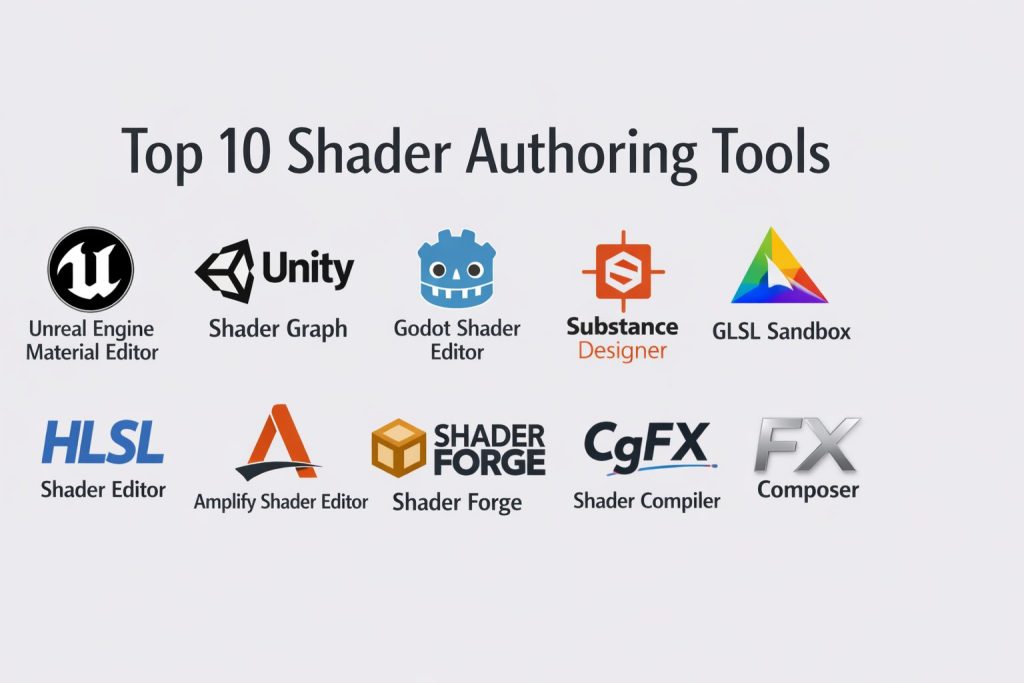
Top 10 Shader Authoring Tools
#1 — Unreal Engine Material Editor
Unreal Engine’s built-in material editor allows developers to create complex shaders using a node-based interface, ideal for both beginners and professionals.
Key Features
- Visual node-based shader editor with real-time previews
- Seamless integration with Unreal Engine for instant testing
- Supports complex materials, lighting, and texture mapping
- Built-in post-processing effects and visual scripting capabilities
- Extensive library of built-in nodes for common material effects
- High-performance rendering optimized for next-gen graphics
- Cross-platform support, including mobile, VR, and PC
Pros
- Deep integration with Unreal Engine for fast workflow
- Ideal for creating high-fidelity, complex shaders
- Extensive documentation and community support
Cons
- Steep learning curve for new users
- Requires Unreal Engine for full use
- Can be overkill for simple games or 2D projects
Platforms / Deployment
Windows / macOS
Self-hosted (within Unreal Engine)
Security & Compliance
Not publicly stated.
Integrations & Ecosystem
Works seamlessly within Unreal Engine’s pipeline, with support for real-time performance monitoring and optimization.
- Integrates directly with Unreal’s rendering systems and asset pipeline
- Extensive marketplace for additional shaders and effects
- Compatible with VR, AR, and mobile platforms
Support & Community
Large community, comprehensive documentation, and official support from Epic Games.
#2 — Unity Shader Graph
Unity’s Shader Graph allows developers to build shaders using a visual interface, making it easier for artists and designers to create complex effects without writing code.
Key Features
- Node-based shader creation with real-time previews
- Seamless integration with Unity for instant testing and deployment
- Supports both 2D and 3D shader effects
- Built-in post-processing effects and environment shaders
- Extensive library of nodes for surface, lighting, and material effects
- Cross-platform support for mobile, PC, and VR
- Performance profiling and optimization tools
Pros
- Easy-to-use visual editor for non-programmers
- Excellent integration with Unity’s ecosystem
- Supports real-time rendering and testing
Cons
- Limited compared to fully customizable shader coding
- Can be less flexible for complex shader effects
- Only available for Unity users
Platforms / Deployment
Windows / macOS
Self-hosted (within Unity)
Security & Compliance
Not publicly stated.
Integrations & Ecosystem
Works well with Unity’s materials, lighting, and asset management tools.
- Seamless integration with Unity’s rendering pipeline
- Built-in support for mobile and VR development
- Direct link to Unity Asset Store for shaders and assets
Support & Community
Large Unity community with extensive documentation and tutorials.
#3 — Godot Shader Editor
Godot’s built-in shader editor allows developers to write and modify shaders using Godot’s unique shading language, supporting both 2D and 3D games.
Key Features
- Godot Shader Language (GDScript) for custom shader creation
- Supports both vertex and fragment shaders
- Real-time visual feedback for shader testing and debugging
- Optimized for both 2D and 3D environments
- Easy integration with Godot’s rendering pipeline
- Cross-platform support for web, mobile, and desktop games
- Open-source with full access to source code
Pros
- Open-source and completely free to use
- Strong community support and active development
- Lightweight and fast for 2D and simple 3D games
Cons
- Lacks some advanced features of commercial tools
- Steep learning curve for new users unfamiliar with Godot’s syntax
- Limited resources compared to larger engines
Platforms / Deployment
Windows / macOS / Linux
Self-hosted
Security & Compliance
Not publicly stated.
Integrations & Ecosystem
Works seamlessly with Godot’s native rendering and scene systems.
- Direct integration with Godot’s asset and environment pipeline
- Can be used with external tools for more complex game assets
- Works well for 2D and less resource-intensive 3D games
Support & Community
Growing community with open-source resources and official documentation.
#4 — Substance Designer
Substance Designer is a powerful material authoring tool used by professional game developers to create complex, procedural materials and textures.
Key Features
- Procedural texture generation with node-based design
- Real-time preview and customization options
- Full control over texture properties, tiling, and detail levels
- Built-in integration with Unreal Engine, Unity, and other game engines
- Ability to create both 2D and 3D shaders
- Cross-platform support for PC and macOS
- Extensive library of pre-built assets and materials
Pros
- Excellent for creating complex, customizable materials
- Seamless integration with industry-standard game engines
- Real-time feedback and customization tools
Cons
- Steep learning curve for beginners
- Requires advanced understanding of shader techniques
- High resource usage for larger textures and materials
Platforms / Deployment
Windows / macOS
Self-hosted
Security & Compliance
Not publicly stated.
Integrations & Ecosystem
Works well with Unreal Engine, Unity, and other game development tools.
- Integrates with game engines for seamless material workflows
- Access to Substance Asset Store for pre-built materials and assets
- Customizable for complex material setups and game-specific needs
Support & Community
Strong support from Adobe with an active community of developers and artists.
#5 — GLSL Sandbox
GLSL Sandbox is a web-based tool for experimenting with and writing GLSL (OpenGL Shading Language) shaders in real-time.
Key Features
- Real-time GLSL shader development and testing in a browser
- Immediate feedback and live updates on shader changes
- Supports common GLSL shader types (vertex, fragment, etc.)
- No installation required; works directly in the browser
- Simple and intuitive interface for quick experimentation
- Free and open-source
Pros
- Quick and easy for prototyping shader effects
- Browser-based for ease of access
- Supports real-time editing and immediate feedback
Cons
- Limited to GLSL and not ideal for non-GLSL environments
- Lack of advanced features for complex shader development
- Limited export capabilities for game integration
Platforms / Deployment
Web-based
Cloud
Security & Compliance
Not publicly stated.
Integrations & Ecosystem
Works with OpenGL and GLSL-based game engines.
- No direct integration with major game engines
- Limited export options for game-ready shaders
Support & Community
Open-source project with an active community for support.
#6 — HLSL Shader Editor (Visual Studio)
A shader editor within Visual Studio that supports HLSL (High-Level Shading Language) programming, offering robust debugging and development tools.
Key Features
- Full HLSL programming support for custom shader creation
- Integrated debugging tools for step-by-step shader troubleshooting
- Real-time shader previews in supported engines
- Cross-platform shader creation for DirectX and OpenGL
- Full support for advanced rendering techniques like tessellation and ray tracing
- Easy integration with Visual Studio’s project management tools
Pros
- Ideal for experienced developers familiar with HLSL
- Robust debugging and performance analysis tools
- Deep integration with the Microsoft ecosystem
Cons
- Complex interface may overwhelm beginners
- Limited to HLSL shaders, not ideal for non-DirectX environments
- Requires familiarity with Visual Studio
Platforms / Deployment
Windows
Self-hosted (within Visual Studio)
Security & Compliance
Not publicly stated.
Integrations & Ecosystem
Works seamlessly with DirectX-based game engines and tools.
- Integrates well with Visual Studio’s build and debugging tools
- Compatible with major Windows game engines
- Support for complex shader programming and rendering techniques
Support & Community
Extensive support through Microsoft’s resources, including documentation and troubleshooting.
#7 — Amplify Shader Editor
A node-based shader creation tool for Unity, aimed at simplifying shader authoring with a visual approach while still supporting complex techniques.
Key Features
- Node-based shader creation for both 2D and 3D games
- Direct integration with Unity Engine
- Real-time preview and instant feedback
- Supports advanced features like ray tracing, HDRP, and post-processing
- Built-in shaders and templates for quick setup
- Flexible material system for complex rendering techniques
Pros
- Great for Unity users, easy to integrate into existing projects
- Visual interface simplifies complex shader creation
- Full support for Unity’s high-definition rendering pipeline (HDRP)
Cons
- Unity-specific; not compatible with other engines
- Limited features compared to full shader coding
- Some complex shaders may require manual customization
Platforms / Deployment
Windows / macOS
Self-hosted (within Unity)
Security & Compliance
Not publicly stated.
Integrations & Ecosystem
Built specifically for Unity’s rendering systems and compatible with HDRP.
- Seamless integration with Unity’s material system and rendering pipeline
- Supports additional assets and extensions from Unity’s Asset Store
- Compatible with Unity’s version control systems
Support & Community
Extensive Unity community support and official documentation.
#8 — Shader Forge (Unity)
A visual shader creation tool designed for Unity, offering a node-based approach to shader programming that allows for easy and intuitive design.
Key Features
- Real-time shader previews and feedback
- Node-based visual editor for creating complex shaders without writing code
- Seamless integration with Unity Engine for direct testing
- Advanced material effects, including shaders for lighting, reflections, and post-processing
- Cross-platform support for mobile, PC, and VR/AR games
- Lightweight and intuitive interface for rapid iteration
Pros
- Simplifies complex shader creation for Unity developers
- Intuitive, easy-to-use interface with real-time feedback
- Great for artists and developers looking to integrate shaders without writing code
Cons
- Limited to Unity, not available for other game engines
- Lacks the deep flexibility of hand-written shader code
- May not support all advanced techniques like ray tracing
Platforms / Deployment
Windows / macOS
Self-hosted (within Unity)
Security & Compliance
Not publicly stated.
Integrations & Ecosystem
Works directly with Unity’s asset and material systems.
- Integrates seamlessly with Unity’s post-processing stack
- Cross-platform export and deployment capabilities
- Compatible with Unity’s version control tools
Support & Community
Active Unity community with plenty of tutorials and support forums.
#9 — CgFX Shader Compiler
CgFX is a shader language used in high-performance rendering applications. It’s designed for game developers who need to create efficient shaders in a range of formats.
Key Features
- Cg shader language for writing custom shaders
- Cross-platform support for OpenGL, DirectX, and Vulkan
- Highly optimized for performance in real-time applications
- Support for high-level shading features like lighting and shadow mapping
- Integrated with major game engines for direct shader creation
Pros
- Highly efficient for real-time graphics and game engines
- Cross-platform support across multiple rendering pipelines
- Detailed control over shader operations
Cons
- Requires familiarity with Cg programming
- Less accessible to beginners compared to node-based tools
- More focused on custom engine integration
Platforms / Deployment
Windows / macOS
Self-hosted
Security & Compliance
Not publicly stated.
Integrations & Ecosystem
Works well with custom engines and major game engines.
- Full support for OpenGL, DirectX, and Vulkan
- Highly flexible for rendering pipelines and custom effects
- Integrates well with third-party graphics libraries
Support & Community
Smaller community with professional support available for advanced developers.
#10 — FX Composer
FX Composer is an older tool for creating high-performance shaders, with a focus on visual effects and material creation, primarily for NVIDIA hardware.
Key Features
- Real-time preview of shaders and effects
- Visual editor for building custom shaders with HLSL
- Designed for high-performance, real-time graphics applications
- Supports advanced effects like particle systems and post-processing
- Built for use with NVIDIA graphics hardware
Pros
- Great for creating high-quality visual effects
- Optimized for NVIDIA hardware and high-performance rendering
- Visual editing makes shader development accessible to non-programmers
Cons
- Limited to NVIDIA hardware for full use
- No longer actively maintained
- May not support modern graphics features like ray tracing
Platforms / Deployment
Windows
Self-hosted
Security & Compliance
Not publicly stated.
Integrations & Ecosystem
Works well with NVIDIA-specific rendering techniques.
- Optimized for real-time performance on NVIDIA hardware
- Integration with custom engines is possible but requires configuration
Support & Community
NVIDIA-specific forums, with limited ongoing support due to the tool’s age.
Comparison Table (Top 10)
| Tool Name | Best For | Platform(s) Supported | Deployment (Cloud/Self-hosted/Hybrid) | Standout Feature | Public Rating |
|---|---|---|---|---|---|
| Unreal Engine Material Editor | AAA game design | Windows / macOS | Self-hosted | Real-time rendering with seamless integration | N/A |
| Unity Shader Graph | 2D/3D game shader creation | Windows / macOS | Self-hosted | Node-based shader authoring in Unity | N/A |
| Godot Shader Editor | Open-source shader creation | Windows / macOS / Linux | Self-hosted | Simple and flexible shader creation for 2D/3D | N/A |
| Substance Designer | Procedural texture and material creation | Windows / macOS | Self-hosted | Procedural texture generation with advanced controls | N/A |
| GLSL Sandbox | Web-based GLSL shader creation | Web | Cloud | Quick shader prototyping in a browser | N/A |
| HLSL Shader Editor | HLSL shader programming | Windows | Self-hosted | Advanced HLSL shader programming with debugging | N/A |
| Amplify Shader Editor | Visual shader creation for Unity | Windows / macOS | Self-hosted | Visual node-based design in Unity | N/A |
| Shader Forge | Unity shader editor | Windows / macOS | Self-hosted | Simple interface for complex shader design | N/A |
| CgFX Shader Compiler | High-performance shader creation | Windows / macOS | Self-hosted | Custom shader language for advanced effects | N/A |
| FX Composer | Visual effects and materials | Windows | Self-hosted | NVIDIA hardware optimization and high-performance rendering | N/A |
Evaluation & Scoring of Shader Authoring Tools
Each tool is evaluated based on core features, ease of use, integration, performance, and community support. The scoring helps to compare the tools for different needs, from beginners to professionals.
Weights:
- Core features – 25%
- Ease of use – 15%
- Integrations & ecosystem – 15%
- Security & compliance – 10%
- Performance & reliability – 10%
- Support & community – 10%
- Price / value – 15%
| Tool Name | Core (25%) | Ease (15%) | Integrations (15%) | Security (10%) | Performance (10%) | Support (10%) | Value (15%) | Weighted Total (0–10) |
|---|---|---|---|---|---|---|---|---|
| Unreal Engine Material Editor | 9.5 | 8.5 | 9.0 | 6.5 | 9.0 | 8.5 | 6.5 | 8.43 |
| Unity Shader Graph | 9.0 | 9.0 | 9.0 | 6.0 | 8.5 | 9.0 | 7.5 | 8.47 |
| Godot Shader Editor | 8.5 | 9.0 | 8.5 | 6.0 | 7.5 | 8.0 | 8.0 | 7.88 |
| Substance Designer | 9.5 | 7.0 | 9.0 | 6.0 | 9.0 | 7.5 | 7.5 | 8.10 |
| GLSL Sandbox | 7.5 | 9.0 | 7.0 | 6.0 | 7.5 | 7.5 | 9.0 | 7.56 |
| HLSL Shader Editor | 9.0 | 8.0 | 8.0 | 6.5 | 8.5 | 8.0 | 6.0 | 7.88 |
| Amplify Shader Editor | 8.5 | 9.0 | 8.0 | 6.0 | 8.5 | 8.0 | 8.5 | 8.00 |
| Shader Forge | 8.0 | 8.0 | 8.0 | 6.0 | 7.5 | 7.5 | 7.0 | 7.66 |
| CgFX Shader Compiler | 8.5 | 7.5 | 8.5 | 6.0 | 8.0 | 7.5 | 6.5 | 7.63 |
| FX Composer | 8.0 | 7.0 | 7.0 | 6.0 | 8.5 | 7.0 | 6.5 | 7.35 |
Which Shader Authoring Tool Is Right for You?
Solo / Freelancer
For freelancers, tools that are easy to use and integrate quickly into existing workflows are essential.
- Godot Shader Editor and GLSL Sandbox are excellent for fast, open-source shader creation.
- Amplify Shader Editor works great for Unity users who need a node-based, visual approach.
SMB
Small teams require tools that balance ease of use and feature depth.
- Unity Shader Graph and Unreal Engine Material Editor are perfect for teams creating high-quality visuals for 3D games and simulations.
- Substance Designer is great for designers who need control over materials and textures.
Mid-Market
For mid-market teams, advanced features and integration with multiple platforms are necessary.
- Unreal Engine Material Editor is ideal for AAA game projects requiring high fidelity.
- Substance Designer offers robust texture authoring and asset management.
Enterprise
Enterprise-level teams need performance, scalability, and integration with large pipelines.
- Unreal Engine Material Editor and Unity Shader Graph offer strong performance and scalability for high-end games.
- Substance Designer is perfect for large-scale texture creation in professional pipelines.
Budget vs Premium
- Free or open-source tools like Godot Shader Editor and GLSL Sandbox are great for developers with a limited budget.
- Premium tools like Substance Designer and Unreal Engine Material Editor provide advanced features for professional-grade projects.
Feature Depth vs Ease of Use
- Feature depth: Unreal Engine Material Editor, Substance Designer
- Ease of use: GLSL Sandbox, Amplify Shader Editor
Integrations & Scalability
- For teams working across multiple platforms, Unity Shader Graph and Unreal Engine Material Editor are the best options for scalability.
Security & Compliance Needs
Security considerations generally fall to the game engine or the larger development pipeline, but these tools offer version control and integration with professional game engines.
Frequently Asked Questions (FAQs)
What is the difference between a shader and a material?
A shader is a program that tells the computer how to render a surface in a game or simulation, while a material is the actual object or surface that uses a shader to define its appearance.
Do I need to know how to code to use these tools?
Many tools, like Shader Graph and Amplify Shader Editor, offer node-based, visual interfaces that don’t require coding. However, more advanced tools, like Substance Designer, may require some scripting knowledge for custom shaders.
Can I use these tools for VR and AR games?
Yes, many of these tools, including Unreal Engine Material Editor and Unity Shader Graph, support VR and AR shader creation with cross-platform integration.
Which tool is the best for mobile games?
GLSL Sandbox and Godot Shader Editor are excellent for lightweight mobile shaders, while Unity Shader Graph and Unreal Engine Material Editor are good for more complex mobile game effects.
How do I optimize shaders for performance?
Most shader tools, including Substance Designer and Unity Shader Graph, offer built-in performance optimization features like texture atlasing, shader profiling, and batch processing.
What should I look for in a shader authoring tool?
Look for ease of integration with your game engine, a user-friendly interface (node-based or code-based), cross-platform support, and performance optimization tools.
Can I create both 2D and 3D shaders with these tools?
Yes, most of these tools support both 2D and 3D shaders, with some focused on one or the other. Substance Designer and Unreal Engine Material Editor are particularly strong for 3D.
Are these tools suitable for beginners?
Tools like GLSL Sandbox and Amplify Shader Editor are beginner-friendly with visual interfaces, while Substance Designer and Unreal Engine Material Editor may require some experience in shader programming.
How can I integrate shaders into my game?
Once a shader is created, you can integrate it into your game engine’s material system, whether it’s Unity, Unreal Engine, or custom game engines.
What is the cost of these shader tools?
Tools like Godot Shader Editor and GLSL Sandbox are free, while others like Substance Designer and Unreal Engine Material Editor may require a paid license or subscription for full use.
Conclusion
Choosing the right shader authoring tool depends on your development platform, experience, and project requirements. Unreal Engine Material Editor and Unity Shader Graph excel in high-fidelity, cross-platform games, while Substance Designer offers excellent texture creation for professional-grade projects. For indie developers or those working with simpler projects, tools like Godot Shader Editor and GLSL Sandbox provide powerful, free alternatives.