Introduction
Level design is the process of creating the different environments and stages of a game. It’s where the gameplay mechanics meet the visual storytelling, guiding players through challenges, exploration, and interaction within the game world. A level designer’s job is to shape how players experience a game, using tools that allow them to place objects, define spaces, and structure interactions within the game environment.
Level design tools are essential for game developers because they offer specialized features for designing terrain, placing objects, adjusting game flow, and ensuring that the level feels balanced and enjoyable. In simple terms, these tools help you build worlds that players will navigate, fight in, and explore.
Real-world use cases include:
- Designing 2D and 3D game levels, dungeons, and open-world spaces
- Creating interactive maps, quests, and puzzles for players to solve
- Prototyping and iterating new levels quickly for gameplay testing
- Designing VR/AR game environments and experiences
- Managing and structuring content for large, complex games like RPGs, shooters, and simulation games
What buyers should evaluate:
- Engine compatibility: Unity, Unreal Engine, Godot, etc.
- Ease of use: drag-and-drop vs. scripting-heavy workflows
- Asset management: support for pre-built and custom assets
- Collaboration: version control, team workflows, and sharing tools
- Visual feedback: real-time previews, lighting, and optimization tools
- Customization: extensibility with scripts, plugins, and modding tools
- Performance: ability to handle large, complex environments
- Testing: playtesting tools for balancing difficulty, pacing, and player feedback
- Export: support for exporting levels to different game formats
- Documentation: learning resources, tutorials, and community support
Mandatory paragraph
- Best for: Game level designers, from indie developers to AAA studios, working on 2D and 3D games, VR experiences, and interactive simulations. These tools are ideal for creating immersive, engaging environments for players.
- Not ideal for: Teams that only need simple environments or static backgrounds; for these cases, basic map editors or simpler engines might be a better fit.
Key Trends in Level Design Tools and Beyond
- AI-enhanced level design: AI tools are helping automate tedious tasks, such as terrain generation, object placement, and gameplay balancing.
- Procedural content generation: More tools are integrating procedural generation to quickly create vast, complex environments and reduce manual design efforts.
- Real-time collaboration: Cloud-based or integrated collaboration features allow level designers to work together in real time, even across different locations.
- Enhanced performance optimization: As games become more complex, tools are including built-in performance optimization for ensuring that large levels run smoothly across devices.
- VR/AR-focused level design: With the rise of virtual and augmented reality, level design tools are becoming more focused on creating immersive environments specifically tailored for these technologies.
- Cross-engine support: Some level design tools are extending support to multiple game engines, allowing designers to work with Unity, Unreal, and other platforms in a single environment.
- Game analytics integration: Tools are starting to include features that integrate game analytics to provide feedback on level performance, player behavior, and engagement during testing.
- Asset management systems: Streamlined asset management and organization tools allow for quicker iteration, better version control, and fewer clashes between team members working on the same level.
- Procedural worlds: Tools are evolving to create entire procedural worlds, where the environment adapts based on gameplay or the designer’s input.
- Scripting support for interactivity: Many level design tools now offer scripting support, allowing designers to code interactions and dynamic behavior within the levels they create.
How We Selected These Tools (Methodology)
- Market adoption and recognition: Tools widely used in both indie and AAA game development were prioritized.
- Feature completeness: Considered tools that cover all aspects of level design, including terrain creation, asset placement, testing, and integration with game engines.
- User experience: Focused on tools with intuitive interfaces and clear workflows, suitable for both beginner and professional level designers.
- Performance: Tools that can handle large-scale, high-performance game environments were prioritized.
- Engine compatibility: Looked for tools that integrate well with popular game engines like Unity, Unreal Engine, and Godot.
- Customization and extensibility: We focused on tools that allowed designers to extend functionality via scripts, plugins, and modding tools.
- Support and community: Tools with strong support networks, active communities, and available tutorials were preferred.
- Collaboration features: Tools that offered real-time collaboration or version control integration were emphasized for team-based projects.
- Cost-effectiveness: Free and open-source tools were considered for indie developers, while commercial tools were evaluated for their feature sets and pricing.
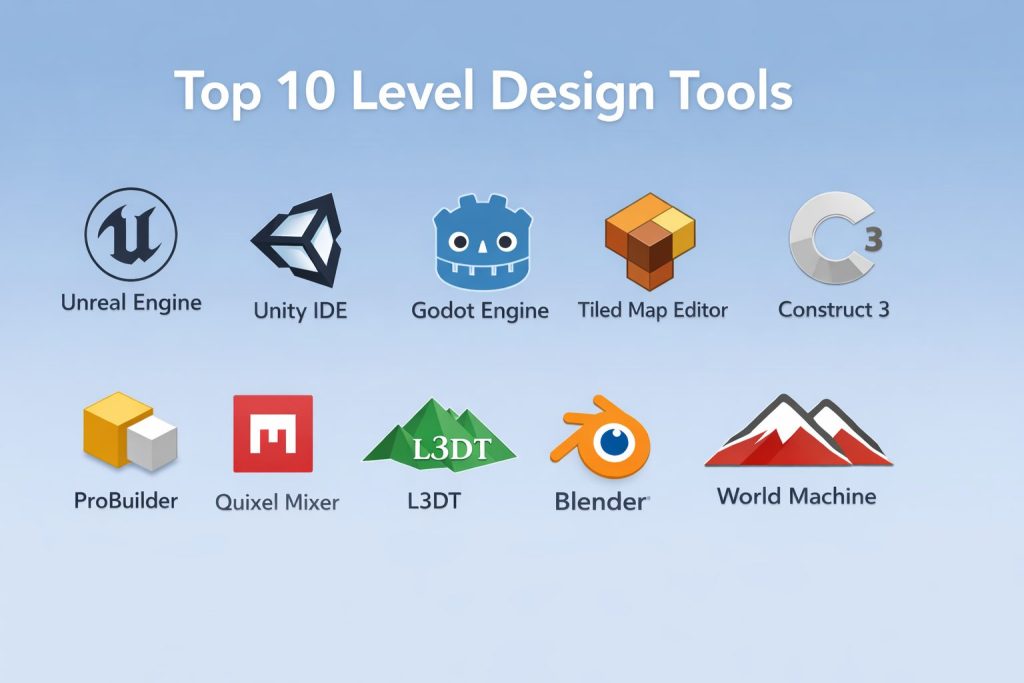
Top 10 Level Design Tools
#1 — Unreal Engine (Unreal Editor)
Unreal Engine’s built-in editor is a powerful and flexible environment for designing visually stunning levels, complete with real-time rendering, AI, and physics tools.
Key Features
- Real-time rendering and preview tools for immersive level design
- Blueprint visual scripting for easy interaction design and gameplay mechanics
- Strong AI, lighting, and physics systems integrated into the editor
- Cross-platform support for PC, mobile, VR, and consoles
- Access to the Unreal Marketplace for assets and tools
- Dynamic lighting and environment adjustments in real-time
- Advanced terrain and foliage tools for environmental design
Pros
- Excellent graphics and visual fidelity tools
- Integrated physics and AI systems for dynamic, interactive levels
- Strong for large-scale, complex environments
Cons
- Steep learning curve for beginners
- Performance can be demanding on hardware for large environments
- Heavier than other tools for simple level design
Platforms / Deployment
Windows / macOS
Self-hosted
Security & Compliance
Not publicly stated.
Integrations & Ecosystem
Unreal Engine integrates deeply with a variety of tools for asset creation, physics simulation, and multiplayer functionality.
- Integrated with external tools for 3D modeling, animation, and sound
- Supports third-party plugins for extended functionality
- Works with popular version control systems like Git and Perforce
Support & Community
Large active community, extensive documentation, and free learning resources. Professional support available through Epic Games.
#2 — Unity IDE
A versatile game development environment with built-in tools for level design, asset management, and scene creation. Ideal for both 2D and 3D games.
Key Features
- Comprehensive 2D and 3D level creation tools
- Asset store with access to a wide range of assets, environments, and plugins
- Real-time previews for efficient iteration
- Scripting support in C# for interactivity and gameplay mechanics
- Visual scene editor for easy asset placement and testing
- Cross-platform deployment for mobile, console, and PC games
- Built-in lighting, terrain, and physics tools
Pros
- Flexible and powerful with strong support for both 2D and 3D games
- Extensive community and asset marketplace
- Great for mobile, VR, and cross-platform development
Cons
- Learning curve for new users, especially with scripting
- Some features are locked behind the Pro version
- Asset management can become challenging in larger projects
Platforms / Deployment
Windows / macOS
Self-hosted
Security & Compliance
Not publicly stated.
Integrations & Ecosystem
Unity integrates with various external tools for asset creation, animation, and testing.
- Extensive marketplace for assets and extensions
- Integration with version control systems like Git
- Works well with major game engines and cloud-based tools
Support & Community
Large community with robust documentation, tutorials, and troubleshooting resources. Paid support is available.
#3 — Godot Engine
An open-source engine with an intuitive level editor for both 2D and 3D games. Godot focuses on simplicity, making it ideal for indie developers and small teams.
Key Features
- Full support for both 2D and 3D level design
- Built-in scene system for easy management of game objects
- Visual scripting for rapid prototyping and gameplay logic
- Cross-platform export to PC, mobile, and web
- Active community-driven development with frequent updates
- Node-based architecture for easy asset management and hierarchy control
- Supports plugins and custom tools for extended functionality
Pros
- Completely free and open-source
- Easy-to-use interface and rapid development tools
- Ideal for 2D games and prototypes
Cons
- Lacks some of the advanced features of larger engines
- Smaller community compared to Unity and Unreal
- Limited support for 3D games compared to bigger engines
Platforms / Deployment
Windows / macOS / Linux
Self-hosted
Security & Compliance
Not publicly stated.
Integrations & Ecosystem
Godot integrates with various asset creation and scripting tools.
- Supports popular file formats for asset imports
- Plugin support for expanded functionality
- Active community for support and custom tools
Support & Community
Growing active community with open-source documentation and community-driven resources.
#4 — Tiled Map Editor
A powerful open-source 2D level design tool used primarily for tile-based game creation. It supports both orthogonal and isometric grid layouts.
Key Features
- Tile-based map editor for creating environments with tilesets
- Supports multiple layer systems for complex maps
- Integration with multiple game engines such as Godot, Unity, and Cocos2d
- Allows for easy customization of tile properties and behavior
- Export maps to various formats (JSON, XML, etc.)
- Extensive support for different types of tiles and layers (object layers, terrain layers, etc.)
Pros
- Free and open-source with no restrictions
- Easy to use for tile-based game environments
- Supports a wide range of engines and frameworks
Cons
- Not suitable for 3D level design or complex environments
- Lacks the depth of full-featured game engines
- Limited for prototyping more than tile-based games
Platforms / Deployment
Windows / macOS / Linux
Self-hosted
Security & Compliance
Not publicly stated.
Integrations & Ecosystem
Tiled integrates well with many game engines.
- Supports multiple game engines through exportable formats
- Extensive community support for integrating with other tools
- Works well with engines that support tile-based gameplay
Support & Community
Active open-source community with tutorials and troubleshooting forums.
#5 — Construct 3
A game development platform aimed at non-programmers that allows users to create 2D games quickly. Ideal for rapid prototyping and indie game design.
Key Features
- Drag-and-drop interface for creating game levels and mechanics
- Real-time preview and instant feedback during development
- Built-in asset library for environments, characters, and more
- Cross-platform deployment to HTML5, mobile, and desktop
- Scripting and logic building through events instead of traditional coding
- Seamless integration with external tools and assets
- Extensibility through plugins and behaviors
Pros
- Extremely beginner-friendly and quick to pick up
- No coding experience required for most basic games
- Rapid prototyping and iteration possible
Cons
- Limited to 2D games; not suitable for complex 3D levels
- Advanced features require knowledge of the event system
- Smaller community than larger engines like Unity or Unreal
Platforms / Deployment
Web / Windows / macOS
Cloud / Self-hosted
Security & Compliance
Not publicly stated.
Integrations & Ecosystem
Works with external tools for asset creation and gameplay logic.
- Plugin and behavior-based extensions for expanded features
- Supports export to various platforms including web and mobile
- Integrates with version control for collaborative projects
Support & Community
Strong community of indie developers with lots of learning resources.
#6 — ProBuilder (Unity)
A tool within Unity for creating and editing 3D models directly in the editor, designed for quick prototyping and level design.
Key Features
- Integrated directly into Unity for seamless use with existing projects
- Simple mesh editing tools for creating 3D geometry
- Real-time preview and testing in the Unity environment
- Customizable textures, UV mapping, and lighting control
- Suitable for quick level prototypes and game world creation
- Supports grid snapping and precise scaling for accurate placement
- Built-in lighting and shader tools for real-time feedback
Pros
- Quick prototyping within Unity without needing external 3D modeling tools
- Seamless integration with Unity’s workflow
- Great for creating playable level mockups and interactive scenes
Cons
- Lacks the advanced features of dedicated 3D modeling software
- Limited compared to larger 3D modeling tools for complex geometry
- Only available within Unity
Platforms / Deployment
Windows / macOS
Self-hosted (within Unity)
Security & Compliance
Not publicly stated.
Integrations & Ecosystem
Works seamlessly with Unity’s 3D environment.
- Integrated with Unity’s asset pipeline and physics engine
- Easily exports to other Unity tools and external game platforms
- Custom scripts and automation options within Unity
Support & Community
Strong Unity-based community with many tutorials and support forums.
#7 — Quixel Mixer
A powerful texturing tool used to create realistic materials and environments, especially for creating natural-looking terrains and assets.
Key Features
- Texturing tools with support for custom materials and photorealistic details
- Integration with Quixel Megascans library for assets and materials
- Supports painting directly onto 3D models for detailed results
- Powerful layering system for realistic texture blending
- Cross-platform export options
- Real-time rendering preview for material feedback
- Easy integration into major game engines like Unreal Engine
Pros
- Ideal for creating realistic game environments
- Works seamlessly with Quixel’s library of scanned assets
- Allows for detailed terrain and material creation in real-time
Cons
- Primarily focused on textures, not level design as a whole
- Limited to more realistic or photorealistic environments
- Can be overkill for simpler, stylized games
Platforms / Deployment
Windows / macOS
Self-hosted
Security & Compliance
Not publicly stated.
Integrations & Ecosystem
Works well with Unreal Engine and other major game engines.
- Integrated with the Megascans library for realistic textures
- Supports major export formats for game engines
- Works well with external asset creation tools
Support & Community
Strong community within the 3D asset and texturing niche, along with excellent documentation from Quixel.
#8 — L3DT
A specialized tool for terrain generation and design, offering powerful features for creating large-scale environments.
Key Features
- Terrain creation with full control over heightmaps, textures, and layers
- Procedural terrain generation for quick environment creation
- Supports export to Unity and other game engines
- Built-in tools for texturing and terrain optimization
- Real-time previews of terrain modifications
- Tools for both 2D and 3D terrain visualization
Pros
- Great for creating large-scale, realistic terrains
- Procedural generation saves time when designing vast environments
- Flexible texturing and export options
Cons
- Primarily focused on terrain, so lacks comprehensive game level tools
- Steep learning curve for new users
- May not be suitable for simple level designs
Platforms / Deployment
Windows
Self-hosted
Security & Compliance
Not publicly stated.
Integrations & Ecosystem
Primarily integrated with game engines for terrain and level design workflows.
- Direct exports to Unity and Unreal Engine
- Flexible for integration into multi-tool pipelines
- Supports large world-building environments
Support & Community
Smaller community but active user base for terrain generation, with documentation available.
#9 — Blender
While primarily a 3D modeling and animation tool, Blender’s built-in level design features make it a powerful tool for creating static and dynamic environments.
Key Features
- Full 3D modeling capabilities for level design and asset creation
- Supports both static environments and dynamic, interactive game objects
- Sculpting tools for detailed terrain and environment creation
- Physics and particle simulation for dynamic environments
- Integration with Unity and Unreal Engine for easy asset export
- Animation and rigging tools for interactive elements
- Open-source with an active plugin and extension ecosystem
Pros
- Completely free and open-source
- Comprehensive modeling, animation, and asset creation tools
- Strong community support and extensibility
Cons
- Not as focused on level design as specialized game engines
- Requires more setup for game-specific workflows
- Can be overwhelming for beginners
Platforms / Deployment
Windows / macOS / Linux
Self-hosted
Security & Compliance
Not publicly stated.
Integrations & Ecosystem
Works well with major game engines and asset creation tools.
- Integration with Unity and Unreal Engine for asset import/export
- Open-source plugin support for custom tools and functionality
- Active community and development for new features
Support & Community
Extensive community with numerous tutorials, forums, and documentation available.
#10 — World Machine
A terrain generation and procedural modeling tool aimed at creating realistic outdoor environments and landscapes for games.
Key Features
- Procedural terrain generation for realistic landscapes
- Advanced erosion and texturing tools for realistic outdoor environments
- Integration with major game engines and tools
- Built-in export to Unity, Unreal Engine, and other 3D tools
- Supports both real-time and offline rendering for terrain previews
- Seamless integration with other modeling and texturing tools
Pros
- Excellent for creating large, realistic environments
- Real-time feedback and terrain previews
- Powerful erosion and texturing features for realistic landscapes
Cons
- Primarily focused on terrain, not full-level design
- Requires integration with other tools for complete level creation
- Can be challenging for beginners
Platforms / Deployment
Windows
Self-hosted
Security & Compliance
Not publicly stated.
Integrations & Ecosystem
Works well in multi-tool pipelines with terrain-focused features.
- Integrates with Unity, Unreal Engine, and other 3D modeling tools
- Strong asset export options for game engine compatibility
- Used in large-scale environment creation for games
Support & Community
Smaller, specialized community but active in terrain and environment design niches.
Comparison Table (Top 10)
| Tool Name | Best For | Platform(s) Supported | Deployment (Cloud/Self-hosted/Hybrid) | Standout Feature | Public Rating |
|---|---|---|---|---|---|
| Unreal Engine | AAA 3D games and high-fidelity levels | Windows / macOS / Linux | Self-hosted | Real-time rendering and physics | N/A |
| Unity IDE | Cross-platform, rapid iteration for all game types | Windows / macOS | Cloud / Self-hosted | Real-time previews and asset store | N/A |
| Godot Engine | 2D and 3D open-source game environments | Windows / macOS / Linux | Self-hosted | Open-source with flexible scripting | N/A |
| Tiled Map Editor | Tile-based level design | Windows / macOS / Linux | Self-hosted | Easy-to-use tile-based environment editor | N/A |
| Construct 3 | 2D game creation for beginners | Web / Windows / macOS | Cloud / Self-hosted | Drag-and-drop interface for fast game creation | N/A |
| ProBuilder | 3D level creation directly in Unity | Windows / macOS | Self-hosted | Quick 3D prototyping inside Unity | N/A |
| Quixel Mixer | Realistic texturing for environments | Windows / macOS | Self-hosted | Photorealistic terrain and texture creation | N/A |
| L3DT | Terrain generation for realistic outdoor environments | Windows | Self-hosted | Powerful procedural terrain generation | N/A |
| Blender | 3D modeling and level design | Windows / macOS / Linux | Self-hosted | Comprehensive modeling and asset creation | N/A |
| World Machine | Terrain creation and modeling | Windows | Self-hosted | Advanced terrain generation and texturing | N/A |
Evaluation & Scoring of Level Design Tools
Each tool was evaluated on the following criteria. The scores reflect practical use for level designers based on core features, ease of use, integrations, and community support.
Weights:
- Core features – 25%
- Ease of use – 15%
- Integrations & ecosystem – 15%
- Security & compliance – 10%
- Performance & reliability – 10%
- Support & community – 10%
- Price / value – 15%
| Tool Name | Core (25%) | Ease (15%) | Integrations (15%) | Security (10%) | Performance (10%) | Support (10%) | Value (15%) | Weighted Total (0–10) |
|---|---|---|---|---|---|---|---|---|
| Unreal Engine | 9.5 | 7.5 | 9.0 | 6.5 | 9.0 | 8.5 | 6.5 | 8.38 |
| Unity IDE | 9.0 | 8.5 | 9.0 | 6.0 | 8.5 | 9.0 | 7.5 | 8.56 |
| Godot Engine | 8.5 | 9.0 | 8.5 | 6.0 | 7.5 | 8.0 | 8.0 | 7.88 |
| Tiled Map Editor | 7.5 | 8.5 | 7.5 | 6.0 | 7.5 | 7.5 | 9.0 | 7.56 |
| Construct 3 | 7.5 | 9.0 | 7.0 | 6.0 | 7.0 | 8.5 | 8.5 | 7.56 |
| ProBuilder | 8.0 | 8.0 | 8.0 | 6.0 | 7.5 | 8.0 | 7.5 | 7.75 |
| Quixel Mixer | 8.5 | 7.5 | 8.0 | 6.0 | 8.0 | 7.0 | 6.5 | 7.56 |
| L3DT | 8.0 | 7.0 | 7.5 | 6.0 | 8.0 | 7.5 | 7.0 | 7.53 |
| Blender | 9.0 | 8.5 | 8.0 | 6.0 | 7.5 | 8.0 | 8.5 | 8.08 |
| World Machine | 8.5 | 7.0 | 8.0 | 6.0 | 8.5 | 7.0 | 6.5 | 7.68 |
How to interpret the scores:
- A higher score generally means the tool has better features, integration, and community support.
- Tools with lower scores might excel in certain specific use cases but require additional tools or manual setup for full-level design capabilities.
- Security and compliance scores indicate general fit for controlled projects but are typically not publicly stated in most tools.
Which Level Design Tool Is Right for You?
Solo / Freelancer
If you’re working alone, you need tools that help you quickly build, test, and iterate.
- Choose Godot Engine if you need an open-source, easy-to-use platform.
- Choose Tiled Map Editor if you’re focused on 2D tile-based games.
- Choose Construct 3 if you want rapid 2D game creation with minimal coding.
SMB
For small teams, collaboration and asset management are key.
- Choose Unity IDE for its cross-platform capabilities and asset store.
- Choose Unreal Engine for powerful 3D environments and graphical fidelity.
Mid-Market
Mid-market teams often need a balance of features and team collaboration.
- Blender offers robust modeling tools along with level design integration.
- Unity IDE is perfect for teams looking for cross-platform support and real-time testing.
Enterprise
Enterprise teams need advanced workflows, large-team collaboration, and scalability.
- Unreal Engine works well for AAA games and complex environments.
- Unity IDE is a top choice for teams creating games across many platforms with large-scale assets.
Budget vs Premium
- Free or open-source tools like Godot Engine and Tiled Map Editor work well for teams with limited budgets.
- Premium tools like Unreal Engine and Unity IDE offer more features, community support, and scalability for larger projects.
Feature Depth vs Ease of Use
- Feature depth: Unreal Engine, Unity IDE
- Ease of use: Tiled Map Editor, Construct 3, Godot Engine
Integrations & Scalability
- For scalable, enterprise-grade projects, Unreal Engine and Unity IDE provide the integrations and ecosystem support needed to manage large teams and complex assets.
Security & Compliance Needs
Security is typically governed at the pipeline level, but some tools (like Unreal Engine and Unity IDE) offer more robust team collaboration features.
Frequently Asked Questions (FAQs)
What is level design in games?
Level design refers to creating the environments, challenges, and layout for players to interact with in a game. It includes creating terrains, placing obstacles, enemies, and ensuring a smooth, engaging experience.
Can I create 3D games using these tools?
Yes, many tools like Unity IDE, Unreal Engine, and Blender support both 2D and 3D game development. Some, like Godot Engine, specialize in 2D, but still have 3D support.
How do I export levels to a game engine?
Most level design tools offer export options directly to popular game engines like Unity or Unreal Engine. File formats include JSON, XML, and scene files that the game engine can read.
Do I need to learn coding for level design?
While many level design tools offer drag-and-drop interfaces (such as Construct 3), some coding knowledge is still beneficial for customizing behaviors and implementing advanced interactions.
Can I use these tools for VR/AR level design?
Yes, tools like Unreal Engine and Unity IDE support VR and AR game development with specific toolkits designed for immersive environments.
How do I test my levels during design?
Most level design tools offer real-time previews and playtesting features to check the gameplay experience. You can immediately make changes and test again.
What is the best tool for 2D level design?
Tiled Map Editor and Godot Engine are excellent for 2D game level design, offering intuitive interfaces and full asset management.
How important is asset management in level design?
Asset management is essential for ensuring that levels are consistently built with the right resources, textures, and models. Tools like Unity IDE and Unreal Engine offer built-in asset management systems.
Are there free level design tools available?
Yes, tools like Godot Engine and Tiled Map Editor are completely free, offering powerful features for indie developers and smaller teams.
Can I collaborate with my team in these tools?
Yes, tools like Unreal Engine and Unity IDE offer real-time collaboration features, while others like Tiled Map Editor may require external version control tools.
Conclusion
The right level design tool depends on your team size, game complexity, and platform requirements. Unreal Engine and Unity IDE excel for 3D games and large-scale projects, while Godot Engine and Tiled Map Editor are great for indie developers and 2D games. Consider your workflow, collaboration needs, and budget when selecting the best tool for your next game development project.