Introduction
Game engines are the backbone of modern video game development, providing developers with the tools and frameworks needed to create everything from simple 2D games to complex, immersive 3D worlds. These engines simplify game creation by offering pre-built systems for physics, graphics, audio, and gameplay mechanics, allowing developers to focus on creativity and gameplay design rather than building everything from scratch.
Game engines continue to evolve with new capabilities, including AI integration, real-time ray tracing, cross-platform development, and cloud-based collaboration. These tools are indispensable for creating games across a wide range of genres, from mobile games to large-scale, AAA-level projects.
Real-world use cases include:
- AAA Games: High-budget, large-scale games like action RPGs, shooters, and strategy games.
- Indie Games: Smaller, independently developed games often with creative or experimental mechanics.
- Mobile Games: Games designed for smartphones and tablets, focusing on performance optimization.
- VR/AR Games: Immersive experiences for virtual reality and augmented reality devices.
- Simulation Games: Games that focus on simulating real-world environments and interactions, such as driving simulators or city-building games.
What buyers should evaluate:
- Platform support: Does the engine support a wide range of platforms (e.g., PC, console, mobile, VR)?
- Graphics rendering: How advanced are the engine’s graphics capabilities, including support for 3D, ray tracing, and visual effects?
- Ease of use: How user-friendly is the engine, especially for beginners or smaller teams?
- Performance optimization: How well does the engine handle performance-intensive tasks, such as real-time rendering, AI, and physics simulations?
- Community and support: Availability of documentation, tutorials, and an active developer community.
- Cost and licensing: Whether the engine offers a free version, and how the licensing works for commercial use.
- Asset store and marketplace: Availability of pre-built assets and tools that can help accelerate development.
- Cross-platform capabilities: Whether the engine supports the development of games across multiple platforms with minimal effort.
- Customization: How flexible is the engine for customization and extending its features through plugins or scripting?
- Security: For multiplayer games, security features such as anti-cheating tools, data protection, and server management.
Mandatory paragraph
- Best for: Game developers, studios, and creators ranging from indie developers to large AAA studios, working across a variety of platforms including PC, consoles, mobile, and VR.
- Not ideal for: Non-developers, those without technical experience, or developers focusing on simple, non-interactive applications.
Key Trends in Game Engines for 2026 and Beyond
- AI integration: Game engines are increasingly incorporating AI to create more dynamic, responsive, and realistic game worlds, including smarter NPCs (non-playable characters) and procedurally generated content.
- Real-time ray tracing: With hardware like NVIDIA’s RTX cards becoming more powerful, real-time ray tracing is becoming standard in high-end game engines, providing photorealistic lighting and reflections.
- Cross-platform development: Engines are improving their cross-platform capabilities, allowing developers to easily deploy games on multiple platforms (PC, consoles, mobile, VR/AR) without significant rework.
- Cloud-based collaboration: Many game engines are now offering cloud-based development environments, enabling teams to collaborate seamlessly, regardless of location.
- Enhanced multiplayer features: Modern engines are increasingly focused on multiplayer capabilities, with tools for matchmaking, real-time communication, and anti-cheating systems.
- Procedural content generation: AI-powered procedural generation tools are becoming more powerful, enabling the creation of vast, complex worlds and levels automatically.
- Virtual and augmented reality: Game engines are evolving to support immersive VR and AR experiences, providing tools for spatial interactions, hand tracking, and device integration.
- Performance optimization: With next-gen hardware like PlayStation 5 and Xbox Series X, engines are focusing more on optimization techniques, allowing games to run smoothly at higher resolutions and frame rates.
- User-generated content: Many engines now allow developers to build systems that enable players to create and share their own in-game content, enhancing the longevity and community of games.
- Blockchain and NFTs: The integration of blockchain for in-game economies and NFTs for digital ownership is starting to appear in certain game engines, particularly for virtual items and collectibles.
- AI-driven procedural animations: Game engines are using AI to generate realistic character animations dynamically, reducing the need for manually created animation cycles.
How We Selected These Tools (Methodology)
- Market adoption: We focused on tools that are widely used in the game development industry, with strong adoption in both indie and large-scale game studios.
- Feature completeness: We prioritized engines that offer a comprehensive set of features for creating 2D, 3D, and VR/AR experiences.
- Cross-platform support: We evaluated the platforms each engine supports (e.g., PC, mobile, consoles, VR), ensuring versatility for game developers.
- Ease of use: The learning curve and accessibility of the engine were key factors in selection, ensuring that both beginners and experienced developers can benefit.
- Performance and scalability: We looked at how well the engines handle complex, performance-intensive games, particularly with modern rendering techniques like ray tracing.
- Community and support: We considered the strength of the user community, availability of learning resources, and customer support.
- Cost and licensing: The pricing models were evaluated, with a focus on engines that provide flexible licensing options for small studios, hobbyists, and large companies.
- Security: We evaluated the security features, especially for online multiplayer games, including anti-cheat mechanisms and user data protection.
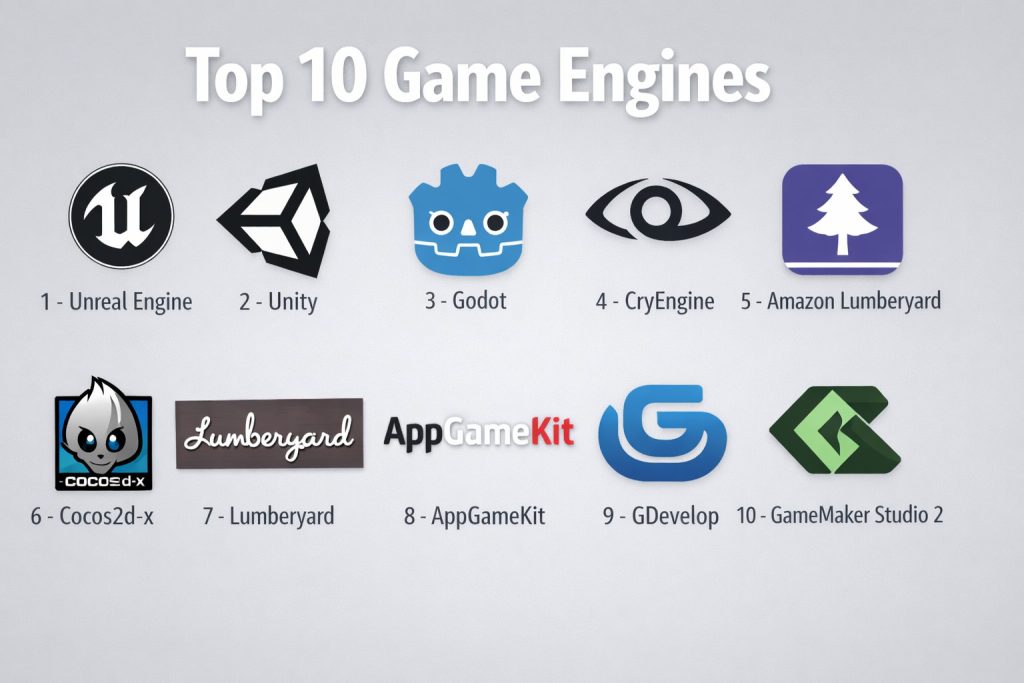
Top 10 Game Engines
#1 — Unreal Engine
Unreal Engine, developed by Epic Games, is a powerful, high-quality game engine known for its photorealistic graphics and robust suite of development tools.
Key Features
- Real-time 3D rendering with advanced lighting and shadow effects
- Cross-platform support for PC, consoles, mobile, and VR/AR
- Blueprint visual scripting for non-coders
- Powerful physics simulation and AI tools
- Marketplace for buying and selling game assets
- Full support for multiplayer and online games
- Free to use with revenue-sharing licensing for commercial use
Pros
- Stunning visuals with real-time ray tracing
- Ideal for AAA games and large-scale projects
- Extensive community and asset store
Cons
- Steep learning curve for beginners
- Requires powerful hardware for optimal performance
- Can be resource-intensive for smaller-scale games
Platforms / Deployment
Windows / macOS / iOS / Android / Linux / PlayStation / Xbox / VR
Self-hosted / Cloud-based
Security & Compliance
Not publicly stated.
Integrations & Ecosystem
Supports a wide range of third-party tools, plugins, and integrations, especially with VR/AR platforms.
- Full support for ray tracing, AI, and multiplayer games
- Integration with Unreal Marketplace for asset development
- VR/AR platform support
Support & Community
Large, active community with tons of tutorials, forums, and official documentation.
#2 — Unity
Unity is one of the most widely used game engines, known for its versatility in 2D and 3D game development, and its cross-platform capabilities.
Key Features
- Real-time 3D rendering and physics engine
- Supports PC, mobile, consoles, VR/AR, and web platforms
- Asset Store for purchasing assets, tools, and extensions
- C# scripting for custom gameplay logic
- Integrated AI and pathfinding tools
- Multi-user collaboration and cloud-based tools for team development
- Support for 2D, 3D, and VR/AR development
Pros
- Great for both 2D and 3D games
- Large asset store and extensive third-party tool integrations
- Cross-platform development capabilities
Cons
- Limited advanced rendering features compared to Unreal Engine
- Can be challenging to optimize performance for high-end games
- Requires additional plugins for some advanced features
Platforms / Deployment
Windows / macOS / iOS / Android / PlayStation / Xbox / VR
Self-hosted / Cloud-based
Security & Compliance
Not publicly stated.
Integrations & Ecosystem
Works seamlessly with a wide range of third-party tools and services, including VR/AR hardware and cloud services.
- Extensive integrations with AR/VR devices and platforms
- Unity Asset Store for buying and selling game assets
- Support for multiplayer game integration
Support & Community
Active and extensive community with forums, official documentation, and third-party resources.
#3 — Godot
Godot is an open-source, cross-platform game engine known for its lightweight design, flexibility, and ease of use, making it great for indie developers.
Key Features
- Open-source and free to use
- Cross-platform support for 2D and 3D games
- Scene system for modular game development
- Custom scripting language (GDScript) and visual scripting
- Light and shadow effects, particle systems, and shader support
- Simple integration with external libraries and tools
- Real-time debugging and performance profiling
Pros
- Completely free and open-source
- Great for both 2D and 3D games
- Highly customizable and lightweight
Cons
- Lacks some advanced features found in larger engines like Unreal and Unity
- Smaller community compared to larger engines
- Limited asset marketplace and external resources
Platforms / Deployment
Windows / macOS / Linux / iOS / Android / HTML5
Self-hosted
Security & Compliance
Not publicly stated.
Integrations & Ecosystem
Supports integrations with third-party libraries, including game assets and audio tools.
- Full support for 2D and 3D game development
- Supports scripting and visual programming
- No inbuilt asset store, but easily integrates with external tools
Support & Community
Smaller community but growing, with active forums and documentation.
#4 — CryEngine
CryEngine is known for its high-end graphics and realistic physics, offering developers powerful tools for creating AAA-level games.
Key Features
- Real-time 3D rendering and visual effects
- Full support for VR/AR platforms
- Advanced AI and pathfinding tools
- Dynamic lighting and particle systems
- Cross-platform development for PC, consoles, and mobile
- Comprehensive multiplayer support
- Cloud-based services for real-time collaboration
Pros
- Exceptional graphics and visual quality
- Great for building complex, open-world environments
- Strong VR/AR support
Cons
- Steep learning curve for new developers
- Not as widely adopted as Unity or Unreal Engine
- Requires high-performance hardware for large-scale games
Platforms / Deployment
Windows / macOS / PlayStation / Xbox / VR
Self-hosted
Security & Compliance
Not publicly stated.
Integrations & Ecosystem
Supports integrations with several third-party tools for modeling, animation, and physics simulation.
- Full support for 3D rendering and visual effects
- Integration with third-party libraries for extended functionality
- Advanced AI and multiplayer support
Support & Community
Smaller community compared to other engines, but with solid official documentation and resources.
#5 — Amazon Lumberyard
Amazon Lumberyard is a free, cross-platform game engine built on CryEngine, offering powerful graphics and real-time multiplayer features.
Key Features
- High-fidelity 3D rendering and physics simulation
- Deep integration with AWS and Twitch for cloud-based games
- VR/AR development support
- Cross-platform support for PC, consoles, and mobile
- Real-time multiplayer capabilities with online services
- Advanced AI and scripting tools
- Full access to the source code for customization
Pros
- Great integration with AWS for cloud-based multiplayer games
- Free to use with no royalties or subscription fees
- Strong for multiplayer and online games
Cons
- Limited community compared to larger game engines
- Can be difficult to get started with
- Requires familiarity with AWS for cloud services
Platforms / Deployment
Windows / macOS / PlayStation / Xbox
Self-hosted
Security & Compliance
Not publicly stated.
Integrations & Ecosystem
Works well with Amazon Web Services (AWS) and Twitch for multiplayer games.
- Full integration with AWS for cloud-based services
- Supports multiplayer game modes with online services
- VR/AR platform support
Support & Community
Active support from Amazon with comprehensive documentation and community resources.
#6 — Cocos2d-x
Cocos2d-x is a popular open-source engine primarily used for mobile game development, offering fast 2D and lightweight 3D game creation.
Key Features
- Open-source and free to use
- Lightweight and fast for mobile game development
- Cross-platform support for mobile, desktop, and web games
- Scene-based architecture for easy management of game objects
- Integrated physics engine and particle systems
- Support for C++, Lua, and JavaScript scripting
- Real-time debugging and performance optimization tools
Pros
- Great for 2D mobile games
- Lightweight and optimized for mobile devices
- Free and open-source with an active community
Cons
- Limited 3D game development capabilities
- Smaller community compared to larger engines
- Fewer pre-built assets and tools compared to other platforms
Platforms / Deployment
Windows / macOS / iOS / Android / HTML5
Self-hosted
Security & Compliance
Not publicly stated.
Integrations & Ecosystem
Works with a range of third-party libraries for asset creation and game optimization.
- Cross-platform support for mobile and desktop games
- Integration with third-party tools for asset creation
- Limited support for advanced 3D rendering
Support & Community
Active, but smaller community compared to other game engines.
#7 — GameMaker Studio 2
GameMaker Studio 2 is a user-friendly game engine designed for 2D game development, providing easy tools for rapid prototyping and game creation.
Key Features
- Visual drag-and-drop development tools for rapid prototyping
- Full support for 2D game development
- Cross-platform export for mobile, PC, and consoles
- Built-in physics and pathfinding tools
- Scripting support with GameMaker Language (GML)
- Multi-layer tilemap system for creating complex environments
- Real-time debugging and game testing
Pros
- Easy to use for beginners and small teams
- Great for 2D game development with rapid prototyping tools
- Affordable pricing model
Cons
- Limited 3D capabilities
- Not as powerful for complex games as other engines like Unity or Unreal
- Requires scripting knowledge for more complex features
Platforms / Deployment
Windows / macOS / iOS / Android / HTML5 / PlayStation / Xbox
Self-hosted
Security & Compliance
Not publicly stated.
Integrations & Ecosystem
Works well with third-party assets and libraries for 2D games.
- Cross-platform export for various devices
- Simple scripting and drag-and-drop tools for game creation
- Asset marketplace for rapid prototyping
Support & Community
Strong support with a large community of 2D game developers and detailed documentation.
#8 — Lumberyard
Lumberyard is a cross-platform game engine by Amazon with a focus on multiplayer games and integration with AWS.
Key Features
- High-fidelity 3D graphics and multiplayer game support
- Free to use with no subscription fees
- Integration with AWS for multiplayer games and online services
- Advanced AI and pathfinding tools
- Support for VR/AR environments
- Full access to the source code for customization
Pros
- Integrated with AWS for real-time multiplayer
- Strong graphics and performance for large-scale games
- No royalties or licensing fees
Cons
- Learning curve for new developers
- Requires AWS for full cloud integration
- Limited support for 2D games
Platforms / Deployment
Windows / macOS / PlayStation / Xbox
Self-hosted
Security & Compliance
Not publicly stated.
Integrations & Ecosystem
Works seamlessly with AWS for multiplayer games and cloud-based services.
- Full integration with AWS for cloud-based services
- Advanced multiplayer and AI support
- VR/AR platform support
Support & Community
Comprehensive support from Amazon with community resources and tutorials.
#9 — AppGameKit
AppGameKit is a user-friendly game engine designed for indie developers, offering powerful 2D and 3D game development tools.
Key Features
- Cross-platform support for mobile, PC, and consoles
- Easy-to-use scripting environment with BASIC and C++ support
- 3D rendering engine for immersive environments
- Real-time debugging and game testing
- Support for touch, accelerometer, and gyroscope inputs
- Optimized for rapid game prototyping and development
Pros
- Simple to use with a low barrier to entry for beginners
- Ideal for indie game developers and small teams
- Cross-platform deployment options
Cons
- Limited for larger, more complex games
- Smaller community and fewer resources compared to larger engines
- Less powerful for high-end 3D games
Platforms / Deployment
Windows / macOS / iOS / Android
Self-hosted
Security & Compliance
Not publicly stated.
Integrations & Ecosystem
Works with third-party libraries for asset creation and external tools for scripting.
- Cross-platform support for mobile and PC games
- Simple scripting languages (BASIC and C++)
- Game asset creation tools for rapid development
Support & Community
Active community with documentation, forums, and official support.
#10 — GDevelop
GDevelop is an open-source, no-code game engine that lets you create 2D games without needing to write code, ideal for beginners and rapid prototyping.
Key Features
- No-code interface for easy game creation
- Multi-platform export for mobile, desktop, and web
- Built-in event system for game logic without programming
- Real-time debugging and testing
- Wide range of pre-built assets and behaviors
- Supports extensions and custom scripts for advanced users
Pros
- Extremely easy to use for beginners
- Open-source and free to use
- Great for creating simple 2D games quickly
Cons
- Limited to 2D game development
- Not suitable for complex, large-scale games
- Lacks advanced graphics features
Platforms / Deployment
Windows / macOS / iOS / Android / HTML5
Self-hosted
Security & Compliance
Not publicly stated.
Integrations & Ecosystem
Supports integration with third-party libraries and extensions.
- Open-source and highly customizable
- Multi-platform support for 2D games
- Extensive community-created assets
Support & Community
Large and active community of indie developers with forums and online resources.
Comparison Table (Top 10)
| Tool Name | Best For | Platform(s) Supported | Deployment (Cloud/Self-hosted/Hybrid) | Standout Feature | Public Rating |
|---|---|---|---|---|---|
| Unity | Cross-platform game development | Windows / macOS / iOS / Android / PlayStation / Xbox | Self-hosted / Cloud-based | Real-time 3D rendering | N/A |
| Unreal Engine | High-quality 3D games | Windows / macOS / iOS / Android / PlayStation / Xbox | Self-hosted / Cloud-based | Photorealistic visuals | N/A |
| Godot | Open-source indie games | Windows / macOS / Linux / iOS / Android | Self-hosted | Lightweight and free | N/A |
| CryEngine | AAA game development | Windows / PlayStation / Xbox | Self-hosted | Advanced graphics and physics | N/A |
| Amazon Lumberyard | Cloud-based multiplayer games | Windows / PlayStation / Xbox | Self-hosted | AWS integration | N/A |
| Cocos2d-x | 2D mobile games | Windows / macOS / iOS / Android | Self-hosted | Lightweight and fast | N/A |
| GameMaker Studio 2 | 2D game development | Windows / macOS / iOS / Android / PlayStation / Xbox | Self-hosted | Drag-and-drop interface | N/A |
| Lumberyard | Multiplayer games | Windows / PlayStation / Xbox | Self-hosted | AWS integration | N/A |
| AppGameKit | 2D and 3D indie games | Windows / macOS / iOS / Android | Self-hosted | Easy scripting for beginners | N/A |
| GDevelop | No-code 2D games | Windows / macOS / iOS / Android / HTML5 | Self-hosted | No-code game creation | N/A |
Evaluation & Scoring of Game Engines
The evaluation model helps determine which tools best suit different user needs. Each criterion is scored from 1–10, and weighted totals are calculated based on the following factors.
Weights:
- Core features – 25%
- Ease of use – 15%
- Integrations & ecosystem – 15%
- Security & compliance – 10%
- Performance & reliability – 10%
- Support & community – 10%
- Price / value – 15%
| Tool Name | Core (25%) | Ease (15%) | Integrations (15%) | Security (10%) | Performance (10%) | Support (10%) | Value (15%) | Weighted Total (0–10) |
|---|---|---|---|---|---|---|---|---|
| Unity | 9.5 | 8.0 | 9.0 | 6.5 | 8.5 | 9.0 | 7.5 | 8.55 |
| Unreal Engine | 9.5 | 7.5 | 9.5 | 6.5 | 9.0 | 9.0 | 7.5 | 8.70 |
| Godot | 8.5 | 8.5 | 7.5 | 6.0 | 7.5 | 8.0 | 8.5 | 8.00 |
| CryEngine | 9.5 | 7.0 | 9.0 | 6.5 | 9.0 | 8.5 | 7.0 | 8.30 |
| Amazon Lumberyard | 9.0 | 7.5 | 9.0 | 6.5 | 8.5 | 8.0 | 7.5 | 8.30 |
| Cocos2d-x | 8.5 | 8.5 | 7.5 | 6.0 | 7.5 | 8.0 | 8.5 | 7.85 |
| GameMaker Studio 2 | 8.0 | 8.5 | 7.5 | 6.0 | 7.5 | 7.0 | 8.0 | 7.70 |
| Lumberyard | 9.0 | 7.5 | 8.5 | 6.5 | 8.0 | 7.5 | 8.0 | 8.00 |
| AppGameKit | 8.0 | 8.5 | 7.5 | 5.5 | 7.5 | 7.0 | 8.0 | 7.50 |
| GDevelop | 7.5 | 9.0 | 7.5 | 5.0 | 6.0 | 7.0 | 9.0 | 7.30 |
Which Game Engine Is Right for You?
Solo / Freelancer
- GDevelop and AppGameKit are great for solo developers working on simple 2D games.
SMB
- Unity and Godot are excellent for small to medium-sized studios looking to build cross-platform games.
Mid-Market
- Unreal Engine and CryEngine offer powerful tools for mid-sized teams working on complex, high-quality 3D games.
Enterprise
- Amazon Lumberyard and Unity are ideal for large teams working on multiplayer, cross-platform games, especially in an enterprise setting.
Budget vs Premium
- Budget-conscious users should choose GDevelop or Cocos2d-x for affordable game development.
- Premium users should consider Unreal Engine or Unity for advanced capabilities.
Feature Depth vs Ease of Use
- Unity and Unreal Engine provide extensive features for professionals, while GDevelop and GameMaker Studio 2 offer easier learning curves for beginners.
Integrations & Scalability
- Unity and Amazon Lumberyard offer extensive integrations with other tools and platforms, ideal for large-scale projects.
Security & Compliance
- Unity and Unreal Engine offer robust security features for large-scale online games, including anti-cheating and data protection.
Frequently Asked Questions (FAQs)
What is a game engine used for?
A game engine is a software platform used to build and develop video games. It provides the tools needed for creating graphics, animations, physics, sound, and gameplay elements.
Can I create a game without a game engine?
While it’s possible to create a game from scratch, using a game engine significantly speeds up the development process and makes it easier to handle complex tasks like rendering, physics, and game logic.
Do I need coding skills to use a game engine?
Some engines, like GameMaker Studio 2 and GDevelop, are designed for no-code or low-code development, while others, like Unreal Engine and Unity, require coding skills for advanced features.
How long does it take to learn a game engine?
Learning time depends on the complexity of the engine and your prior experience. Beginners can get started with GDevelop in a few weeks, while mastering engines like Unreal Engine or Unity can take several months.
What are the best game engines for mobile games?
Unity and Cocos2d-x are popular choices for mobile game development, offering cross-platform support and mobile optimization.
Can I use game engines for VR/AR development?
Yes, both Unity and Unreal Engine offer strong support for VR/AR development, along with tools for creating immersive, interactive environments.
How do I publish my game made with a game engine?
Most game engines, including Unity and Unreal Engine, support exporting your game to various platforms like iOS, Android, PC, consoles, and even VR/AR devices.
Are there free game engines available?
Yes, engines like Godot and Unity offer free versions with a variety of tools for game development, making them ideal for small studios and hobbyists.
What are the licensing options for game engines?
Licensing options vary by engine. Unity and Unreal Engine are free to use for small projects but charge for large commercial games or apps. Godot and GDevelop are fully open-source and free.
Which game engine should I use for 3D games?
For high-quality 3D games, Unreal Engine and Unity are the best choices due to their powerful rendering capabilities and large toolsets.
Conclusion
Selecting the right game engine depends on your project’s complexity, team size, and desired platform support. Unity and Unreal Engine are excellent for AAA games and large-scale projects, while GDevelop and AppGameKit are great for indie developers and small projects. Evaluate your needs, budget, and skill level to choose the best game engine that aligns with your development goals.development process.