Introduction
Finite Element Analysis (FEA) software is a numerical simulation tool used to predict how physical products react to real-world forces, vibration, heat, fluid flow, and other physical effects. By breaking down a complex object into a vast number of smaller, simpler geometric shapes called “finite elements,” the software uses mathematical equations (Partial Differential Equations) to calculate the behavior of each element. When reassembled, these individual results provide a high-fidelity map of the entire structure’s integrity and performance.
In the 2026 engineering landscape, FEA has transitioned from a final validation check to a proactive design driver. With the rise of the “Digital Twin” and the need for rapid electrification in the automotive sector, FEA allows engineers to “fail fast” in a virtual environment, significantly reducing the cost and time associated with physical prototyping.
Real-World Use Cases
- Automotive Crashworthiness: Simulating vehicle-to-vehicle impacts to optimize passenger safety cells and airbag deployment timing.
- Aerospace Fatigue Life: Predicting the onset of microscopic cracks in turbine blades after thousands of hours of high-temperature operation.
- Biomedical Implants: Analyzing the stress distribution of a titanium hip replacement to ensure it doesn’t cause bone degradation over 20 years.
- Electronics Reliability: Simulating the thermal expansion and mechanical shock of circuit boards in mobile devices to prevent solder joint failure.
Mandatory Evaluation Criteria
- Solver Breadth: Support for linear, nonlinear, static, dynamic, and explicit solvers.
- Multiphysics Integration: Ability to couple structural analysis with thermal, fluid, or electromagnetic domains.
- Material Modeling: Depth of the library for composites, hyperelastic materials (rubber), and plasticity.
- Meshing Automation: AI-driven or automated tools to handle complex CAD geometry without manual cleanup.
- High-Performance Computing (HPC): Scalability across cloud clusters to handle models with 100M+ degrees of freedom.
- Certification & Heritage: A proven track record of validation against physical tests in regulated industries.
Best for: Structural engineers, R&D leads, and product designers in the aerospace, automotive, energy, and medical device sectors.
Not ideal for: Simple aesthetic designers or early-stage conceptualists where basic geometry checks are more valuable than rigorous physical validation.
Key Trends in FEA Software for 2026 and Beyond
- AI-Native Simulation: Modern FEA tools now use “Physics-Informed Neural Networks” (PINNs) to predict simulation results in seconds, providing real-time feedback during the CAD modeling process.
- Agentic AI Mesh Generation: Autonomous AI agents now handle the tedious process of “mesh cleanup,” identifying critical stress zones and refining elements without human intervention.
- Cloud-Native Scalability: The “democratization” of FEA is complete, with browser-based tools allowing SMEs to run massive, core-heavy simulations without on-premise supercomputers.
- Generative Design & Topology Optimization: Software now “evolves” the lightest possible part design based on stress constraints, often resulting in organic, bone-like structures.
- Digital Twin Synchronization: Real-time linkage between physical sensors and FEA models allows for “Predictive Maintenance,” identifying when a bridge or engine part is nearing failure.
- Zero-Trust Security: Enterprise FEA platforms now implement end-to-end encryption and blockchain-based IP protection for proprietary CAD data in the cloud.
- Sustainability & Embodied Carbon: Integrated modules now calculate the environmental impact of material choices directly during the structural validation phase.
How We Selected These Tools (Methodology)
To select the top 10 FEA platforms for 2026, we evaluated the market based on technical maturity and industrial impact:
- Market Mindshare: Priority was given to industry-standard solvers used by global OEMs (Original Equipment Manufacturers).
- Solver Fidelity: We favored tools with high-fidelity nonlinear and explicit solvers capable of handling extreme deformations.
- Platform Integration: Evaluation included how well the FEA tool connects to CAD (SolidWorks, NX, Creo) and PLM systems.
- Security Posture: Screening for SOC 2, ISO 27001, and ITAR compliance readiness.
- Innovation Velocity: Preference for vendors actively integrating AI and cloud-native workflows.
- Community Support: Assessment of documentation quality, professional certification programs, and user forum activity.
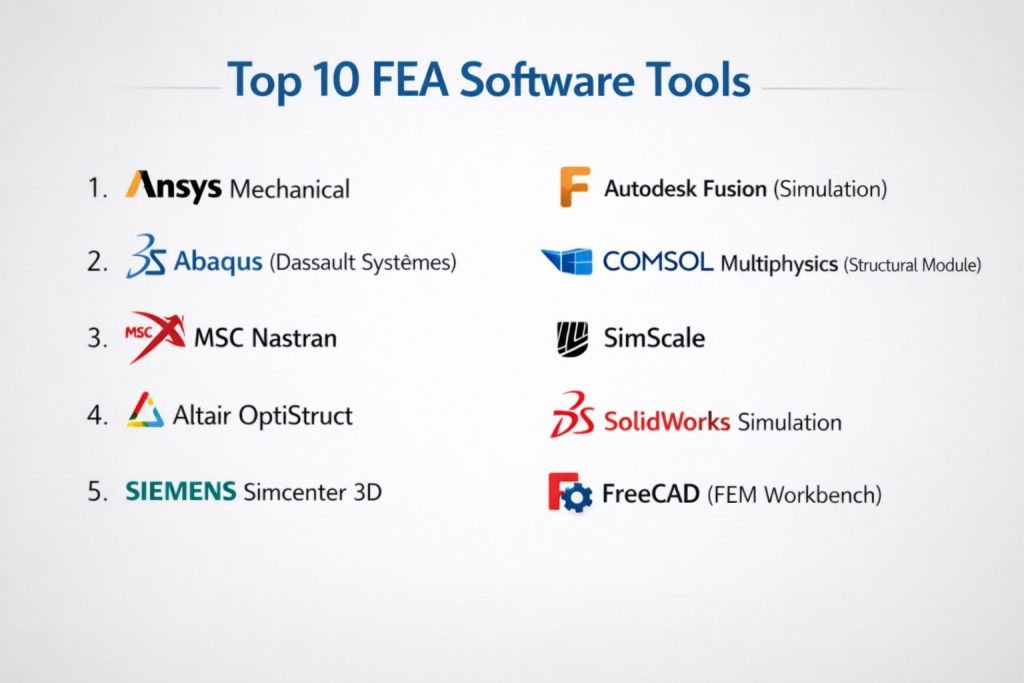
Top 10 FEA Software Tools
#1 — Ansys Mechanical
The industry-leading general-purpose FEA solver, offering a comprehensive suite for linear/nonlinear structural, thermal, and multiphysics analysis.
Key Features
- Highly modern, flowchart-based “Workbench” environment.
- Advanced nonlinear material models and contact mechanics.
- Integrated “Ansys Discovery” for real-time, AI-driven simulation.
- Superior HPC scalability for enterprise-level models.
- Massive library of validated material data.
- Direct coupling with Ansys Fluent (CFD) and Maxwell (Electromagnetics).
Pros
- Unmatched industry acceptance; the gold standard for regulatory certification.
- Excellent automation and scripting capabilities via Python.
Cons
- One of the most expensive licensing models in the industry.
- The interface can be overwhelming for casual users due to its depth.
Platforms / Deployment
- Windows / Linux
- Cloud / Hybrid
Security & Compliance
- SOC 2 Type II, ISO 27001, and ITAR-ready cloud deployments.
- SSO/SAML and advanced data encryption.
Integrations & Ecosystem
Ansys sits at the center of the largest simulation ecosystem, connecting to all major CAD and PLM tools.
- Autodesk Fusion
- Siemens Teamcenter
- PTC Creo
Support & Community
Unrivaled documentation, dedicated enterprise support, and a massive global network of certified training partners.
#2 — Abaqus (Dassault Systèmes)
A high-end specialist tool renowned for its mastery of complex nonlinear problems, large deformations, and contact-heavy simulations.
Key Features
- Industry-standard implicit and explicit solvers.
- Exceptional handling of polymers, rubber, and soft tissue.
- Advanced fracture and failure mechanics (XFEM).
- Integrated within the 3DEXPERIENCE cloud platform.
- Powerful Python API for custom constitutive material modeling.
- Superior stability for models with extreme mesh distortion.
Pros
- The “go-to” tool for crash, impact, and high-complexity nonlinear events.
- Highly stable and reliable for the most challenging engineering physics.
Cons
- Steeper learning curve than Ansys Mechanical; less “wizard” assistance.
- The traditional Abaqus/CAE interface feels dated compared to modern cloud apps.
Platforms / Deployment
- Windows / Linux
- Cloud / Self-hosted / Hybrid
Security & Compliance
- ISO 27001 compliant; fully integrated with secure Dassault cloud protocols.
- High-level IP protection for defense and medical data.
Integrations & Ecosystem
Natively tied to the Dassault Systèmes engineering stack.
- CATIA / SolidWorks
- ENOVIA (PLM)
- SIMULIA (Multiphysics)
Support & Community
Professional-grade support focused on high-end engineering consulting and research specialists.
#3 — MSC Nastran
The original FEA code developed for NASA; it remains the global multidisciplinary standard for aerospace and defense structural certification.
Key Features
- Unrivaled heritage in linear elastic structural analysis.
- Extremely memory-efficient solvers for massive, system-level models.
- Industry-certified workflows for aircraft and spacecraft vibration/modal analysis.
- Integrated with MSC Apex for rapid geometry cleanup and meshing.
- Advanced “Superelement” technology for modeling large assemblies.
- High-fidelity acoustics and aeroelasticity modules.
Pros
- The “safest” choice for certifying critical aerospace structures.
- Exceptionally fast for large linear-static and dynamic response studies.
Cons
- The “bulk data” input format has a very steep learning curve for new users.
- Less focus on general-purpose multiphysics than Ansys.
Platforms / Deployment
- Windows / Linux
- Self-hosted / Hybrid
Security & Compliance
- Widely used in ITAR and highly classified defense environments.
- ISO 9001 and aerospace-grade validation standards.
Integrations & Ecosystem
Part of the Hexagon manufacturing ecosystem, connecting design to metrology.
- Patran / MSC Apex (Pre-processors)
- Adams (Multi-body Dynamics)
- SimManager (SPDM)
Support & Community
Deeply entrenched in the aerospace community with highly specialized technical support.
#4 — Altair OptiStruct
Short description: An optimization-first FEA solver that pioneered topology optimization for lightweighting in the automotive and aerospace sectors.
Key Features
- Market-leading topology, shape, and size optimization.
- Integrated linear and nonlinear structural analysis.
- Advanced fatigue and durability assessment tools.
- Efficient handling of complex composite structures.
- Unique “Altair Units” licensing allows access to dozens of Altair tools.
- GPU-accelerated solvers for rapid design iterations.
Pros
- The best tool for reducing part weight without sacrificing structural integrity.
- Extremely flexible and cost-effective licensing for mid-sized teams.
Cons
- The user interface can be less intuitive for engineers used to traditional CAD-embedded FEA.
- Primarily focused on structural/mechanical domains; less fluid/EM depth.
Platforms / Deployment
- Windows / Linux
- Cloud / Hybrid
Security & Compliance
- SOC 2, GDPR compliant.
- Secure model sharing with granular user permissions.
Integrations & Ecosystem
Lives within the Altair HyperWorks environment, the industry leader in pre-processing.
- HyperMesh
- Inspire (for designers)
- SimLab
Support & Community
Excellent technical support and a strong presence in the global automotive R&D community.
#5 — Siemens Simcenter 3D
A unified, multidisciplinary CAE platform that integrates the Nastran solver with Siemens’ high-end CAD and PLM tools.
Key Features
- Native integration with Siemens NX CAD (no file translation).
- Multidisciplinary solvers for structural, thermal, acoustic, and motion.
- Integrated Simcenter Nastran (the enterprise-grade Nastran solver).
- Advanced “Digital Twin” simulation capabilities.
- Direct connection to physical test data for model correlation.
- Automated meshing that tracks CAD design changes.
Pros
- The most cohesive workflow for large enterprises using the Siemens stack.
- Exceptional for managing the entire product lifecycle from design to test.
Cons
- High complexity; usually requires a dedicated BIM/VDC or simulation manager.
- Best performance is locked behind the Siemens ecosystem (NX/Teamcenter).
Platforms / Deployment
- Windows / Linux
- Cloud / Hybrid
Security & Compliance
- ISO 27001 and SOC 2 compliant.
- Teamcenter-backed data security for large global teams.
Integrations & Ecosystem
The core of the Siemens Xcelerator portfolio.
- NX CAD
- Teamcenter (PLM)
- STAR-CCM+ (CFD)
Support & Community
Enterprise-level support with specialized consultants for Industry 4.0 implementation.
#6 — Autodesk Fusion (Simulation)
A cloud-native design and simulation platform that provides professional-grade FEA with an accessible, modern user experience.
Key Features
- Linear/nonlinear stress, thermal, and modal analysis.
- Industry-leading, AI-driven Generative Design.
- Cloud-based solving to free up local machine resources.
- Integrated CAD/CAM/CAE in a single workspace.
- Simplified “Event Simulation” for high-speed impacts.
- Automated meshing and intuitive result visualization.
Pros
- Unmatched “value for money”; highly accessible for startups and SMEs.
- Extremely fast learning curve; designers can run validation in minutes.
Cons
- Lacks the extreme specialized solver depth of Abaqus or LS-DYNA.
- Requires a constant internet connection for full cloud functionality.
Platforms / Deployment
- Windows / macOS / Web
- Cloud-native
Security & Compliance
- SOC 2 Type II and ISO 27001 compliant.
- SSO and comprehensive audit logs.
Integrations & Ecosystem
Natively integrated with the broader Autodesk manufacturing and construction clouds.
- Inventor / Fusion 360
- Autodesk Vault
- Ansys (via strategic partnership)
Support & Community
Massive, modern community with endless free tutorials and professional learning paths.
#7 — COMSOL Multiphysics (Structural Module)
A researcher-favorite platform that excels in coupling structural mechanics with unconventional physical domains.
Key Features
- Equation-based modeling; users can view and edit the underlying PDEs.
- Transparent coupling between structural, fluid, chemical, and EM domains.
- “Application Builder” to create custom, simplified simulation apps.
- Advanced modules for MEMS, piezoelectric, and acoustic devices.
- Mesh-adaptive solvers for high-precision local analysis.
- Strong parametric and sensitivity analysis tools.
Pros
- The undisputed leader for novel R&D where physics domains interact in unique ways.
- Best platform for creating and distributing custom simulation “apps” to non-experts.
Cons
- Solvers can be slower for extremely large-scale, “pure” structural models compared to Nastran.
- Not as “industry-prescriptive” as specialized tools like Abaqus.
Platforms / Deployment
- Windows / macOS / Linux
- Cloud / Self-hosted
Security & Compliance
- Supports secure network installations and isolated server deployments.
- Compliance: Varies / N/A.
Integrations & Ecosystem
Offers “LiveLink” modules for real-time synchronization with major CAD tools.
- MATLAB / Simulink
- SolidWorks / Revit
- Excel
Support & Community
Strong academic following and a robust library of models and user-contributed apps.
#8 — SimScale
A browser-based engineering platform that brings high-end FEA and CFD to teams without the need for expensive hardware.
Key Features
- 100% browser-based execution (zero-IT installation).
- Scalable cloud solving on hundreds of cores.
- Integrated nonlinear structural, thermal, and fluid dynamics.
- Real-time collaboration and project sharing.
- Modern, intuitive UI designed for agile engineering teams.
- Cost-effective subscription model based on usage.
Pros
- The fastest tool to deploy for a distributed global team.
- Affordable entry point for startups and engineering consultants.
Cons
- Dependent on high-speed internet for large result file visualization.
- Currently lacks some of the hyper-specialized failure models found in Abaqus.
Platforms / Deployment
- Web / Browser-based
- Cloud-native
Security & Compliance
- SOC 2 compliant; utilizes encrypted AWS data centers.
- GDPR ready.
Integrations & Ecosystem
Focused on connecting with cloud CAD and modern design stacks.
- Onshape
- Autodesk Fusion
- Rhino / Grasshopper
Support & Community
Highly responsive live chat support and an active, modern community of cloud-engineers.
#9 — SolidWorks Simulation
A CAD-embedded FEA tool that allows designers to validate their parts directly within the world’s most popular 3D modeler.
Key Features
- Fully integrated within the SolidWorks design environment.
- Automated “wizard-based” setup for static and thermal studies.
- Fatigue and motion analysis for mechanical assemblies.
- Optimization tools based on stress and weight targets.
- Native CAD associativity; toolpaths update as the design changes.
- Comprehensive libraries for standard fasteners and materials.
Pros
- Eliminates the “import/export” headache for SolidWorks designers.
- Very short learning curve for engineers who are already SolidWorks-proficient.
Cons
- Advanced nonlinear studies often require an upgrade to “Simulation Premium.”
- Only available on Windows as a plugin for SolidWorks.
Platforms / Deployment
- Windows
- Self-hosted
Security & Compliance
- Standard SolidWorks PDM (Product Data Management) security.
- Compliance: Varies / N/A.
Integrations & Ecosystem
Tightly coupled with the SolidWorks design and PDM environment.
- SolidWorks CAD
- 3DEXPERIENCE Platform
- DraftSight
Support & Community
Massive global user base with localized support from a vast reseller network.
#10 — FreeCAD (FEM Workbench)
The leading open-source 3D CAD/FEA modeler, providing a free alternative for students, makers, and hobbyists.
Key Features
- Open-source, parametric 3D modeling with a dedicated FEM workbench.
- Support for the CalculiX solver (linear/nonlinear structural and thermal).
- Python-based architecture for custom tool and solver integration.
- Automated meshing via GMSH and Netgen.
- Cross-platform support (Windows, Mac, Linux).
- Community-developed plugins for specialized structural tasks.
Pros
- Completely free; no subscription or licensing fees.
- Highly customizable for researchers and power users who can code.
Cons
- UI is less “polished” and harder to learn than commercial alternatives.
- Lacks the advanced industrial certification and 24/7 technical support.
Platforms / Deployment
- Windows / macOS / Linux
- Self-hosted
Security & Compliance
- Fully local; user has 100% control over data sovereignty.
- Compliance: N/A.
Integrations & Ecosystem
Extensible via a large repository of community-made workbenches.
- CalculiX (Solver)
- Elmer (Solver)
- Python (Automation)
Support & Community
Entirely community-driven; excellent forums and a massive wiki, but no official support.
Comparison Table (Top 10)
| Tool Name | Best For | Platform(s) Supported | Deployment | Standout Feature | Public Rating |
| Ansys Mechanical | Complex Multiphysics | Win / Linux | Hybrid | HPC Scaling & Solver Depth | 4.4 / 5 |
| Abaqus | Nonlinear / Impact | Win / Linux | Hybrid | Explicit Solver Mastery | 4.3 / 5 |
| MSC Nastran | Aerospace Certification | Win / Linux | Hybrid | Proven Reliability (NASA heritage) | N/A |
| OptiStruct | Lightweighting / Opti | Win / Linux | Hybrid | Topology Optimization leader | 4.5 / 5 |
| Simcenter 3D | Enterprise CAD/CAE | Win / Linux | Hybrid | NX Integration & Nastran | 4.4 / 5 |
| Fusion Simulation | Integrated Design / AI | Win / Mac / Web | Cloud | AI Generative Design | 4.4 / 5 |
| COMSOL | R&D / Multiphysics | Win / Mac / Linux | Hybrid | Equation-based modeling | 4.6 / 5 |
| SimScale | Cloud-native / SMEs | Web Browser | Cloud | Zero-IT cloud implementation | 4.7 / 5 |
| SolidWorks Sim | Design Validation | Windows | Self-hosted | Native SolidWorks integration | 4.4 / 5 |
| FreeCAD FEM | Makers / Education | Win / Mac / Linux | Self-hosted | Free / Open-source flexibility | N/A |
Evaluation & Scoring of FEA Software
| Tool Name | Core (25%) | Ease (15%) | Integrations (15%) | Security (10%) | Performance (10%) | Support (10%) | Value (15%) | Weighted Total |
| Ansys Mechanical | 10 | 7 | 10 | 10 | 10 | 10 | 7 | 8.80 |
| Abaqus | 10 | 6 | 9 | 10 | 10 | 9 | 6 | 8.35 |
| MSC Nastran | 9 | 6 | 9 | 10 | 10 | 8 | 7 | 8.15 |
| OptiStruct | 9 | 7 | 9 | 9 | 10 | 8 | 8 | 8.40 |
| Simcenter 3D | 10 | 7 | 10 | 10 | 9 | 9 | 7 | 8.65 |
| Fusion Simulation | 7 | 10 | 9 | 9 | 8 | 9 | 10 | 8.35 |
| COMSOL | 9 | 8 | 8 | 8 | 9 | 9 | 8 | 8.35 |
| SimScale | 8 | 10 | 8 | 9 | 9 | 9 | 10 | 8.65 |
| SolidWorks Sim | 8 | 9 | 10 | 8 | 8 | 8 | 9 | 8.35 |
| FreeCAD FEM | 6 | 5 | 6 | 10 | 7 | 7 | 10 | 6.75 |
Interpretation
- Core (25%): Higher scores reflect superior nonlinear and explicit solver capabilities.
- Value (15%): Reflects the TCO (Total Cost of Ownership); cloud-native and open-source tools score higher here.
- Integrations (15%): Tools like Simcenter 3D and SolidWorks score high for their “no-import” CAD associativity.
Which FEA Software Tool Is Right for You?
Solo / Freelancer
If you need professional power without expensive hardware, SimScale is the best choice. It allows you to run high-end simulations directly in your browser. For those on a zero budget, FreeCAD is the only credible path.
SMB (Small-to-Medium Business)
For mid-sized engineering firms, Autodesk Fusion Simulation or Altair OptiStruct (due to its flexible unit-based licensing) offer the best balance of power and cost.
Mid-Market
Firms with established CAD pipelines should look at SolidWorks Simulation or Simcenter 3D. These tools ensure your design and simulation data remain in sync, reducing the risk of working on outdated models.
Enterprise
Global leaders in safety-critical sectors must rely on Ansys Mechanical, Abaqus, or MSC Nastran. These platforms provide the depth, security, and validated heritage required for mission-critical aircraft, vehicle, and medical device design.
Frequently Asked Questions (FAQs)
What is the difference between FEM and FEA?
FEM (Finite Element Method) is the mathematical technique used to solve the equations. FEA (Finite Element Analysis) is the practical application of that method using software to predict product behavior.
Can FEA replace physical testing?
In 2026, FEA can replace many rounds of prototyping, but final safety-critical certification (like aircraft wing snaps or vehicle crashes) still requires some physical validation to ensure the digital twin is accurate.
Do I need a supercomputer for FEA?
For simple parts, a modern laptop is enough. For complex assemblies or nonlinear studies, most engineers now use cloud-solving (e.g., SimScale or Ansys Cloud) to access massive processing power on-demand.
What is the most important part of an FEA study?
The “Mesh.” If your mesh is too coarse, the results will be inaccurate. If it’s too fine, the study will take too long to solve. Modern AI-meshing tools in Ansys and Fusion help automate this balance.
Is FEA safe for medical device design?
Yes, tools like Abaqus and Ansys are widely validated for FDA and EMA regulatory submissions for everything from heart valves to orthopedic screws.
What is “Nonlinear” analysis?
Linear analysis assumes materials don’t permanently deform and return to their shape. Nonlinear analysis accounts for materials like rubber, plastic deformation (crashing metal), and complex contact between parts.
How long does it take to learn FEA software?
Basic stress analysis can be learned in a week. Becoming a professional analyst capable of handling complex nonlinear dynamics typically takes months of training and a strong background in mechanical physics.
What is the cost of a typical license?
Commercial enterprise licenses can range from $10,000 to $40,000+ per year. Entry-level tools like Fusion 360 are significantly less, often starting under $1,000/year for basic simulation features.
Can I automate my FEA workflows?
Yes. Most professional tools (Ansys, Abaqus, Nastran) allow for extensive Python scripting, enabling you to run hundreds of “What-If” scenarios automatically.
Is cloud-based FEA secure?
Yes, modern cloud platforms use the same level of encryption as financial institutions. For defense-level security, look for “GovCloud” or “ITAR-ready” versions of Ansys or Abaqus.
Conclusion
The engineering landscape of 2026 is governed by speed and precision. Choosing between the industrial power of Ansys, the nonlinear mastery of Abaqus, or the cloud-native accessibility of SimScale depends entirely on your project’s complexity and your team’s existing CAD stack.