Introduction
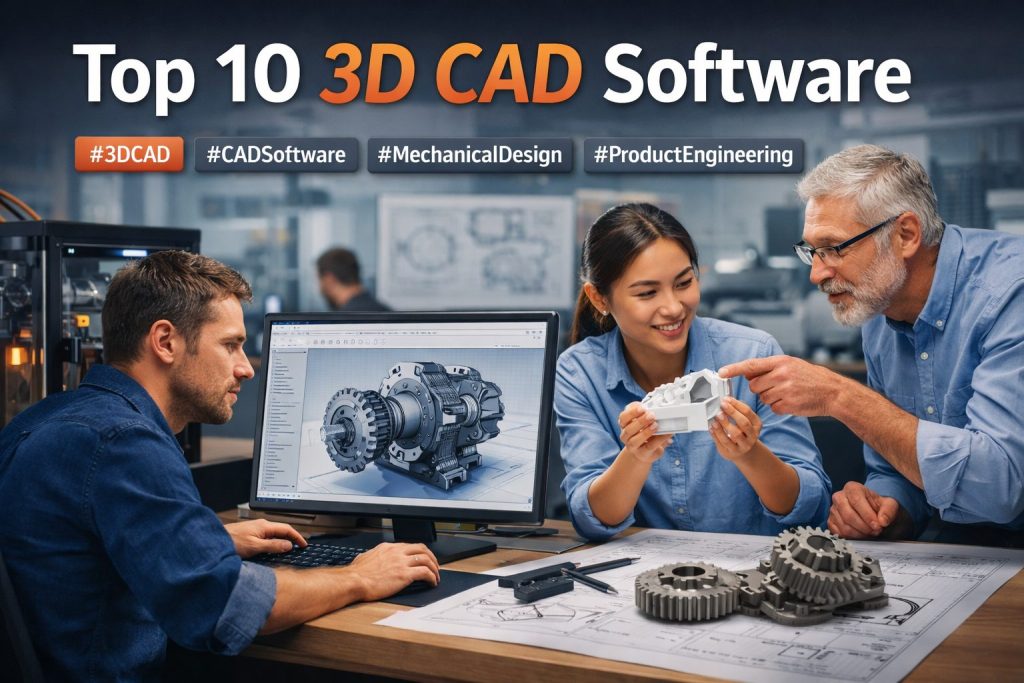
3D CAD software is the toolset engineers and designers use to create precise digital models of real products—parts, assemblies, mechanisms, and manufacturable geometry. Instead of drawing only in 2D, you build a 3D model with dimensions, constraints, and design intent, then generate drawings, exploded views, bill of materials, or manufacturing outputs from that same source.
A strong CAD platform does more than make shapes. It helps you reduce costly mistakes by validating fit, motion, and clearances early. It also improves teamwork by standardizing how parts are named, versioned, reviewed, and released. For many teams, CAD is the “single definition” that connects engineering, manufacturing, procurement, and service documentation.
Common use cases include:
- Mechanical part design, assemblies, and mechanisms
- Sheet metal enclosures, frames, and weldments
- Plastic parts with manufacturable features and draft-aware shapes
- Product design for industrial equipment and consumer devices
- CNC machining preparation and CAM workflows
- Technical drawings, GD&T, exploded views, and BOM creation
What buyers should evaluate:
- Modeling approach: parametric, direct, or hybrid
- Assembly capability: mates, constraints, performance on large assemblies
- Drawing quality: detailing, GD&T workflows, documentation outputs
- Manufacturing readiness: CAM ecosystem, export stability, tolerancing workflows
- Interoperability: how well it exchanges files with suppliers
- Collaboration: versioning, review, approvals, change tracking
- Extensibility: plugins, APIs, macros, automation potential
- Performance: stability under heavy geometry and complex constraints
- License practicality: cost predictability and team scaling
- Security expectations: access control and safe sharing practices
Mandatory paragraph
- Best for: mechanical engineers, product designers, manufacturing teams, R&D groups, startups building hardware, and enterprises managing complex assemblies and formal change processes.
- Not ideal for: teams that only need lightweight concept sketches or simple visualization; for those, a simpler modeling tool or visualization-first workflow may be faster.
Key Trends in 3D CAD Software and Beyond
- Collaboration-first CAD: more teams expect built-in sharing, review, and version history so they can stop emailing files back and forth.
- Hybrid modeling becoming normal: combining parametric history with direct edits helps teams move faster without losing control.
- More “design-to-manufacture” emphasis: CAD is expected to connect smoothly to CAM, simulation, and documentation rather than living in isolation.
- AI-assisted workflows: features that speed up repetitive modeling tasks, help detect common mistakes, and improve search across parts and assemblies.
- Better change traceability: clearer “what changed, who changed it, and why” is becoming a requirement even for smaller teams.
- Interoperability pressure: suppliers and distributed manufacturing force better translation and fewer broken features on import/export.
- Model-based definition growth: more manufacturing notes and tolerances are tied directly to the 3D model rather than only in 2D drawings.
- Large-assembly performance focus: faster open times, stable constraints, lightweight representations, and better handling of massive BOMs.
- Security expectations rising: controlled access, safe sharing, and governance become more important as collaboration expands.
- Ecosystem expectations: teams want mature add-ons for simulation, CAM, PDM/PLM, and automation without heavy custom development.
How We Selected These Tools (Methodology)
- Selected tools with strong industry recognition and wide usage in engineering workflows.
- Balanced the list across enterprise platforms, mainstream mechanical CAD, and accessible options for smaller teams.
- Prioritized tools that support complete workflows: parts, assemblies, drawings, and release-ready outputs.
- Considered manufacturing reality: export stability, supplier compatibility, and the availability of downstream tools.
- Included tools with strong ecosystems for CAM, simulation, and data management.
- Considered collaboration fit, including versioning patterns and review workflows.
- Evaluated typical performance signals, especially for constraint-heavy assemblies.
- Considered support and community strength for onboarding, troubleshooting, and hiring.
Top 10 3D CAD Software Tools
#1 — SOLIDWORKS
Short description: A widely used mechanical CAD platform for parametric modeling, assemblies, and manufacturing documentation. Often chosen when supplier compatibility and production drawings are a daily requirement.
Key Features
- Feature-based parametric part modeling with design intent
- Assembly mates, interference checks, and motion validation tools
- Mature drawing workflows for detailing and documentation
- Sheet metal and weldment tools for common fabrication needs
- Configurations for variants and product families
- Large ecosystem of add-ons for simulation and manufacturing workflows
- Common exchange workflows across suppliers and production partners
Pros
- Strong for manufacturing-ready mechanical design
- Large hiring pool and widespread industry familiarity
- Proven ecosystem for extensions and specialized workflows
Cons
- Large assemblies require disciplined modeling practices
- Collaboration and release control often require structured governance
- Add-ons can increase total cost for advanced needs
Platforms / Deployment
Windows
Self-hosted
Security & Compliance
Not publicly stated.
Integrations & Ecosystem
This tool commonly sits at the center of manufacturing pipelines and pairs well with data management, simulation, and downstream manufacturing tools when teams define consistent standards.
- Works well with structured data management approaches
- Strong partner ecosystem for simulation and manufacturing workflows
- Macro and automation options for repeatable tasks
- Common supplier compatibility patterns in mechanical industries
Support & Community
Very large community, broad training content, and strong third-party support availability. Support tiers depend on licensing and reseller arrangements.
#2 — Autodesk Inventor
Short description: A mechanical CAD tool focused on parametric modeling, assemblies, and drawing-driven documentation. Often used in engineering organizations that want a strong mechanical workflow and predictable outputs.
Key Features
- Parametric parts and assemblies with feature history
- Drawing workflows for documentation and manufacturing handoff
- Sheet metal and frame design workflows for common mechanical needs
- Assembly constraints and interference checking patterns
- Content libraries and reuse workflows depending on setup
- Integration potential with broader design and manufacturing toolchains
- Customization options through rules and automation patterns
Pros
- Solid mechanical CAD coverage for many engineering teams
- Strong documentation workflows for production outputs
- Familiar workflow style for teams used to parametric CAD
Cons
- Large-assembly performance depends on modeling practices
- Collaboration and governance depend on team processes and tooling
- Total cost can vary based on add-ons and licensing needs
Platforms / Deployment
Windows
Self-hosted
Security & Compliance
Not publicly stated.
Integrations & Ecosystem
Commonly used in mechanical design environments where drawings and controlled documentation matter. Works best when teams define standards for file structure and release.
- Often used alongside manufacturing and documentation toolchains
- Automation support for repeatable design rules and templates
- Export workflows depend on supplier and shop standards
- Ecosystem fit depends on how you connect downstream processes
Support & Community
Large community and training availability. Support options depend on licensing tier.
#3 — Autodesk Fusion
Short description: A connected CAD platform designed for product teams that want modeling plus collaboration-friendly workflows. Often selected when a team wants a practical toolset without a heavy infrastructure burden.
Key Features
- Parametric modeling with flexible editing workflows
- Component-based design for assemblies and product structures
- Collaboration-friendly project workflows for team sharing
- Drawing outputs for documentation needs
- Manufacturing-oriented workflows depending on plan and setup
- Visualization and rendering capabilities depending on workflow
- Add-ins and extensions for specialized needs
Pros
- Practical for fast iteration and small-to-mid product teams
- Easier collaboration compared to purely file-based workflows
- Useful when design and manufacturing preparation are close together
Cons
- Enterprise-grade governance may need additional systems
- Complex assemblies require careful structure and discipline
- Feature availability may depend on licensing tier
Platforms / Deployment
Windows / macOS
Hybrid
Security & Compliance
Not publicly stated.
Integrations & Ecosystem
Often used as an “all-in-one” environment for product development teams. Best results come from clear project structure and consistent naming and release habits.
- Add-ins and extensions to expand workflows
- Connected collaboration workflows for teams
- Export pipelines depend on supplier requirements
- Works well when you want fewer disconnected tools
Support & Community
Strong online learning resources and active community. Support depends on plan.
#4 — Onshape
Short description: A cloud-native CAD tool built around collaboration, version history, and controlled sharing. Often chosen by distributed teams that want to reduce file confusion and improve traceability.
Key Features
- Browser-based CAD with real-time collaboration
- Built-in versioning and history-style workflows for change tracking
- Centralized storage model that reduces duplicate files
- Assembly modeling with sharing-first workflows
- Review and approval-friendly collaboration patterns
- Controlled access and sharing concepts for teams
- API and extensibility options depending on plan
Pros
- Strong collaboration and reduced “file chaos”
- Easier access for distributed teams and partners
- Version history patterns help avoid accidental overwrites
Cons
- Works best with reliable connectivity
- Governance depends on permission discipline and team habits
- Some specialized workflows may require careful planning
Platforms / Deployment
Web
Cloud
Security & Compliance
Not publicly stated.
Integrations & Ecosystem
Often used when collaboration and traceability are the priority. Works best when the team treats the tool as a single source of truth rather than exporting files as the “real master.”
- Integrates via APIs and workflow connections depending on setup
- Export/import pipelines depend on supplier requirements
- Designed to reduce manual file management
- Ecosystem strength depends on the team’s downstream stack
Support & Community
Good documentation and an active learning community. Support levels depend on subscription tier.
#5 — Siemens NX
Short description: An enterprise-grade CAD platform built for complex products, large assemblies, and structured engineering processes. Often used in organizations with mature governance and multi-team product development.
Key Features
- Advanced parametric and hybrid modeling workflows
- High-performance handling of large assemblies and complex structures
- Mature drafting and documentation capabilities
- Advanced surfacing and complex geometry workflows
- Customization and automation potential for enterprise standards
- Fits into controlled engineering environments and structured processes
- Designed for large organizations and complex product definitions
Pros
- Strong for complex products and large assemblies
- Built for structured engineering processes and scale
- Useful when governance and standardization are essential
Cons
- Requires training and structured onboarding
- Implementation can be heavy in large organizations
- Costs and operational overhead can be significant
Platforms / Deployment
Windows
Self-hosted
Security & Compliance
Not publicly stated.
Integrations & Ecosystem
Commonly used in enterprise engineering ecosystems where CAD must align with change control, data management, and downstream manufacturing processes.
- Strong enterprise workflow integration patterns
- Customization to enforce company standards and templates
- Downstream integration depends on organizational toolchain
- Best suited for mature engineering governance
Support & Community
Enterprise-focused training and support availability. Community resources exist, but most value comes from structured enablement.
#6 — CATIA
Short description: A high-end CAD platform used for complex industries where advanced surfacing, assemblies, and multi-discipline workflows are central. Often adopted in environments with strict engineering processes.
Key Features
- Advanced surfacing and shape creation workflows
- Large-assembly design patterns for structured products
- Documentation workflows designed for controlled environments
- Supports multi-discipline engineering processes
- Strong fit for high-complexity product development
- Customization options for enterprise standards
- Designed for rigorous design methodologies
Pros
- Excellent for complex surfaces and advanced product design
- Strong enterprise fit with structured processes
- Useful in demanding engineering environments
Cons
- Steep learning curve for new users
- Significant governance overhead for smaller teams
- Total cost can be high depending on scope
Platforms / Deployment
Windows
Self-hosted
Security & Compliance
Not publicly stated.
Integrations & Ecosystem
Often used as part of broader enterprise engineering systems where data governance and structured release processes are central.
- Fits into enterprise engineering ecosystems and structured governance
- Integrations depend on organizational standards and tooling
- Customization to enforce internal workflows
- Best for environments that value standardization and control
Support & Community
Enterprise-centric support and training. Community materials exist but are less beginner-focused than mainstream CAD tools.
#7 — PTC Creo
Short description: A mechanical CAD tool known for strong parametric modeling and manufacturing-focused workflows. Often chosen by teams that want disciplined design intent and predictable outputs.
Key Features
- Feature-based parametric modeling with robust design intent
- Assembly workflows with structured constraints and checks
- Drawing and documentation workflows for manufacturing
- Tools for common mechanical workflows such as sheet metal
- Variant handling workflows depending on environment and setup
- Customization and automation options for company standards
- Strong fit for manufacturing-driven product development
Pros
- Strong parametric discipline and controlled modeling patterns
- Good fit for manufacturing-focused engineering teams
- Works well with structured standards and templates
Cons
- Requires training for best productivity
- Collaboration depends on external processes and governance
- Ecosystem fit depends on your manufacturing toolchain
Platforms / Deployment
Windows
Self-hosted
Security & Compliance
Not publicly stated.
Integrations & Ecosystem
Often used where predictable outputs and controlled change processes matter. Best results come from strict modeling standards and reusable templates.
- Works with downstream manufacturing workflows through defined exports
- Automation support depends on environment and licensing
- Integrations depend on the organization’s broader stack
- Strong fit for standard-driven engineering teams
Support & Community
Professional user base and training availability. Support options vary by agreement.
#8 — Solid Edge
Short description: A mechanical CAD tool known for combining parametric and direct modeling approaches in practical workflows. Often used by teams that want flexibility for late-stage changes without rebuilding entire models.
Key Features
- Hybrid approach that supports parametric and direct edits
- Assembly modeling for mechanical product structures
- Drafting and documentation workflows for production outputs
- Sheet metal and fabrication-oriented workflows
- Tools for managing revisions through disciplined processes
- Extensibility and customization options depending on setup
- Performance focus for practical mechanical assemblies
Pros
- Flexible editing approach for change-heavy designs
- Strong mechanical CAD coverage for many teams
- Useful for teams that value speed without losing control
Cons
- Ecosystem depth depends on the environment and add-ons
- Team consistency requires strong standards and templates
- Enterprise governance may require additional systems
Platforms / Deployment
Windows
Self-hosted
Security & Compliance
Not publicly stated.
Integrations & Ecosystem
Often used in mechanical engineering environments that value hybrid modeling and practical documentation outputs.
- Downstream integration depends on organizational toolchains
- Customization options for templates and repeatable exports
- Works well with disciplined file and release practices
- Ecosystem fit depends on your manufacturing stack
Support & Community
Professional support availability and established user community. Depth varies by region and partner ecosystem.
#9 — Rhinoceros 3D
Short description: A flexible 3D modeling tool widely used for industrial design, concept development, and complex surfaces. Often chosen when form exploration and surfacing are more important than strict mechanical parametrics.
Key Features
- Strong surface and curve-based modeling workflows
- Effective for industrial design and complex shape exploration
- Plugin ecosystem for specialized workflows and fabrication outputs
- Works well as a bridge between concept and engineering stages
- Export workflows commonly used for downstream steps
- Scripting and automation options depending on workflow
- Good fit for design teams iterating on form
Pros
- Excellent for freeform surfaces and complex geometry
- Useful for fast concept iteration and design exploration
- Strong extension ecosystem for niche workflows
Cons
- Not a full mechanical CAD replacement for strict parametric assemblies
- Manufacturing documentation may require complementary tools
- Collaboration and versioning depend on external processes
Platforms / Deployment
Windows / macOS
Self-hosted
Security & Compliance
Not publicly stated.
Integrations & Ecosystem
Often paired with mechanical CAD tools, renderers, or fabrication workflows depending on the team’s needs and handoff style.
- Strong plugin ecosystem for design and fabrication tasks
- Export pipelines depend on downstream tools and suppliers
- Scripting options for repeatable modeling approaches
- Useful in early-stage design pipelines
Support & Community
Strong design community and extensive learning resources. Support options depend on licensing.
#10 — FreeCAD
Short description: An open-source CAD tool used for parametric modeling and learning-focused engineering workflows. Often chosen by individuals, educators, and cost-sensitive teams that prefer open toolchains.
Key Features
- Parametric modeling with feature history workflows
- Modular workbench approach for different tasks
- Community-driven add-ons and extensions
- Suitable for many engineering and maker projects
- Export/import workflows used for multi-tool pipelines
- Scripting and customization options depending on environment
- Useful for learning parametric fundamentals and cost-sensitive work
Pros
- No license cost and open workflow flexibility
- Good for learning and prototyping parametric design concepts
- Community-driven development and extensions
Cons
- Enterprise-scale collaboration features are limited
- Advanced workflows may require more manual setup
- Support depends heavily on community resources
Platforms / Deployment
Windows / macOS / Linux
Self-hosted
Security & Compliance
Not publicly stated.
Integrations & Ecosystem
Often used in open, file-based toolchains and paired with other tools for downstream manufacturing or documentation depending on needs.
- Workbenches and add-ons expand capabilities
- Export workflows depend on your production pipeline
- Best used with clear templates and modeling conventions
- Community ecosystem depth varies by use case
Support & Community
Active community and documentation. Formal support tiers are not publicly stated.
Comparison Table (Top 10)
| Tool Name | Best For | Platform(s) Supported | Deployment (Cloud/Self-hosted/Hybrid) | Standout Feature | Public Rating |
|---|---|---|---|---|---|
| SOLIDWORKS | Manufacturing-focused mechanical CAD | Windows | Self-hosted | Mature assemblies, drawings, and ecosystem | N/A |
| Autodesk Inventor | Parametric mechanical design and drawings | Windows | Self-hosted | Strong documentation workflows for production | N/A |
| Autodesk Fusion | Connected product design workflows | Windows / macOS | Hybrid | Practical collaboration-friendly workflow | N/A |
| Onshape | Collaboration and version history | Web | Cloud | Built-in versioning mindset and sharing | N/A |
| Siemens NX | Enterprise-scale complex products | Windows | Self-hosted | Large-assembly performance and enterprise fit | N/A |
| CATIA | Advanced surfacing and complex industries | Windows | Self-hosted | High-end surfacing and structured processes | N/A |
| PTC Creo | Disciplined parametric design intent | Windows | Self-hosted | Robust feature-based modeling patterns | N/A |
| Solid Edge | Hybrid modeling for change-heavy designs | Windows | Self-hosted | Parametric plus direct editing flexibility | N/A |
| Rhinoceros 3D | Industrial design and freeform surfaces | Windows / macOS | Self-hosted | Strong surfacing and concept exploration | N/A |
| FreeCAD | Open-source parametric projects | Windows / macOS / Linux | Self-hosted | Open toolchain and modular workbenches | N/A |
Evaluation & Scoring of 3D CAD Software
The scoring below is a comparative model intended to help shortlisting. Each criterion is scored from 1–10, then a weighted total from 0–10 is calculated using the weights listed. These are analyst estimates based on typical fit and common workflow requirements, not public ratings.
Weights:
- Core features – 25%
- Ease of use – 15%
- Integrations & ecosystem – 15%
- Security & compliance – 10%
- Performance & reliability – 10%
- Support & community – 10%
- Price / value – 15%
| Tool Name | Core (25%) | Ease (15%) | Integrations (15%) | Security (10%) | Performance (10%) | Support (10%) | Value (15%) | Weighted Total (0–10) |
|---|---|---|---|---|---|---|---|---|
| SOLIDWORKS | 9.2 | 7.4 | 9.1 | 6.3 | 8.2 | 9.2 | 6.0 | 8.11 |
| Autodesk Inventor | 8.6 | 7.6 | 8.4 | 6.2 | 7.8 | 8.6 | 6.6 | 7.82 |
| Autodesk Fusion | 8.0 | 8.2 | 8.0 | 6.3 | 7.4 | 8.2 | 8.2 | 7.87 |
| Onshape | 7.8 | 8.1 | 7.9 | 6.4 | 7.5 | 7.9 | 7.4 | 7.68 |
| Siemens NX | 9.6 | 6.3 | 9.1 | 6.3 | 9.0 | 8.1 | 5.4 | 8.05 |
| CATIA | 9.5 | 6.0 | 8.7 | 6.3 | 8.9 | 7.6 | 5.0 | 7.79 |
| PTC Creo | 8.7 | 6.9 | 8.1 | 6.2 | 8.1 | 7.5 | 6.0 | 7.51 |
| Solid Edge | 8.3 | 7.2 | 7.8 | 6.1 | 7.8 | 7.4 | 6.6 | 7.45 |
| Rhinoceros 3D | 7.7 | 8.2 | 8.0 | 5.8 | 7.3 | 8.6 | 7.6 | 7.75 |
| FreeCAD | 6.8 | 6.4 | 6.8 | 5.6 | 6.6 | 7.0 | 9.8 | 7.05 |
How to interpret the scores:
- Use the weighted total to shortlist candidates, then validate with a pilot.
- A lower score can mean specialization, not weakness.
- Security and compliance scores reflect controllability and governance fit, because certifications are often not publicly stated.
- Actual outcomes vary with assembly size, team skills, templates, and process maturity.
Which 3D CAD Software Tool Is Right for You?
Solo / Freelancer
You need fast modeling, stable exports, and a workflow that does not interrupt your momentum.
- Choose Autodesk Fusion if you want an accessible workflow that supports product iteration and practical outputs.
- Choose Rhinoceros 3D if your work is form-driven and surfacing is a core requirement.
- Choose FreeCAD if budget and openness matter most and you can invest time in templates and conventions.
SMB
Small teams need predictable output and easy collaboration without heavy governance overhead.
- Choose SOLIDWORKS if supplier compatibility, drawings, and manufacturing workflows are central.
- Choose Onshape if collaboration and version confusion are frequent pain points and you want built-in history.
- Choose Autodesk Fusion if you want a connected workflow and quick iteration across a small team.
Mid-Market
Mid-market teams often need structured standards, repeatable documentation, and reliable supplier exchange.
- Choose SOLIDWORKS for mechanical design environments with common manufacturing handoffs.
- Choose Autodesk Inventor for drawing-heavy workflows and parametric mechanical design.
- Choose Solid Edge if late-stage change flexibility is common and hybrid edits help reduce rework.
Enterprise
Enterprise environments prioritize governance, scale, performance, and controlled change processes.
- Choose Siemens NX for complex assemblies and structured engineering organizations.
- Choose CATIA for advanced surfacing and high-complexity product environments.
- Choose PTC Creo for disciplined parametric design intent and standard-driven modeling practices.
Budget vs Premium
- If budget is tight, prioritize tools that cover core needs without requiring many paid add-ons. FreeCAD can be useful for open workflows and learning-driven adoption.
- If premium investment is possible, it often pays off when large assemblies, strict documentation, and formal change control are central requirements.
Feature Depth vs Ease of Use
- Maximum depth for complex engineering: Siemens NX, CATIA, SOLIDWORKS
- Faster onboarding and practical iteration: Autodesk Fusion, Onshape
- Form exploration and surfacing focus: Rhinoceros 3D
- Open and cost-sensitive learning path: FreeCAD
Integrations & Scalability
- If you rely on CAM, simulation, or formal data management, ecosystem maturity matters as much as modeling tools.
- If you work across suppliers, test translation using your real parts and assemblies.
- If you scale team size, versioning and release processes become as important as modeling features.
Security & Compliance Needs
Most CAD tools are installed locally or rely on collaboration workflows where certifications are not publicly stated in a simple checklist format.
- Plan security at the pipeline level: identity, permissions, storage governance, and controlled sharing.
- Define where master models live and how releases are approved.
- Limit plugins and automation scripts to trusted and approved sources.
Frequently Asked Questions (FAQs)
What is the difference between parametric and direct modeling?
Parametric modeling uses a feature history and constraints to preserve design intent. Direct modeling is faster for certain edits but can reduce traceability unless you enforce standards.
Is cloud CAD better than desktop CAD?
Cloud CAD is often better for collaboration and version history. Desktop CAD can be preferable when offline work, strict IT control, or heavy local performance requirements dominate.
What should I look for in CAD if manufacturing is my priority?
Prioritize drawings, tolerancing workflows, export stability, and supplier compatibility. Also check how easily the CAD connects to downstream manufacturing preparation.
Do I need PDM or PLM with my CAD tool?
If you have multiple designers, frequent revisions, or formal releases, structured data management becomes important. Without it, teams lose time to file confusion and uncontrolled changes.
How do I evaluate interoperability with suppliers?
Test exchange using your real models, not sample files. Confirm that geometry, assemblies, and key features survive translation without major rework.
How important is hardware for CAD performance?
Very important for large assemblies and complex constraints. CPU, RAM, storage speed, and GPU all matter, and the right balance depends on your workload.
Can one tool cover CAD and CAM needs?
Some platforms offer connected workflows, but depth depends on plan and modules. Many teams use a primary CAD tool plus specialized CAM tools for advanced needs.
What is the biggest mistake teams make during CAD selection?
They skip a real pilot. A small project with real assemblies reveals performance, workflow friction, training needs, and translation risk quickly.
How do I reduce rework in CAD projects?
Use templates, enforce naming rules, keep sketches and constraints clean, and validate interferences early. Establish a release process so “draft” and “final” are clearly separated.
Are security certifications available for these tools?
Often not publicly stated in a simple way. Many organizations achieve compliance through IT governance, controlled storage, and access management rather than tool certifications alone.
What should a good CAD pilot include?
Test your largest assembly, create drawings, export to supplier formats, and run a basic change cycle with two or more users. Track time-to-change and rework volume.
Conclusion
3D CAD is not only about modeling parts; it is about creating a reliable product definition that survives collaboration, revisions, and manufacturing constraints. The right choice depends on your team size, supplier ecosystem, governance needs, and how complex your assemblies and documentation requirements are. Some teams value deep enterprise scale, others value collaboration-first workflows, and many prioritize supplier compatibility and drawing-driven manufacturing handoff.