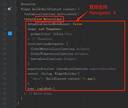
This happens because when you do Navigator.of(context), it will start from the widget associated to the context used. And then go upward in the widget tree until it either find a Navigator or there’s no more widget.
So, it throws an Error
Navigator operation requested with a context that does not include a Navigator.
So, how do I fix it ?
First, let’s reproduce this error :
import 'package:flutter/material.dart';

void main() => runApp(MyApp());

class MyApp extends StatelessWidget {
  @override
  Widget build(BuildContext context) {
    return MaterialApp(
      home: Center(
        child: RaisedButton(
          child: Text("Foo"),
          onPressed: () => Navigator.pushNamed(context, "/"),
        ),
      ),
    );
  }
}Code language: JavaScript (javascript)
This example creates a button that attempts to go to ‘/’ on click but will instead throw an exception.
Notice here that in the
onPressed: () => Navigator.pushNamed(context, "/"),Code language: JavaScript (javascript)we used context passed by to build of MyApp.
The problem is, MyApp is actually a parent of MaterialApp. As it’s the widget who instantiate MaterialApp! Therefore MyApp’s BuildContext doesn’t have a MaterialApp as parent!
To solve this problem, we need to use a different context.
In this situation, the easiest solution is to introduce a new widget as child of MaterialApp. And then use that widget’s context to do the Navigator call.
There are a few ways to achieve this. You can extract home into a custom class :
import 'package:flutter/material.dart';

void main() => runApp(MyApp());

class MyApp extends StatelessWidget {
  @override
  Widget build(BuildContext context) {
    return MaterialApp(
      home: MyHome()
    );
  }
}

class MyHome extends StatelessWidget {
  @override
  Widget build(BuildContext context) {
    return Center(
        child: RaisedButton(
          child: Text("Foo"),
          onPressed: () => Navigator.pushNamed(context, "/"),
        ),
      );
  }
}Code language: JavaScript (javascript)
Or you can use Builder :
import 'package:flutter/material.dart';

void main() => runApp(MyApp());

class MyApp extends StatelessWidget {
  @override
  Widget build(BuildContext context) {
    return MaterialApp(
      home: Builder(
        builder: (context) => Center(
              child: RaisedButton(
                child: Text("Foo"),
                onPressed: () => Navigator.pushNamed(context, "/"),
              ),
            ),
      ),
    );
  }
}Code language: JavaScript (javascript)