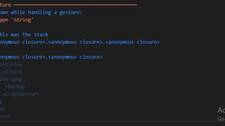
The error message you mentioned, “type ‘int’ is not a subtype of type ‘string’ in Flutter,” typically occurs when you try to assign an integer value to a variable or property that expects a string value.
To resolve this issue, you need to ensure that you are assigning a string value instead of an integer value where it is expected. Here are a few common scenarios where this error may occur and their potential solutions:
Assigning an integer to a string variable:
int myInt = 42;
String myString = myInt; // This will produce the error
Code language: JavaScript (javascript)
To fix this, convert the integer to a string explicitly using the toString() method:
String myString = myInt.toString();
Code language: JavaScript (javascript)
Passing an integer to a method that expects a string argument:
void printString(String text) {
  print(text);
}

int myInt = 42;
printString(myInt); // This will produce the error
Code language: JavaScript (javascript)
To resolve this, again, convert the integer to a string before passing it to the method:
printString(myInt.toString());
Code language: CSS (css)