MOTOSHARE 🚗🏍️
Turning Idle Vehicles into Shared Rides & Earnings
From Idle to Income. From Parked to Purpose.
Earn by Sharing, Ride by Renting.
Where Owners Earn, Riders Move.
Owners Earn. Riders Move. Motoshare Connects.
With Motoshare, every parked vehicle finds a purpose.
Owners earn. Renters ride.
🚀 Everyone wins.
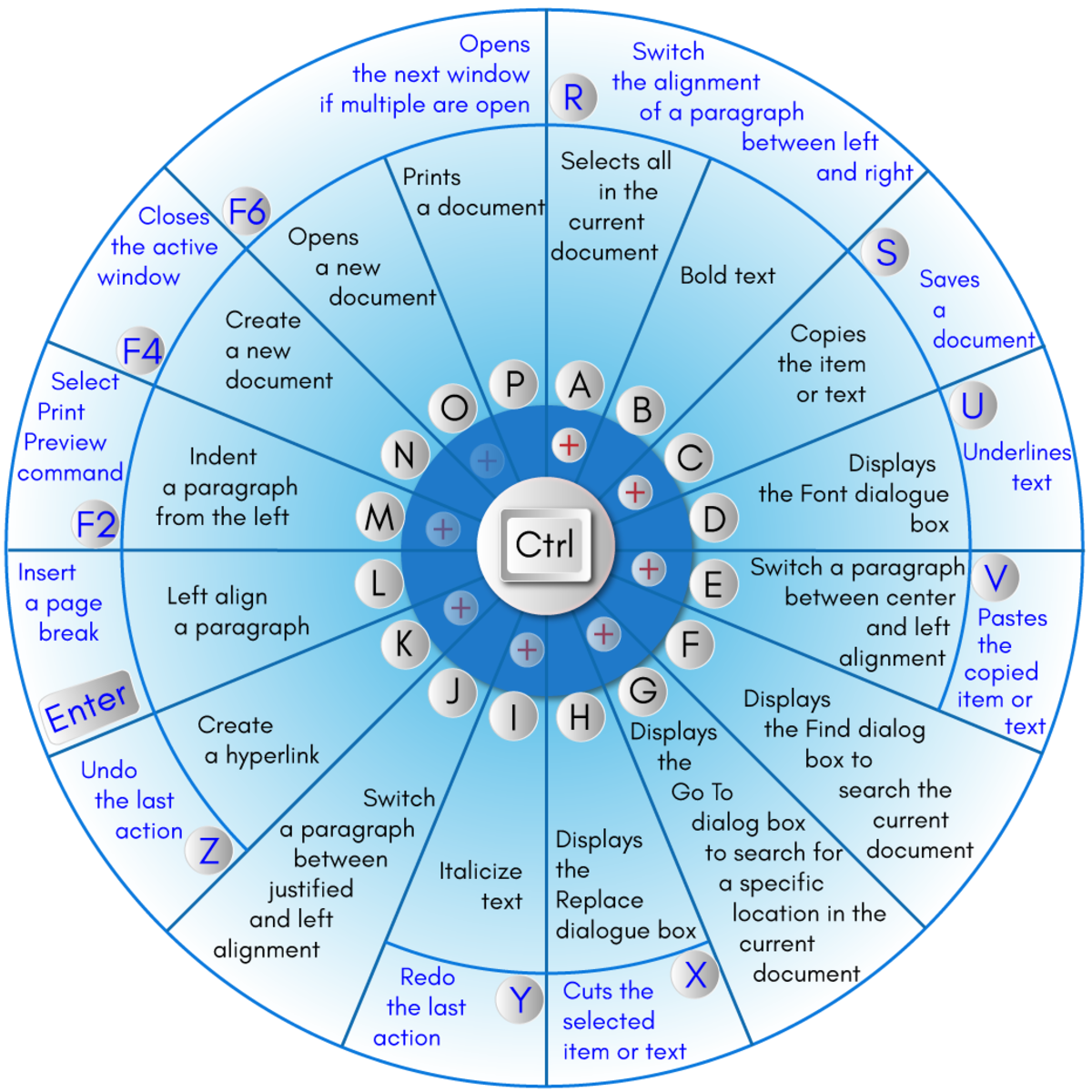
Shortcut keys are very important to do faster operation on computer system ,And for a software devloper is is must to remember the shortcut for faster productivity
| Windows Key | Opens/closes the Start menu. |
| Windows Key + Up Arrow | Maximizes the selected window. |
| Windows Key + Down Arrow | Reduces the window size. (Restore down.) |
| Windows Key + M | Minimizes all open windows. |
| Windows Key + Shift + M | Opens minimized windows. |
| F7 Key | Launch the Spell Checker |
| Windows Key + L | Locks the screen. |
| Windows Key + A | Opens the Action Center. |
| Ctrl and N | Create a new document. |
| Windows Key + I | Opens the Settings menu. |
| Windows Key + F | Opens the Feedback hub. |
| Windows Key + H | Opens the dictation toolbar. |
| Windows Key + P | Opens the projection settings. |
| Windows Key + . (Windows Key + 😉 | Opens the emoji panel. |
| Ctrl and F6 | Opens the next window if multiple are open |
| Windows Key + C (Windows Key + Q) | Opens Windows Search. |
| Windows Key + G | Opens the Xbox game bar. |
| Windows Key + X | Opens the secondary start menu. |