MOTOSHARE 🚗🏍️
Turning Idle Vehicles into Shared Rides & Earnings
From Idle to Income. From Parked to Purpose.
Earn by Sharing, Ride by Renting.
Where Owners Earn, Riders Move.
Owners Earn. Riders Move. Motoshare Connects.
With Motoshare, every parked vehicle finds a purpose.
Owners earn. Renters ride.
🚀 Everyone wins.
Introduction
In 2025, web browsers have evolved beyond being just simple gateways to the internet. They now serve as powerful platforms for productivity, privacy, and integration with advanced cloud services and web applications. Whether for casual browsing, enterprise-level management, or developer-centric tasks, the right web browser can significantly enhance user experience, security, and efficiency.
With increasing concerns about data privacy, speed, extension ecosystems, and cross-platform availability, users need to make informed decisions. Choosing the best web browser in 2025 depends on individual needs, such as speed, customization, privacy, or collaboration tools.
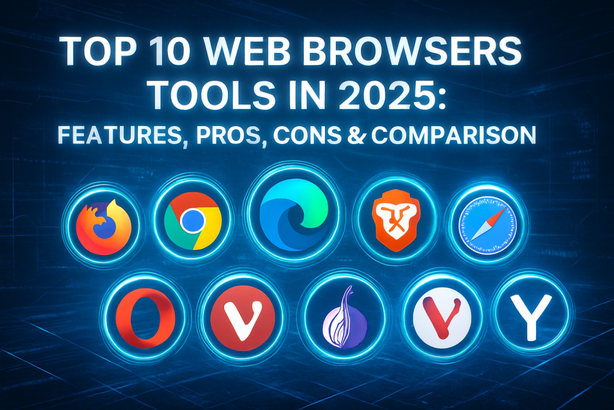
In this blog, we present the top 10 web browser tools of 2025, their key features, advantages, drawbacks, and a detailed comparison to help you select the right one for your needs.
Top 10 Web Browser Tools in 2025
1. Google Chrome
Short Description: Google Chrome remains a powerhouse in 2025, known for its speed, integration with Google services, and developer tools.
Key Features:
- Sync across devices using Google account
- Built-in password manager and autofill
- Extensive Chrome Web Store extensions
- Excellent developer tools
- Safe Browsing and site isolation
- Fast JavaScript engine (V8)
Pros:
- Reliable performance and speed
- Rich extension ecosystem
Cons:
- High RAM usage
- Privacy concerns due to Google tracking
2. Mozilla Firefox
Short Description: Firefox continues to prioritize open-source development and user privacy, making it a top choice for privacy-focused users.
Key Features:
- Enhanced Tracking Protection (ETP)
- Open-source and community-driven
- Facebook container and anti-fingerprinting tools
- Sync bookmarks and tabs across devices
- Built-in PDF editor
Pros:
- Excellent privacy controls
- Customizable UI and themes
Cons:
- Slightly slower than Chrome in some benchmarks
- Add-on support not as vast as Chrome
3. Microsoft Edge (Chromium)
Short Description: Built on Chromium, Edge has become a major contender with speed, features, and Microsoft 365 integration.
Key Features:
- Vertical tabs and Collections
- Built-in AI Copilot and Bing Chat
- Immersive Reader and Read Aloud
- Strong enterprise policy management
- Edge Workspaces for team collaboration
Pros:
- Integrated productivity tools
- Better battery optimization
Cons:
- Occasional pushy Microsoft ads
- Still dependent on Chromium engine
4. Safari
Short Description: Apple Safari is optimized for Apple hardware, offering great performance and energy efficiency on macOS and iOS.
Key Features:
- Intelligent Tracking Prevention (ITP)
- Native support for Apple Pay, iCloud Tabs
- Optimized for Apple silicon (M-series chips)
- Privacy Report dashboard
- AirPlay integration
Pros:
- Battery-friendly on Mac/iPhone
- Seamless Apple ecosystem experience
Cons:
- Limited to Apple devices
- Extension library smaller than others
5. Brave Browser
Short Description: A privacy-first browser that blocks ads and trackers by default, with built-in crypto wallet and rewards.
Key Features:
- Native ad and tracker blocking
- Brave Rewards (crypto-based)
- Built-in Tor support for private tabs
- Web3 and IPFS support
- Brave Search and VPN (premium)
Pros:
- High level of privacy and speed
- Monetization for users and creators
Cons:
- Niche crypto-focused features may not appeal to all
- Compatibility issues on some sites
6. Opera One
Short Description: Opera One blends performance with unique features like an integrated AI assistant, social messengers, and a modular tab bar.
Key Features:
- Built-in AI assistant (Aria)
- Sidebar with WhatsApp, Telegram, etc.
- Free VPN and ad blocker
- Modular design for multi-tab workflows
- Workspaces and tab islands
Pros:
- Feature-rich and futuristic UI
- No extensions needed for messaging or VPN
Cons:
- Interface may feel cluttered
- Slightly lower performance than Chrome/Edge
7. Vivaldi
Short Description: Vivaldi is highly customizable and privacy-friendly, aimed at power users and developers.
Key Features:
- Tab tiling and stacking
- Built-in email client and calendar
- Extensive keyboard shortcut support
- Custom themes and UI tweaks
- Ad and tracker blocking
Pros:
- Unmatched customization options
- Great for productivity power users
Cons:
- Overwhelming for beginners
- Slower startup time
8. DuckDuckGo Browser
Short Description: Created by the privacy-focused search engine, DuckDuckGo Browser prioritizes simplicity and anonymity.
Key Features:
- Fire Button to clear data instantly
- Smarter encryption (HTTPS upgrades)
- Built-in tracker blocking
- Email protection integration
- Simple, lightweight UI
Pros:
- Best for privacy-first users
- Very easy to use
Cons:
- Lacks advanced features and extensions
- Limited customization
9. Tor Browser
Short Description: Designed for anonymous internet use, Tor Browser routes traffic through the Tor network for enhanced security.
Key Features:
- Onion routing for privacy
- Blocks trackers and browser fingerprinting
- HTTPS Everywhere pre-installed
- Anti-censorship features
- Regular security patches
Pros:
- Maximum anonymity
- Ideal for sensitive browsing
Cons:
- Slower performance due to routing layers
- Limited compatibility with some websites
10. Arc Browser
Short Description: A modern browser built with a focus on minimalism, collaboration, and organizing digital workflows.
Key Features:
- Sidebar-based navigation
- Spaces and folders for tab management
- Built-in screen capture and notes
- Integrated tools like Easel and Boosts
- Sync across devices
Pros:
- Unique UX for organized browsing
- Great for creatives and multitaskers
Cons:
- Still gaining traction
- Learning curve for traditional users
Comparison Table
| Tool Name | Best For | Platform(s) Supported | Standout Feature | Pricing | User Rating (G2/Capterra) |
|---|---|---|---|---|---|
| Chrome | Speed & Extensions | Windows, macOS, Linux, Android, iOS | Sync with Google services | Free | 4.6/5 |
| Firefox | Privacy & Customization | Windows, macOS, Linux, Android, iOS | Enhanced Tracking Protection | Free | 4.5/5 |
| Edge | Microsoft Ecosystem | Windows, macOS, Android, iOS | Bing Chat AI & Copilot | Free | 4.4/5 |
| Safari | Apple Users | macOS, iOS | Energy Efficiency & iCloud Tabs | Free | 4.5/5 |
| Brave | Privacy & Speed | Windows, macOS, Linux, Android, iOS | Built-in Ad Blocker + Rewards | Free | 4.4/5 |
| Opera One | Feature-Rich Browsing | Windows, macOS, Linux, Android, iOS | Aria AI + Sidebar Integration | Free | 4.3/5 |
| Vivaldi | Developers & Power Users | Windows, macOS, Linux, Android | Tab Tiling & Email Integration | Free | 4.5/5 |
| DuckDuckGo | Simple & Private Browsing | Android, iOS, macOS (beta) | Fire Button for Instant Clear | Free | 4.2/5 |
| Tor | Anonymous Browsing | Windows, macOS, Linux, Android | Onion Routing | Free | 4.3/5 |
| Arc | Organized Workflows | macOS (Windows Beta) | Spaces & Sidebar UX | Free | 4.4/5 |
Which Web Browsers Tool is Right for You?
- For General Users: Chrome, Edge, or Safari offer a smooth, reliable experience with plenty of features.
- For Privacy Enthusiasts: Firefox, Brave, and DuckDuckGo are the top contenders.
- For Developers & Power Users: Vivaldi and Arc provide unparalleled productivity features.
- For Secure/Anonymous Browsing: Tor is the best option.
- For Multitasking & Creative Use: Arc and Opera One stand out with innovative UI designs.
Choose a browser based on your priorities: speed, privacy, customization, or team collaboration.
Conclusion
Web browser tools in 2025 are more powerful and diverse than ever. From blazing-fast Chrome to privacy-centric Brave and minimalistic Arc, there is something for every user. With growing demands around privacy, AI integration, and web-based productivity, choosing the right browser can significantly impact your daily experience.
Test a few, explore their features, and select the one that fits your digital lifestyle best.
FAQs
Q1: Which browser is the fastest in 2025?
Google Chrome and Microsoft Edge are generally the fastest due to Chromium optimization.
Q2: What is the most secure web browser?
Tor Browser offers the highest anonymity, while Firefox and Brave provide great privacy controls.
Q3: Which browser uses the least memory?
Safari and DuckDuckGo Browser are light on resources, especially on macOS/iOS.
Q4: Can I use extensions with every browser?
Most browsers support extensions, but Chrome and Firefox offer the widest ecosystems.
Q5: Is it safe to use multiple browsers?
Yes. Many users install multiple browsers for different tasks, such as work, personal use, and secure browsing.