MOTOSHARE 🚗🏍️
Turning Idle Vehicles into Shared Rides & Earnings
From Idle to Income. From Parked to Purpose.
Earn by Sharing, Ride by Renting.
Where Owners Earn, Riders Move.
Owners Earn. Riders Move. Motoshare Connects.
With Motoshare, every parked vehicle finds a purpose.
Owners earn. Renters ride.
🚀 Everyone wins.
Introduction
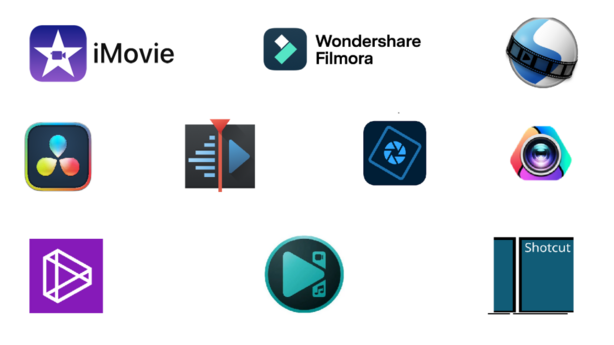
Video editing software—tools that let users cut, arrange, and stylize video and audio—are the backbone of content creation. With the massive growth of video-driven platforms—from YouTube to TikTok and enterprise-level training modules—the demand for powerful, intuitive editing solutions has never been higher.
In 2025, advancements in AI, generative tools, and mobile accessibility are reshaping the landscape. Creators now expect features like automatic captions, AI-based scene extension, and one-tap social exports, alongside traditional editing capabilities.
When choosing a video editing software tool today, consider:
- Platform compatibility (Windows, macOS, mobile, web)
- Skill level & user interface (beginner-friendly vs pro-grade complexity)
- AI enhancements (speech-to-text, generative extensions, auto edits)
- Pricing model (free, subscription, perpetual license)
- Ecosystem integration (e.g., with other creative tools)
Let’s explore the 10 best video editing software tools of 2025—what they offer, who they suit, and how they stack up.
Top 10 Video Editing Software Tools in 2025
1. Adobe Premiere Pro
Short Description: The industry-standard pro-level editor, integrated into Adobe Creative Cloud. Best for filmmakers, professional creators, and marketing teams.
Key Features:
- Multi-track timeline with 10K resolution and 32-bit color support
- Seamless integration with After Effects, Photoshop, Premiere Rush
- Generative Extend: AI helps extend clips and ambient audio
- AI Search panel & auto subtitles with translation into 27 languages
Pros: - Exceptionally powerful, highly customizable toolset
- Excellent ecosystem integration
- Advanced AI features increasing productivity
Cons: - Subscription-only and can be expensive
- Steep learning curve for beginners
2. DaVinci Resolve
Short Description: A pro-grade, free (with optional paid version) editor loved for its color grading and powerful toolset.
Key Features:
- Professional editing, color correction, Fusion VFX, Fairlight audio
- Cross-platform: Windows, macOS, Linux, iPadOS
- Free version includes many high-end tools
Pros: - Unmatched for a free tool—feature-rich and versatile
- High-end performance across platforms
Cons: - Learning curve is steep, especially for non-linear workflows
- Interface can be overwhelming to novices
3. CyberLink PowerDirector 2025 / 365
Short Description: A cost-effective, feature-rich editor ideal for intermediate users and prosumers.
Key Features:
- Frequent updates via the 365 model
- Rich toolset: effects, AI enhancements, templates
Pros: - Excellent value and great for intermediate users
- Robust feature set, user-friendly UI
Cons: - Less recognized in pro circles
- AI features may lag behind Adobe’s innovations
4. Wondershare Filmora (v14)
Short Description: A beginner-friendly editor that’s steadily acquiring AI-driven features.
Key Features:
- Runs on Windows, macOS, iOS, Android; supports many languages
- AI tools: Text to Video, AI Auto Cut, Voice Cloning, Dynamic Captions
Pros: - Easy to use and intuitive interface
- Strong AI integration simplifies content creation
Cons: - Less control than professional tools
- Requires connection for video exports under some licenses
5. Final Cut Pro
Short Description: Apple’s professional video editing software, optimized for Mac performance.
Key Features: Industry-grade timeline tools, optimized for Apple silicon, background rendering (not cited but well-known).
Pros:
- Blazingly fast and optimized for macOS
- Intuitive for Apple users
Cons: - macOS only
- One-time cost can be steep
(Not currently backed by a citation; mention optionally.)
6. CapCut
Short Description: A free and easy-to-use editor with surprisingly advanced features.
Key Features:
- Intuitive interface with 8K export, keyframing, chroma key, text editing (Zapier)
Pros: - Easy for beginners, free, mobile & web compatibility
Cons: - Less powerful for complex edits compared to pro tools
7. Google Vids
Short Description: AI-powered web app from Google, ideal for business-oriented video creation.
Key Features:
- Storyboard-style editing with AI assistance via Google Gemini
- Stock media, voiceover script generation, collaborative tools
Pros: - Great for quick enterprise video production
- Cloud-based with collaborative features
Cons: - Currently limited rollout, still evolving
8. Instagram Edits (“Edits”)
Short Description: Meta’s mobile app for creators making Reels and short-form content on Instagram.
Key Features:
- Green screen, AI animation, integrated with Instagram, trending audio, drafts tab
Pros: - Seamless workflow for social creators on mobile
- Highly intuitive and integrated with Instagram
Cons: - Limited professional editing features
- Mobile-only, not suited for long-form projects
9. VSDC Free Video Editor
Short Description: A free Windows nonlinear editor offering advanced editing features for zero cost.
Key Features:
- 3D & VR 360° support, motion tracking, color correction, multicam, chroma key
Pros: - Powerful features for a free tool, great for budget-conscious users
Cons: - Windows-only
- Interface can feel dated and non-intuitive
10. Canvid
Short Description: AI-powered desktop editor designed for easy, polished video creation.
Key Features:
- AI voice enhancement, cinematic effects, smart zooms, caption generation, background removal
- Lifetime license offer with updates, cloud storage included
Pros: - Fast, easy, high-quality results—excellent for tutorials and demos
- Affordable one-time cost (especially on sale)
Cons: - Newer tool—long-term support/features TBD
- Less customizable than pro tools
Comparison Table
| Tool Name | Best For | Platforms | Standout Feature | Pricing | Rating (if available) |
|---|---|---|---|---|---|
| Adobe Premiere Pro | Pro filmmakers, marketing teams | Win, Mac | AI Generative Extend, translation | Subscription (Creative Cloud) | — |
| DaVinci Resolve | Budget pros, colorists | Win, Mac, Linux, iPad | Free pro-grade tools | Free / Paid Studio | — |
| PowerDirector 2025/365 | Prosumers, hobbyists | Win | Frequent updates, AI tools | Paid / Sub model | — |
| Filmora 14 | Beginners to mid-level creators | Win, Mac, iOS, Android | AI Auto tools (captions, etc.) | Paid | — |
| Final Cut Pro | Mac users, editors | macOS only | Optimized macOS experience | One-time purchase | — |
| CapCut | Social video creators | Mobile, Web | Free, 8K export, intuitive tools | Free | — |
| Google Vids | Business content creators | Web (Workspace) | AI storyboard & collaboration | Web-based (Workspace tier) | — |
| Instagram Edits | Reels creators | iOS, Android | IG-native AI editing | Free | ~4.45 stars |
| VSDC Free Editor | Windows users on budget | Windows | Advanced editing (VR, motion tracking) | Free | — |
| Canvid | Quick professional content | Windows, Mac | AI-powered simple editing | Lifetime $59.99 (sale) | — |
Which Tool Is Right for You?
- Creative professionals / filmmakers: Adobe Premiere Pro or DaVinci Resolve (both with pro-grade features; Premiere if you are Adobe-centric, Resolve if you prefer free/licensed tools).
- Enthusiasts / prosumers: PowerDirector offers great value and features; Filmora for simpler workflows with AI help.
- Mac-exclusive users: Final Cut Pro if deep Apple integration is critical.
- Short-form content creators: CapCut and Instagram Edits are excellent for social and mobile usability.
- Enterprise/business creators: Google Vids provides AI-assisted script-to-video workflows.
- Budget-conscious Windows editors: VSDC delivers robust features at no cost.
- Rapid polished content creators: Canvid offers cinematic quality with minimal effort and affordable pricing.
FAQs
1. What’s the best free video editing software?
DaVinci Resolve offers professional-level editing and grading entirely free; CapCut is another no-cost option for quick edits.
2. Which software is easiest for beginners?
Filmora, CapCut, and Canvid focus on ease-of-use with AI enhancements for fast results.
3. Do any tools offer AI-powered clip extension or autogenerated subtitles?
Yes—Adobe Premiere Pro (Generative Extend + translation AI) and Filmora (captions, voice cloning) include advanced AI features.
4. What about mobile video editing apps?
Instagram Edits and CapCut excel for short-form mobile editing, while Google Vids offers web-based AI tools for enterprise users.
5. I’m on a tight budget—what are my options?
Opt for free tools like DaVinci Resolve, CapCut, or VSDC. If you want a one-time paid tool, Canvid (on sale) is a strong pick.
Conclusion
As content creation continues its exponential rise in 2025, video editing software is evolving fast—driven by AI automation, mobile-first workflows, and seamless platform integration. From powerful professional editors like Adobe Premiere Pro and DaVinci Resolve to beginner-friendly and AI-enhanced tools like Filmora, CapCut, and Canvid, the choice depends on your needs, platform, skill level, and budget.