MOTOSHARE 🚗🏍️
Turning Idle Vehicles into Shared Rides & Earnings
From Idle to Income. From Parked to Purpose.
Earn by Sharing, Ride by Renting.
Where Owners Earn, Riders Move.
Owners Earn. Riders Move. Motoshare Connects.
With Motoshare, every parked vehicle finds a purpose.
Owners earn. Renters ride.
🚀 Everyone wins.
Introduction
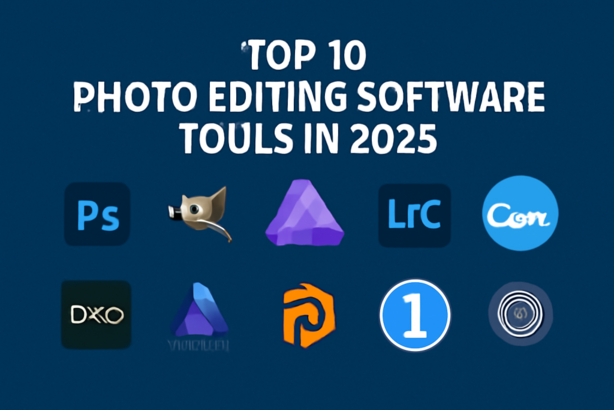
Photo editing software is a crucial tool for professionals and hobbyists alike, allowing users to enhance, manipulate, and transform their photographs to meet personal or professional needs. In 2025, photo editing has evolved beyond simple touch-ups to offering advanced features like AI-powered enhancements, batch processing, and real-time collaboration tools. Whether you are a professional photographer, graphic designer, or content creator, having the right photo editing software can help bring your visions to life. With new features, seamless integrations, and improved user interfaces, choosing the right tool is more critical than ever. In this post, we’ll explore the top 10 photo editing software tools of 2025, comparing their features, pros, and cons to help you decide which one is the best fit for your needs.
Top 10 Photo Editing Software Tools (for 2025)
1. Adobe Photoshop
Short Description:
Adobe Photoshop is the industry-standard photo editing software, renowned for its powerful features and versatility. It is used by professionals across various industries, including photography, design, and digital art.
Key Features:
- Advanced photo manipulation tools (retouching, blending, compositing)
- AI-driven features like auto-colorization and content-aware fill
- Extensive selection of brushes, filters, and effects
- Support for multiple file formats, including RAW and PSD
- Layer-based editing and advanced masking tools
Pros & Cons:
- Pros:
- Unmatched editing power and flexibility
- Industry-standard tool used by professionals
- Regular updates with cutting-edge features
- Cons:
- High learning curve for beginners
- Expensive subscription model
2. GIMP (GNU Image Manipulation Program)
Short Description:
GIMP is a free and open-source photo editing software known for its robust set of features and customizable interface. It is an excellent choice for users looking for an alternative to paid software.
Key Features:
- Comprehensive photo manipulation tools
- Extensive plugin support and customization options
- Supports a wide range of file formats
- Layer-based editing and advanced masking tools
- Regular community-driven updates
Pros & Cons:
- Pros:
- Free and open-source with no subscription fees
- Powerful tools for advanced editing
- Active community and plugin ecosystem
- Cons:
- User interface can feel outdated and unintuitive
- Lacks some advanced features found in paid software
3. Affinity Photo
Short Description:
Affinity Photo is a popular alternative to Adobe Photoshop, offering advanced photo editing tools for a one-time purchase fee. It’s a favorite among professionals and hobbyists alike.
Key Features:
- RAW editing and layer-based editing
- Powerful selection and masking tools
- Real-time image processing
- Panorama stitching and focus stacking
- 360-degree image editing
Pros & Cons:
- Pros:
- One-time purchase, no subscription required
- Excellent for both beginners and advanced users
- High-quality performance at an affordable price
- Cons:
- Limited integration with other tools (compared to Adobe suite)
- Lacks some advanced AI-driven features
4. Lightroom Classic
Short Description:
Adobe Lightroom Classic is a photo editing and management tool designed for photographers. It offers powerful organization, editing, and sharing features with an emphasis on workflow efficiency.
Key Features:
- Advanced photo organization and cataloging tools
- Non-destructive editing with real-time previews
- RAW editing and batch processing
- Presets and filters for quick editing
- Integration with Adobe Creative Cloud
Pros & Cons:
- Pros:
- Excellent for managing and editing large photo libraries
- Non-destructive editing with real-time previews
- Seamless integration with Adobe products
- Cons:
- Lacks some of the advanced retouching tools found in Photoshop
- Subscription model can be expensive for some users
5. Canva
Short Description:
Canva is an easy-to-use online design tool with a strong emphasis on simplicity and accessibility. It’s ideal for users who need quick photo edits and graphics without the steep learning curve of other software.
Key Features:
- Simple drag-and-drop interface
- Templates for social media graphics, flyers, and posters
- Basic photo editing tools (cropping, filters, brightness adjustments)
- Collaboration tools for teams
- Free version available with premium options
Pros & Cons:
- Pros:
- Intuitive and user-friendly
- Great for quick edits and social media content
- Free version available with plenty of templates
- Cons:
- Limited advanced editing features
- Not suitable for high-end professional photo editing
6. DxO PhotoLab
Short Description:
DxO PhotoLab is a powerful photo editing software designed for photographers who want to improve image quality with advanced noise reduction and lens corrections.
Key Features:
- AI-driven noise reduction technology (DxO PRIME)
- Advanced lens and optical corrections
- Local adjustments and smart lighting tools
- RAW image processing
- Non-destructive editing workflow
Pros & Cons:
- Pros:
- Outstanding noise reduction and lens correction features
- High-quality RAW processing tools
- AI-powered features improve image quality
- Cons:
- Limited creative editing tools (e.g., no layers or masking)
- Less flexible than Photoshop for compositing
7. Luminar AI
Short Description:
Luminar AI is a photo editing software focused on AI-powered enhancements. It is perfect for photographers who want quick, professional results with minimal manual editing.
Key Features:
- AI-powered sky replacement and portrait enhancements
- Templates for quick edits
- Advanced color grading tools
- RAW editing with detailed adjustments
- Batch processing for multiple images
Pros & Cons:
- Pros:
- AI-driven features make editing faster and easier
- Excellent for beginners and casual photographers
- Affordable pricing compared to other photo editing tools
- Cons:
- Lacks some manual editing tools found in advanced software
- Limited in terms of professional-grade compositing
8. Corel PaintShop Pro
Short Description:
Corel PaintShop Pro is a comprehensive photo editing software designed for both beginners and experienced users, offering a wide range of editing tools, effects, and features.
Key Features:
- Layer-based editing and advanced masking tools
- AI-powered image enhancement and upscaling
- RAW photo editing and management
- Support for plugins and custom brushes
- Easy-to-use interface with detailed tutorials
Pros & Cons:
- Pros:
- Affordable one-time purchase
- Powerful editing and retouching features
- Excellent customer support and learning resources
- Cons:
- Lacks the cloud synchronization features of Adobe products
- Interface can be overwhelming for beginners
9. Capture One Pro
Short Description:
Capture One Pro is a high-end photo editing tool aimed at professional photographers who need advanced RAW processing, tethering, and cataloging tools.
Key Features:
- Superior RAW image editing and color grading
- Advanced tethered shooting support
- Powerful layer-based editing and masking tools
- Support for multiple camera brands and file types
- Customizable workspace
Pros & Cons:
- Pros:
- Excellent color grading and RAW processing tools
- Best-in-class tethering support for studio photographers
- Highly customizable interface
- Cons:
- Expensive pricing, particularly for individual users
- Steep learning curve
10. Pixlr
Short Description:
Pixlr is a free online photo editing tool that provides a wide range of easy-to-use features for both beginners and intermediate users.
Key Features:
- Online photo editing with no software installation required
- Basic and advanced editing tools (filters, adjustments, layers)
- User-friendly interface
- Templates for quick social media posts
- Supports PSD, PNG, and JPEG formats
Pros & Cons:
- Pros:
- Free version available with essential editing features
- Easy-to-use for quick edits
- No installation required, works in-browser
- Cons:
- Lacks advanced features like AI-driven edits or RAW processing
- Limited file format support in free version
Comparison Table
| Tool Name | Best For | Platform(s) Supported | Standout Feature | Pricing | G2/Capterra/Trustpilot Rating |
|---|---|---|---|---|---|
| Adobe Photoshop | Professionals, Creatives | Windows, macOS | Unmatched editing power | $20.99/month | 4.7/5 |
| GIMP | Budget-conscious users | Windows, macOS, Linux | Free, open-source, customizable | Free | 4.5/5 |
| Affinity Photo | Professionals, Enthusiasts | Windows, macOS | One-time purchase, robust features | $54.99 (one-time) | 4.6/5 |
| Lightroom Classic | Photographers | Windows, macOS | Organizing, managing large photos | $9.99/month | 4.8/5 |
| Canva | Beginners, Social Media Creators | Web-based | Templates, ease of use | Free, Premium | 4.5/5 |
| DxO PhotoLab | Photographers, Professionals | Windows, macOS | AI-powered noise reduction | $129/year | 4.6/5 |
| Luminar AI | Beginners, Enthusiasts | Windows, macOS | AI-powered edits | $79.99 (one-time) | 4.5/5 |
| Corel PaintShop Pro | Budget-conscious, Beginners | Windows | Affordable one-time purchase | $79.99 (one-time) | 4.3/5 |
| Capture One Pro | Professional photographers | Windows, macOS | Best-in-class RAW editing | $299/year | 4.8/5 |
| Pixlr | Casual users, Social Media Creators | Web-based | Free version, easy to use | Free, Premium | 4.4/5 |
Which Photo Editing Software Tool is Right for You?
Choosing the right photo editing software depends on several factors including your expertise, specific needs, and budget. Here’s a guide to help you decide:
- For Professionals: Adobe Photoshop and Capture One Pro are the go-to tools with powerful editing capabilities, ideal for high-end editing and professional work.
- For Beginners: Pixlr and Canva are excellent choices, providing easy-to-use tools for casual editing and social media content creation.
- For Budget-Conscious Users: GIMP and Affinity Photo provide robust features at no cost or a one-time affordable fee.
- For Photographers: Lightroom Classic and DxO PhotoLab are perfect for photo management and RAW editing, with powerful features for fine-tuning images.
Conclusion
In 2025, photo editing software continues to evolve, offering innovative features such as AI-driven enhancements, real-time collaboration, and cloud integration. Whether you are a professional photographer or someone just starting, there is a tool to fit your needs. The tools listed here cater to various expertise levels, workflows, and budgets, so make sure to try out the demos and explore what works best for you.
FAQs
1. What is the best photo editing software for beginners?
- Canva and Pixlr are great for beginners as they offer simple tools with intuitive interfaces for quick photo edits.
2. Is Photoshop worth the subscription?
- Yes, if you need advanced editing tools and industry-standard features, Photoshop is an excellent investment.
3. Can I use GIMP for professional photo editing?
- Yes, GIMP is powerful enough for professional editing, but it lacks some advanced features found in paid tools.
4. What is the best alternative to Adobe Photoshop?
- Affinity Photo is a powerful and affordable alternative with many of the same features.
5. Is Luminar AI suitable for professional photographers?
- While Luminar AI is excellent for quick and enhanced photo edits, professionals may require more advanced features offered by Photoshop or Capture One Pro.