MOTOSHARE 🚗🏍️
Turning Idle Vehicles into Shared Rides & Earnings
From Idle to Income. From Parked to Purpose.
Earn by Sharing, Ride by Renting.
Where Owners Earn, Riders Move.
Owners Earn. Riders Move. Motoshare Connects.
With Motoshare, every parked vehicle finds a purpose.
Owners earn. Renters ride.
🚀 Everyone wins.
Introduction
Note-taking apps are essential productivity tools for people across all professions. Whether you’re a student, professional, or creative, these tools help organize thoughts, ideas, and tasks, improving productivity and fostering better organization. As we move into 2025, the demand for efficient and user-friendly note-taking software is growing, with various apps designed to serve different needs.
In today’s digital world, note-taking apps are no longer limited to simple text records. Many of them offer advanced features like voice recording, multimedia support, cloud syncing, and collaborative tools. With so many options available, choosing the right note-taking tool can be overwhelming. This guide will help you navigate the top 10 note-taking apps for 2025, their key features, pros, and cons, and provide a comparison to help you select the best one for your needs.
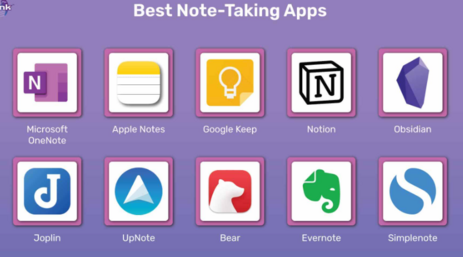
Top 10 Note-taking Apps Tools for 2025
1. Evernote
Short Description:
Evernote is a robust note-taking app known for its feature-rich interface, which allows users to organize their notes, attach multimedia, and sync across devices seamlessly. It’s designed for both individuals and teams looking for powerful organization tools.
Key Features:
- Cross-device syncing
- Handwriting recognition
- Document scanning
- Web clipping tool
- Powerful search features
- Collaboration support
Pros:
- Easy to use and highly flexible
- Extensive web clipping and integration features
- Good for organizing large volumes of data
Cons:
- The free version has limited features
- Can become slow with large notes or attachments
- Pricing can be high for premium users
2. Microsoft OneNote
Short Description:
Microsoft OneNote offers a digital notebook that integrates seamlessly with other Microsoft Office tools. It is perfect for users who prefer a free, cloud-based system for collecting notes and brainstorming ideas.
Key Features:
- Integration with Microsoft Office suite
- Supports multimedia and drawing
- Cloud syncing
- Organizational hierarchy with notebooks, sections, and pages
- Collaboration and sharing capabilities
Pros:
- Free with unlimited storage
- Excellent for teams and collaboration
- Easily integrates with Microsoft Office tools
Cons:
- Some users find the interface cluttered
- Lacks certain advanced features found in competitors
- Limited export options
3. Notion
Short Description:
Notion is an all-in-one workspace that combines note-taking, task management, and collaboration. It’s perfect for individuals and teams who need an integrated solution to manage everything from to-do lists to detailed project documentation.
Key Features:
- Customizable templates
- Database and task management tools
- Collaboration-friendly
- Supports multimedia notes and embeds
- Web-based with offline access
Pros:
- Highly flexible and customizable
- Great for project and task management
- Collaborative features for teams
Cons:
- Steep learning curve
- Lacks powerful offline functionality for some users
- Free version has some limitations
4. Google Keep
Short Description:
Google Keep offers a simple and efficient way to capture and organize notes quickly. Ideal for users who need a lightweight solution with Google integration and cloud-based syncing.
Key Features:
- Quick note-taking and checklists
- Voice notes
- Color-coded labels
- Real-time syncing with Google account
- Reminders and location-based notifications
Pros:
- Free and simple to use
- Easy integration with Google apps
- Ideal for personal use and quick notes
Cons:
- Limited organizational tools
- Basic formatting options
- Lacks advanced features compared to other apps
5. Bear
Short Description:
Bear is a minimalist note-taking app that emphasizes writing and organization with simple design and markdown support. It’s suitable for writers and professionals who prefer clean, distraction-free writing environments.
Key Features:
- Markdown support
- Beautiful user interface
- Cross-device syncing (via iCloud)
- Tags and nested tags for organization
- Export options for HTML, PDF, and more
Pros:
- Elegant and user-friendly interface
- Excellent for writing-focused tasks
- Markdown support for better formatting
Cons:
- Only available on Apple devices
- Lacks advanced collaboration tools
- No web app or Windows support
6. Zoho Notebook
Short Description:
Zoho Notebook is a visually appealing note-taking app with multimedia note types. It’s suitable for those who need a simple yet effective solution for organizing notes and collaborating with others.
Key Features:
- Supports text, audio, image, and file notes
- Syncs across devices
- Customizable note covers and colors
- Integration with other Zoho apps
- Free forever, with no ads
Pros:
- Beautiful and intuitive design
- Free with no hidden fees
- Seamless integration with Zoho suite
Cons:
- Limited features compared to other premium tools
- No real-time collaborative editing
- Lacks advanced task management features
7. Apple Notes
Short Description:
Apple Notes is an easy-to-use note-taking tool that works well for those deeply integrated into the Apple ecosystem. It supports rich text formatting, media, and quick sync across Apple devices.
Key Features:
- Cross-device syncing with iCloud
- Rich text formatting
- Add photos, sketches, and checklists
- Password protection for sensitive notes
- Collaboration features for shared notes
Pros:
- Seamless integration with the Apple ecosystem
- Very user-friendly
- Free and available on all Apple devices
Cons:
- Limited availability on non-Apple devices
- Lacks advanced organizational features
- Basic in terms of task management
8. Simplenote
Short Description:
Simplenote is a lightweight and user-friendly note-taking app that focuses on simplicity and speed. It’s ideal for users who want quick and easy note management without any unnecessary features.
Key Features:
- Cloud syncing across devices
- Simple, distraction-free interface
- Tags for organizing notes
- Markdown support for formatting
- Collaboration features for shared notes
Pros:
- Free and lightweight
- Fast syncing between devices
- Ideal for quick note-taking
Cons:
- Lacks rich media support
- Limited features compared to other tools
- Basic search functionality
9. GoodNotes
Short Description:
GoodNotes is a powerful note-taking app for iPad users that focuses on handwriting and sketching. It’s perfect for users who want a digital notebook with excellent pen input and a professional organization system.
Key Features:
- Handwriting and drawing support
- Multiple paper templates
- Organize notes in folders and notebooks
- iCloud syncing
- Export options for PDF and images
Pros:
- Great for handwritten notes and sketches
- Customizable paper templates
- Ideal for students and creatives
Cons:
- Only available on Apple devices
- Expensive for premium features
- Limited text-based note-taking
10. Notability
Short Description:
Notability is a versatile note-taking app that allows for both typed and handwritten notes. It’s ideal for students and professionals who need a comprehensive note-taking tool with strong multimedia support.
Key Features:
- Handwriting and typing support
- Audio recording functionality
- PDF annotation
- iCloud syncing
- Collaborative note-taking
Pros:
- Excellent for both typed and handwritten notes
- Great for students and lectures
- Easy to organize notes
Cons:
- Only available for Apple users
- Some features locked behind a paywall
- Limited to no web-based access
Comparison Table
| Tool Name | Best For | Platform(s) Supported | Standout Feature | Pricing | Rating (G2) |
|---|---|---|---|---|---|
| Evernote | Teams, heavy users | Windows, macOS, iOS, Android | Web Clipping | Free / $7.99 per month | 4.5/5 |
| OneNote | Microsoft Office users | Windows, macOS, iOS, Android | Microsoft Office Integration | Free | 4.3/5 |
| Notion | Project managers | Web, macOS, iOS, Android | All-in-one workspace | Free / $4 per month | 4.7/5 |
| Google Keep | Quick note-takers | Web, Android, iOS | Google Integration | Free | 4.1/5 |
| Bear | Writers and creatives | macOS, iOS | Markdown support | $1.49 per month | 4.6/5 |
| Zoho Notebook | Users seeking multimedia notes | Web, macOS, iOS, Android | Customizable note covers | Free | 4.2/5 |
| Apple Notes | Apple ecosystem users | macOS, iOS | Seamless Apple integration | Free | 4.4/5 |
| Simplenote | Minimalists | Web, macOS, Windows, iOS, Android | Simple and fast syncing | Free | 4.2/5 |
| GoodNotes | Handwriting and drawing | iOS, iPadOS | Handwriting support | $7.99 for a one-time purchase | 4.8/5 |
| Notability | Students and professionals | iOS, macOS | Audio recording functionality | $8.99 one-time purchase | 4.7/5 |
Which Note-taking Apps Tool is Right for You?
Choosing the right note-taking app depends on your personal or professional needs:
- For students: Apps like Notability and GoodNotes are great for combining handwritten notes and audio recordings.
- For professionals in teams: Evernote and Notion offer powerful organizational features and collaboration options.
- For quick note-taking: Google Keep and Simplenote provide straightforward, fast tools for jotting down ideas.
- For Apple users: Apple Notes is a natural choice, while Bear offers a beautiful interface for writers.
Conclusion
As we enter 2025, note-taking apps continue to evolve with new features and enhanced user experiences. Whether you need a simple solution for capturing thoughts or a comprehensive tool for managing projects and collaborations, there is a note-taking app for every user. By understanding the features, pros, and cons of each tool, you can make an informed decision about which one best fits your needs. Try demos or free trials and see which one works best for you.
FAQs
- What is the best note-taking app for teams?
- Evernote and Notion are excellent for teams due to their robust collaboration features.
- Can I use Google Keep on multiple devices?
- Yes, Google Keep syncs across devices via your Google account.
- What’s the difference between Bear and Notion?
- Bear is more focused on writing with a clean interface, while Notion offers a more comprehensive all-in-one workspace with task and project management.
- Are any of these apps free?
- Yes, many apps like Google Keep, OneNote, and Simplenote offer free versions with substantial features.
- Can I use Apple Notes on Android devices?
- No, Apple Notes is limited to the Apple ecosystem and does not support Android.