MOTOSHARE 🚗🏍️
Turning Idle Vehicles into Shared Rides & Earnings
From Idle to Income. From Parked to Purpose.
Earn by Sharing, Ride by Renting.
Where Owners Earn, Riders Move.
Owners Earn. Riders Move. Motoshare Connects.
With Motoshare, every parked vehicle finds a purpose.
Owners earn. Renters ride.
🚀 Everyone wins.
Introduction
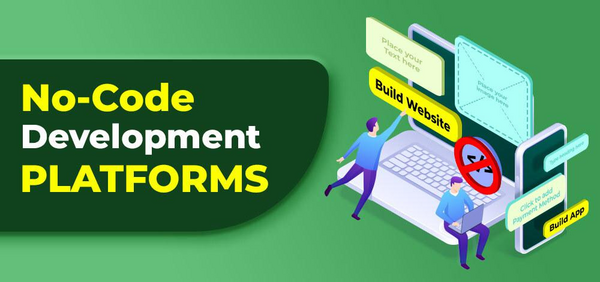
In 2025, no-code platforms have revolutionized the way businesses and individuals build applications. These platforms enable users with little to no coding experience to create functional, custom solutions. Whether it’s designing websites, automating processes, or building complex enterprise-level applications, no-code tools have democratized software development, making it accessible to everyone from small businesses to large enterprises.
The importance of no-code platforms in 2025 lies in their ability to reduce development costs, speed up time to market, and empower non-developers to contribute to digital transformation efforts. As the demand for digital solutions continues to grow, having the right no-code platform can be a game-changer. When choosing a no-code platform, users should consider factors like ease of use, customization options, scalability, integrations, and pricing to find the tool that best fits their needs.
Top 10 No-Code Platforms Tools in 2025
1. Bubble
Short Description:
Bubble is a powerful no-code platform that allows users to build complex web applications without writing a single line of code. It is ideal for entrepreneurs and startups looking to rapidly prototype or build fully functional apps.
Key Features:
- Drag-and-drop interface for designing responsive web pages
- Built-in database and API integrations
- Custom workflows and logic for complex actions
- Real-time collaborative editing
- Hosting and scalability options
Pros & Cons:
Pros:
- Flexible and customizable
- Supports complex applications like social networks or marketplaces
- Strong community and extensive resources
Cons:
- Steep learning curve for beginners
- Performance may slow with high user traffic
2. Adalo
Short Description:
Adalo is a no-code platform designed for creating mobile applications. It allows users to build native mobile apps for iOS and Android with a simple drag-and-drop interface.
Key Features:
- Pre-built components for rapid app development
- Native mobile app support for iOS and Android
- Customizable design and workflows
- In-app payments and notifications
- Real-time collaboration for team-based development
Pros & Cons:
Pros:
- Specifically designed for mobile app development
- Quick app deployment to app stores
- Easy to use interface
Cons:
- Limited functionality for more advanced apps
- Some customization options are restricted
3. Airtable
Short Description:
Airtable combines the simplicity of a spreadsheet with the power of a database, allowing users to manage projects, workflows, and data effortlessly. It is used by a wide range of industries, including marketing, education, and logistics.
Key Features:
- Customizable tables, fields, and views
- Advanced filtering, sorting, and search capabilities
- Integrates with over 1,000 apps through Zapier
- Automations for streamlining workflows
- Collaboration tools for teams
Pros & Cons:
Pros:
- Versatile for various use cases (project management, CRM, etc.)
- Intuitive and easy-to-learn interface
- Flexible API integrations
Cons:
- Limited formula capabilities for advanced users
- Can become expensive as team size grows
4. OutSystems
Short Description:
OutSystems is an enterprise-grade no-code platform that offers powerful tools for building scalable web and mobile apps. It is used by large companies to accelerate application development and streamline their IT infrastructure.
Key Features:
- Full-stack development capabilities
- Built-in integrations with popular enterprise systems
- Automated testing and continuous deployment
- Real-time collaboration tools
- High scalability for enterprise applications
Pros & Cons:
Pros:
- Enterprise-level features for large businesses
- Robust security and compliance features
- Ideal for cross-platform development
Cons:
- Requires technical knowledge for advanced features
- Pricing can be prohibitive for small businesses
5. Webflow
Short Description:
Webflow is a no-code platform specifically designed for creating responsive websites. It combines web design, content management, and hosting into a single platform, making it a popular choice for designers and marketers.
Key Features:
- Drag-and-drop website builder with full customization
- CMS for managing dynamic content
- SEO tools to optimize your website’s performance
- Integrated e-commerce for online stores
- Hosting and security features included
Pros & Cons:
Pros:
- Highly customizable and scalable
- Powerful CMS for dynamic content
- No-code approach with flexibility
Cons:
- Steeper learning curve compared to other platforms
- Some limitations for large-scale websites
6. Glide
Short Description:
Glide is a no-code platform that transforms Google Sheets into mobile apps. It is perfect for individuals and small businesses who need to quickly create apps using data they already have in spreadsheets.
Key Features:
- Converts Google Sheets into mobile apps instantly
- Customizable layouts and components
- User authentication and access controls
- Real-time data syncing with Google Sheets
- In-app purchases and payments
Pros & Cons:
Pros:
- Quick and easy to use for Google Sheets users
- Ideal for creating simple mobile apps
- Free tier available
Cons:
- Limited design and customization options
- Less suitable for complex applications
7. Wix
Short Description:
Wix is a no-code website builder that empowers users to create stunning websites quickly. It is popular for small businesses and individuals looking to build a professional web presence without hiring developers.
Key Features:
- Drag-and-drop website builder with pre-designed templates
- E-commerce and blogging capabilities
- AI-driven design suggestions
- Mobile optimization for responsive websites
- Integrates with multiple third-party apps
Pros & Cons:
Pros:
- Extremely easy to use with a visual editor
- Variety of templates and features for different industries
- Affordable pricing plans
Cons:
- Limited flexibility for complex websites
- May not scale well for large businesses
8. Integromat
Short Description:
Integromat is an automation tool that allows users to connect apps and automate workflows without writing any code. It is great for businesses looking to streamline processes and reduce repetitive tasks.
Key Features:
- Connects over 1,000 apps for seamless integrations
- Visual interface for designing automation workflows
- Customizable triggers and actions
- Real-time error handling
- Detailed analytics and logs for tracking automations
Pros & Cons:
Pros:
- Powerful automation capabilities
- Large number of pre-built integrations
- Affordable and flexible pricing
Cons:
- Can become complex for advanced workflows
- Limited documentation for beginners
9. Thunkable
Short Description:
Thunkable is a no-code platform for building cross-platform mobile apps. It allows users to design, build, and deploy apps for both Android and iOS with an intuitive drag-and-drop interface.
Key Features:
- Cross-platform app development for Android and iOS
- Real-time preview and testing on devices
- Customizable components and layouts
- API and database integration
- Monetization options for in-app purchases
Pros & Cons:
Pros:
- User-friendly interface for beginners
- Ideal for mobile-first applications
- Allows for app monetization
Cons:
- Limited functionality for more complex apps
- Some users report performance issues
10. Zapier
Short Description:
Zapier is an automation tool that connects various apps and services to automate workflows. It’s an essential tool for businesses looking to streamline processes, saving time by automating repetitive tasks.
Key Features:
- Connects over 2,000 apps for seamless integrations
- Customizable “Zaps” for automating workflows
- Supports multi-step workflows and conditional logic
- Real-time syncing across apps
- Intuitive interface with easy-to-create automation
Pros & Cons:
Pros:
- User-friendly and requires no coding
- Huge number of integrations with popular apps
- Flexible pricing with a free tier
Cons:
- Limited functionality in the free version
- Can become costly with high usage
Comparison Table
| Tool Name | Best For | Platform(s) Supported | Standout Feature | Pricing | G2/Capterra/Trustpilot Rating |
|---|---|---|---|---|---|
| Bubble | Startups, Entrepreneurs | Web | Full-stack app development | Free / Starts at $29/month | 4.5/5 |
| Adalo | Mobile App Developers | iOS, Android | Native mobile apps | Free / Starts at $50/month | 4.7/5 |
| Airtable | Teams, Project Managers | Web, iOS, Android | Customizable databases | Free / Starts at $10/month | 4.6/5 |
| OutSystems | Enterprises | Web, iOS, Android | Enterprise-grade apps | Custom pricing | 4.5/5 |
| Webflow | Designers, Small Businesses | Web | Responsive websites | Free / Starts at $12/month | 4.6/5 |
| Glide | Google Sheets Users | iOS, Android | Google Sheets integration | Free / Starts at $25/month | 4.8/5 |
| Wix | Small Businesses | Web | AI-powered design | Free / Starts at $14/month | 4.5/5 |
| Integromat | Teams, Automators | Web | App integrations | Free / Starts at $9/month | 4.7/5 |
| Thunkable | Mobile App Developers | iOS, Android | Cross-platform development | Free / Starts at $21/month | 4.4/5 |
| Zapier | Business Users | Web | Workflow automation | Free / Starts at $19.99/month | 4.6/5 |
Which No-Code Platform Tool is Right for You?
Choosing the right no-code platform depends on several factors including your use case, budget, and the complexity of your project. Here’s a decision guide to help:
- For mobile app development: Adalo, Thunkable
- For website development: Webflow, Wix
- For workflow automation: Zapier, Integromat
- For building complex web apps: Bubble, OutSystems
- For data management and project management: Airtable, Glide
Conclusion
No-code platforms are increasingly critical in enabling digital transformation, especially in 2025 when speed and flexibility are crucial. From small startups to large enterprises, these platforms make it possible for non-developers to create robust applications without technical barriers. Choosing the right tool depends on your specific needs, whether it’s mobile app development, website creation, or workflow automation. We encourage you to explore demos or free trials to see which tool aligns best with your business goals.
FAQs
What are the best no-code platforms for building mobile apps?
Adalo and Thunkable are great for building mobile apps without code.
Are no-code platforms suitable for enterprises?
Yes, platforms like OutSystems and Bubble are built for enterprise-grade applications and scalability.
Can I automate workflows using no-code platforms?
Yes, Zapier and Integromat are excellent tools for automating workflows.
Do no-code platforms offer integrations with other apps?
Yes, most no-code platforms, such as Airtable and Zapier, offer extensive integrations with other apps.
How much do no-code platforms cost?
Pricing varies from free plans to custom pricing for enterprise solutions, with most platforms offering tiered pricing to fit different needs.