MOTOSHARE 🚗🏍️
Turning Idle Vehicles into Shared Rides & Earnings
From Idle to Income. From Parked to Purpose.
Earn by Sharing, Ride by Renting.
Where Owners Earn, Riders Move.
Owners Earn. Riders Move. Motoshare Connects.
With Motoshare, every parked vehicle finds a purpose.
Owners earn. Renters ride.
🚀 Everyone wins.
Introduction
In 2025, mobile app development is more dynamic and innovative than ever, with businesses striving to create seamless, engaging experiences for users on their smartphones and tablets. Mobile app development platforms are tools that enable developers to build, test, and deploy mobile apps for a wide range of devices and operating systems. These platforms have become essential for businesses looking to create powerful apps that meet modern user demands for speed, functionality, and aesthetics.
As the mobile app market continues to expand, choosing the right mobile app development platform is crucial. Whether you’re building a simple app or a complex enterprise solution, the tools you select can significantly impact the development process, user experience, and long-term scalability of your app. In this guide, we’ll walk through the top 10 mobile app development platforms for 2025, discussing their features, pros, cons, and what types of businesses or developers they are best suited for.
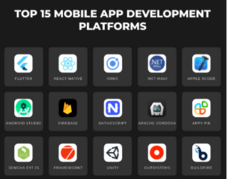
Top 10 Mobile App Development Platforms Tools (for 2025)
1. Flutter
Short Description: Flutter is Google’s open-source UI toolkit that allows developers to build natively compiled applications for mobile, web, and desktop from a single codebase. It’s known for its high performance and attractive UI components.
Key Features:
- Supports both iOS and Android with a single codebase.
- Hot reload feature for faster development.
- Rich set of customizable widgets.
- Dart programming language, optimized for front-end development.
- Strong community support and regular updates.
Pros:
- Fast development cycles with hot reload.
- Excellent performance with native-like speed.
- Huge potential for cross-platform apps.
Cons:
- Relatively new, so it may lack some advanced features.
- Dart is less widely used compared to other languages.
2. React Native
Short Description: React Native, developed by Facebook, is one of the most popular cross-platform mobile development frameworks. It uses JavaScript and React to build native-like applications on both iOS and Android platforms.
Key Features:
- Codebase shared between iOS and Android.
- Uses native components for a better user experience.
- Large community and a wealth of pre-built components.
- Supports hot reloading for faster debugging.
- Easy integration with third-party plugins.
Pros:
- Large and mature ecosystem.
- Faster development due to reusable components.
- Strong support for native components.
Cons:
- May face performance issues for highly complex apps.
- Requires knowledge of both native development and React.
3. Xamarin
Short Description: Xamarin, owned by Microsoft, is a powerful mobile app development platform that allows developers to build apps for Android, iOS, and Windows using C# and .NET.
Key Features:
- Code reuse for Android, iOS, and Windows apps.
- Access to platform-specific APIs and native libraries.
- Integrated with Microsoft’s development ecosystem.
- Full support for cloud-based applications.
- Rich set of UI controls.
Pros:
- Strong enterprise-level capabilities.
- Reusable code for all platforms.
- Excellent integration with the Microsoft stack.
Cons:
- Steeper learning curve for those not familiar with C#.
- Larger app size due to the .NET runtime.
4. Appgyver
Short Description: Appgyver is a low-code mobile app development platform designed for businesses and developers looking to quickly build apps without extensive coding knowledge.
Key Features:
- Drag-and-drop interface for rapid app creation.
- Supports both iOS and Android.
- Strong data integration features with APIs and cloud services.
- Built-in cloud platform for testing and deployment.
- Visual debugging tools.
Pros:
- No coding required for basic app development.
- Quick time-to-market for simple apps.
- Integrates easily with existing data sources.
Cons:
- Limited customization for complex apps.
- Can be restrictive for advanced developers.
5. Ionic
Short Description: Ionic is an open-source mobile app development framework that uses web technologies (HTML, CSS, JavaScript) to build high-performance, cross-platform mobile apps.
Key Features:
- Uses a single codebase for iOS, Android, and the web.
- Extensive library of pre-built UI components.
- Compatible with Angular, React, and Vue.js.
- Strong PWA (Progressive Web App) capabilities.
- Access to native device features via plugins.
Pros:
- Quick development process with a single codebase.
- Cross-platform support (web and mobile).
- Huge community and plugin support.
Cons:
- Performance may not be as high as native apps.
- Heavier reliance on web views may limit certain native features.
6. Swiftic
Short Description: Swiftic is a mobile app builder designed for small businesses that allows users to create and maintain native mobile apps without needing coding skills.
Key Features:
- Easy drag-and-drop interface.
- Wide variety of templates.
- Built-in eCommerce functionality.
- Push notifications and loyalty programs.
- Integration with social media and analytics tools.
Pros:
- Great for small businesses and entrepreneurs.
- Easy to use with no coding required.
- Affordable pricing plans.
Cons:
- Limited customization options.
- Not suitable for complex or large-scale app projects.
7. Kodular
Short Description: Kodular is a visual, drag-and-drop mobile app development platform aimed at Android developers. It offers easy-to-use components for building apps without writing a line of code.
Key Features:
- Intuitive drag-and-drop interface.
- Pre-built components like sensors, web APIs, and social media integrations.
- Google services integration (e.g., AdMob, Analytics).
- Open-source and free to use.
Pros:
- Great for beginner developers and hobbyists.
- No programming skills required.
- Free to use and easy to access.
Cons:
- Limited scalability for more complex apps.
- Some limitations in UI customization.
8. PhoneGap (Apache Cordova)
Short Description: PhoneGap is an open-source mobile app development framework that allows developers to build apps using web technologies (HTML, CSS, JavaScript) while providing access to native device features.
Key Features:
- Cross-platform mobile development.
- Integration with various back-end technologies.
- Access to native device features via plugins.
- Works with any text editor or IDE.
Pros:
- Free and open-source.
- Works across a wide variety of platforms.
- Fast development cycle using web technologies.
Cons:
- Performance may not be on par with fully native apps.
- Limited support for newer mobile features.
9. Adobe PhoneGap Build
Short Description: Adobe PhoneGap Build is a cloud-based version of PhoneGap that allows developers to compile apps remotely. It helps streamline app development by handling builds in the cloud.
Key Features:
- Remote compilation of app code.
- Supports multiple platforms (Android, iOS, Windows).
- Integrated with Adobe Creative Cloud.
- Access to native device features.
Pros:
- Ideal for developers looking to offload building tasks.
- Easy integration with Adobe products.
- Cross-platform support.
Cons:
- Can become costly for larger teams.
- Limited features compared to full PhoneGap framework.
10. Backendless
Short Description: Backendless is a low-code platform designed for building mobile and web apps. It provides backend services, including databases, APIs, and push notifications.
Key Features:
- Visual app development interface.
- Real-time database support.
- Built-in user management and authentication.
- Integrates easily with third-party services.
- Cross-platform support.
Pros:
- Easy backend setup for mobile apps.
- Excellent scalability and flexibility.
- Low-code approach for rapid development.
Cons:
- Limited design flexibility.
- Can be complex for those not familiar with backend development.
Comparison Table
| Tool Name | Best For | Platform(s) Supported | Standout Feature | Pricing | G2/Capterra Rating |
|---|---|---|---|---|---|
| Flutter | Developers seeking high performance and native feel | iOS, Android, Web, Desktop | Native performance | Free / Custom | 4.8/5 |
| React Native | JavaScript developers looking for a wide ecosystem | iOS, Android | Hot reloading | Free / Custom | 4.7/5 |
| Xamarin | C# developers, enterprises looking for cross-platform apps | iOS, Android, Windows | Deep integration with .NET | Free / Custom | 4.5/5 |
| Appgyver | Non-technical users and businesses needing fast app development | iOS, Android | Low-code interface | Free / Custom | 4.6/5 |
| Ionic | Web developers looking to build mobile apps | iOS, Android, Web | Web and mobile integration | Free / Starts at $19/month | 4.4/5 |
| Swiftic | Small businesses wanting easy app creation | iOS, Android | Simple drag-and-drop | Starts at $39/month | 4.3/5 |
| Kodular | Beginners and hobbyists | Android | Drag-and-drop interface | Free | 4.0/5 |
| PhoneGap | Developers needing cross-platform mobile apps | iOS, Android, Windows | Open-source | Free | 4.2/5 |
| Adobe PhoneGap Build | Developers who prefer cloud-based compilation | iOS, Android | Cloud compilation | Starts at $9/month | 4.3/5 |
| Backendless | Developers seeking backend-as-a-service | iOS, Android, Web | Backend services | Free / Starts at $25/month | 4.6/5 |
Which Mobile App Development Platform Tool is Right for You?
For Startups & Small Businesses:
If you’re looking for an easy-to-use, low-cost option, Swiftic or Appgyver may be the best choices for you. They offer drag-and-drop interfaces that allow even non-technical users to build and deploy apps quickly.
For Enterprises:
Larger businesses or teams developing complex apps should consider Xamarin or React Native. Both tools offer robust cross-platform solutions with access to native device features and advanced support for large-scale applications.
For Developers Focused on Performance:
If you’re looking for a high-performance, native-like app, Flutter is the best option, providing excellent speed and flexibility for both simple and advanced mobile applications.
Conclusion
The mobile app development landscape continues to evolve in 2025, and selecting the right platform can significantly impact your development speed, cost, and app performance. Whether you’re a solo developer or part of a large enterprise, understanding the pros and cons of each tool will help you make an informed decision that aligns with your needs. Take advantage of free trials or demos to see firsthand which platform works best for you!
FAQs
Q1: What is the best mobile app development platform for beginners?
A1: For beginners, platforms like Swiftic and Appgyver are ideal as they offer easy-to-use, drag-and-drop interfaces.
Q2: Can I develop apps for both iOS and Android with a single codebase?
A2: Yes, platforms like React Native, Flutter, and Xamarin allow you to develop apps for both platforms with a single codebase.
Q3: Are mobile app development platforms free to use?
A3: Many platforms offer free versions or trials, but more advanced features typically require a subscription or custom pricing.
Q4: Which mobile app development platform is best for enterprise apps?
A4: Xamarin and React Native are excellent choices for enterprise-level applications due to their robust features, scalability, and integration with backend systems.