MOTOSHARE 🚗🏍️
Turning Idle Vehicles into Shared Rides & Earnings
From Idle to Income. From Parked to Purpose.
Earn by Sharing, Ride by Renting.
Where Owners Earn, Riders Move.
Owners Earn. Riders Move. Motoshare Connects.
With Motoshare, every parked vehicle finds a purpose.
Owners earn. Renters ride.
🚀 Everyone wins.
Introduction
Markdown editors are powerful tools that have revolutionized the way we write and format content in the digital age. They offer a lightweight and efficient alternative to traditional word processors by allowing users to write using plain text, which can be easily converted into HTML or other formats. Markdown has become the go-to language for developers, writers, and content creators due to its simplicity and versatility.
In 2025, with the increasing demand for collaborative writing, web development, and content management, the importance of efficient Markdown editors continues to grow. These tools are indispensable for anyone working in digital content creation, web development, and even academic writing. Whether you’re writing documentation, creating blog posts, or drafting web pages, choosing the right Markdown editor can save you time and effort.
When selecting a Markdown editor, users should consider the following:
- Ease of use: How user-friendly is the interface?
- Customization options: Can you extend or personalize the editor to fit your needs?
- Collaboration: Does the tool allow for seamless teamwork?
- Integration: How well does the tool integrate with other systems like GitHub, Google Docs, or cloud storage?
- Pricing: Is the cost within your budget, and does it provide value for money?
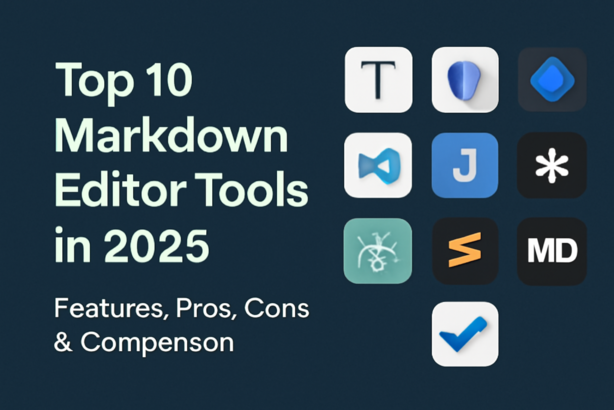
In this article, we will look at the top 10 Markdown editors for 2025, their features, pros and cons, and help you decide which one is the best fit for your needs.
Top 10 Markdown Editors Tools in 2025
1. Typora 
Short Description: Typora is a minimalist Markdown editor that offers a distraction-free writing environment. It’s designed to provide a seamless experience between writing and previewing your Markdown content.
Key Features:
- Real-time previewing without switching modes.
- Syntax highlighting and customizable themes.
- Export to various formats including PDF, HTML, and DOCX.
- Math rendering with LaTeX support.
- Cross-platform availability (Windows, macOS, Linux).
Pros:
- Clean, distraction-free interface.
- Smooth real-time preview and export features.
- Supports advanced features like tables and math rendering.
Cons:
- Limited collaboration features.
- Lacks extensive plugin support.
2. Obsidian
Short Description: Obsidian is more than just a Markdown editor; it’s a powerful knowledge management tool for building personal wikis and managing complex notes.
Key Features:
- Bidirectional linking for creating a web of notes.
- Local file storage, meaning all data stays on your device.
- Advanced plugin support for various extensions.
- Customizable themes and workflows.
- Cross-platform support.
Pros:
- Ideal for note-taking and personal knowledge management.
- Rich plugin ecosystem and customization options.
- Supports graph view for visualizing connections.
Cons:
- Steeper learning curve for beginners.
- Doesn’t offer cloud syncing natively (requires plugins or third-party services).
3. Mark Text
Short Description: Mark Text is an open-source, simple yet powerful Markdown editor with a clean interface. It’s great for users who want to write without distractions.
Key Features:
- Split-screen view with live preview.
- Multi-language support.
- Real-time Markdown rendering.
- Export to PDF, HTML, and other formats.
- GitHub-flavored Markdown support.
Pros:
- Open-source and free to use.
- Simple and intuitive interface.
- Seamless live preview.
Cons:
- Limited customization options compared to other editors.
- Lacks advanced collaboration features.
4. Visual Studio Code (VS Code)
Short Description: VS Code is a code editor that also excels as a Markdown editor, especially when paired with the right plugins. It’s perfect for developers working with both code and Markdown.
Key Features:
- Syntax highlighting and code linting for Markdown.
- Extensions for live preview and auto-formatting.
- Git integration for version control.
- Works with various programming languages and file formats.
- Customizable with a rich extension marketplace.
Pros:
- Excellent for both coding and writing documentation.
- Highly customizable with extensions.
- Strong Git integration and version control support.
Cons:
- Not a dedicated Markdown editor (requires extensions).
- Overkill for simple Markdown writing tasks.
5. Joplin
Short Description: Joplin is an open-source note-taking and to-do application that supports Markdown, making it a great choice for users looking for a combination of note-taking and Markdown editing.
Key Features:
- Sync notes across devices via cloud services like Dropbox or Nextcloud.
- Supports Markdown, rich text, and file attachments.
- End-to-end encryption for privacy.
- Offline support.
- Multi-platform availability.
Pros:
- Great for personal note-taking and organizing.
- Strong synchronization features across devices.
- Open-source and free to use.
Cons:
- Can be heavy on resources for basic Markdown writing.
- Lacks some advanced Markdown features.
6. Zettlr
Short Description: Zettlr is an open-source Markdown editor with a focus on academic writing and research. It combines note-taking, writing, and referencing in a single tool.
Key Features:
- Full citation management for academic work.
- Dark mode and distraction-free writing environment.
- Supports multiple export formats like PDF, DOCX, and HTML.
- Cross-platform and open-source.
- Integrated file manager for large projects.
Pros:
- Excellent for research papers and academic writing.
- Integrated citation manager.
- Supports both Markdown and rich text.
Cons:
- Not as beginner-friendly as some other Markdown editors.
- Lacks real-time collaborative features.
7. Atom
Short Description: Atom is a text editor by GitHub that can be customized into a Markdown editor using plugins. It’s a versatile tool for developers and writers alike.
Key Features:
- Markdown preview and syntax highlighting.
- Customizable with plugins and themes.
- Git integration for version control.
- Supports multiple programming languages.
- Cross-platform support.
Pros:
- Highly customizable and extendable.
- Integrated with GitHub for version control.
- Great for users already familiar with Atom.
Cons:
- Requires plugins for full Markdown functionality.
- Can be slow with large files.
8. Sublime Text
Short Description: Sublime Text is a fast, lightweight text editor that supports Markdown editing through plugins. It’s known for its speed and simplicity.
Key Features:
- Fast and responsive with minimal lag.
- Markdown syntax highlighting and live preview.
- Supports various plugins for extended functionality.
- Cross-platform availability.
- Lightweight and easy to use.
Pros:
- Extremely fast and responsive.
- Minimalist and easy to use.
- Works well with a variety of file types and languages.
Cons:
- Lacks native support for Markdown preview (requires plugins).
- Somewhat limited out-of-the-box features.
9. MarkdownPad
Short Description: MarkdownPad is a dedicated Markdown editor for Windows. It’s known for its ease of use and rich set of features aimed at both beginners and advanced users.
Key Features:
- Live preview pane for real-time editing.
- Built-in export to HTML and PDF.
- Customizable themes and styles.
- Full-screen mode for distraction-free writing.
- Supports custom shortcuts and hotkeys.
Pros:
- Easy to use, with a straightforward interface.
- Fast and responsive live preview.
- Excellent for Windows users.
Cons:
- Limited to Windows.
- Lacks some advanced features found in other Markdown editors.
10. MarkUp
Short Description: MarkUp is a simple yet effective online Markdown editor for collaborative writing and content creation. It’s cloud-based, making it great for teams.
Key Features:
- Real-time collaboration and comment features.
- Integrated with Google Drive for easy file sharing.
- Cross-platform support with a browser-based interface.
- Simple and clean writing environment.
- Exports to multiple formats, including PDF and HTML.
Pros:
- Great for team collaboration and feedback.
- Easy integration with cloud storage platforms.
- Simple and clean user interface.
Cons:
- Requires an internet connection.
- Limited offline capabilities.
Comparison Table
| Tool Name | Best For | Platform(s) Supported | Standout Feature | Pricing | Rating |
|---|---|---|---|---|---|
| Typora | Writers, Bloggers | Windows, macOS, Linux | Real-time previewing | Free / $14.99 | 4.5/5 |
| Obsidian | Knowledge management | Windows, macOS, Linux | Bidirectional linking | Free / $4/month | 4.8/5 |
| Mark Text | General Markdown users | Windows, macOS, Linux | Open-source, real-time preview | Free | 4.2/5 |
| VS Code | Developers, Writers | Windows, macOS, Linux | Extensions for customization | Free | 4.7/5 |
| Joplin | Note-takers, Researchers | Windows, macOS, Linux, mobile | End-to-end encryption | Free | 4.4/5 |
| Zettlr | Academic writers | Windows, macOS, Linux | Citation management for academics | Free | 4.5/5 |
| Atom | Developers, Writers | Windows, macOS, Linux | GitHub integration | Free | 4.3/5 |
| Sublime Text | Developers, Writers | Windows, macOS, Linux | Lightweight and fast | $80 (One-time) | 4.6/5 |
| MarkdownPad | Windows users | Windows | Live preview | $14.95 | 4.1/5 |
| MarkUp | Teams, Collaborators | Web-based | Real-time collaboration | Free / $5.99/month | 4.2/5 |
Which Markdown Editors Tool is Right for You?
Choosing the right Markdown editor depends on your specific needs. If you’re a developer looking for a tool that integrates well with your coding workflow, VS Code or Atom might be ideal due to their extensive plugin ecosystems and Git integration. On the other hand, Obsidian is perfect for those who need powerful note-taking features, while Typora and Mark Text are great options for a more focused writing experience.
For academic writers, Zettlr or Joplin will help you manage notes, citations, and research projects efficiently. If you work in a team environment, MarkUp offers excellent collaboration tools, while Sublime Text provides a streamlined and fast experience for users who prioritize performance.
Conclusion
Markdown editors are indispensable tools for modern writers, developers, and content creators, especially in 2025, when collaboration, cross-platform support, and integration with other tools are paramount. Whether you need a minimalist writing environment, advanced note-taking features, or a full-fledged Markdown editor with team collaboration tools, there’s an editor that suits your needs.
We recommend exploring the free trials or demos of the tools mentioned above to find the one that best fits your workflow and use case.
FAQs
Q1: What is the best Markdown editor for beginners?
- For beginners, Mark Text is a great choice due to its simple interface and real-time preview.
Q2: Can I collaborate with others in Markdown editors?
- Yes, tools like MarkUp and Obsidian support real-time collaboration, making them ideal for team-based projects.
Q3: Is there a free Markdown editor?
- Yes, tools like Typora, Mark Text, and Obsidian offer free versions with plenty of features.
Q4: Can Markdown editors export to other formats?
- Most Markdown editors, such as Typora, Mark Text, and Zettlr, allow exporting to formats like PDF, HTML, and DOCX.
Meta Description
Discover the top 10 Markdown editors in 2025 with features, pros, cons, and a comparison table to help you choose the best tool for writing, note-taking, or collaboration.