MOTOSHARE 🚗🏍️
Turning Idle Vehicles into Shared Rides & Earnings
From Idle to Income. From Parked to Purpose.
Earn by Sharing, Ride by Renting.
Where Owners Earn, Riders Move.
Owners Earn. Riders Move. Motoshare Connects.
With Motoshare, every parked vehicle finds a purpose.
Owners earn. Renters ride.
🚀 Everyone wins.
Introduction
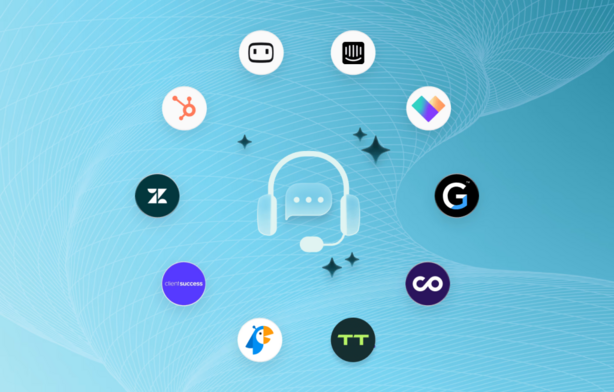
In 2025, businesses are increasingly turning to live chat tools to enhance customer engagement and streamline support. Live chat tools are essential for offering real-time, personalized customer service, allowing companies to solve issues quickly and maintain better communication with their audience. Whether you’re an e-commerce platform, a tech support team, or a service-based business, integrating live chat into your website or application can significantly improve the user experience.
With many live chat solutions available, choosing the right tool can be challenging. Factors like integration with other platforms, ease of use, customization options, AI support, and pricing play a significant role in making the right decision. In this blog post, we’ll highlight the top 10 live chat tools for 2025, outlining their key features, pros, and cons, to help you make an informed decision.
Top 10 Live Chat Tools for 2025
1. Intercom
Short Description: Intercom is a leading live chat tool that provides personalized customer support through chatbots, live agents, and automated workflows. It’s ideal for businesses of all sizes.
Key Features:
- Customizable chatbots and automated workflows
- Advanced reporting and analytics
- Multi-channel support (web, mobile, email)
- AI-powered messaging
- Integration with CRM systems like Salesforce
Pros:
- Excellent customer support with 24/7 live agents
- Highly customizable, scalable for large teams
- Rich integration options
Cons:
- Can be expensive for small businesses
- Initial setup can be complex
- Some users report performance lags during peak usage
2. Zendesk Chat
Short Description: Zendesk Chat (formerly Zopim) is a popular live chat software offering seamless integration with Zendesk’s support system, making it ideal for businesses already using the Zendesk suite.
Key Features:
- Proactive chat triggers
- Reporting and analytics tools
- Multiple chat routing options
- AI-powered chatbot
- Integration with popular CRMs and helpdesks
Pros:
- Reliable and robust features
- Seamless integration with Zendesk Suite
- Intuitive user interface
Cons:
- Limited customization options
- Can be costly for small businesses
- Chatbot features are somewhat basic compared to competitors
3. Drift
Short Description: Drift is a conversation-driven marketing platform, focusing on sales engagement, lead generation, and real-time customer interactions.
Key Features:
- AI-powered chatbots for lead qualification
- Real-time notifications
- Personalized messaging based on visitor behavior
- Integration with marketing automation tools
- Advanced reporting and analytics
Pros:
- Great for lead generation and sales teams
- AI-driven bots that streamline the qualification process
- Easy integration with various CRMs
Cons:
- Expensive for small businesses
- Limited customization options for the basic plans
- Can be too sales-focused for customer support teams
4. Tidio
Short Description: Tidio is an easy-to-use live chat solution designed for small businesses, offering live chat, email integration, and automated bots.
Key Features:
- Real-time chat and email integration
- AI chatbots for automating responses
- Mobile app for on-the-go management
- Integration with popular e-commerce platforms (Shopify, WooCommerce)
- Visitor tracking
Pros:
- Affordable pricing, great for small businesses
- Quick setup and easy interface
- Multi-channel support (email, chat, social media)
Cons:
- Lacks advanced reporting tools
- Limited integrations with third-party tools
- Chatbot functionality is basic compared to other tools
5. LiveChat
Short Description: LiveChat is a comprehensive customer support tool that combines live chat with robust reporting and integration features, making it ideal for medium to large businesses.
Key Features:
- Real-time chat support with multi-agent handling
- Canned responses and chat templates
- Analytics and reporting tools
- Integration with Google Analytics, Salesforce, and other CRMs
- Chatbot support
Pros:
- Simple to use with a clean interface
- Excellent reporting and data analysis features
- Supports collaboration for teams
Cons:
- Relatively expensive
- Some advanced features are limited to premium plans
- Limited chatbot functionality
6. Freshchat
Short Description: Freshchat is a modern messaging platform designed for customer support teams, offering features like messaging, bots, and task automation.
Key Features:
- Multi-channel support (web, mobile, social media)
- AI-driven bots and automation
- Task and ticket management system
- Integrations with Freshdesk, Slack, and other tools
- Customizable chat widgets
Pros:
- Great for multi-channel communication
- Flexible pricing plans
- Good bot functionality and automation
Cons:
- Limited reporting and analytics features
- Complex integration setup
- Lacks some advanced chat routing options
7. ChatBot
Short Description: ChatBot is an AI-driven platform focused on automating customer service, lead generation, and support processes using conversational chatbots.
Key Features:
- Advanced AI chatbot for automating responses
- Customizable templates and flows
- Seamless integration with other live chat tools
- Detailed analytics and reporting tools
- Multi-language support
Pros:
- Great for automating repetitive tasks
- Easy-to-use interface with pre-built templates
- Good integration with other tools
Cons:
- Not as effective for handling complex customer inquiries
- Limited functionality in lower-tier plans
- Requires some setup for more advanced features
8. Olark
Short Description: Olark is a simple yet powerful live chat software that focuses on real-time communication with visitors, along with analytics and chat transcripts.
Key Features:
- Real-time chat with live agent support
- Automatic visitor tracking and reports
- Pre-chat surveys to collect visitor information
- Integration with HubSpot and other CRM tools
- Customizable chat widget
Pros:
- Very easy to use with a straightforward setup
- Affordable pricing, great for small to mid-sized businesses
- Excellent support and training materials
Cons:
- Lacks advanced AI and automation features
- Basic reporting features
- Limited customization on lower-tier plans
9. HubSpot Live Chat
Short Description: HubSpot Live Chat is a free, user-friendly tool that integrates with HubSpot CRM to offer real-time communication, making it ideal for small businesses looking for a seamless experience.
Key Features:
- Integration with HubSpot CRM
- Free basic plan with essential live chat features
- Ticketing and task management
- Real-time visitor tracking
- Automated responses with chatbots
Pros:
- Free basic version for small teams
- Seamless integration with HubSpot CRM
- Simple and intuitive interface
Cons:
- Limited features in the free version
- Some features only available in paid plans
- Basic chatbot functionality
10. Smartsupp
Short Description: Smartsupp combines live chat with video messaging, enabling businesses to offer a more personal touch to customer support.
Key Features:
- Video chat support for personalized interactions
- Real-time visitor tracking
- Integration with popular e-commerce platforms
- Mobile app for managing chats on-the-go
- Multi-language support
Pros:
- Unique video chat feature adds a personal touch
- Affordable pricing with a free plan available
- Easy integration with other platforms
Cons:
- Limited AI support
- Video chat feature might not suit all business needs
- Reporting tools are not as advanced
Comparison Table
| Tool Name | Best For | Platform(s) Supported | Standout Feature | Pricing | Rating (G2/Capterra) |
|---|---|---|---|---|---|
| Intercom | Large businesses | Web, Mobile, iOS, Android | AI-powered chatbot & workflow automation | Starts at $39/month | 4.5/5 |
| Zendesk | Established businesses | Web, iOS, Android | Integration with Zendesk Suite | Starts at $14/month | 4.4/5 |
| Drift | Sales teams, SMBs | Web, iOS, Android | Sales-driven AI chatbot | Starts at $50/month | 4.6/5 |
| Tidio | Small businesses | Web, iOS, Android | Affordable and easy setup | Free plan, Paid from $18/month | 4.2/5 |
| LiveChat | Mid to large businesses | Web, Mobile, iOS, Android | Advanced reporting tools | Starts at $16/month | 4.5/5 |
| Freshchat | Businesses with multi-channel support | Web, Mobile, iOS, Android | AI-powered bots and automation | Free plan, Paid from $15/month | 4.4/5 |
| ChatBot | Automated customer support | Web, Mobile | Advanced AI chatbot customization | Starts at $50/month | 4.3/5 |
| Olark | Small to medium businesses | Web | Simple interface, chat transcripts | Starts at $19/month | 4.3/5 |
| HubSpot | Small businesses | Web | Free plan with HubSpot CRM integration | Free, Paid from $45/month | 4.5/5 |
| Smartsupp | E-commerce businesses | Web, iOS, Android | Video chat for personal support | Free plan, Paid from $8/month | 4.2/5 |
Which Live Chat Tool is Right for You?
Choosing the right live chat tool depends on your company’s size, budget, and specific needs. Here’s a quick guide:
- Small Businesses: Tools like Tidio or HubSpot Live Chat are affordable, easy to set up, and offer essential live chat features.
- Medium to Large Businesses: If you’re looking for advanced features and integrations, Zendesk, Intercom, or LiveChat would be more suitable.
- Sales Teams: Drift offers AI-driven sales engagement, making it ideal for generating leads and driving conversions.
- E-commerce: Smartsupp provides a unique video chat feature, while Freshchat offers a multi-channel experience, both great for customer interactions on online stores.
Conclusion
Live chat tools are a vital component of modern customer service, and with advancements in AI, automation, and multi-channel support, the landscape is rapidly evolving in 2025. Choosing the right live chat tool can help you engage with your customers, resolve issues quickly, and improve overall satisfaction.
Whether you’re a small business or a large enterprise, there are a variety of tools to suit your needs. Take advantage of demos or free trials to test out the tools and see which one fits your business model best.
FAQs
- What are the benefits of using live chat tools?
Live chat tools enable real-time communication with customers, leading to faster resolution of issues, increased sales, and better customer satisfaction. - Are there any free live chat tools?
Yes, tools like Tidio and HubSpot Live Chat offer free versions with essential features, making them suitable for small businesses. - Can live chat tools integrate with my CRM?
Most modern live chat tools, including Zendesk and Intercom, offer integrations with popular CRM systems, making it easy to manage customer interactions. - How do AI-powered chatbots help in live chat?
AI chatbots can automate responses, qualify leads, and even resolve common issues, saving time for both businesses and customers. - Which live chat tool is the most affordable?
Tidio offers an affordable plan with essential features, while Olark provides a simple, budget-friendly option for small businesses.