MOTOSHARE 🚗🏍️
Turning Idle Vehicles into Shared Rides & Earnings
From Idle to Income. From Parked to Purpose.
Earn by Sharing, Ride by Renting.
Where Owners Earn, Riders Move.
Owners Earn. Riders Move. Motoshare Connects.
With Motoshare, every parked vehicle finds a purpose.
Owners earn. Renters ride.
🚀 Everyone wins.
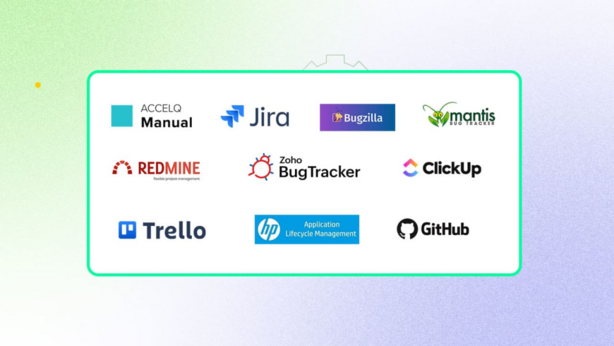
Introduction:
In today’s fast-paced business environment, efficient issue tracking is essential for any team dealing with customer service, product development, or IT operations. Issue tracking tools have become critical in helping organizations manage and resolve problems in a structured manner, ensuring that they can address bugs, service disruptions, and user complaints quickly and effectively. In 2025, with more businesses moving toward digital transformation, choosing the right issue tracking tool is more important than ever. These tools not only streamline communication but also improve productivity, accountability, and collaboration across teams.
When evaluating an issue tracking tool, it’s important to consider features like ease of use, integration capabilities, reporting functions, customization options, and pricing. This blog will guide you through the top 10 issue tracking tools of 2025, helping you choose the best one for your team’s needs.
Top 10 Issue Tracking Tools for 2025
1. Jira Software
Short Description:
Jira Software by Atlassian is a widely used issue tracking tool designed for software development teams. It is excellent for tracking bugs, managing agile workflows, and tracking project progress.
Key Features:
- Customizable workflows to fit various team needs
- Advanced reporting and analytics tools
- Integration with over 1,000 apps including Slack, GitHub, and Bitbucket
- Powerful bug tracking and backlog management
- Automation features for repetitive tasks
Pros:
- Highly customizable and scalable for large teams
- Excellent for agile and scrum methodologies
- Deep integrations with other tools
Cons:
- Can be overwhelming for small teams due to its extensive features
- Pricing can be steep for small businesses
2. Trello
Short Description:
Trello, also from Atlassian, offers a simple and visual task management tool with powerful issue tracking features, ideal for small teams or non-technical teams looking for ease of use.
Key Features:
- Card-based system for tracking tasks and issues
- Collaboration tools for easy team communication
- Power-ups for advanced features like reporting and automation
- Mobile-friendly with a smooth user interface
- Integration with Google Drive, Slack, and more
Pros:
- Easy to use with a visual drag-and-drop interface
- Excellent for small to medium teams
- Free plan available
Cons:
- Limited features for larger enterprises
- Lacks advanced reporting capabilities
3. Asana
Short Description:
Asana is a project management tool that includes comprehensive issue tracking features. It’s known for helping teams streamline work, track progress, and communicate better on tasks and issues.
Key Features:
- Task management with due dates and assignees
- Customizable workflows and issue tracking forms
- Reporting and dashboard features
- Seamless integrations with Slack, Google Workspace, and more
- Mobile and desktop apps available
Pros:
- User-friendly with a clean, intuitive interface
- Strong integration with other productivity tools
- Suitable for a variety of project types, including issue tracking
Cons:
- Can be expensive for large teams
- Basic issue tracking capabilities compared to specialized tools
4. Monday.com
Short Description:
Monday.com offers a versatile work operating system that combines task management and issue tracking features. It’s designed to help teams collaborate effectively and track progress on issues in real time.
Key Features:
- Visual work boards with customizable templates
- Automations for recurring tasks and issue resolutions
- Integrations with over 40+ apps
- Time tracking and progress tracking features
- Real-time updates for better collaboration
Pros:
- Highly visual and customizable interface
- Flexible enough for teams of all sizes
- Good for both task and issue tracking
Cons:
- Steeper learning curve for new users
- Pricing can become expensive as teams scale
5. Bugzilla
Short Description:
Bugzilla is a popular open-source issue tracking system that is especially favored by developers and QA teams. It’s known for its simplicity and ability to handle complex workflows.
Key Features:
- Detailed issue tracking with custom fields
- Advanced search and filtering capabilities
- Time-tracking features for resolution and debugging
- Supports multiple databases and configurations
- Can handle multiple product and project tracking
Pros:
- Completely free and open-source
- Powerful reporting features
- Supports high levels of customization
Cons:
- Outdated user interface
- Requires more technical knowledge to set up and use
6. Zendesk
Short Description:
Zendesk is a customer service platform that includes issue tracking features designed for customer support teams. It allows teams to track issues raised by customers and resolve them efficiently.
Key Features:
- Multi-channel support for issues via email, chat, social media, and phone
- Advanced reporting and analytics for issue trends
- Customizable ticket workflows and priority settings
- Integration with CRM tools like Salesforce
- Automation and triggers for faster issue resolution
Pros:
- Ideal for customer support teams
- Excellent reporting and analytics tools
- Strong automation features
Cons:
- Expensive compared to other tools
- Lacks advanced project management features
7. Redmine
Short Description:
Redmine is an open-source project management tool with robust issue tracking capabilities. It’s designed to cater to development teams and offers project management features along with bug and issue tracking.
Key Features:
- Customizable workflows and issue tracking
- Gantt charts for project tracking
- Multiple project support
- Time tracking and reporting
- Integration with version control systems like Git
Pros:
- Open-source and free to use
- Flexible and customizable for various team needs
- Good integration with development tools
Cons:
- Complex to set up for new users
- The interface is not as modern as other tools
8. GitHub Issues
Short Description:
GitHub Issues is a part of GitHub’s suite of tools designed for software development teams. It is especially useful for bug tracking and managing code issues directly from the development environment.
Key Features:
- Issue tracking directly integrated with code repositories
- Supports labels, milestones, and assignees
- Works seamlessly with pull requests and commits
- Automation features using GitHub Actions
- Strong integration with GitHub’s development ecosystem
Pros:
- Seamlessly integrates with GitHub repositories
- Excellent for development teams using GitHub for version control
- Free for public repositories
Cons:
- Limited if not using GitHub for version control
- Basic issue tracking compared to specialized tools
9. ClickUp
Short Description:
ClickUp is a project management platform with advanced issue tracking capabilities. It’s known for its customizable workflows, flexible task management, and rich collaboration features.
Key Features:
- Issue tracking with multiple views (list, board, Gantt, etc.)
- Time tracking and task dependencies
- Advanced reporting and progress tracking tools
- Automations for streamlining workflows
- Integrates with over 1,000 apps including Slack and Google Drive
Pros:
- Highly customizable and flexible
- Offers a free plan with good functionality
- Strong collaboration features for teams
Cons:
- Steep learning curve
- Pricing for larger teams can become expensive
10. Freshdesk
Short Description:
Freshdesk is a customer support software tool that includes powerful issue tracking features. It is designed to help teams resolve customer issues via multiple communication channels.
Key Features:
- Multi-channel support for issues (email, chat, social, etc.)
- Automations for issue resolution and task assignment
- Reporting and analytics for tracking issue trends
- Knowledge base for self-service support
- Integrates with other Freshworks tools
Pros:
- Great for customer support teams
- Easy to use with a modern interface
- Offers a free plan for smaller teams
Cons:
- Limited project management features
- Not as customizable as other tools
Comparison Table
| Tool Name | Best For | Platform(s) Supported | Standout Feature | Pricing | Rating (G2) |
|---|---|---|---|---|---|
| Jira | Development Teams | Web, iOS, Android | Customizable workflows | Starts at $7/month | 4.5/5 |
| Trello | Small Teams | Web, iOS, Android | Visual task management | Free, Paid plans available | 4.3/5 |
| Asana | Cross-functional Teams | Web, iOS, Android | Strong reporting and tracking | Free, Paid plans available | 4.4/5 |
| Monday.com | Enterprises & Teams of All Sizes | Web, iOS, Android | Visual project tracking | Starts at $8/month | 4.6/5 |
| Bugzilla | Development Teams | Web | Detailed issue tracking | Free | 4.2/5 |
| Zendesk | Customer Support Teams | Web, iOS, Android | Multi-channel support | Starts at $19/month | 4.7/5 |
| Redmine | Development Teams | Web | Customizable workflows | Free | 4.0/5 |
| GitHub Issues | Development Teams | Web | Integration with GitHub | Free | 4.3/5 |
| ClickUp | Teams of All Sizes | Web, iOS, Android | Customizable views and workflows | Starts at $5/month | 4.6/5 |
| Freshdesk | Customer Support Teams | Web, iOS, Android | Multi-channel support | Free, Paid plans available | 4.5/5 |
Which Issue Tracking Tool is Right for You?
Selecting the right issue tracking tool depends on various factors, such as company size, industry, specific features, and budget. Here’s a quick guide:
- Small Teams or Startups: If you’re working with a small team and need a simple, visual interface, tools like Trello or Freshdesk might be a good fit.
- Development Teams: For teams involved in software development, Jira, GitHub Issues, or Bugzilla provide strong technical issue tracking and integration with version control systems.
- Enterprises or Large Teams: Monday.com and Zendesk are excellent for larger teams requiring advanced features and automation capabilities.
Conclusion
As businesses continue to scale and adopt digital-first strategies in 2025, having an efficient issue tracking tool is essential for productivity and customer satisfaction. The tools discussed above offer diverse features to help teams resolve issues efficiently, from project management to customer support. No matter your team size or industry, there’s an issue tracking solution that fits your needs. Be sure to try demos or free trials to find the best tool for your organization’s workflows.
SEO-Optimized FAQs:
1. What are issue tracking tools?
Issue tracking tools help teams manage and resolve issues such as bugs, customer complaints, or project-related tasks in an organized manner.
2. What is the best issue tracking tool in 2025?
The best issue tracking tool depends on your team’s needs. For development teams, Jira and GitHub Issues are highly recommended, while Trello and Freshdesk are great for smaller teams or customer support.
3. Can issue tracking tools integrate with other tools?
Yes, many issue tracking tools, such as Jira, Asana, and Monday.com, offer integrations with other productivity, communication, and version control tools.
4. Are there free issue tracking tools?
Yes, tools like Trello, ClickUp, and Freshdesk offer free versions with basic functionality suitable for small teams or startups.
5. How do I choose the right issue tracking tool?
When selecting an issue tracking tool, consider your team size, industry, required features, integrations, and budget to find the best fit.