MOTOSHARE 🚗🏍️
Turning Idle Vehicles into Shared Rides & Earnings
From Idle to Income. From Parked to Purpose.
Earn by Sharing, Ride by Renting.
Where Owners Earn, Riders Move.
Owners Earn. Riders Move. Motoshare Connects.
With Motoshare, every parked vehicle finds a purpose.
Owners earn. Renters ride.
🚀 Everyone wins.
Introduction
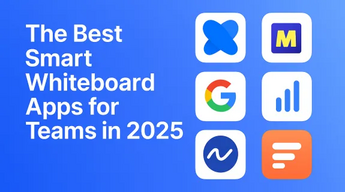
Interactive whiteboard tools are digital platforms that enable real-time collaboration, brainstorming, and interactive presentations. These tools have transformed traditional classroom and office settings by offering more dynamic, engaging ways to interact with content, whether for educational purposes, team collaboration, or client presentations. In 2025, as businesses, schools, and remote teams become more interconnected, the demand for intuitive, feature-rich interactive whiteboard tools is expected to surge.
Choosing the right interactive whiteboard tool depends on several factors, including ease of use, platform compatibility, real-time collaboration features, and integration with other software. These tools allow users to draw, annotate, share files, and work together on a virtual canvas, making them an essential part of modern work environments. In this blog post, we will explore the top 10 interactive whiteboard tools in 2025, comparing their features, pros, cons, and pricing.
Top 10 Interactive Whiteboard Tools in 2025
1. Miro
Short Description: Miro is a leading online collaborative whiteboard platform designed for teams of all sizes to work together in real time. Its user-friendly interface and robust features make it ideal for brainstorming, planning, and project management.
Key Features:
- Infinite canvas for unlimited creativity.
- Templates for mind maps, flowcharts, and more.
- Real-time collaboration with team members.
- Integrations with Slack, Google Drive, and more.
- Sticky notes for quick ideas and feedback.
- Interactive voting and timers for meetings.
Pros:
- Extremely versatile with a wide range of templates.
- Supports unlimited integrations, including with popular productivity tools.
- Excellent collaboration features for teams.
Cons:
- Steep learning curve for new users.
- Limited features in the free plan.
- Can become expensive for larger teams.
2. Jamboard
Short Description: Jamboard, developed by Google, is an easy-to-use online whiteboard tool that integrates well with other Google Workspace apps, making it a great option for teams using Google products.
Key Features:
- Seamless integration with Google Workspace.
- Handwriting recognition and text conversion.
- Real-time collaboration for remote teams.
- Simple, minimalistic interface.
- Ability to add images, sticky notes, and drawings.
Pros:
- Ideal for users already embedded in the Google ecosystem.
- Simple and intuitive design.
- Real-time collaboration on shared boards.
Cons:
- Lacks advanced features for complex diagrams.
- Limited in terms of template variety.
- Can be too basic for power users.
3. Microsoft Whiteboard
Short Description: A robust tool from Microsoft, this whiteboard platform is integrated with the Microsoft 365 suite, making it ideal for organizations that rely on Microsoft Office apps.
Key Features:
- Integration with Microsoft Teams for seamless collaboration.
- Supports sticky notes, images, and drawing tools.
- Infinite canvas for brainstorming sessions.
- Templates for quick start.
- Collaboration with up to 100 users in real time.
Pros:
- Perfect for Microsoft 365 users.
- Offers enterprise-grade security and compliance.
- Easy integration with other Microsoft apps.
Cons:
- Lacks some advanced functionality available in competitors.
- Some features are only accessible through premium plans.
- Limited integration with third-party software.
4. Ziteboard
Short Description: Ziteboard is a simple, lightweight whiteboard tool designed for quick and efficient brainstorming, making it great for small teams and educational purposes.
Key Features:
- Real-time collaboration with an easy-to-use interface.
- Drawing tools with a variety of colors.
- Allows importing and exporting images.
- No software installation required (browser-based).
- Option to create private boards.
Pros:
- Very fast and responsive.
- Simple to use for individuals and small teams.
- Free tier available with basic functionality.
Cons:
- Limited templates and integrations.
- Lacks advanced features for complex workflows.
- Can become cluttered with too many users.
5. Lucidspark
Short Description: Lucidspark is a versatile virtual whiteboard tool tailored for collaborative diagramming and brainstorming, ideal for both technical and non-technical users.
Key Features:
- Multi-user collaboration in real time.
- Supports sticky notes, text boxes, and shapes.
- Customizable templates for workflow, brainstorming, and roadmaps.
- Built-in integrations with Slack, Google Drive, and Jira.
- Voting and commenting features for feedback.
Pros:
- Great for product development and project management teams.
- Clear and simple interface.
- Advanced diagramming tools for technical users.
Cons:
- Some advanced features are locked behind a paywall.
- Limited free tier with restrictions on the number of boards.
- Can be slow with large teams.
6. Stormboard
Short Description: Stormboard is a brainstorming and collaboration tool that helps teams create, organize, and prioritize ideas in a visual manner, making it perfect for project planning.
Key Features:
- Sticky notes, images, and videos for idea collection.
- Group brainstorming and idea voting.
- Customizable templates for project planning.
- Collaboration with real-time feedback.
- Integration with Microsoft Teams and Slack.
Pros:
- Great for project management and brainstorming.
- Easy-to-use interface for non-technical users.
- Effective idea prioritization features.
Cons:
- Limited free plan.
- Limited integration options compared to competitors.
- Some templates are only available in premium plans.
7. MURAL
Short Description: MURAL is a powerful online whiteboard tool used for collaborative brainstorming, design thinking, and agile project management. It’s perfect for remote teams and large organizations.
Key Features:
- Infinite canvas with zoom functionality.
- Real-time collaboration with up to 100 participants.
- Integration with Slack, Google Workspace, and Jira.
- Templates for various business processes and workshops.
- Feedback and voting features for decision-making.
Pros:
- Ideal for large teams and complex workflows.
- Excellent collaboration and design-thinking features.
- Rich set of integrations with popular project management tools.
Cons:
- Premium pricing may be restrictive for small teams.
- Learning curve for beginners.
- Requires a strong internet connection for optimal performance.
8. Explain Everything
Short Description: Explain Everything is an interactive whiteboard and screen recording tool designed to simplify the creation of visual content, making it perfect for educators and presenters.
Key Features:
- Real-time collaboration and screen sharing.
- Drawing tools and media integration.
- Video recording capabilities for creating tutorials.
- Cloud storage for easy access and sharing.
- Integration with Google Drive and OneDrive.
Pros:
- Powerful video creation tools.
- Ideal for educators and remote learning.
- Intuitive, easy-to-navigate interface.
Cons:
- Premium pricing for full access to features.
- Some features may be redundant for non-educational use.
- Limited free tier for extended use.
9. Flocknote
Short Description: Flocknote is a versatile whiteboard tool that makes team collaboration easier. It is particularly useful for organizations that require seamless communication and idea sharing in one space.
Key Features:
- Multi-user collaboration in real time.
- Integration with various cloud storage services.
- Text and sticky notes for idea sharing.
- User-friendly interface with intuitive controls.
- Project tracking and to-do lists integration.
Pros:
- Easy to use for all team sizes.
- Great communication and collaboration features.
- Simple, streamlined interface.
Cons:
- Lacks some advanced features for larger organizations.
- Limited customization options for templates.
- Requires internet access for full functionality.
10. Conceptboard
Short Description: Conceptboard is an intuitive visual collaboration tool that helps teams work on shared boards for project planning, brainstorming, and design.
Key Features:
- Real-time collaboration with up to 50 participants.
- Draw, comment, and annotate on shared boards.
- Ability to integrate with Google Drive, OneDrive, and Trello.
- Secure cloud-based access for remote work.
- Various templates for project management, design thinking, and ideation.
Pros:
- High-quality collaboration and feedback features.
- Simple interface with no steep learning curve.
- Easy sharing and presentation options.
Cons:
- Free version has limited features.
- Some users report slowness with large boards.
- Requires frequent updates for security and bug fixes.
Comparison Table
| Tool Name | Best For | Platform(s) Supported | Standout Feature | Pricing | G2/Capterra Rating |
|---|---|---|---|---|---|
| Miro | Remote teams, agencies | Web, iOS, Android | Infinite canvas and template library | Free / Starts at $8 | 4.7/5 |
| Jamboard | Google Workspace users | Web, Android, iOS | Seamless Google integration | Free | 4.5/5 |
| Microsoft Whiteboard | Microsoft 365 users | Web, Windows, iOS | Integration with Microsoft tools | Free / $5.00 per user | 4.3/5 |
| Ziteboard | Small teams, classrooms | Web | Simple and fast interface | Free | 4.2/5 |
| Lucidspark | Product teams, project managers | Web, iOS, Android | Advanced diagramming tools | Free / Starts at $7.95 | 4.6/5 |
| Stormboard | Teams, project planners | Web, iOS, Android | Idea prioritization and feedback | Free / Starts at $5 | 4.3/5 |
| MURAL | Large teams, remote workers | Web, iOS, Android | Rich integrations and templates | Free / Starts at $12 | 4.7/5 |
| Explain Everything | Educators, presenters | Web, iOS, Android | Video recording capabilities | Free / Starts at $5 | 4.5/5 |
| Flocknote | Communication-heavy teams | Web, iOS, Android | Communication and task management | Free / Starts at $4.99 | 4.2/5 |
| Conceptboard | Creative teams, designers | Web, iOS, Android | Design collaboration and feedback | Free / Starts at $6 | 4.3/5 |
Which Interactive Whiteboard Tool is Right for You?
When choosing the best interactive whiteboard tool for your needs, consider the following:
- For large teams and enterprises: Miro, Lucidspark, and MURAL offer the best functionality, scalability, and integrations for handling complex workflows.
- For small teams or classrooms: Ziteboard and Jamboard are more accessible and free, making them ideal for simple, quick brainstorming sessions.
- For educators and trainers: Explain Everything is perfect for creating educational content with its screen recording and drawing features.
- For teams in the Microsoft ecosystem: Microsoft Whiteboard seamlessly integrates with Office 365, making it a natural choice.
Conclusion
Interactive whiteboard tools are crucial for collaboration and creativity in modern workflows. As we move into 2025, these tools will continue to evolve, offering enhanced features, integrations, and user experiences. Whether you’re part of a large organization, a remote team, or an educator, there’s an interactive whiteboard tool suited to your needs. Try out demos or free trials to find the one that best fits your requirements.
FAQs
1. What are interactive whiteboard tools used for?
Interactive whiteboard tools are used for brainstorming, collaboration, meetings, education, and project planning. They allow users to draw, annotate, and share ideas in real time.
2. Are these tools free to use?
Many interactive whiteboard tools offer free versions with basic features, while more advanced functionality is available in paid plans.
3. Can these tools integrate with other software?
Yes, many interactive whiteboard tools integrate with productivity tools like Slack, Google Workspace, Microsoft Office, and project management platforms.
4. Which interactive whiteboard tool is best for education?
Explain Everything and Jamboard are great options for educators, offering features like video recording and seamless integration with classroom tools.
5. How can I decide which interactive whiteboard tool is right for my team?
Consider your team size, the complexity of your workflows, and the tools you already use. Larger teams may benefit from Miro or MURAL, while small teams or educators might prefer Jamboard or Ziteboard.