MOTOSHARE 🚗🏍️
Turning Idle Vehicles into Shared Rides & Earnings
From Idle to Income. From Parked to Purpose.
Earn by Sharing, Ride by Renting.
Where Owners Earn, Riders Move.
Owners Earn. Riders Move. Motoshare Connects.
With Motoshare, every parked vehicle finds a purpose.
Owners earn. Renters ride.
🚀 Everyone wins.
Introduction
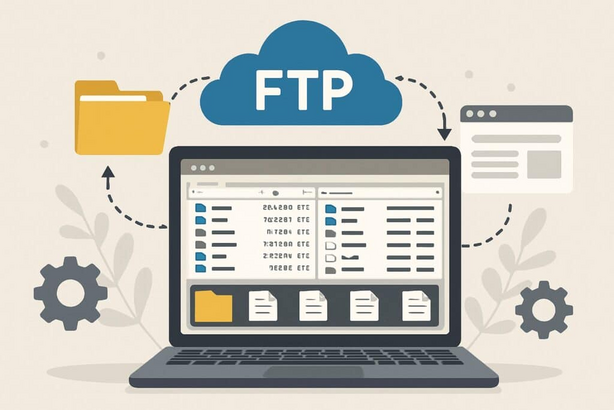
In the fast-paced digital world of 2025, the need for robust file transfer solutions has never been more crucial. Whether you’re a website administrator, a developer, or simply someone managing files remotely, FTP (File Transfer Protocol) clients are essential tools for smooth file exchanges between local and remote servers. As businesses grow and data management becomes increasingly complex, choosing the right FTP client is important to ensure security, speed, and ease of use.
FTP clients provide a secure, efficient method of transferring large files or batches of files. In 2025, these tools have evolved to include new features such as cloud integration, advanced security protocols, and support for various platforms and file types. With a wide variety of FTP clients available, it’s important to choose one that matches your specific needs, whether that’s automation, multi-platform compatibility, or high-speed file transfers.
In this blog post, we’ll explore the top 10 FTP clients tools in 2025, highlighting their features, pros, and cons, and helping you choose the right solution for your file transfer needs.
Top 10 FTP Clients Tools in 2025
1. FileZilla
Short Description:
FileZilla is one of the most widely used and reliable FTP clients. It’s open-source, cross-platform, and known for its fast file transfers and easy-to-use interface. Ideal for both beginners and advanced users, FileZilla supports FTP, FTPS, and SFTP protocols.
Key Features:
- Cross-platform support (Windows, macOS, Linux)
- Supports FTP, FTPS, and SFTP protocols
- Drag-and-drop functionality for file transfers
- Multiple language support
- Advanced directory comparison and file search features
- Remote file editing
- Ability to handle large files
Pros:
- Free and open-source
- User-friendly interface
- High-speed transfers and robust security
- Supports simultaneous connections
Cons:
- Can be slow in managing multiple connections at once
- Outdated UI design
- Lacks certain advanced features found in paid alternatives
2. WinSCP
Short Description:
WinSCP is a popular open-source FTP client for Windows that supports FTP, SFTP, and SCP protocols. It is renowned for its simple interface, security features, and ability to integrate with Windows Explorer for a seamless experience.
Key Features:
- Supports FTP, SFTP, SCP, and WebDAV
- File synchronization and automation
- Integrated text editor
- Secure file transfer with encryption
- Session logging and advanced error handling
- Easy-to-use drag-and-drop interface
Pros:
- Free to use with no ads
- Highly secure with support for encrypted transfers
- Easy integration with Windows environment
Cons:
- Limited to Windows platform
- Somewhat less intuitive than other alternatives
- Occasional bugs and crashes
3. Cyberduck
Short Description:
Cyberduck is a versatile FTP client known for its cloud storage integration, supporting FTP, SFTP, WebDAV, and various cloud services like Google Drive, Amazon S3, and Microsoft OneDrive. Ideal for users managing a variety of cloud accounts alongside traditional FTP servers.
Key Features:
- Cloud storage support (Amazon S3, Google Drive, OneDrive, etc.)
- FTP, SFTP, and WebDAV support
- Encryption and privacy features
- Compatible with Windows and macOS
- Bookmark favorite servers
- Advanced file transfer capabilities
Pros:
- Intuitive user interface
- Cloud storage support is great for hybrid environments
- Free and open-source
Cons:
- Performance can degrade with larger file sizes
- Mac version has a few bugs
- Not as fast as other FTP clients in certain scenarios
4. Transmit (by Panic)
Short Description:
Transmit is a robust and polished FTP client for macOS, often praised for its smooth user interface and strong features. It supports FTP, SFTP, WebDAV, Amazon S3, and other cloud services, making it a great choice for Mac users.
Key Features:
- Supports FTP, SFTP, WebDAV, and cloud services
- Quick file transfers with advanced automation tools
- Supports syncing and file versioning
- Drag-and-drop for effortless file uploads
- Excellent integration with macOS Finder
Pros:
- Sleek, modern interface
- Extremely fast and reliable
- Seamless macOS integration
- Robust cloud support
Cons:
- Only available for macOS
- Paid software (no free version)
- May be overkill for simple FTP needs
5. CuteFTP
Short Description:
CuteFTP is a powerful FTP client that comes with a wide array of features, including enhanced security protocols, file synchronization, and scheduling. It’s designed for both beginners and professionals, providing a stable environment for file transfers.
Key Features:
- Supports FTP, SFTP, and FTPS
- File synchronization and backup features
- Automatic file transfer scheduling
- Encrypted file transfers for extra security
- Easy-to-use interface for all skill levels
Pros:
- Supports multiple FTP and secure transfer protocols
- Strong encryption and security features
- Scheduled transfers for automation
- Comprehensive help and support
Cons:
- Premium paid software
- Somewhat bulky interface
- Lacks cloud storage integration
6. Core FTP LE
Short Description:
Core FTP LE is a free and lightweight FTP client with all the necessary features for secure and efficient file transfers. It supports FTP, SFTP, and FTPS protocols and comes with useful file management and synchronization tools.
Key Features:
- Free version available
- FTP, SFTP, and FTPS support
- Secure file transfer with SSL/TLS encryption
- Customizable file management and syncing
- Site-to-site transfer support
Pros:
- Free version available with no ads
- Lightweight and simple to use
- Good security with FTP over SSL/TLS
- Useful for FTP, SFTP, and FTPS transfers
Cons:
- Lacks cloud storage integration
- Interface is quite basic
- No Mac version available
7. CrossFTP
Short Description:
CrossFTP is a cross-platform FTP client designed for both personal and professional use. It offers advanced features such as file synchronization, secure transfers, and integration with cloud storage services.
Key Features:
- Supports FTP, SFTP, WebDAV, and Amazon S3
- File synchronization across multiple devices
- Multi-threaded transfer for faster uploads and downloads
- Advanced queue management for large batches
- Available for Windows, macOS, and Linux
Pros:
- Cross-platform compatibility
- Supports a wide range of protocols
- Syncs files across devices seamlessly
Cons:
- Paid premium version for advanced features
- Slightly outdated user interface
- Occasional performance issues with large transfers
8. SmartFTP
Short Description:
SmartFTP is an advanced FTP client designed for Windows that supports FTP, FTPS, SFTP, and WebDAV. It is ideal for users who need detailed file transfer logs and robust automation capabilities.
Key Features:
- Supports FTP, FTPS, SFTP, WebDAV
- File and folder synchronization
- Integrated scripting and automation
- Secure file transfers with TLS/SSL encryption
- Detailed file transfer logs for troubleshooting
Pros:
- Highly secure and efficient
- Supports multiple protocols and integrations
- Detailed logs and automation options
Cons:
- Only available for Windows
- Premium software with limited free functionality
- Interface can be overwhelming for beginners
9. FireFTP
Short Description:
FireFTP is a free FTP client that integrates directly into the Firefox browser. It’s a lightweight, easy-to-use solution for basic file transfers without the need for additional software.
Key Features:
- Firefox extension-based FTP client
- Supports FTP, SFTP, and FTPS
- Quick file transfers with drag-and-drop functionality
- Secure file transfers using SSL/TLS encryption
- Simple interface for quick setup
Pros:
- Free and lightweight
- Works directly in the Firefox browser
- No installation required
Cons:
- Limited to Firefox browser only
- Lacks advanced features for professionals
- Doesn’t support cloud services
10. Mountain Duck
Short Description:
Mountain Duck brings FTP clients into the cloud era by mounting FTP, SFTP, and cloud storage as local drives. It’s ideal for users who need to interact with their FTP servers as if they were part of their local file system.
Key Features:
- Mount FTP, SFTP, and cloud storage as local drives
- Supports Amazon S3, Google Drive, and other cloud services
- File synchronization across devices
- Easy drag-and-drop file management
- Secure connections with encryption protocols
Pros:
- Cloud storage integration is seamless
- Easy to use for managing local and remote files
- Secure file transfer protocols
Cons:
- Paid software
- No native support for Linux
- Can be overkill for simpler FTP needs
Comparison Table
| Tool Name | Best For | Platform(s) Supported | Standout Feature | Pricing | G2/Capterra Rating |
|---|---|---|---|---|---|
| FileZilla | General users | Windows, macOS, Linux | Open-source & cross-platform | Free | 4.5/5 |
| WinSCP | Windows users | Windows | Integration with Windows Explorer | Free | 4.6/5 |
| Cyberduck | Cloud storage users | Windows, macOS | Cloud integration | Free (with paid version) | 4.4/5 |
| Transmit | Mac users | macOS | Polished UI & cloud integration | $45 one-time | 4.8/5 |
| CuteFTP | Professional users | Windows | Automation & syncing | $59.99/year | 4.2/5 |
| Core FTP LE | Home users | Windows | Lightweight & free | Free | 4.3/5 |
| CrossFTP | Professional users | Windows, macOS, Linux | Cross-platform & cloud support | Free with paid version | 4.0/5 |
| SmartFTP | Windows professionals | Windows | Advanced logging & automation | $69.95/year | 4.2/5 |
| FireFTP | Basic users | Firefox (browser) | Easy setup & free | Free | 4.1/5 |
| Mountain Duck | Cloud-heavy users | Windows, macOS | Mounts cloud as local drives | $39.99 one-time | 4.7/5 |
Decision-Making Guide
When selecting an FTP client in 2025, consider these factors:
- For Small Businesses or Personal Use: FileZilla, WinSCP, and Core FTP LE are ideal due to their free, straightforward nature.
- For Cloud Integration: Cyberduck and Mountain Duck are perfect for users dealing with multiple cloud storage solutions.
- For Professionals and Advanced Users: Transmit and SmartFTP offer the most powerful features, although at a cost.
- For Developers: CrossFTP and SmartFTP are excellent choices with advanced features and support for automation.
Conclusion
FTP clients continue to evolve in 2025, providing users with powerful, flexible tools that meet the growing demands of security, speed, and cloud integration. Whether you’re a casual user or a professional managing vast amounts of data, there’s an FTP client that will suit your needs. Explore these top 10 FTP tools to find the best fit for your file transfer requirements.
FAQs
1. What is the best free FTP client for Windows?
- FileZilla and WinSCP are both great free options for Windows users, offering robust features and good security.
2. Can I use FTP clients for cloud storage?
- Yes, tools like Cyberduck and Mountain Duck allow seamless integration with various cloud storage services like Google Drive, Amazon S3, and OneDrive.
3. Is it safe to use FTP for file transfers?
- FTP itself is not encrypted, but using FTPS or SFTP protocols ensures secure transfers. Tools like FileZilla and WinSCP support these secure methods.
4. What FTP client is best for beginners?
- FireFTP and FileZilla are great for beginners due to their intuitive user interfaces and free access.
5. Do I need to pay for FTP clients?
- Many FTP clients like FileZilla, WinSCP, and Core FTP LE are free. However, premium versions such as Transmit and Mountain Duck offer more advanced features.