MOTOSHARE 🚗🏍️
Turning Idle Vehicles into Shared Rides & Earnings
From Idle to Income. From Parked to Purpose.
Earn by Sharing, Ride by Renting.
Where Owners Earn, Riders Move.
Owners Earn. Riders Move. Motoshare Connects.
With Motoshare, every parked vehicle finds a purpose.
Owners earn. Renters ride.
🚀 Everyone wins.
Introduction
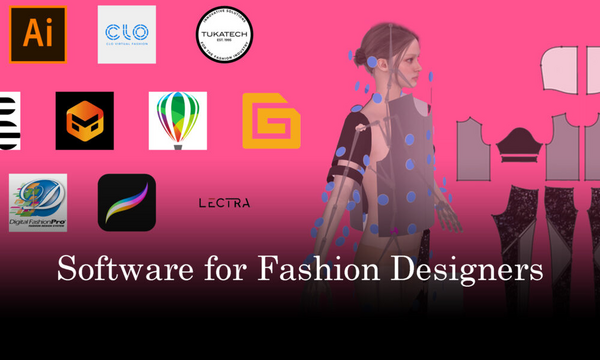
Fashion design is not just about creativity but also requires the right set of tools to bring ideas to life efficiently. In 2025, fashion design software has evolved significantly, offering designers a more streamlined, intuitive, and powerful approach to sketching, pattern making, and visualizing their ideas. Whether you’re a freelance designer, a large fashion house, or a student just starting in the industry, the right software can make a world of difference.
Fashion design software allows users to sketch digital illustrations, design patterns, create 3D visualizations, and even generate realistic fabric simulations. These tools are essential for streamlining the design process, improving productivity, and collaborating with teams, especially in an era where digitalization and online platforms are pivotal.
When choosing a fashion design software tool in 2025, users should consider factors such as ease of use, the ability to handle intricate designs, 3D modeling capabilities, compatibility with other tools, pricing, and the level of support for different devices and platforms.
Top 10 Fashion Design Software Tools in 2025
1. Adobe Illustrator
Short Description:
Adobe Illustrator is one of the most popular graphic design software tools used by fashion designers for creating vector-based designs. It’s ideal for producing detailed sketches, creating patterns, and preparing digital designs for production.
Key Features:
- Precision tools for drawing and vector editing
- Supports custom brushes and colors
- Integration with other Adobe Creative Cloud apps
- Extensive library of patterns, textures, and fonts
- Excellent support for typography and logos
- Real-time collaboration with other Adobe apps
Pros:
- Industry standard for professional fashion designers
- Robust set of tools for intricate designs
- Easy integration with printing and production tools
Cons:
- Steep learning curve for beginners
- Subscription-based pricing can be expensive
- Can be resource-heavy on computers
2. CorelDRAW
Short Description:
CorelDRAW is a versatile vector graphic design software that is well-suited for fashion design. It offers a range of tools for creating digital designs, embroidery patterns, and fashion illustrations.
Key Features:
- User-friendly interface with customizable toolsets
- Precision drawing tools for intricate designs
- Support for both vector and raster formats
- Real-time photo-editing features
- Cross-platform support (Windows and macOS)
- High-quality printing options
Pros:
- More affordable than Adobe Illustrator
- Great for beginners and professionals alike
- Wide support for various file formats
Cons:
- Lacks some of the advanced features of Illustrator
- Can be slow with large files
- Fewer integrations with other creative tools
3. CLO 3D
Short Description:
CLO 3D is a cutting-edge fashion design software that allows designers to create true-to-life 3D garment simulations. It’s particularly useful for prototyping and visualizing designs before creating physical samples.
Key Features:
- Realistic 3D garment simulation
- Customizable fabric textures and materials
- Allows for virtual fitting and size adjustments
- Pattern creation and grading tools
- Collaboration features for design teams
- Real-time visualizations for presentations
Pros:
- Realistic fabric simulations and 3D designs
- Reduces the need for physical samples, saving time and costs
- Excellent for visualizing designs in multiple colors and fabrics
Cons:
- High system requirements for smooth operation
- Steep learning curve for newcomers
- Expensive for individual designers or small teams
4. SketchUp
Short Description:
SketchUp is a popular 3D modeling tool that is also used in fashion design for visualizing clothing, accessories, and entire store layouts. It’s known for its ease of use and large online community.
Key Features:
- Simple interface for beginners
- Powerful 3D modeling tools with detailed textures
- Large library of pre-made designs and models
- Cloud-based storage for design sharing
- Compatibility with other design software
- Ideal for creating fashion-related visual displays
Pros:
- Easy to use for beginners
- Extensive free resources and community
- Versatile tool for designing fashion spaces and garments
Cons:
- Limited textile-specific tools
- Requires paid version for advanced features
- Not as suited for detailed garment design compared to others
5. TUKAcad
Short Description:
TUKAcad is a pattern-making software used for apparel design. It’s great for creating detailed patterns and making digital samples, especially for mass production.
Key Features:
- Powerful pattern drafting and grading tools
- Automated measurements for different sizes
- Supports 2D and 3D garment visualization
- Fabric simulation and color management
- Integration with CAD/CAM production tools
- Efficient for both small-scale and industrial designers
Pros:
- Excellent for pattern making and garment fitting
- Reduces manual pattern errors
- Speedy grading and digitization of patterns
Cons:
- Complex interface for beginners
- Expensive for smaller businesses
- Limited creative design features compared to other tools
6. Procreate
Short Description:
Procreate is a versatile digital drawing app, popular among fashion designers for sketching fashion illustrations. It’s available for iPad and comes with an intuitive touch interface.
Key Features:
- Natural pencil-like drawing experience
- High-quality brush engine with customizable options
- Supports multiple layers for detailed illustrations
- Animation capabilities for fashion motion sketches
- Intuitive interface perfect for tablets
- Excellent for fashion illustration and textile designs
Pros:
- Affordable one-time payment model
- Portable and easy to use on iPad
- Great for creating quick sketches and detailed designs
Cons:
- Limited 3D capabilities
- Doesn’t support vector-based drawing like Illustrator
- Can be difficult to integrate into professional workflows
7. Fashion CAD
Short Description:
Fashion CAD is a software specifically designed for fashion designers to create professional patterns, textiles, and illustrations. It’s widely used for pattern making and textile design.
Key Features:
- 2D pattern design and modification
- Integrated textile design tools
- Real-time fabric simulation
- Colorway management
- Seamless integration with industrial design tools
- Multi-platform support
Pros:
- Ideal for professional fashion designers
- Strong pattern and textile design focus
- Affordable compared to other high-end fashion software
Cons:
- Less intuitive than other design tools
- Limited 3D design capabilities
- Requires some technical expertise to use effectively
8. Marvelous Designer
Short Description:
Marvelous Designer, developed by CLO 3D, is a fashion design software that specializes in creating realistic 3D clothing simulations. It’s used for everything from sketching to production, particularly for fashion collections.
Key Features:
- 3D garment creation with fabric physics
- Realistic textures and color simulation
- Supports pattern making and grading
- Collaborative tools for design teams
- Cloud-based design sharing and storage
- Ideal for designing fashion collections
Pros:
- Exceptional at fabric and garment simulation
- Reduces the need for physical prototypes
- Great for designers working in teams
Cons:
- Expensive for individuals and small businesses
- Can be resource-intensive
- Steep learning curve for beginners
9. Inkscape
Short Description:
Inkscape is a free, open-source vector graphics editor used by fashion designers for creating logos, patterns, and illustrations. It’s a great option for designers on a budget.
Key Features:
- Supports SVG file format for vector illustrations
- Customizable interface and toolset
- Easy-to-use path tools and object creation
- Multiple export options for various file types
- Free and open-source software
Pros:
- Completely free to use
- Wide community support and tutorials
- Great for vector-based designs
Cons:
- Lacks advanced features found in paid tools
- Limited 3D and pattern-making functionalities
- Can be slow with larger files
10. Pantone Studio
Short Description:
Pantone Studio is a color management tool tailored to fashion design. It helps designers match colors and create color palettes for their fashion projects, ensuring consistency across designs.
Key Features:
- Color palette creation and management
- Access to Pantone’s extensive color library
- Ability to simulate color combinations
- Exportable color palettes for digital and print use
- Integration with Adobe Creative Cloud tools
Pros:
- Ideal for precise color matching
- Direct integration with Adobe tools
- Perfect for designers working with textiles
Cons:
- Not a full design suite, limited to color management
- Expensive for casual users
- Requires Adobe CC subscription for full integration
Comparison Table
| Tool Name | Best For | Platform(s) | Standout Feature | Pricing | Rating |
|---|---|---|---|---|---|
| Adobe Illustrator | Professional Designers | Windows, macOS | Vector-based precision | Starts at $20.99/mo | 4.7/5 |
| CorelDRAW | Small to Mid-sized Firms | Windows, macOS | Affordable, versatile design | $249 one-time | 4.5/5 |
| CLO 3D | Apparel Designers | Windows, macOS | Realistic 3D garment simulation | Starts at $35/mo | 4.6/5 |
| SketchUp | Beginners & Professionals | Windows, macOS | 3D modeling simplicity | Free / Starts at $119/yr | 4.4/5 |
| TUKAcad | Pattern Designers | Windows | Pattern making and grading | Custom | 4.3/5 |
| Procreate | Illustrators | iOS | Easy sketching and drawing | $9.99 one-time | 4.8/5 |
| Fashion CAD | Fashion professionals | Windows | Textile and pattern focus | Starts at $400 | 4.5/5 |
| Marvelous Designer | Fashion Houses | Windows, macOS | Fabric and garment simulation | Starts at $50/mo | 4.7/5 |
| Inkscape | Budget-conscious Designers | Windows, macOS, Linux | Free vector-based tool | Free | 4.3/5 |
| Pantone Studio | Color Experts | iOS, Web | Color palette creation | Starts at $9.99/mo | 4.6/5 |
Which Fashion Design Software Tool is Right for You?
For Beginners:
If you’re just starting out, Procreate or SketchUp offers simple tools to help you sketch out your ideas without a steep learning curve.
For Professional Fashion Designers:
For more advanced capabilities, Adobe Illustrator, CorelDRAW, or Marvelous Designer provide comprehensive design and 3D visualization tools for serious professionals.
For Fashion Production Teams:
CLO 3D and TUKAcad are excellent for teams that need to simulate garments and work with patterns for mass production.
For Budget-Conscious Designers:
Inkscape provides powerful tools without the hefty price tag, making it a great option for those looking for a free alternative.
Conclusion
In 2025, fashion design software tools have become indispensable for designers seeking to enhance their creative process and stay competitive in the industry. These tools are not only about creating stunning designs but also about streamlining workflows, collaborating with teams, and improving the overall production process. The choice of the best software will depend on your specific needs—whether it’s detailed sketching, 3D simulations, or color management.
We encourage you to try demos or free trials of the tools listed here to determine which one suits your workflow best. As fashion continues to evolve, staying updated with the right tools will help you remain ahead of the curve in this dynamic industry.
FAQs
1. What is the best fashion design software for beginners?
For beginners, Procreate and SketchUp are great choices due to their user-friendly interfaces and affordable pricing.
2. Can I use these tools for 3D garment design?
Yes, CLO 3D and Marvelous Designer are specifically designed for 3D garment visualization and simulation.
3. Are there any free options available for fashion design?
Inkscape is a free, open-source tool that can be used for vector-based fashion illustrations and designs.
4. Which software is best for pattern making?
For pattern making, TUKAcad and Fashion CAD are highly recommended due to their specialized tools for creating and grading patterns.
5. How do I choose the right fashion design software for my business?
Consider your needs—whether you need detailed design, 3D simulations, or pattern making—and your budget. For small businesses, CorelDRAW or SketchUp may be ideal, while large fashion houses may benefit from CLO 3D or Marvelous Designer.