MOTOSHARE 🚗🏍️
Turning Idle Vehicles into Shared Rides & Earnings
From Idle to Income. From Parked to Purpose.
Earn by Sharing, Ride by Renting.
Where Owners Earn, Riders Move.
Owners Earn. Riders Move. Motoshare Connects.
With Motoshare, every parked vehicle finds a purpose.
Owners earn. Renters ride.
🚀 Everyone wins.
Introduction
Employee Scheduling Software tools have become indispensable in managing workforce schedules efficiently, especially in industries that require shift-based operations such as retail, healthcare, and hospitality. In 2025, the evolving landscape of work, including hybrid models, remote work, and the demand for flexibility, has made choosing the right employee scheduling software more crucial than ever. These tools help businesses automate shift assignments, manage employee availability, streamline payroll, and ensure compliance with labor laws, thus improving operational efficiency and employee satisfaction.
With numerous options available, choosing the right scheduling tool can be overwhelming. It’s important to consider factors such as ease of use, integration capabilities, customization options, and pricing when selecting a solution for your business. This guide will explore the top 10 Employee Scheduling Software tools of 2025, highlighting their features, pros, cons, and how each tool can best serve different business needs.
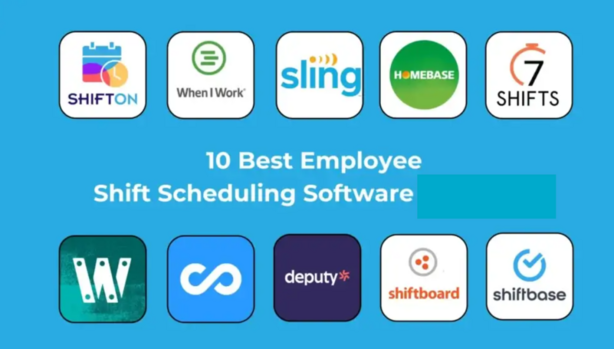
Top 10 Employee Scheduling Software Tools (for 2025)
1. Workforce Software
- Short Description: Workforce Software offers a comprehensive employee scheduling solution designed for organizations of all sizes. It provides real-time visibility into employee schedules and helps automate workforce management tasks.
- Key Features:
- Real-time schedule management
- Compliance with labor laws
- Time-off tracking
- Mobile app for on-the-go scheduling
- Integration with payroll systems
- Pros:
- Highly customizable for various industries
- Strong reporting and analytics features
- Excellent customer support
- Cons:
- Can be complex for small businesses
- Higher pricing for small teams
2. Deputy
- Short Description: Deputy is a popular scheduling software known for its ease of use and mobile-friendly interface. It’s ideal for small to medium-sized businesses and offers a simple approach to shift management.
- Key Features:
- Drag-and-drop scheduling
- Automated shift reminders
- Employee availability tracking
- Task management and tracking
- Mobile app for employee self-service
- Pros:
- Easy to set up and use
- Affordable pricing for small businesses
- Great customer support
- Cons:
- Limited reporting features
- Lacks advanced integrations
3. Shiftboard
- Short Description: Shiftboard is an employee scheduling tool designed for shift-based industries. It is known for its scalability and ability to handle complex scheduling needs, such as for healthcare and manufacturing.
- Key Features:
- Automated shift assignment
- Shift swapping capabilities
- Real-time communication with employees
- Advanced reporting and analytics
- Integration with HR and payroll software
- Pros:
- Ideal for large teams and complex schedules
- Offers detailed reporting tools
- Provides employee self-scheduling options
- Cons:
- Can be expensive for small businesses
- Steeper learning curve for beginners
4. Homebase
- Short Description: Homebase is an affordable employee scheduling software designed for small businesses. It helps businesses streamline time tracking, payroll, and compliance, all in one platform.
- Key Features:
- Employee scheduling and time tracking
- Compliance with labor laws (e.g., overtime and breaks)
- Payroll integration
- Team messaging and communication tools
- Mobile app for on-the-go scheduling
- Pros:
- Easy to use for small teams
- Free version available
- Good customer support
- Cons:
- Limited customization options
- Reporting features are basic
5. When I Work
- Short Description: When I Work is a flexible scheduling platform that helps businesses automate shifts and improve communication between managers and employees. It’s designed to meet the needs of both small and large businesses.
- Key Features:
- Mobile app for real-time schedule updates
- Time-off and availability tracking
- Employee shift swapping
- Labor cost tracking and forecasting
- Integration with payroll systems
- Pros:
- Great user interface
- Affordable for small to medium businesses
- Easy to implement and use
- Cons:
- Lacks advanced reporting capabilities
- Limited integrations with some HR systems
6. 7shifts
- Short Description: 7shifts is a restaurant-focused scheduling tool that streamlines the management of employee shifts, time-off requests, and labor cost control. It’s designed with the needs of the restaurant industry in mind.
- Key Features:
- Staff scheduling with drag-and-drop functionality
- Automated shift reminders
- Time-off and availability tracking
- Labor cost management and forecasting
- POS integration for real-time sales data
- Pros:
- Tailored for the restaurant industry
- Easy-to-use interface
- Affordable pricing for small businesses
- Cons:
- Not as suitable for non-restaurant industries
- Basic reporting features
7. Planday
- Short Description: Planday is an all-in-one workforce management tool that helps businesses create employee schedules, track time worked, and ensure compliance with labor regulations. It’s a great solution for businesses with hourly employees.
- Key Features:
- Drag-and-drop scheduling interface
- Real-time schedule updates
- Employee availability and time-off management
- Integration with payroll and HR systems
- Automated compliance tracking
- Pros:
- Strong reporting capabilities
- Excellent integration options
- Ideal for managing hourly employees
- Cons:
- Pricing may be high for small teams
- Learning curve for new users
8. Zoho Shifts
- Short Description: Zoho Shifts is a user-friendly employee scheduling software designed to simplify shift planning and improve team communication. It’s part of the Zoho suite, offering seamless integration with other Zoho applications.
- Key Features:
- Shift scheduling and time tracking
- Automated shift reminders and notifications
- Employee shift swapping
- Availability and time-off management
- Integration with other Zoho tools (e.g., Zoho People)
- Pros:
- Affordable pricing for small businesses
- Easy-to-use interface
- Integration with Zoho apps
- Cons:
- Limited features compared to other tools
- Some users report issues with mobile app functionality
9. Connecteam
- Short Description: Connecteam is a flexible scheduling platform that offers businesses a range of features from shift scheduling to task management. It’s perfect for industries that need both scheduling and team collaboration tools.
- Key Features:
- Shift scheduling with drag-and-drop functionality
- Time tracking and GPS monitoring
- Task management tools
- Employee messaging and communication
- Reporting and analytics
- Pros:
- Suitable for a wide range of industries
- Excellent for mobile workforce management
- Strong collaboration features
- Cons:
- Not as tailored for large enterprises
- Pricing can be complex depending on team size
10. Sling
- Short Description: Sling is an easy-to-use employee scheduling tool that helps businesses automate shift scheduling, track time worked, and manage labor costs. It’s ideal for companies looking for an affordable and efficient scheduling solution.
- Key Features:
- Simple shift scheduling and time tracking
- Labor cost forecasting and budgeting
- Team messaging and communication
- Time-off and availability management
- Mobile app for employee self-service
- Pros:
- Affordable pricing
- User-friendly interface
- Good for small to medium-sized teams
- Cons:
- Lacks some advanced features for large teams
- Limited integrations with other systems
Comparison Table
| Tool Name | Best For | Platform(s) Supported | Standout Feature | Pricing | G2 Rating |
|---|---|---|---|---|---|
| Workforce | Large Enterprises | Web, iOS, Android | Real-time schedule management | Starts at $5/user | 4.5/5 |
| Deputy | Small Businesses | Web, iOS, Android | Drag-and-drop scheduling | Free / Custom | 4.3/5 |
| Shiftboard | Healthcare, Manufacturing | Web, iOS, Android | Shift swapping capabilities | Custom | 4.7/5 |
| Homebase | Small Businesses | Web, iOS, Android | Time-off tracking | Free / Custom | 4.2/5 |
| When I Work | Retail, Hospitality | Web, iOS, Android | Mobile app for scheduling | Starts at $2.99/user | 4.4/5 |
| 7shifts | Restaurants | Web, iOS, Android | POS integration | Starts at $29/month | 4.5/5 |
| Planday | Hourly Employees | Web, iOS, Android | Automated compliance tracking | Custom | 4.3/5 |
| Zoho Shifts | Small to Medium Businesses | Web, iOS, Android | Integration with Zoho apps | Free / Custom | 4.2/5 |
| Connecteam | Mobile Workforce | Web, iOS, Android | Task management tools | Starts at $29/month | 4.6/5 |
| Sling | Small to Medium Teams | Web, iOS, Android | Labor cost forecasting | Free / Custom | 4.1/5 |
Which Employee Scheduling Software Tool is Right for You?
Choosing the right employee scheduling software depends on your business needs. Here’s a guide to help you make an informed decision:
- Small Businesses: If you’re a small business, tools like Deputy, Homebase, and Zoho Shifts are perfect due to their affordability, ease of use, and scalability.
- Large Enterprises: For larger companies with complex scheduling needs, Workforce Software and Shiftboard provide robust features and scalability.
- Restaurant and Hospitality: If you’re in the restaurant or hospitality industry, 7shifts and When I Work are specialized tools tailored to your needs.
- Mobile Workforce: For teams that work remotely or in the field, Connecteam and Sling offer excellent mobile features and scheduling capabilities.
Conclusion
As we move into 2025, the need for efficient employee scheduling solutions is more important than ever. The right scheduling software can help businesses streamline their workforce management, improve employee satisfaction, and save time. Whether you’re a small business or a large enterprise, there are tools available to fit your needs. Try demos or free trials to experience firsthand how these tools can improve your business operations.
FAQs
1. What is Employee Scheduling Software?
Employee scheduling software helps businesses manage and organize employee work schedules. It allows managers to create schedules, track time-off requests, and manage shifts, ensuring that the business runs smoothly.
2. Can Employee Scheduling Software integrate with payroll systems?
Yes, many employee scheduling tools offer integrations with payroll systems to ensure that the right pay is calculated based on worked hours, overtime, and time-off requests.
3. Is Employee Scheduling Software suitable for small businesses?
Absolutely! Many scheduling tools, like Homebase and Deputy, are designed specifically for small businesses, offering affordable and easy-to-use scheduling features.
4. How do I choose the best Employee Scheduling Software for my business?
Consider your business size, industry, the features you need (e.g., compliance tracking, mobile access, integration with payroll), and your budget when selecting the right tool for your business.
5. Are there any free Employee Scheduling Software options available?
Yes, some tools like Homebase and Deputy offer free plans with essential scheduling features, making them ideal for small businesses or startups.