MOTOSHARE 🚗🏍️
Turning Idle Vehicles into Shared Rides & Earnings
From Idle to Income. From Parked to Purpose.
Earn by Sharing, Ride by Renting.
Where Owners Earn, Riders Move.
Owners Earn. Riders Move. Motoshare Connects.
With Motoshare, every parked vehicle finds a purpose.
Owners earn. Renters ride.
🚀 Everyone wins.
Introduction
In today’s data-driven world, organizations are tasked with managing and extracting actionable insights from vast amounts of data. Data mining software tools help businesses accomplish this by uncovering hidden patterns, trends, and relationships in large datasets. These tools are indispensable for businesses that rely on data analysis to make informed decisions, predict outcomes, and streamline operations.
In 2025, the demand for advanced data mining tools is only increasing as organizations across various industries seek to harness the power of big data. These tools are used for predictive analytics, anomaly detection, customer segmentation, and more. Whether you’re a data scientist, business analyst, or marketing manager, choosing the right data mining tool can significantly impact the quality and accuracy of your analyses.
When selecting a data mining software tool, users should look for key features such as ease of use, advanced algorithms, compatibility with big data, visualization options, and scalability. Additionally, the tool should fit within the budget and integrate seamlessly with other business intelligence platforms.
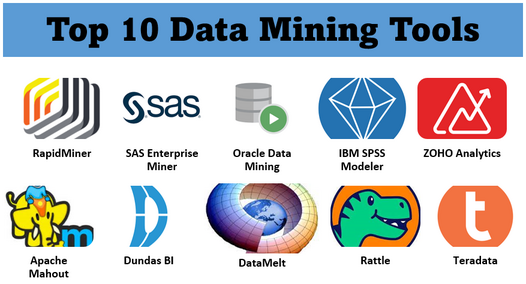
Here, we review the top 10 data mining software tools in 2025, comparing their features, pros, cons, and best use cases to help you choose the most suitable tool for your needs.
Top 10 Data Mining Software Tools in 2025
1. KNIME Analytics Platform
Short Description
KNIME is an open-source data analytics, reporting, and integration platform. It is designed for those in need of advanced data mining and machine learning capabilities, with an intuitive interface for building workflows.
Key Features
- Open-source with an extensive set of analytics and data mining tools.
- Highly flexible, supporting integration with a variety of data sources.
- Drag-and-drop interface for easy workflow creation.
- Integration with Python, R, and various machine learning frameworks.
- Excellent for predictive analytics, visualization, and reporting.
Pros
- Free and open-source, no licensing costs.
- Extensive community and support.
- Seamless integration with other tools like R and Python.
Cons
- Steep learning curve for beginners.
- Can be resource-intensive with large datasets.
2. SAS Enterprise Miner
Short Description
SAS Enterprise Miner is a leading analytics tool that provides an integrated suite for data mining, predictive analytics, and machine learning. It is widely used by large organizations for advanced analytics.
Key Features
- Supports predictive modeling, text mining, and segmentation.
- Scalable for large datasets with high processing power.
- Extensive library of machine learning algorithms.
- Automatic data preparation and feature engineering.
- Comprehensive visualization options.
Pros
- Highly robust and trusted by enterprises.
- Excellent for complex data mining tasks.
- Advanced model validation and scoring capabilities.
Cons
- Expensive, which may not be suitable for smaller businesses.
- Requires a strong understanding of data analytics concepts.
3. RapidMiner
Short Description
RapidMiner is a comprehensive data science platform that simplifies data mining, machine learning, and predictive analytics. It offers both open-source and enterprise versions.
Key Features
- Drag-and-drop interface for building analytics workflows.
- Integrated data preparation and cleaning tools.
- Supports big data processing and advanced analytics.
- Machine learning model deployment capabilities.
- Extensive library of algorithms and templates.
Pros
- User-friendly for non-technical users.
- Wide range of community-driven plugins.
- Strong integration with third-party tools and platforms.
Cons
- Limited support for very large datasets on the free version.
- Performance can degrade with complex workflows.
4. Weka
Short Description
Weka is an open-source tool for data mining and machine learning. It is best known for its easy-to-use interface and a broad collection of machine learning algorithms for classification, regression, and clustering.
Key Features
- Broad selection of pre-built machine learning algorithms.
- Simple and intuitive graphical interface.
- Data pre-processing tools and visualization options.
- Compatibility with major data formats (CSV, ARFF).
- Active community and ongoing updates.
Pros
- Free to use with no licensing fees.
- Ideal for beginners and educational purposes.
- Lightweight and fast for smaller datasets.
Cons
- Limited scalability for large datasets.
- Less suitable for real-time data processing.
5. IBM SPSS Modeler
Short Description
IBM SPSS Modeler is a powerful data mining tool designed for business analysts and data scientists. It facilitates data preparation, predictive modeling, and deployment through an intuitive interface.
Key Features
- Extensive collection of data mining algorithms and machine learning models.
- Integration with open-source tools like R and Python.
- Automated data preparation and model building.
- Advanced analytics with text mining and geospatial analysis.
- Easy-to-use interface with drag-and-drop features.
Pros
- Powerful and highly customizable for experienced users.
- Strong support for both structured and unstructured data.
- Excellent support for data visualization.
Cons
- Expensive, with a high learning curve for beginners.
- Some advanced features require a premium license.
6. Orange Data Mining
Short Description
Orange is an open-source data mining and machine learning tool, which offers an intuitive, visual programming interface. It is perfect for users who want to quickly create and deploy models without coding.
Key Features
- Visual programming with interactive workflows.
- Built-in widgets for various data mining tasks.
- Support for large datasets with efficient processing.
- Integration with Python for advanced analysis.
- Data visualization and reporting tools.
Pros
- Free and open-source with a rich feature set.
- Easy-to-use and beginner-friendly.
- Active community and frequent updates.
Cons
- Limited advanced capabilities compared to paid tools.
- Not as suitable for very large data sets or real-time analytics.
7. Microsoft Azure Machine Learning
Short Description
Microsoft Azure Machine Learning is a cloud-based platform for building and deploying machine learning models. It’s ideal for data mining and predictive analytics at scale, with full integration into Microsoft’s ecosystem.
Key Features
- Cloud-based, scalable architecture for big data analytics.
- Automated machine learning capabilities.
- Advanced model management and deployment.
- Integration with various data sources like SQL Server and NoSQL.
- Supports Python and R-based analytics.
Pros
- Highly scalable for enterprise-level needs.
- Seamless integration with other Azure tools.
- Advanced machine learning capabilities.
Cons
- Can be complex for new users without a technical background.
- Pricing can be expensive depending on usage.
8. H2O.ai
Short Description
H2O.ai offers an open-source platform for machine learning and data mining. It provides automated machine learning (AutoML) for business analysts and data scientists to build predictive models.
Key Features
- AutoML capabilities for simplified model development.
- Scalability to handle large data volumes with distributed computing.
- Support for deep learning, gradient boosting, and GLM models.
- Cloud, on-premise, and hybrid deployment options.
- Integration with big data platforms like Hadoop and Spark.
Pros
- Excellent for both data scientists and business analysts.
- Strong community and support.
- High scalability for large data sets.
Cons
- Steeper learning curve for beginners.
- Complex to set up and configure.
9. Alteryx
Short Description
Alteryx is a data analytics platform designed for business users to quickly process, analyze, and visualize large data sets. It supports data mining, blending, and predictive analytics.
Key Features
- Easy-to-use drag-and-drop interface for creating workflows.
- Pre-built tools for data mining, machine learning, and geospatial analytics.
- Integration with cloud data sources and big data platforms.
- Advanced analytics and predictive modeling tools.
- Powerful data blending capabilities.
Pros
- Intuitive interface, ideal for non-technical users.
- Strong integration with third-party tools like Tableau and R.
- Powerful automation features.
Cons
- Expensive for small businesses.
- Limited support for advanced deep learning models.
10. TIBCO Spotfire
Short Description
TIBCO Spotfire is a comprehensive analytics platform that allows users to perform data mining, visualization, and advanced analytics on big data in real-time.
Key Features
- Real-time data mining and predictive analytics capabilities.
- Advanced visualizations and data exploration tools.
- Seamless integration with big data platforms.
- Supports machine learning models and AI-powered analytics.
- High scalability for large datasets.
Pros
- Great for real-time analytics and large datasets.
- Powerful visualization capabilities.
- Good integration with cloud and big data platforms.
Cons
- High cost, making it less suitable for smaller businesses.
- Steeper learning curve for new users.
Comparison Table
| Tool Name | Best For | Platform(s) Supported | Standout Feature | Pricing | G2 Rating |
|---|---|---|---|---|---|
| KNIME Analytics Platform | Data Scientists, Analysts | Windows, macOS, Linux | Open-source, flexible | Free | 4.5/5 |
| SAS Enterprise Miner | Large Enterprises, Data Teams | Windows | Predictive analytics, scalability | Starts at $1000/month | 4.2/5 |
| RapidMiner | SMEs, Data Analysts | Windows, macOS, Linux | Drag-and-drop interface | Free, Paid | 4.4/5 |
| Weka | Beginners, Education | Windows, macOS, Linux | Easy-to-use, machine learning | Free | 4.3/5 |
| IBM SPSS Modeler | Enterprises, Data Scientists | Windows, macOS | Advanced text mining features | Starts at $99/month | 4.1/5 |
| Orange Data Mining | Data Analysts, SMEs | Windows, macOS, Linux | Visual programming interface | Free | 4.2/5 |
| Microsoft Azure Machine Learning | Enterprises, Developers | Cloud (Azure) | Scalability, cloud integration | Custom | 4.3/5 |
| H2O.ai | Data Scientists, Analysts | Windows, Linux, Cloud | AutoML capabilities | Free, Paid | 4.5/5 |
| Alteryx | Business Analysts, SMEs | Windows, Cloud | Data blending, automation | Starts at $500/month | 4.6/5 |
| TIBCO Spotfire | Enterprises, Analysts | Windows, Linux, Cloud | Real-time analytics, visualizations | Starts at $1200/year | 4.4/5 |
Which Data Mining Software Tool is Right for You?
Choosing the right data mining software depends on several factors such as your organization’s size, budget, and the type of data you are working with. Here’s a quick decision-making guide:
- For small businesses or beginners: Weka, RapidMiner, and Orange Data Mining are ideal due to their affordability and ease of use.
- For large enterprises: SAS Enterprise Miner, IBM SPSS Modeler, and TIBCO Spotfire are excellent choices due to their advanced features and scalability.
- For those requiring AutoML: H2O.ai and Microsoft Azure Machine Learning are the top picks.
- For those needing cloud-based solutions: Microsoft Azure Machine Learning and Alteryx provide robust cloud integrations.
Conclusion
As businesses continue to embrace data-driven strategies, the importance of data mining software tools has never been greater. The tools highlighted in this post represent some of the best in the industry, each catering to different needs, whether for small businesses or large enterprises. With advancements in AI and machine learning, these tools are becoming increasingly powerful, offering new opportunities for predictive analytics and decision-making.
In 2025, the data mining software landscape is evolving, providing more flexibility, scalability, and user-friendly interfaces than ever before. If you’re looking to dive into the world of data mining, take advantage of free trials and demos to get a feel for the tool that best fits your needs.
FAQs
- What is data mining software used for?
Data mining software is used to analyze large sets of data to uncover hidden patterns, trends, and insights, enabling better decision-making and predictive analytics. - Is there any free data mining software?
Yes, tools like Weka, KNIME, and Orange offer free versions that can be utilized for basic data mining and machine learning tasks. - Which data mining tool is best for big data?
For big data, Microsoft Azure Machine Learning, SAS Enterprise Miner, and TIBCO Spotfire are the best options, offering high scalability and cloud integration. - Can small businesses use data mining tools?
Yes, small businesses can benefit from tools like RapidMiner and Orange Data Mining, which offer affordable and user-friendly solutions for data analysis. - How do I choose the right data mining tool?
When choosing a data mining tool, consider your business size, budget, data needs, and required features. Opt for a tool that aligns with your analytics objectives and scalability needs.