MOTOSHARE 🚗🏍️
Turning Idle Vehicles into Shared Rides & Earnings
From Idle to Income. From Parked to Purpose.
Earn by Sharing, Ride by Renting.
Where Owners Earn, Riders Move.
Owners Earn. Riders Move. Motoshare Connects.
With Motoshare, every parked vehicle finds a purpose.
Owners earn. Renters ride.
🚀 Everyone wins.
Introduction:
In the rapidly evolving digital world, businesses face increasing risks related to data breaches, accidental leaks, and cyberattacks. Protecting sensitive information such as intellectual property, customer data, and financial records is more critical than ever. This is where Data Loss Prevention (DLP) tools come into play. DLP tools help organizations monitor, detect, and respond to unauthorized access, usage, or transmission of sensitive data, ensuring compliance with data protection laws and safeguarding critical assets.
With the rise of remote work, cloud computing, and data-sharing across platforms, the need for robust DLP solutions has never been greater. As we move into 2025, DLP tools continue to evolve with advanced capabilities, incorporating machine learning, AI, and automated threat response mechanisms. In this guide, we will explore the top 10 DLP tools that stand out in the market for their features, ease of use, and effectiveness in securing sensitive data.
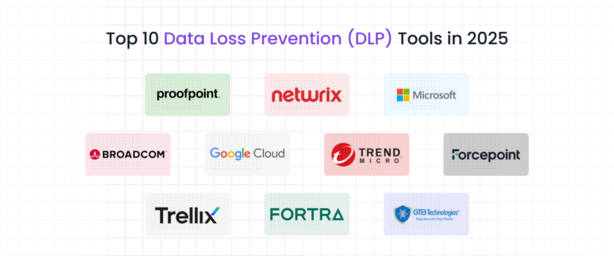
Top 10 Data Loss Prevention (DLP) Tools (for 2025)
1. Symantec DLP (Broadcom)
- Short Description: Symantec DLP is a comprehensive solution that provides robust data protection across endpoints, email, web, and cloud applications. Designed for enterprises, it helps prevent data breaches while ensuring compliance with data protection regulations.
- Key Features:
- Advanced content inspection capabilities
- Endpoint and network monitoring
- Encryption and data masking
- Cloud storage monitoring
- Granular policy enforcement
- Pros:
- Scalable for large enterprises
- Extensive policy enforcement
- Supports multi-cloud environments
- Cons:
- Complex setup and configuration
- High resource consumption
2. Forcepoint DLP
- Short Description: Forcepoint DLP combines behavioral analytics and traditional DLP techniques to provide real-time data protection. It excels in detecting insider threats and preventing data exfiltration.
- Key Features:
- Contextual DLP protection based on user behavior
- Real-time threat intelligence integration
- Advanced cloud app control
- Flexible policy enforcement
- Full support for mobile and endpoints
- Pros:
- Seamless integration with other security tools
- Strong behavioral analytics
- Comprehensive web and email protection
- Cons:
- Can be expensive for small businesses
- Steeper learning curve
3. Digital Guardian DLP
- Short Description: Digital Guardian is an enterprise-grade DLP solution that offers data-centric security with a focus on protecting intellectual property and confidential data. It supports endpoints, network, cloud, and hybrid environments.
- Key Features:
- Real-time data tracking and monitoring
- Advanced encryption capabilities
- Cloud-native and hybrid security
- Customizable policy creation
- Integration with SIEM systems
- Pros:
- Strong protection against insider and outsider threats
- High visibility into data usage and movement
- Robust encryption options
- Cons:
- More suited to large enterprises
- Somewhat complex configuration
4. McAfee Total Protection for DLP
- Short Description: McAfee’s DLP solution provides a unified approach to data loss prevention across endpoints, networks, and the cloud. It’s known for its seamless integration with McAfee’s broader security ecosystem.
- Key Features:
- Data classification and policy enforcement
- Cloud and endpoint data protection
- Centralized management console
- Comprehensive reporting and analytics
- Integration with SIEM tools
- Pros:
- Easy integration with McAfee security products
- Centralized management dashboard
- Scalable for growing businesses
- Cons:
- Limited cloud-native capabilities
- Can be resource-intensive
5. Vormetric Data Security Platform
- Short Description: Vormetric provides an enterprise-grade DLP solution focusing on data encryption and access control, with strong integration across on-premises and cloud environments.
- Key Features:
- Real-time data encryption and tokenization
- User access control and monitoring
- Data classification for compliance enforcement
- Support for multi-cloud environments
- Full integration with other Thales security tools
- Pros:
- Excellent encryption and tokenization
- Ideal for compliance-heavy industries
- Cloud and on-premises integration
- Cons:
- Higher cost for small organizations
- Somewhat complex to implement
6. Forcepoint DLP (formerly Websense)
- Short Description: Forcepoint offers both cloud-based and on-premises DLP solutions, focusing on preventing data loss through user activity monitoring, behavioral analytics, and contextual data protection.
- Key Features:
- Data loss prevention with advanced user behavior analysis
- Email, web, and endpoint data protection
- Real-time monitoring of all endpoints
- Supports remote workers and mobile devices
- Granular policy enforcement
- Pros:
- Strong behavioral analytics
- Scalable across different organizational sizes
- Flexible deployment options
- Cons:
- High price for small businesses
- Complex policy configuration
7. Zscaler Data Loss Prevention
- Short Description: Zscaler provides a cloud-native DLP solution that integrates seamlessly into cloud-based workflows, offering real-time protection for users regardless of their location.
- Key Features:
- Cloud-native architecture for scalability
- Data classification and automatic protection
- Real-time content inspection for email and web traffic
- Zero Trust security integration
- Flexible policy management
- Pros:
- Excellent for cloud-first businesses
- Lightweight and scalable
- Easy to deploy and manage
- Cons:
- May require a full cloud migration for full benefits
- Limited support for on-premises environments
8. Microsoft 365 Compliance Center DLP
- Short Description: Integrated with Microsoft 365, this DLP solution focuses on protecting data within Office 365, SharePoint, OneDrive, and Teams, ideal for businesses already using Microsoft products.
- Key Features:
- Seamless integration with Microsoft 365 services
- Advanced content scanning and policy enforcement
- Real-time monitoring and alerts
- Centralized compliance dashboard
- Support for automatic data classification
- Pros:
- Deep integration with Microsoft 365 tools
- User-friendly interface
- Ideal for organizations using Microsoft services
- Cons:
- Limited to Microsoft environments
- Less effective in non-Microsoft setups
9. Proofpoint DLP
- Short Description: Proofpoint DLP is a data protection solution designed for email and cloud services. It focuses on preventing data loss through advanced content filtering and threat detection.
- Key Features:
- Email and cloud data protection
- Automatic encryption and content filtering
- Risk-based policy enforcement
- Threat intelligence integration
- Customizable alerts and reporting
- Pros:
- Excellent email and cloud protection
- Easy to set up and manage
- Supports integration with other Proofpoint solutions
- Cons:
- Limited endpoint protection
- Can be expensive for smaller organizations
10. Forcepoint Insider Threat DLP
- Short Description: Specializing in detecting and mitigating insider threats, Forcepoint’s Insider Threat DLP solution combines behavioral analytics with data protection to prevent unauthorized data access.
- Key Features:
- Real-time monitoring of insider threats
- User behavior analytics (UBA) for risk identification
- Cloud and on-premises protection
- Automated threat response capabilities
- Detailed incident reporting and compliance support
- Pros:
- Strong focus on insider threats
- Integrated with broader Forcepoint security solutions
- Highly customizable policies
- Cons:
- Requires extensive customization for optimal results
- Higher cost for small businesses
Comparison Table:
| Tool Name | Best For | Platform(s) Supported | Standout Feature | Pricing | Rating |
|---|---|---|---|---|---|
| Symantec DLP | Enterprises | On-premises, Cloud | Advanced content inspection | Starts at $X | 4.5/5 |
| Forcepoint DLP | Enterprises, SMBs | Cloud, On-premises | Behavioral analytics | Custom pricing | 4.3/5 |
| Digital Guardian DLP | Large enterprises | Cloud, Hybrid, On-premises | Data-centric security | Custom pricing | 4.6/5 |
| McAfee Total Protection | Small to Mid-sized orgs | On-premises, Cloud | Unified security ecosystem | Starts at $X | 4.2/5 |
| Vormetric DLP | Compliance-heavy sectors | On-premises, Cloud | Encryption and tokenization | Starts at $X | 4.4/5 |
| Zscaler DLP | Cloud-first businesses | Cloud | Cloud-native architecture | Custom pricing | 4.5/5 |
| Microsoft 365 DLP | Microsoft-centric orgs | Microsoft 365 | Seamless Microsoft integration | Included with 365 | 4.1/5 |
| Proofpoint DLP | SMBs and enterprises | Cloud, Email | Cloud and email protection | Starts at $X | 4.3/5 |
| Forcepoint Insider Threat | Enterprises | Cloud, On-premises | Insider threat detection | Custom pricing | 4.4/5 |
Which Data Loss Prevention (DLP) Tool is Right for You?
When choosing the best DLP tool for your business, consider your company’s size, the complexity of your data, and the specific threats you face. For large enterprises, tools like Symantec DLP and Digital Guardian offer advanced features suited to complex environments. For businesses heavily invested in cloud technologies, Zscaler and Forcepoint provide cloud-native solutions, while Microsoft 365 DLP is perfect for organizations already using Microsoft tools.
Conclusion:
The evolution of DLP tools in 2025 reflects the growing need for organizations to protect sensitive data across multiple channels, from email and web to the cloud and endpoint devices. By investing in the right DLP solution, businesses can effectively reduce the risk of data breaches, ensure regulatory compliance, and safeguard valuable intellectual property.
For any organization, whether small or large, exploring free trials or demos is a great way to determine the best fit. As the data protection landscape continues to evolve, having the right DLP tool in place is more critical than ever.
FAQs:
- What is Data Loss Prevention (DLP)?
DLP refers to tools that monitor and protect sensitive data from unauthorized access, transmission, or leakage within an organization. - Why do I need a DLP solution in 2025?
With increasing cyber threats and data privacy regulations, DLP solutions are critical for safeguarding sensitive data and ensuring compliance. - Are there free DLP tools available?
Some DLP tools offer free versions or trials, but most advanced DLP solutions are paid, with pricing varying based on company size and requirements. - What should I look for in a DLP tool?
Look for features such as cloud compatibility, real-time monitoring, encryption capabilities, and ease of integration with existing security tools. - Can DLP tools help with compliance?
Yes, DLP tools are designed to help organizations comply with data protection regulations by preventing unauthorized access to sensitive information.