MOTOSHARE 🚗🏍️
Turning Idle Vehicles into Shared Rides & Earnings
From Idle to Income. From Parked to Purpose.
Earn by Sharing, Ride by Renting.
Where Owners Earn, Riders Move.
Owners Earn. Riders Move. Motoshare Connects.
With Motoshare, every parked vehicle finds a purpose.
Owners earn. Renters ride.
🚀 Everyone wins.
Introduction
Data analytics tools have become the cornerstone of decision-making processes in businesses of all sizes. In 2025, the demand for sophisticated, efficient, and easy-to-use data analytics solutions is at an all-time high. With data-driven insights proving to be invaluable for organizations, these tools help unlock actionable information, enhance performance, and boost productivity across industries.
Data analytics tools allow businesses to make informed decisions, automate processes, and predict future trends based on historical data. Whether it’s for customer insights, business intelligence, or operational improvements, these tools provide users with the ability to understand data patterns, identify inefficiencies, and drive innovation.
When choosing a data analytics tool in 2025, users should consider various factors, such as data compatibility, the complexity of the tool, ease of use, integrations with other systems, and scalability. Additionally, it’s essential to evaluate the pricing structure and the specific needs of the business, such as whether the tool is best suited for small businesses or large enterprises.
In this blog post, we explore the top 10 data analytics tools of 2025. These tools offer a range of features, from machine learning capabilities to real-time reporting, ensuring they meet the diverse needs of businesses across industries.
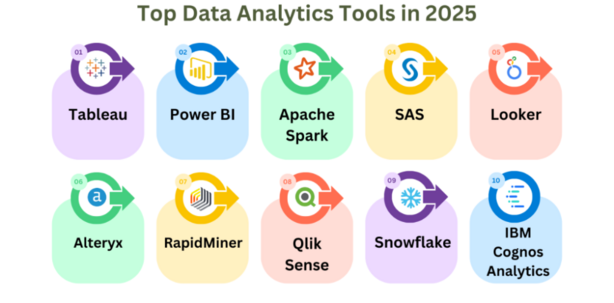
Top 10 Data Analytics Tools in 2025
1. Tableau
Short Description:
Tableau is one of the most popular data visualization and analytics platforms, widely used for transforming raw data into interactive and understandable visual insights. It is designed for both beginners and advanced users and is highly favored by data analysts and business intelligence professionals.
Key Features:
- Drag-and-drop interface for ease of use
- Real-time data analytics and visualization
- Strong integration with multiple data sources (e.g., SQL, Excel, Google Sheets)
- High customization options for dashboards
- Powerful machine learning and predictive analytics features
- Cloud and on-premise deployment options
Pros:
- User-friendly interface, even for non-technical users
- Extensive integration options with a wide range of databases and cloud services
- Excellent customer support and community forums
Cons:
- Can be expensive, especially for small businesses
- Requires high computational resources for large data sets
- Steep learning curve for advanced features
2. Power BI (Microsoft)
Short Description:
Power BI by Microsoft offers powerful analytics tools that seamlessly integrate with Microsoft Excel and other Microsoft products. It is ideal for businesses already invested in the Microsoft ecosystem and provides robust reporting, analytics, and data visualization.
Key Features:
- Deep integration with Excel, Azure, and other Microsoft services
- Natural language processing (NLP) for easy query creation
- Easy data sharing and collaboration with teams
- Real-time data streaming capabilities
- Interactive dashboards with data exploration features
Pros:
- Strong integration with Microsoft products
- Affordable pricing, especially for existing Microsoft 365 users
- Customizable reports and dashboards
Cons:
- Steep learning curve for beginners
- Limited data modeling features compared to competitors
- Some features are only available with higher-tier plans
3. Google Analytics
Short Description:
Google Analytics is a web analytics service that provides insights into website traffic and user behavior. It is primarily used by digital marketers, eCommerce businesses, and content creators to optimize their websites and improve their digital marketing strategies.
Key Features:
- Real-time tracking of website visitors
- Conversion tracking and goal setup
- Detailed reports on user demographics, interests, and behavior
- Integration with Google Ads and other marketing tools
- Customizable dashboards and reports
Pros:
- Free tier with extensive features for small businesses
- Easy integration with other Google services
- Comprehensive insights into website performance and user engagement
Cons:
- Overwhelming for new users due to the volume of data
- Limited customization options in the free version
- Data sampling issues with large data sets
4. Qlik Sense
Short Description:
Qlik Sense is a powerful self-service data analytics and visualization tool designed for business intelligence teams and analysts. Known for its associative data model, it allows users to explore data from multiple sources and uncover hidden insights.
Key Features:
- Associative data model for intuitive analysis
- Data blending across multiple sources
- Powerful and customizable dashboards
- Embedded analytics options for application integration
- Scalable with cloud, on-premise, and hybrid deployment
Pros:
- Flexible and user-friendly interface
- Strong data integration capabilities
- Advanced analytics and machine learning features
Cons:
- Can be expensive for smaller businesses
- Requires some technical know-how for optimal usage
- Performance issues with large data sets in certain instances
5. Sisense
Short Description:
Sisense is a leading data analytics platform that simplifies complex data analysis with its innovative approach to embedding analytics into everyday workflows. It is particularly suited for businesses with large data sets and a need for advanced data visualizations.
Key Features:
- AI-driven analytics and data integration
- Seamless embedding of analytics into applications
- Cloud and on-premise deployment
- Highly customizable and scalable solution
- Pre-built connectors for various data sources
Pros:
- Easy-to-use interface and customizable reports
- AI-powered analytics for predictive insights
- Good for embedding analytics into third-party applications
Cons:
- Can be complex for non-technical users
- Expensive for smaller businesses
- Integration with some tools can be challenging
6. Looker (Google Cloud)
Short Description:
Looker is a data platform that combines data exploration, analytics, and business intelligence into one tool. It’s particularly suited for companies looking for a scalable solution for their data analysis needs.
Key Features:
- Real-time data exploration and insights
- Data modeling and visualization capabilities
- Integration with Google Cloud and other data storage platforms
- Embeddable reports and dashboards
- AI-powered data analytics
Pros:
- Real-time, interactive data analysis
- Easy integration with Google Cloud and third-party systems
- Advanced data modeling options
Cons:
- High price point, especially for small businesses
- Requires data engineering skills for setup
- Complex setup process for non-technical users
7. IBM SPSS Statistics
Short Description:
IBM SPSS Statistics is a powerful statistical software suite used for data management and analysis. It is primarily used by data scientists, researchers, and businesses that require in-depth statistical analysis of large data sets.
Key Features:
- Advanced statistical analysis capabilities
- Data manipulation and transformation tools
- Predictive analytics and machine learning models
- Integration with other IBM software tools
- Easy-to-use GUI for non-technical users
Pros:
- Advanced analytics and statistical tools
- Suitable for both small and large datasets
- Detailed reports and data visualizations
Cons:
- Expensive for small businesses or individual users
- Steep learning curve for beginners
- Lacks real-time data integration capabilities
8. Domo
Short Description:
Domo is a cloud-based business intelligence tool that focuses on providing real-time data and analytics to businesses. It’s particularly suited for organizations that need to aggregate data from multiple sources for a unified view.
Key Features:
- Real-time data integration from over 1,000 data sources
- Cloud-based deployment for easy access and scalability
- Powerful visualizations and reporting tools
- Embedded analytics for third-party apps
- Collaboration tools for team-based decision making
Pros:
- Excellent for real-time data analysis
- Strong integration with various business systems
- Scalability for businesses of all sizes
Cons:
- High cost for enterprise-level solutions
- Can be difficult to set up and customize for new users
- Performance issues with large datasets in some instances
9. TIBCO Spotfire
Short Description:
TIBCO Spotfire is a data analytics platform that excels in visualizing and analyzing data for decision-making. It is well-suited for businesses in industries such as healthcare, energy, and manufacturing.
Key Features:
- Real-time data streaming and analytics
- AI-powered analytics and visualization tools
- Geospatial analytics for location-based insights
- Integration with major cloud platforms
- Support for large-scale data processing
Pros:
- Excellent for real-time decision making
- Customizable data visualizations
- Advanced analytics tools
Cons:
- Steep learning curve for new users
- Expensive for smaller businesses
- Limited support for non-technical users
10. Alteryx
Short Description:
Alteryx is a data analytics platform that enables businesses to prepare, blend, and analyze data from a wide variety of sources. It is ideal for users looking to automate complex data workflows.
Key Features:
- Data blending and preparation capabilities
- Integration with third-party systems and cloud platforms
- Workflow automation tools
- Built-in predictive analytics and machine learning features
- Customizable and scalable
Pros:
- Easy-to-use for non-technical users
- Strong data preparation capabilities
- Flexible pricing options
Cons:
- Can be expensive for small businesses
- Limited advanced visualization tools
- Requires some data knowledge for optimal use
Comparison Table
| Tool Name | Best For | Platform(s) Supported | Standout Feature | Pricing | Rating |
|---|---|---|---|---|---|
| Tableau | Data analysts, BI professionals | Windows, macOS, Web | Drag-and-drop interface | Starts at $70/month | 4.5/5 |
| Power BI | Microsoft users, SMBs | Windows, Web | Seamless Microsoft integration | Starts at $9.99/month | 4.3/5 |
| Google Analytics | Digital marketers, eCommerce | Web | Real-time tracking, deep integrations | Free / Premium plans | 4.7/5 |
| Qlik Sense | Large enterprises | Windows, Web | Associative data model | Custom pricing | 4.4/5 |
| Sisense | Large data users, enterprises | Windows, Web | AI-powered analytics | Starts at $83/month | 4.2/5 |
| Looker | Google Cloud users, Enterprises | Web | Real-time data exploration | Custom pricing | 4.6/5 |
| IBM SPSS | Statisticians, researchers | Windows, macOS, Linux | Advanced statistical analysis | Starts at $99/month | 4.1/5 |
| Domo | Enterprises, data aggregators | Web | Real-time data integration | Starts at $83/month | 4.4/5 |
| TIBCO Spotfire | Large enterprises, healthcare | Windows, macOS, Linux | Geospatial analytics | Starts at $800/year | 4.5/5 |
| Alteryx | Data analysts, automation teams | Windows | Data blending and preparation | Starts at $5,195/year | 4.3/5 |
Which Data Analytics Tool Is Right for You?
Choosing the right data analytics tool depends on various factors, including the size of your organization, industry, budget, and the type of data you need to analyze. Here’s a quick guide:
- For small to mid-sized businesses (SMBs): Tools like Power BI, Google Analytics, and Alteryx provide excellent value for the price and are user-friendly.
- For enterprises with large datasets: Qlik Sense, Sisense, and Looker offer robust analytics capabilities and scalability.
- For organizations focused on real-time analytics: Domo and Tableau shine with their strong data integration features and real-time capabilities.
Conclusion
As we enter 2025, data analytics tools have become indispensable in transforming raw data into actionable insights. The tools listed above cater to a wide range of users, from small businesses to large enterprises, offering powerful features such as AI-driven analytics, data blending, and real-time reporting.
To stay ahead of the competition, it is essential to choose the right data analytics tool that suits your business needs. Most platforms offer free trials or demos, allowing you to explore their features before making a commitment. As the landscape of data analytics continues to evolve, these tools will remain vital in helping businesses make informed decisions.
FAQs
Q1: What are the best data analytics tools for small businesses?
A1: Power BI, Google Analytics, and Alteryx are excellent choices for small businesses due to their affordable pricing and ease of use.
Q2: Which data analytics tool is best for large enterprises?
A2: For large enterprises, tools like Qlik Sense, Sisense, and Looker offer robust capabilities, scalability, and integration options.
Q3: Are there any free data analytics tools available?
A3: Yes, tools like Google Analytics and Power BI (free version) provide basic analytics features at no cost.