MOTOSHARE 🚗🏍️
Turning Idle Vehicles into Shared Rides & Earnings
From Idle to Income. From Parked to Purpose.
Earn by Sharing, Ride by Renting.
Where Owners Earn, Riders Move.
Owners Earn. Riders Move. Motoshare Connects.
With Motoshare, every parked vehicle finds a purpose.
Owners earn. Renters ride.
🚀 Everyone wins.
Introduction
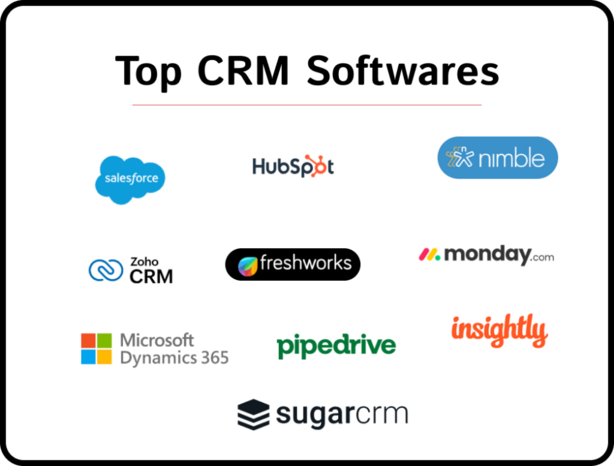
In today’s fast-paced digital economy, a robust Customer Relationship Management (CRM) tool is indispensable for businesses striving to foster meaningful customer interactions, streamline workflows, and drive growth. In 2025, CRM platforms have evolved significantly—leveraging AI-powered automation, predictive analytics, seamless integration, and hyper-personalization to deliver smarter, more efficient sales and support processes. When evaluating CRM tools, decision makers should consider ease of use, scalability, integration ecosystem, AI capabilities, pricing transparency, and mobile readiness. This guide highlights the top 10 CRM tools in 2025, offering concise breakdowns, user-driven pros and cons, a side-by-side comparison, and practical advice to help you select the best fit for your unique needs.
1. Salesforce CRM
Short Description: The industry-leading CRM platform, ideal for enterprises and complex organizations. Known for scalability and extensive customization.
Key Features:
- High-power workflow automation with Einstein AI
- Advanced analytics and dashboard customization
- Extensive AppExchange integration marketplace
- Omnichannel support (email, social, chat, phone)
- Mobile app with rich functionality
- Territory and lead scoring capabilities
- Advanced security and compliance options
Pros:
- Extremely flexible—tailored to complex sales processes
- Massive ecosystem for apps and integrations
Cons:
- High cost, complex licensing
- Steep learning curve for new users
2. HubSpot CRM
Short Description: A powerful all-in-one inbound marketing and CRM tool, great for startups and SMBs looking for a free, integrated solution.
Key Features:
- Free core CRM with contact management
- Marketing automation and email campaigns
- Sales sequences and pipeline tracking
- Live chat and chatbot builder
- Integration with HubSpot’s CMS and service hub
- Detailed analytics dashboards
- Marketplace for apps and extensions
Pros:
- Generous free tier with no time limit
- Curated user experience, low onboarding friction
Cons:
- Advanced features can get pricey
- Less customization for enterprise-level needs
3. Zoho CRM
Short Description: A versatile and budget-friendly CRM suitable for SMBs and midsize companies, known for its multichannel capabilities.
Key Features:
- Sales, marketing, and support modules
- AI assistant Zia for predictive insights
- Omnichannel communication (email, social, chat)
- Custom modules and layouts
- Integrated telephony and social CRM
- Mobile app with offline access
- Marketplace with Zoho suite integrations
Pros:
- Affordable pricing tiers
- Fully-featured for multiple departments
Cons:
- UI can feel dated
- Some integrations require technical tweaks
4. Microsoft Dynamics 365 Sales
Short Description: Part of the Dynamics 365 suite, ideal for businesses embedded in the Microsoft ecosystem.
Key Features:
- Deep integration with Office 365 and Teams
- AI-driven relationship insights and forecasting
- Sales accelerator and guided selling
- Custom dashboards via Power BI
- LinkedIn Sales Navigator integration
- Omnichannel engagement hub
- Advanced security and role-based access
Pros:
- Seamless Microsoft product connectivity
- Familiar interface for enterprise users
Cons:
- Higher cost—better for enterprises
- Complex setup and implementation
5. Pipedrive
Short Description: A pipeline-focused CRM designed for sales teams to visualize and manage deals intuitively.
Key Features:
- Pipeline view with drag-and-drop deals
- Smart contact data enrichment
- Activity and goal tracking
- Mobile app with deal notifications
- Email integration and templates
- Custom fields and stages
- Marketplace with automation tools
Pros:
- Highly intuitive, minimal training needed
- Clean, sales-driven interface
Cons:
- Limited advanced features compared to enterprise CRMs
- Reporting capabilities are basic
6. Freshsales (Freshworks CRM)
Short Description: An AI-powered CRM perfect for small to mid-sized sales teams that need intelligent lead scoring.
Key Features:
- AI-based lead scoring and deal insights
- Built-in phone and email communication
- Visual sales pipeline and activity timelines
- Workflow automation and sequences
- Custom reports and dashboards
- Freddy AI assistant for sales suggestions
- Integration with Freshdesk for support
Pros:
- Affordable and easy to adopt
- AI features included even in mid-level plans
Cons:
- Support can be slow at times
- Fewer third-party integrations than competitors
7. SugarCRM
Short Description: A highly customizable CRM that appeals to teams needing tailored workflows and data models.
Key Features:
- Open architecture with module builder
- Predictive analytics and lead scoring
- Process automation and path mapping
- Robust API for integrations
- On-premise and cloud deployment options
- Mobile client with offline work
- Intuitive UX for custom entities
Pros:
- Flexible for complex, niche use cases
- Strong control over data and workflows
Cons:
- Requires development resources to customize
- Smaller marketplace than Salesforce
8. Monday.com CRM
Short Description: A work operating system that offers flexible, visual CRM boards for simple pipelines.
Key Features:
- Highly visual, customizable boards
- Automations for status, reminders, notifications
- Mobile apps and guest access
- Dashboards and reporting widgets
- Integration with Slack, Zoom, and email
- Template library for CRM workflows
- Collaboration features like file sharing and updates
Pros:
- Highly visual and intuitive for teams who prefer boards
- Good for cross-functional workflows
Cons:
- CRM features are modular, not as deep as dedicated tools
- Pricing scales quickly with automation use
9. Capsule CRM
Short Description: A lightweight, no-frills CRM suited for small teams and freelancers.
Key Features:
- Contact and sales pipeline tracking
- Custom fields and tags
- Task reminders and email history
- Reporting on sales, tasks, people
- Integration with G Suite and Office 365
- API and Zapier support
- Clean, minimalist interface
Pros:
- Affordable and simple to use
- Fast setup and easy maintenance
Cons:
- Lacks automation and advanced features
- Minimal built-in integrations
10. Close (Close.io)
Short Description: A CRM built for inside sales teams needing powerful calling and email tools.
Key Features:
- Built-in calling with local numbers
- Email sequences and templates
- Pipeline and activity reporting
- Smart dialer with call recording
- Automation and workflows
- Chrome extension for easy access
- API and Zapier connections
Pros:
- Excellent for phone-centric teams
- Focused, responsive interface
Cons:
- Expensive compared to basic CRMs
- Less suited for broader marketing or service needs
Comparison Table
| Tool Name | Best For | Platform(s) Supported | Standout Feature | Pricing | Rating (G2/Capterra/Trustpilot) |
|---|---|---|---|---|---|
| Salesforce CRM | Large enterprises & customization | Web, mobile, desktop integrations | Einstein AI + AppExchange | Custom / Starts high | ~4.3 / 4.5 (G2/Capterra) |
| HubSpot CRM | Startups & SMBs | Web, mobile | Free tier + all-in-one inbound | Free / Starts ≈ $50/mo | ~4.5 / 4.5 |
| Zoho CRM | SMBs with limited budgets | Web, mobile, integrated suite | AI insights + affordable tiers | Starts ≈ $15-20/user/mo | ~4.2 / 4.4 |
| Dynamics 365 Sales | Microsoft-centric organizations | Web, mobile, Teams, Power BI | MS ecosystem + LinkedIn | Custom / premium | ~4.1 / 4.3 |
| Pipedrive | Sales teams needing pipelines | Web, mobile | Visual pipeline drag-drop | Starts ≈ $18-24/user/mo | ~4.4 / 4.6 |
| Freshsales | SMBs wanting AI-assisted sales | Web, mobile | Freddy AI + integrated comms | Starts ≈ $15-30/user/mo | ~4.3 / 4.5 |
| SugarCRM | Custom, niche workflows | Web, mobile, on-premise | Highly customizable architecture | Custom | ~4.0 / 4.2 |
| Monday.com CRM | Visual teams and workflows | Web, mobile | Board visual workflows | Starts ≈ $10-16/user/mo | ~4.6 / 4.7 |
| Capsule CRM | Small teams/freelancers | Web, mobile | Simplicity and ease of use | Free / Starts ≈ $18 user/mo | ~4.3 / 4.5 |
| Close | Inside sales/calling teams | Web, mobile | Built-in calling and sequences | Starts ≈ $65-99/user/mo | ~4.4 / 4.5 |
(Note: Pricing and ratings are approximate and may vary.)
Which CRM Tool Is Right for You?
- Startups or small teams on a budget? → HubSpot CRM or Capsule CRM offer powerful capabilities for free or low cost.
- Sales teams focused on deal pipelines? → Pipedrive delivers refined visual pipelines with ease.
- Need AI-powered insights and automation? → Salesforce, Zoho CRM, or Freshsales shine with their AI features.
- Enterprises using Microsoft products? → Dynamics 365 Sales integrates deeply with Outlook, Teams, LinkedIn, and Power BI.
- Looking for highly customizable workflows? → SugarCRM or Salesforce offer the architecture flexibility.
- Phone-heavy or inside sales teams? → Close excels with integrated dialing and email automation.
- Teams that love visual task boards? → Monday.com CRM enables creative, modular setup and cross-team workflows.
Conclusion
In 2025, CRM tools are no longer just digital address books—they are intelligent, integrated platforms that drive multichannel engagement, predictive sales strategies, and seamless workflow automation. Whether you’re a solo entrepreneur, a growing startup, or a large enterprise, there’s a CRM built to fit your needs and budget. Use this guide to compare the most popular options, and don’t skip on trying demos or free tiers—nothing beats hands-on exploration when choosing your next CRM solution.
FAQs
1. What is a CRM tool?
A CRM (Customer Relationship Management) tool helps businesses manage interactions with customers across sales, marketing, and support—tracking leads, automating workflows, and centralizing data.
2. How much should a small business expect to pay for a CRM?
Many CRMs offer free basic plans—HubSpot and Capsule, for instance. Paid plans can start around $15–$25 per user per month, with advanced or enterprise options reaching $50–$100+.
3. Which CRM is best suited for startups?
For early-stage businesses, HubSpot CRM stands out with a robust free tier and marketing-sales integration; Pipedrive offers intuitive pipelines at a low cost.
4. Is free CRM software any good?
Yes—as long as your needs are modest, free plans from tools like HubSpot or Capsule deliver real value, especially for basic contact management and email campaigns.
5. How do I choose the right CRM?
Match your choice to your company size, workflow complexity, integration needs, and budget. Start with free trials, evaluate ease of use, automation and reporting features, then scale up as your needs grow.