MOTOSHARE 🚗🏍️
Turning Idle Vehicles into Shared Rides & Earnings
From Idle to Income. From Parked to Purpose.
Earn by Sharing, Ride by Renting.
Where Owners Earn, Riders Move.
Owners Earn. Riders Move. Motoshare Connects.
With Motoshare, every parked vehicle finds a purpose.
Owners earn. Renters ride.
🚀 Everyone wins.
Introduction
In today’s digital landscape, content is king, and curating high-quality content efficiently is essential for businesses and individuals alike. Content curation tools have become crucial in this process, helping users discover, organize, and share relevant content to engage their audience. With the rapid growth of information online, content curation platforms are indispensable for marketers, bloggers, social media managers, and businesses striving to maintain an online presence.
As we move into 2025, the need for powerful, user-friendly content curation tools has never been greater. These tools allow you to streamline content discovery, increase productivity, and maintain a consistent brand voice across various platforms. When selecting a content curation tool, it’s important to consider features like ease of use, integration with social media platforms, content discovery capabilities, customization options, and pricing.
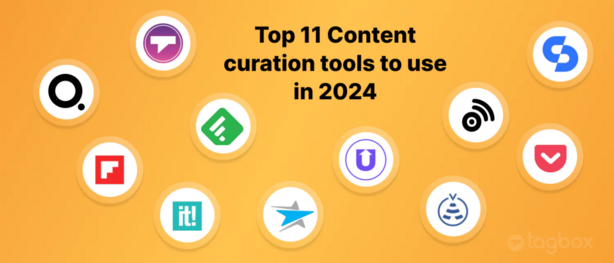
This post explores the top 10 content curation tools in 2025, analyzing their features, pros, cons, and providing a comprehensive comparison to help you choose the right tool for your needs.
Top 10 Content Curation Tools in 2025
1. Feedly
- Logo/Brand:
Short Description:
Feedly is a powerful content aggregation tool designed to help users discover and organize content from various sources. It’s ideal for content creators and marketing teams who need to stay updated with industry trends.
Key Features:
- Curate content from thousands of sources
- Customizable feeds based on topics or keywords
- Integration with tools like Buffer and Zapier
- AI-powered content recommendations
- Mobile app for content on the go
Pros:
- Easy-to-use interface
- Rich content discovery and organization features
- Supports team collaboration
Cons:
- Free plan has limited features
- Can be overwhelming for beginners due to the sheer volume of sources
2. Pocket
- Logo/Brand:
Short Description:
Pocket is a content saving and curation tool that allows you to save articles, videos, and web pages for later reading. It’s an excellent choice for content enthusiasts and marketers looking to save articles and share them at the right time.
Key Features:
- Save articles, videos, and web pages with a click
- Mobile and desktop apps for easy access
- Tagging system to organize saved content
- Recommended reading based on user interests
- Ability to share saved content on social media
Pros:
- Simple and clean user interface
- Great for personal content curation and sharing
- Offline reading mode
Cons:
- Limited collaboration features
- Lacks advanced content filtering options
3. Curata
- Logo/Brand:
Short Description:
Curata is a robust content curation tool that combines content discovery, curation, and publishing. It’s designed for businesses and marketing teams that need to deliver valuable, targeted content to their audiences.
Key Features:
- AI-driven content recommendations
- Automated content curation workflows
- Supports multiple content formats (blogs, videos, social media)
- Integration with marketing automation platforms
- Detailed analytics for measuring content performance
Pros:
- Highly customizable
- Great for business-level content marketing
- Powerful analytics and reporting
Cons:
- Steep learning curve
- Expensive for small businesses
4. Scoop.it
- Logo/Brand:
Short Description:
Scoop.it offers content curation and publishing tools that allow users to collect and share curated content on their websites or social media platforms. It’s particularly popular with content marketers.
Key Features:
- Content discovery based on keywords
- Visual content curation interface
- Integration with various CMS and social media platforms
- Analytics and performance tracking
- Curated content publishing options
Pros:
- Easy-to-use visual interface
- Strong social media integration
- Useful for niche content curation
Cons:
- Limited customization on lower-tier plans
- Expensive for smaller teams or individual users
5. ContentStudio
- Logo/Brand:
Short Description:
ContentStudio is a content curation, scheduling, and marketing platform designed for marketers and agencies. It enables users to discover trending content, automate social media posts, and track content performance.
Key Features:
- Content discovery from various sources
- Social media scheduling and automation
- Customizable content curation workflows
- Detailed analytics for performance tracking
- Team collaboration features
Pros:
- All-in-one content curation and social media management tool
- Offers an easy content discovery process
- Powerful reporting features
Cons:
- Pricing can be expensive for small businesses
- Some features can be complicated for beginners
6. Quuu
- Logo/Brand:
Short Description:
Quuu is a hands-off content curation tool that allows users to automatically share curated content on their social media accounts. It’s ideal for businesses looking for content to share on autopilot.
Key Features:
- Curated content suggestions based on interests
- Integrates with Buffer for social media sharing
- Focuses on quality content
- Customizable content categories
- Content approval and moderation options
Pros:
- Fully automated content sharing
- High-quality curated content
- Easy integration with Buffer
Cons:
- Lacks deep analytics
- Not ideal for users looking for more advanced curation features
7. UpContent
Short Description:
UpContent is a content curation tool for businesses that want to discover, share, and track content. It’s designed for marketing teams who need to engage with audiences and stay ahead in their industry.
Key Features:
- AI-driven content discovery
- Integration with social media platforms and CRMs
- Customizable content curation process
- Team collaboration tools
- Detailed content analytics
Pros:
- High-quality content recommendations
- Easy social media scheduling
- Flexible integrations
Cons:
- Limited features on the free plan
- Can be pricey for smaller companies
8. Tribe
- Logo/Brand:
Short Description:
Tribe is a content curation platform designed for community building and engagement. It helps users collect, share, and discuss relevant content with their audience in a social environment.
Key Features:
- Social media content sharing
- Curated content community platform
- User-generated content features
- Advanced analytics and insights
- Integration with popular CRM tools
Pros:
- Community-driven content curation
- User engagement features
- Powerful integrations with CRM systems
Cons:
- Complex setup for beginners
- Primarily suited for larger communities
9. BuzzSumo
Short Description:
BuzzSumo is a powerful content research tool that helps users discover trending content based on keywords and topics. It’s perfect for marketers and content creators who want to analyze competitors and industry trends.
Key Features:
- Discover trending topics and articles
- Analyze top-performing content
- Content performance tracking and analytics
- Influencer identification tools
- Competitor content analysis
Pros:
- Excellent for content research
- Provides valuable insights into audience preferences
- Great for finding influencers in your niche
Cons:
- Expensive for small businesses
- Limited curation capabilities compared to others
10. Tailwind
- Logo/Brand:
Short Description:
Tailwind is a marketing and content curation tool primarily focused on Pinterest and Instagram. It helps users curate visually appealing content and schedule posts on these platforms.
Key Features:
- Content curation for Pinterest and Instagram
- Visual content scheduling and automation
- Tailwind Tribes for community engagement
- Content analytics and performance tracking
- SmartLoop feature for automating content reposting
Pros:
- Best for Pinterest and Instagram content curation
- Visual scheduling and automation tools
- Strong community engagement features
Cons:
- Limited support for other social media platforms
- Focuses more on visual content rather than written content
Comparison Table
| Tool Name | Best For | Platform(s) Supported | Standout Feature | Pricing | Rating |
|---|---|---|---|---|---|
| Feedly | Content marketers | Web, iOS, Android | Customizable RSS feeds | Free / $6/month | 4.5/5 |
| Personal content curators | Web, iOS, Android | Save and read later | Free | 4.3/5 | |
| Curata | Businesses & marketers | Web | AI-driven content recommendations | Custom | 4.6/5 |
| Scoop.it | Content marketers | Web, iOS, Android | Visual content curation | Free / $12/month | 4.4/5 |
| ContentStudio | Marketers & agencies | Web, iOS, Android | All-in-one curation & automation | $49/month | 4.5/5 |
| Quuu | Social media managers | Web | Automated content sharing | Free / $20/month | 4.2/5 |
| UpContent | Businesses & marketers | Web | AI-powered content discovery | Custom | 4.4/5 |
| Tribe | Community-driven platforms | Web | User-generated content features | Custom | 4.3/5 |
| BuzzSumo | Content researchers | Web | Content research and insights | $99/month | 4.7/5 |
| Tailwind | Visual marketers | Web, iOS, Android | Pinterest and Instagram focus | $12.99/month | 4.5/5 |
Which Content Curation Tool is Right for You?
When choosing a content curation tool, consider the following factors:
- Business Size: Larger teams might prefer tools like Curata or ContentStudio for their comprehensive features, while smaller businesses or individuals could benefit from tools like Pocket or Feedly.
- Industry: Content-focused industries like digital marketing or e-commerce would benefit from a tool like BuzzSumo for competitive research, whereas visual-heavy industries may opt for Tailwind.
- Budget: Tools like Quuu and Scoop.it offer free or affordable plans, making them great for small businesses and individuals. Larger companies may need the advanced features of Curata or ContentStudio.
Conclusion
Content curation tools are essential for staying ahead in today’s content-driven world. As we move into 2025, these tools have evolved to offer smarter, more personalized, and efficient ways to discover and share content. Whether you’re an individual content creator or part of a marketing team, the right content curation tool can save time, boost engagement, and help you stay relevant in your niche.
FAQs
1. What is a content curation tool?
A content curation tool helps users discover, collect, and share content from different sources to engage their audience.
2. Which content curation tool is best for small businesses?
Pocket and Quuu are great for small businesses looking for easy-to-use content curation tools.
3. Are there free content curation tools available?
Yes, tools like Feedly, Pocket, and Scoop.it offer free versions with basic features.
4. How do content curation tools improve my content marketing efforts?
Content curation tools save time, ensure relevant content sharing, and enhance audience engagement by providing high-quality content to share.
5. What should I look for when choosing a content curation tool?
Consider factors like ease of use, integration options, customization, pricing, and the platform’s support for your content type.