MOTOSHARE 🚗🏍️
Turning Idle Vehicles into Shared Rides & Earnings
From Idle to Income. From Parked to Purpose.
Earn by Sharing, Ride by Renting.
Where Owners Earn, Riders Move.
Owners Earn. Riders Move. Motoshare Connects.
With Motoshare, every parked vehicle finds a purpose.
Owners earn. Renters ride.
🚀 Everyone wins.
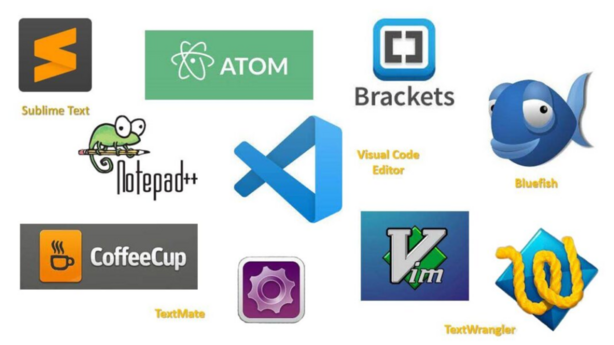
Introduction
In the ever-evolving world of software development, a reliable and efficient code editor is crucial for developers to write, edit, and debug code seamlessly. As we move into 2025, the demands for more sophisticated, user-friendly, and highly customizable code editors have grown significantly. Code editors are now integral to coding workflows, offering more than just syntax highlighting and line numbering. They come with a variety of features like real-time collaboration, built-in version control, and extensive plugin support to enhance coding efficiency.
Choosing the right code editor in 2025 can be overwhelming, given the vast number of available tools. Factors such as ease of use, supported languages, customizability, integrations, and platform compatibility must be considered when making a decision. This blog will guide you through the top 10 code editors tools in 2025, analyzing their features, pros, cons, and providing a side-by-side comparison to help you find the best solution for your needs.
Top 10 Code Editors Tools in 2025
1. Visual Studio Code (VS Code)
- Short Description: Visual Studio Code, developed by Microsoft, is a free, open-source code editor that has gained immense popularity due to its lightweight nature, powerful extensions, and cross-platform support.
- Key Features:
- Rich extension marketplace
- Git integration for version control
- Supports multiple programming languages
- IntelliSense for code completion and syntax checking
- Integrated terminal and debugging tools
- Customizable themes and keybindings
- Pros:
- Highly extensible with a plethora of plugins
- Cross-platform support (Windows, macOS, Linux)
- Fast and responsive, even with large codebases
- Cons:
- Can be resource-heavy with multiple extensions enabled
- Some advanced features require configuration or extensions
2. Sublime Text
- Short Description: Sublime Text is known for its speed, flexibility, and ease of use. It offers a clean interface and is highly favored by developers who prioritize performance and simplicity.
- Key Features:
- Multi-caret editing for complex tasks
- Supports a wide range of programming languages
- Fast search and navigation features
- Customizable UI with themes and plugins
- Command palette for quick access to functions
- Pros:
- Extremely lightweight and fast
- Highly customizable with plugins
- Great for handling large files without lag
- Cons:
- Some features are only available in the paid version
- Lacks some advanced features out-of-the-box compared to competitors
3. JetBrains IntelliJ IDEA
- Short Description: IntelliJ IDEA, from JetBrains, is an integrated development environment (IDE) that caters to Java development primarily but also supports other languages. It’s known for its intelligent code assistance and extensive tools for debugging, testing, and deployment.
- Key Features:
- Smart code completion and navigation
- Robust debugging and testing tools
- Built-in version control integration (Git, SVN, etc.)
- Supports various languages (Java, Kotlin, Python, etc.)
- Intelligent code analysis for faster development
- Pros:
- Excellent for Java development with a strong feature set
- Intelligent code analysis improves developer productivity
- Seamless integrations with build tools and databases
- Cons:
- Can be resource-intensive
- Some advanced features require a paid license
4. Atom
- Short Description: Atom is an open-source text editor developed by GitHub. It is highly customizable and offers built-in Git and GitHub integration, making it ideal for collaborative projects.
- Key Features:
- Built-in Git and GitHub integration
- Real-time collaboration with Teletype
- Highly customizable with a wide variety of themes and plugins
- Cross-platform compatibility
- Smart autocompletion and syntax highlighting
- Pros:
- Highly customizable, with an active community contributing to plugins
- Open-source and free to use
- Great for collaborative coding projects
- Cons:
- Slower performance compared to lighter editors like Sublime Text
- Can be slow with large projects due to its reliance on web technologies
5. Brackets
- Short Description: Brackets is a lightweight, yet powerful, open-source code editor aimed primarily at web development. It was designed to support HTML, CSS, and JavaScript but has expanded to include various extensions for different languages.
- Key Features:
- Live preview for HTML, CSS, and JavaScript changes
- Inline editor for quick editing
- Preprocessor support for Sass, Less, and more
- Strong community and plugin ecosystem
- Multi-cursor editing
- Pros:
- Ideal for front-end development with live preview capabilities
- Great for quick code adjustments and prototyping
- Free and open-source
- Cons:
- Limited language support compared to more general-purpose editors
- Fewer features for back-end development
6. Notepad++
- Short Description: Notepad++ is a simple, lightweight text editor that supports numerous programming languages. It is a popular choice among developers for quick edits and small projects.
- Key Features:
- Syntax highlighting for various languages
- Multi-document support
- Plugin support for additional features
- Lightweight and fast
- Customizable interface
- Pros:
- Fast and responsive, even on low-end systems
- Easy to use with a minimal learning curve
- Free and open-source
- Cons:
- Limited advanced features compared to IDEs
- Not as powerful for larger, complex projects
7. Xcode
- Short Description: Xcode is Apple’s official IDE for macOS, primarily used for iOS, macOS, watchOS, and tvOS development. It provides a full suite of tools for building apps across Apple platforms.
- Key Features:
- Built-in Swift compiler and debugger
- Interface Builder for designing UI visually
- Integrated performance tools for profiling and testing
- Supports both Objective-C and Swift
- iOS simulator for app testing
- Pros:
- Excellent for developing Apple ecosystem apps
- Powerful built-in tools for testing and performance optimization
- Easy integration with Apple’s developer services
- Cons:
- Only available on macOS
- Can be slow with large projects
8. Emacs
- Short Description: Emacs is a highly extensible and customizable text editor, beloved by many developers for its flexibility and vast plugin ecosystem. It’s ideal for developers who prefer a command-line-driven workflow.
- Key Features:
- Highly customizable with a rich collection of plugins
- Powerful search and navigation features
- Supports a wide range of programming languages
- Integrated version control and debugging
- Available on multiple platforms
- Pros:
- Extremely powerful for advanced users
- Highly customizable to suit individual workflows
- Active community and extensive documentation
- Cons:
- Steep learning curve for beginners
- Requires significant configuration to get the most out of it
9. Komodo Edit
- Short Description: Komodo Edit is a free, open-source version of the Komodo IDE. It provides basic text editing features and syntax support for web development and scripting languages.
- Key Features:
- Syntax highlighting for multiple languages
- Multi-caret editing for improved efficiency
- Built-in support for Git
- Auto-completion and error checking
- Customizable with add-ons
- Pros:
- Free version available
- Great for web development with HTML, CSS, and JavaScript support
- Easy to set up and use
- Cons:
- Lacks advanced features compared to paid versions
- Limited language support for more complex development needs
10. Bluefish
- Short Description: Bluefish is an advanced text editor designed for web development. It’s lightweight and fast, with support for a variety of programming languages.
- Key Features:
- Syntax highlighting for over 100 languages
- Multi-document interface for editing multiple files
- Quick access to snippets and templates
- FTP integration for direct editing on servers
- Auto-completion for faster coding
- Pros:
- Great for web developers with FTP and SFTP support
- Free and open-source
- Lightweight and fast
- Cons:
- Limited features for back-end and full-stack development
- Interface feels outdated compared to newer editors
Comparison Table:
| Tool Name | Best For | Platform(s) Supported | Standout Feature | Pricing | G2 Rating |
|---|---|---|---|---|---|
| Visual Studio Code | Cross-platform web and app development | Windows, macOS, Linux | Extensions & Git support | Free | 4.7/5 |
| Sublime Text | Lightweight, fast code editing | Windows, macOS, Linux | Speed and performance | Starts at $99 | 4.8/5 |
| IntelliJ IDEA | Java, Kotlin, and web development | Windows, macOS, Linux | Intelligent code analysis | Starts at $149 | 4.9/5 |
| Atom | Open-source collaborative coding | Windows, macOS, Linux | GitHub integration | Free | 4.5/5 |
| Brackets | Front-end web development | Windows, macOS, Linux | Live preview support | Free | 4.4/5 |
| Notepad++ | Light editing, quick code edits | Windows | Lightweight and fast | Free | 4.6/5 |
| Xcode | iOS and macOS app development | macOS | Interface Builder | Free | 4.6/5 |
| Emacs | Advanced, customizable editing | Windows, macOS, Linux | Full customization | Free | 4.2/5 |
| Komodo Edit | Web development and scripting | Windows, macOS, Linux | Multi-caret editing | Free | 4.0/5 |
| Bluefish | Web development | Windows, macOS, Linux | FTP/SFTP integration | Free | 4.3/5 |
Which Code Editors Tool is Right for You?
Choosing the best code editor depends on your specific needs, the scale of your project, and the features you prioritize:
- For Web Developers: If you need a lightweight, fast editor with support for front-end languages, Sublime Text or Brackets is a great option.
- For Full-Stack or Cross-Platform Development: Visual Studio Code is a top choice due to its extensibility and cross-platform support.
- For Java Developers: IntelliJ IDEA offers advanced code analysis and integration tools specifically designed for Java development.
- For Collaborative Development: If you work with a team, Atom’s real-time collaboration features make it a strong candidate.
- For iOS/macOS App Development: Xcode is the best option for developers targeting the Apple ecosystem.
Conclusion
As coding tools continue to evolve in 2025, the demand for sophisticated yet user-friendly code editors has only increased. Developers today need tools that support productivity, collaboration, and seamless integrations. Whether you’re a beginner or an experienced developer, there’s a code editor for every need. We encourage you to explore free trials and demos to find the best tool that fits your development workflow.
FAQs
- What is the best code editor for beginners?
- Notepad++ or Atom is a great starting point for beginners due to their simplicity and ease of use.
- Which code editor is best for team collaboration?
- Atom with its real-time collaboration features, or Visual Studio Code with its live share extensions, is perfect for teams.
- Is Visual Studio Code free?
- Yes, Visual Studio Code is free and open-source.
- What are the main features to look for in a code editor?
- Look for features like syntax highlighting, version control integration, extensibility, and cross-platform support.
- Can I use Sublime Text for web development?
- Yes, Sublime Text supports a wide range of languages, including HTML, CSS, and JavaScript, making it ideal for web development.