MOTOSHARE 🚗🏍️
Turning Idle Vehicles into Shared Rides & Earnings
From Idle to Income. From Parked to Purpose.
Earn by Sharing, Ride by Renting.
Where Owners Earn, Riders Move.
Owners Earn. Riders Move. Motoshare Connects.
With Motoshare, every parked vehicle finds a purpose.
Owners earn. Renters ride.
🚀 Everyone wins.
Introduction
In today’s fast-paced software development environment, CI/CD (Continuous Integration/Continuous Deployment) tools have become essential for enabling seamless development pipelines. These tools automate critical stages in the software delivery lifecycle, from code integration and testing to deployment and monitoring. With the rise of Agile development practices and DevOps methodologies, CI/CD tools have gained tremendous importance in 2025 as they help development teams achieve faster releases, better code quality, and higher efficiency.
When selecting the right CI/CD tool, teams should focus on features such as ease of integration, scalability, security, and the ability to support a wide variety of platforms. In this blog post, we’ll explore the top 10 CI/CD tools available in 2025, providing an in-depth comparison of their features, pros, and cons to help you choose the best tool for your software development needs.
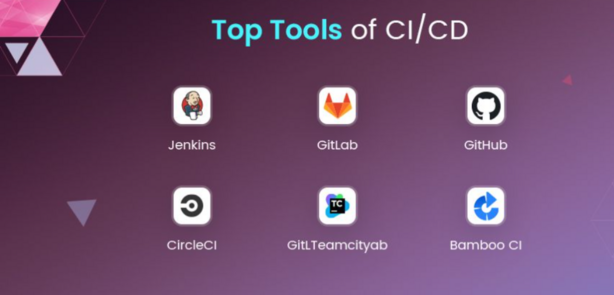
Top 10 CI/CD Tools in 2025
1. Jenkins
Short Description:
Jenkins is one of the most widely used open-source automation servers that facilitate continuous integration and continuous delivery. It allows developers to automate various stages of their software development lifecycle.
Key Features:
- Open-source and highly customizable
- Supports a wide range of plugins for integration with other tools
- Rich community support and documentation
- Scalable across large teams and projects
- Robust pipeline management with Jenkinsfiles
Pros:
- Highly customizable with a vast number of plugins
- Free and open-source, with no licensing costs
- Strong community and support resources
Cons:
- Requires manual setup and configuration, which can be time-consuming
- The user interface is not as modern or intuitive as some competitors
2. GitLab CI
Short Description:
GitLab CI is a built-in CI/CD feature of GitLab, providing a seamless and integrated pipeline experience. It is known for its user-friendly interface and out-of-the-box integrations with Git repositories.
Key Features:
- Tight integration with GitLab repositories
- Auto DevOps to automatically configure CI/CD pipelines
- Multiple environments support (e.g., staging, production)
- Advanced caching and parallel execution
- Scalable to large enterprise environments
Pros:
- Easy to use, especially for GitLab users
- Integrated with other GitLab features (issue tracking, repositories, etc.)
- Free and paid versions available
Cons:
- Best suited for GitLab users, limited integration with non-GitLab repositories
- Some advanced features are available only in the premium version
3. CircleCI
Short Description:
CircleCI is a cloud-based CI/CD tool that automates software delivery with a focus on speed and efficiency. It is known for its advanced features like parallel execution, Docker support, and easy configuration.
Key Features:
- Fast and parallel job execution
- Docker and Kubernetes support
- Advanced caching mechanisms for faster builds
- Native integrations with popular VCS systems (e.g., GitHub, Bitbucket)
- Cloud-native or on-premises deployment options
Pros:
- Excellent for teams using Docker or Kubernetes
- Fast job execution with automatic caching
- Comprehensive integrations with GitHub and Bitbucket
Cons:
- Pricing may be expensive for larger teams
- Configuration complexity can increase with larger projects
4. Travis CI
Short Description:
Travis CI is a popular CI/CD tool that integrates seamlessly with GitHub. It is known for its simple configuration and ease of use, making it an ideal choice for smaller teams or open-source projects.
Key Features:
- Native integration with GitHub repositories
- Easy configuration with
.travis.ymlfiles - Multi-platform build support (Linux, macOS, Windows)
- Parallel testing for faster builds
- Cloud and on-premises deployment options
Pros:
- Simple configuration with YAML files
- Free for open-source projects
- Easy-to-use interface
Cons:
- Limited support for non-GitHub repositories
- Some users report slower build times compared to competitors
5. Bamboo
Short Description:
Bamboo is an enterprise-grade CI/CD tool developed by Atlassian. It offers advanced integration with other Atlassian tools like Jira and Bitbucket, making it an excellent choice for teams already using the Atlassian ecosystem.
Key Features:
- Deep integration with Jira, Bitbucket, and other Atlassian tools
- Supports parallel execution and deployment pipelines
- Built-in deployment projects for various environments
- Scalability for large teams and enterprise environments
- Powerful integration with Docker and cloud platforms
Pros:
- Seamless integration with the Atlassian suite
- Comprehensive support for complex workflows
- Robust reporting and analytics features
Cons:
- Expensive compared to other CI/CD tools
- Steeper learning curve for beginners
6. TeamCity
Short Description:
TeamCity is a CI/CD tool developed by JetBrains. It is well-known for its ease of use, powerful integration features, and support for complex workflows in both large and small teams.
Key Features:
- Real-time build monitoring and reporting
- Supports Docker, Kubernetes, and cloud services
- Advanced version control and build history
- Integration with numerous tools, including GitHub, Bitbucket, and Jira
- Customizable build steps and workflows
Pros:
- User-friendly interface with extensive plugin support
- Strong integration capabilities with other JetBrains tools
- Free tier available with limited features
Cons:
- Paid versions can be expensive for large teams
- Can become slow with very large projects
7. Azure DevOps
Short Description:
Azure DevOps is a suite of development tools offered by Microsoft. It provides a complete solution for CI/CD, project management, and application monitoring, ideal for enterprises using Microsoft’s ecosystem.
Key Features:
- Full integration with Microsoft technologies (Azure, Visual Studio)
- End-to-end DevOps lifecycle management
- Powerful analytics and reporting tools
- Supports both Git and Team Foundation Version Control (TFVC)
- Scalable for enterprise environments
Pros:
- Excellent for teams working within the Microsoft ecosystem
- Wide range of DevOps tools in one suite
- Scalable with support for large teams and enterprise needs
Cons:
- Best suited for Microsoft-centric environments
- Pricing can be complex and expensive for larger teams
8. CodeShip
Short Description:
CodeShip is a cloud-based CI/CD tool that focuses on simplifying deployment and continuous integration for small to medium-sized teams, with integrations for popular VCS platforms like GitHub and Bitbucket.
Key Features:
- Cloud-native, supports multiple platforms
- Simple configuration and integration with GitHub and Bitbucket
- Docker support for containerized environments
- Parallel testing for faster build times
- Scalable workflows with automatic deployment triggers
Pros:
- Easy to use and set up
- Free for small teams and open-source projects
- Powerful Docker support
Cons:
- Lacks some advanced features compared to larger competitors
- Limited customization options
9. Buildkite
Short Description:
Buildkite is a hybrid CI/CD tool that allows developers to run build pipelines on their own infrastructure while managing them through a cloud-based interface.
Key Features:
- Hybrid approach: run builds on-premises or in the cloud
- Supports Docker, Kubernetes, and various cloud platforms
- Powerful analytics and build visualization tools
- Integrations with GitHub, GitLab, and Bitbucket
- Parallel testing for faster build execution
Pros:
- Flexible hybrid model for on-premises and cloud builds
- Scalable to large teams and complex projects
- Fast build execution with parallelism
Cons:
- Requires more technical expertise to set up
- Higher cost for enterprise versions
10. Spinnaker
Short Description:
Spinnaker is an open-source continuous delivery platform developed by Netflix. It is known for its robust deployment capabilities, particularly for cloud-native applications.
Key Features:
- Multi-cloud deployment support (AWS, Google Cloud, Azure)
- Continuous delivery pipelines with powerful deployment strategies
- Integration with Kubernetes and Docker
- Monitoring and logging capabilities for continuous tracking
- Scalability for large enterprises
Pros:
- Excellent for multi-cloud environments
- Strong deployment features for cloud-native apps
- Open-source and highly customizable
Cons:
- Steeper learning curve for new users
- Requires complex setup and configuration
Comparison Table
| Tool Name | Best For | Platform(s) Supported | Standout Feature | Pricing | G2 Rating |
|---|---|---|---|---|---|
| Jenkins | Open-source developers | Linux, Windows, macOS | Highly customizable | Free | 4.3/5 |
| GitLab CI | GitLab users | Linux, Windows, macOS | Auto DevOps integration | Free, Starts at $19 | 4.5/5 |
| CircleCI | Teams using Docker | Linux, macOS, Windows | Docker/Kubernetes support | Starts at $15 | 4.7/5 |
| Travis CI | GitHub users | Linux, macOS, Windows | Easy-to-use interface | Free, Starts at $69 | 4.3/5 |
| Bamboo | Atlassian ecosystem | Linux, Windows, macOS | Jira integration | Starts at $10/user | 4.1/5 |
| TeamCity | JetBrains users | Linux, Windows, macOS | Advanced version control | Starts at $50 | 4.4/5 |
| Azure DevOps | Microsoft ecosystem | Linux, Windows, macOS | Full DevOps lifecycle | Starts at $6 | 4.6/5 |
| CodeShip | Small teams | Linux, Windows, macOS | Cloud-native simplicity | Free, Starts at $29 | 4.0/5 |
| Buildkite | Enterprise teams | Linux, macOS, Windows | Hybrid model | Starts at $200 | 4.5/5 |
| Spinnaker | Cloud-native apps | Linux, macOS, Windows, Cloud | Multi-cloud deployments | Free | 4.2/5 |
Decision-Making Guide: Which CI/CD Tool is Right for You?
Choosing the right CI/CD tool depends on several factors, including team size, budget, technical requirements, and existing software ecosystem. Here are some recommendations based on common scenarios:
- For Small Teams/Startups: GitLab CI or CodeShip are excellent options for smaller teams with limited budgets. Both offer free tiers and ease of use.
- For Teams Using Atlassian Tools: Bamboo is a great choice for teams already using Jira and Bitbucket.
- For Large Enterprises/Complex Workflows: Jenkins, TeamCity, or Azure DevOps provide robust capabilities for managing large projects, with support for advanced workflows and integrations.
- For Cloud-Native Apps: Spinnaker and CircleCI are ideal for teams focused on multi-cloud deployments and Docker/Kubernetes environments.
Conclusion
In 2025, CI/CD tools continue to evolve, providing developers with more powerful and customizable solutions to streamline their workflows. These tools help teams release software faster, with higher quality, and fewer manual interventions. As development pipelines become increasingly complex, adopting the right CI/CD tool can significantly improve productivity.
Try demos or free trials to see which tool fits best with your team’s needs and workflow!
FAQ Section
Q1: What is CI/CD and why is it important in software development?
CI/CD stands for Continuous Integration and Continuous Delivery. It is crucial for automating the testing, building, and deployment of software, enabling teams to release new features faster, with fewer errors.
Q2: What factors should I consider when choosing a CI/CD tool?
Consider factors like ease of use, integration with other tools, scalability, support for your programming languages, and pricing.
Q3: Are there any free CI/CD tools available?
Yes, many CI/CD tools like Jenkins, GitLab CI, and Travis CI offer free versions for individual developers or small teams.
Q4: How do CI/CD tools help in reducing errors during deployment?
CI/CD tools automate testing and deployment, ensuring that every change is tested thoroughly before being released, reducing the risk of errors.
Q5: Can I use multiple CI/CD tools for different stages of the pipeline?
Yes, many organizations integrate multiple CI/CD tools for different stages, like using Jenkins for integration and Spinnaker for deployment.