MOTOSHARE 🚗🏍️
Turning Idle Vehicles into Shared Rides & Earnings
From Idle to Income. From Parked to Purpose.
Earn by Sharing, Ride by Renting.
Where Owners Earn, Riders Move.
Owners Earn. Riders Move. Motoshare Connects.
With Motoshare, every parked vehicle finds a purpose.
Owners earn. Renters ride.
🚀 Everyone wins.
Introduction
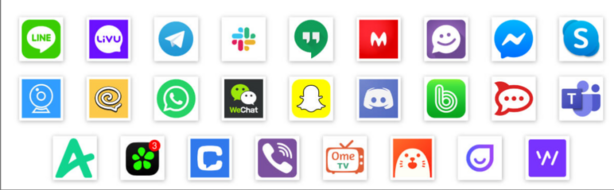
In 2025, chat apps are not just communication tools but integral parts of our personal, professional, and business lives. From instant messaging to customer support and team collaboration, chat apps are becoming more powerful and essential. Whether for casual chats with friends, customer service, or seamless communication within teams, the demand for efficient, user-friendly, and secure chat applications is growing rapidly.
In a world that prioritizes instant communication, businesses and individuals need to choose the right chat app to optimize their workflows, engage customers, and enhance productivity. When choosing a chat app in 2025, users should look for factors such as ease of use, platform compatibility, security features, integrations with other tools, and customization options.
In this blog post, we will explore the top 10 chat apps in 2025, evaluate their features, compare the pros and cons, and help you decide which tool best suits your needs.
Top 10 Chat Apps Tools in 2025
1. Slack
Short Description:
Slack is a popular communication platform for teams and businesses, known for its powerful collaboration features, ease of use, and seamless integrations. It provides channels for organizing conversations, direct messaging, and various collaboration tools.
Key Features:
- Real-time messaging and direct messages
- Integrations with tools like Google Drive, Trello, and Zoom
- File sharing and search functionality
- Customizable notifications
- Slackbot for automating repetitive tasks
- Enterprise-grade security with SSO and 2FA
Pros:
- Powerful integrations with numerous apps
- Intuitive interface and easy to use
- Great for team collaboration and productivity
- Free plan available for small teams
Cons:
- Can get overwhelming with too many channels
- Premium plans can be expensive for large teams
- Lacks some advanced features in the free version
2. Microsoft Teams
Short Description:
Microsoft Teams is a robust chat and collaboration platform that integrates deeply with Microsoft Office 365. It is widely used for team communications, video meetings, and document collaboration.
Key Features:
- Integrated with Office 365 apps (Word, Excel, etc.)
- HD video and audio calls
- Screen sharing and file sharing
- Private and group chats
- Teams and channels for organized conversations
- Enterprise-level security and compliance
Pros:
- Seamless integration with Microsoft Office tools
- Suitable for both small and large businesses
- Includes free version with essential features
- Enterprise security
Cons:
- Can be overwhelming for beginners
- Limited features for non-Office users
- Lacks some advanced project management tools
3. WhatsApp
Short Description:
WhatsApp is a popular messaging app for personal and business use, offering text messaging, voice/video calls, and multimedia sharing. It supports end-to-end encryption for secure communication.
Key Features:
- Free messaging and voice/video calls
- End-to-end encryption
- Voice messages, video sharing, and group chats
- Multi-device support
- Broadcast lists and status updates
Pros:
- Simple, user-friendly interface
- Free and widely used worldwide
- End-to-end encryption ensures privacy
- Easy to use for both personal and business communication
Cons:
- Limited business features compared to other platforms
- Can be difficult to manage for large teams
- Lacks integrations with business tools
4. Telegram
Short Description:
Telegram is a cloud-based messaging app known for its speed, security, and privacy. It supports large groups and channels and is popular for both personal and business communication.
Key Features:
- End-to-end encryption for secret chats
- Cloud-based storage for messages and media
- Group chats with up to 200,000 members
- Bots for automation and custom tasks
- Channels for broadcasting messages to large audiences
- Customizable themes and stickers
Pros:
- Highly secure and privacy-focused
- Fast and lightweight
- Supports large group chats and channels
- Free with no ads
Cons:
- Lacks some business-specific features
- May not be as widely used as other platforms
- Some features are not intuitive for new users
5. Zoom Chat
Short Description:
Zoom Chat is a messaging extension of Zoom’s video conferencing platform. It allows teams to communicate through instant messages, share files, and collaborate seamlessly.
Key Features:
- Integrated with Zoom meetings and webinars
- File sharing and storage
- Channel-based conversations
- Direct messages and group chats
- Notifications and reminders for upcoming meetings
- Mobile and desktop app availability
Pros:
- Ideal for businesses already using Zoom for video calls
- Easy integration with Zoom meetings
- Supports file sharing and collaborative discussions
- Secure and compliant with enterprise standards
Cons:
- Limited features in the free version
- Requires a Zoom account for full functionality
- Can be overkill for smaller teams or personal use
6. Facebook Messenger
Short Description:
Facebook Messenger is a widely used messaging platform that integrates with Facebook. It allows users to chat, share photos/videos, and make voice/video calls.
Key Features:
- Instant messaging and voice/video calls
- Integration with Facebook
- Rich media sharing (photos, videos, and files)
- Interactive chatbots
- Payments through Facebook Messenger
- Cross-platform support
Pros:
- Great for personal and business communication
- Easy to connect with Facebook users
- Free to use with no ads
- Offers chatbots for customer service
Cons:
- Limited features for business communication
- Lacks advanced integrations for work-related tasks
- Privacy concerns due to Facebook’s data policies
7. Discord
Short Description:
Discord is primarily known for gaming communities, but it has evolved into a powerful tool for team collaboration, offering text and voice communication features along with integrations and bots.
Key Features:
- Voice, video, and text communication
- Supports servers and channels for organization
- Bots for automating tasks and moderating chats
- Screen sharing and live streaming
- Customizable roles and permissions
- File and media sharing
Pros:
- Free and highly customizable
- Best for communities and gaming-related teams
- Excellent voice chat functionality
- Large, active user base
Cons:
- Not business-centric, lacks some professional features
- Can be cluttered with too many channels
- Somewhat limited in business integrations
8. Signal
Short Description:
Signal is a secure, encrypted messaging app that focuses on privacy and security. It is widely used for personal and professional communications where confidentiality is crucial.
Key Features:
- End-to-end encryption for all communications
- Voice and video calls
- Group chats with secure encryption
- No ads, no data tracking
- Open-source app
- Self-destructing messages
Pros:
- Privacy and security-first design
- No ads or data collection
- Open-source for transparency
- Free and easy to use
Cons:
- Limited features compared to other apps
- Not as popular as WhatsApp or Telegram
- User interface can feel basic
9. WeChat
Short Description:
WeChat is one of China’s most popular messaging apps, offering features beyond text messaging, such as payments, social media integration, and business tools.
Key Features:
- Text, voice, and video messaging
- Social media integration with Moments
- In-app payments and mini-programs
- Group chats and channels
- Location sharing and event management
Pros:
- All-in-one app for communication and payments
- Popular in China and increasingly used globally
- Rich multimedia sharing capabilities
Cons:
- Limited support outside of China
- Privacy concerns due to Chinese regulations
- Complex interface for new users
10. Flock
Short Description:
Flock is a team communication app focused on simplifying collaboration with channels, direct messaging, and task management features integrated into a single platform.
Key Features:
- Team channels and direct messaging
- File sharing and task management tools
- Video conferencing integration
- To-do lists and task reminders
- Customizable notifications and mentions
Pros:
- Integrates chat, tasks, and video calls
- User-friendly interface
- Great for small to mid-sized teams
- Competitive pricing
Cons:
- Not as widely adopted as Slack or Microsoft Teams
- Lacks some advanced features for larger teams
- Limited integrations compared to competitors
Comparison Table
| Tool Name | Best For | Platform(s) | Standout Feature | Pricing | Rating |
|---|---|---|---|---|---|
| Slack | Teams, Businesses | Web, Windows, Mac, iOS, Android | Powerful integrations | Free / Starts at $6.67/month | 4.5/5 |
| Microsoft Teams | Businesses, Enterprises | Web, Windows, Mac, iOS, Android | Office 365 integration | Free / Starts at $5/month | 4.3/5 |
| Personal, Small Businesses | Web, iOS, Android | End-to-end encryption | Free | 4.7/5 | |
| Telegram | Communities, Businesses | Web, Windows, Mac, iOS, Android | Security & privacy | Free | 4.6/5 |
| Zoom Chat | Teams, Businesses | Web, Windows, Mac, iOS, Android | Zoom meetings integration | Free / Starts at $14.99/month | 4.4/5 |
| Facebook Messenger | Personal, Small Businesses | Web, iOS, Android | Integration with Facebook | Free | 4.2/5 |
| Discord | Communities, Teams | Web, Windows, Mac, iOS, Android | Voice chat functionality | Free | 4.6/5 |
| Signal | Privacy-focused Users | Web, Windows, Mac, iOS, Android | End-to-end encryption | Free | 4.8/5 |
| Personal, Businesses (China) | Web, Windows, Mac, iOS, Android | Social media integration | Free | 4.4/5 | |
| Flock | Teams, SMBs | Web, Windows, Mac, iOS, Android | Task management integration | Free / Starts at $4.50/month | 4.3/5 |
Which Chat App Tool is Right for You?
Choosing the right chat app depends on your needs, team size, industry, and budget. Here’s a quick guide to help you choose:
- Small Businesses & Teams: WhatsApp, Flock, and Telegram are great for their simplicity, ease of use, and low cost.
- Enterprises & Larger Teams: Slack and Microsoft Teams offer more robust collaboration features, with enterprise-level security and integrations.
- Privacy-Focused Users: Signal offers the most secure chat experience with end-to-end encryption.
- Global Reach: WeChat is essential for businesses targeting customers in China, while Zoom is perfect for teams that need reliable video conferencing alongside chat.
Conclusion
In 2025, the chat app landscape is filled with tools designed for all types of users, from personal to business communication. The right tool can improve team collaboration, enhance customer engagement, and ensure privacy and security. As the need for seamless communication grows, selecting the best chat app that suits your needs is more important than ever.
We encourage you to try out the free versions or demos of these tools to find the one that fits your requirements best. The right chat app can boost productivity, foster stronger team connections, and streamline communication across your organization.
FAQs
- What are the best chat apps for businesses in 2025?
The best chat apps for businesses in 2025 are Slack, Microsoft Teams, and Zoom Chat, which offer robust features for team collaboration and enterprise security. - Is WhatsApp suitable for business communication?
Yes, WhatsApp is great for small businesses but lacks advanced integrations needed for larger teams or enterprises. - Which chat app offers the best security?
Signal offers the highest security with end-to-end encryption and no ads, making it ideal for privacy-conscious users. - Can I integrate Slack with other business tools?
Yes, Slack supports hundreds of integrations with tools like Google Drive, Trello, and Zoom to enhance team collaboration. - Which chat app is best for large teams?
Microsoft Teams and Slack are perfect for large teams, offering advanced collaboration features, integrations, and enterprise-level security.