MOTOSHARE 🚗🏍️
Turning Idle Vehicles into Shared Rides & Earnings
From Idle to Income. From Parked to Purpose.
Earn by Sharing, Ride by Renting.
Where Owners Earn, Riders Move.
Owners Earn. Riders Move. Motoshare Connects.
With Motoshare, every parked vehicle finds a purpose.
Owners earn. Renters ride.
🚀 Everyone wins.
Introduction
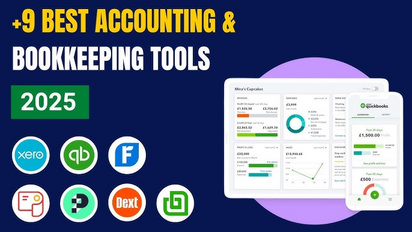
Bookkeeping is a crucial aspect of managing any business, whether it’s a startup or a large corporation. The right bookkeeping tools can streamline financial tracking, ensure tax compliance, and provide real-time insights into the financial health of a business. As we move into 2025, the landscape of bookkeeping is evolving rapidly, driven by technological advancements, cloud-based solutions, and automation.
In 2025, businesses are seeking tools that not only help them keep track of expenses and income but also integrate seamlessly with other financial systems, automate routine tasks, and provide intuitive reporting. Whether you are a freelancer, a small business owner, or part of a larger enterprise, the right bookkeeping software can save you time, reduce human error, and help you make informed financial decisions.
This blog will explore the top 10 bookkeeping tools for 2025, outlining their key features, pros, cons, and how to select the right tool based on your business needs.
Top 10 Bookkeeping Tools in 2025
1. QuickBooks Online
Short Description:
QuickBooks Online is one of the most popular and widely used bookkeeping tools. It is designed for small to medium-sized businesses and offers a range of features from expense tracking to tax reporting and invoice management.
Key Features:
- Cloud-based, allowing access from any device
- Automatic tax calculation and filing
- Real-time expense tracking
- Comprehensive reporting tools
- Customizable invoice templates
Pros:
- User-friendly interface
- Strong customer support
- Comprehensive feature set for businesses of all sizes
Cons:
- Can be expensive for smaller businesses
- Limited payroll features in the basic plan
2. Xero
Short Description:
Xero is a cloud-based accounting software designed for small to medium-sized businesses. It offers powerful bookkeeping features, with an emphasis on collaboration and integrations with third-party tools.
Key Features:
- Bank reconciliation automation
- Multi-currency support
- Real-time reporting and dashboards
- Integration with over 800 third-party apps
- Invoice creation and management
Pros:
- Easy-to-use interface
- Great integration capabilities
- Good customer support
Cons:
- Limited phone support
- Price increases as your business grows
3. Wave
Short Description:
Wave is a free, cloud-based bookkeeping software ideal for freelancers and small business owners. It offers powerful features at no cost, with premium options available for payroll and payments.
Key Features:
- Free invoicing and accounting
- Financial reporting
- Receipt scanning
- Unlimited invoicing and transactions
- Integration with Google Sheets
Pros:
- Free to use for basic accounting and invoicing
- Simple and easy-to-understand interface
- No hidden fees
Cons:
- Limited customer support options
- Lack of advanced features for larger businesses
4. FreshBooks
Short Description:
FreshBooks is a highly rated accounting tool aimed at small businesses and freelancers. It focuses on invoicing, time tracking, and expense management with a clean and simple user interface.
Key Features:
- Customizable invoices and estimates
- Time tracking and project management
- Mobile app for on-the-go accounting
- Automated payment reminders
- Multi-currency support
Pros:
- Excellent for freelancers and small businesses
- User-friendly and easy to set up
- Time-tracking and project management tools are a plus
Cons:
- Lacks advanced features for larger businesses
- Can get costly as you add more clients and features
5. Zoho Books
Short Description:
Zoho Books is an affordable and comprehensive accounting software for small to mid-sized businesses. It offers an all-in-one solution for bookkeeping, invoicing, and expense management.
Key Features:
- Automation of recurring invoices and payment reminders
- Integration with payment gateways
- Financial reporting and GST compliance
- Multi-currency and multi-lingual support
- Bank and credit card synchronization
Pros:
- Affordable pricing
- Excellent customer support
- Extensive automation options
Cons:
- Limited payroll integration
- Some features require higher-tier plans
6. Sage Business Cloud Accounting
Short Description:
Sage Business Cloud Accounting is a robust accounting tool that offers features for small businesses and enterprises. It’s known for its user-friendly platform and powerful tools for expense tracking, invoicing, and tax filing.
Key Features:
- Real-time financial data and reporting
- Invoice creation and payment tracking
- Multi-user support
- Bank reconciliation
- Seamless integration with third-party apps
Pros:
- Great reporting and data analysis tools
- Scalable for growing businesses
- Excellent customer support
Cons:
- Pricing may be higher than other tools for smaller businesses
- Lacks a few features found in competitors
7. Kashoo
Short Description:
Kashoo is an easy-to-use bookkeeping tool for freelancers and small businesses. It offers simple invoicing, expense tracking, and tax calculation tools.
Key Features:
- Automated invoice and expense tracking
- Real-time financial reporting
- Tax management and filing
- Easy-to-navigate interface
- Mobile app support
Pros:
- Intuitive and user-friendly interface
- Affordable for small businesses
- Ideal for simple bookkeeping needs
Cons:
- Lacks advanced accounting features
- No payroll functionality
8. KashFlow
Short Description:
KashFlow is a UK-based accounting tool designed for small businesses. It offers features for invoicing, payroll, and VAT returns, with a focus on making accounting simple and hassle-free.
Key Features:
- VAT-compliant invoicing
- Payroll integration
- Financial reports and insights
- Multi-currency support
- Cloud-based access
Pros:
- Affordable for small businesses
- User-friendly interface
- Ideal for VAT-registered businesses
Cons:
- Limited integrations with other tools
- Lacks mobile app support
9. Intuit TurboTax Self-Employed
Short Description:
TurboTax Self-Employed is an online tool for freelancers and self-employed individuals. It helps with tax deductions, expense tracking, and overall financial management.
Key Features:
- Automatic tracking of deductions and expenses
- Direct e-filing with the IRS
- Easy-to-use dashboard
- Real-time tax estimates
- Integration with QuickBooks
Pros:
- Best for freelancers and self-employed individuals
- Simple to use and understand
- Offers tax filing support
Cons:
- Only suitable for self-employed individuals
- Limited features for larger businesses
10. Bench
Short Description:
Bench offers a combination of software and bookkeeping services, allowing users to access both automated bookkeeping and expert support for small businesses.
Key Features:
- Monthly financial reporting
- Dedicated bookkeeper
- Tax filing support
- Integration with popular accounting tools
- Cloud-based access
Pros:
- Personal touch with a dedicated bookkeeper
- Excellent customer service
- Ideal for small businesses needing full-service bookkeeping
Cons:
- High pricing for small businesses
- Limited integration options
Comparison Table
| Tool Name | Best For | Platform(s) Supported | Standout Feature | Pricing | G2/Capterra/Trustpilot Rating |
|---|---|---|---|---|---|
| QuickBooks Online | Small to medium businesses | Web, Mobile | Tax calculation & filing | Starts at $25/month | 4.5/5 |
| Xero | Small to medium businesses | Web, Mobile | Extensive integrations | Starts at $12/month | 4.6/5 |
| Wave | Freelancers, small businesses | Web, Mobile | Free invoicing and accounting | Free | 4.3/5 |
| FreshBooks | Freelancers, small businesses | Web, Mobile | Time tracking and project management | Starts at $6/month | 4.4/5 |
| Zoho Books | Small to mid-sized businesses | Web, Mobile | Recurring invoice automation | Starts at $15/month | 4.5/5 |
| Sage Business Cloud | Small to mid-sized businesses | Web, Mobile | Real-time reporting | Starts at $10/month | 4.2/5 |
| Kashoo | Freelancers, small businesses | Web | Simple invoicing | Starts at $16.65/month | 4.3/5 |
| KashFlow | UK-based small businesses | Web | VAT-compliant invoicing | Starts at $8/month | 4.0/5 |
| TurboTax Self-Employed | Freelancers, self-employed | Web, Mobile | Tax filing integration | Starts at $90/year | 4.4/5 |
| Bench | Small businesses needing expert support | Web | Personal bookkeeper | Starts at $149/month | 4.5/5 |
Which Bookkeeping Tool Is Right for You?
Choosing the right bookkeeping tool depends on various factors, including your business size, industry, and specific needs. Here’s a guide to help you make the right decision:
- For Freelancers:
- Wave and TurboTax Self-Employed are ideal for freelancers who need simple and affordable tools.
- For Small Businesses:
- FreshBooks and Zoho Books provide a solid set of features for growing small businesses.
- For Medium-Sized Businesses:
- QuickBooks Online, Xero, and Sage Business Cloud are perfect for medium-sized businesses requiring advanced bookkeeping features and scalability.
- For UK Businesses:
- KashFlow is specifically designed to help with VAT-compliant invoicing and UK tax regulations.
- For Businesses Needing Expert Support:
- Bench offers dedicated bookkeeping services and is great for small businesses that need expert assistance.
Conclusion
Bookkeeping tools are essential in today’s fast-paced business environment. As we look toward 2025, the tools mentioned above offer a range of features and price points to suit businesses of all sizes. Whether you’re a freelancer, a small business, or a larger enterprise, there’s a tool out there that can simplify your financial management and help you focus on growing your business.
We recommend taking advantage of free trials or demos to test out these tools and find the one that best fits your needs. The landscape of bookkeeping is evolving, and adopting the right tool can streamline your operations and enhance your financial health.
FAQs
1. What is bookkeeping software?
Bookkeeping software is a tool that helps businesses record, track, and manage their financial transactions. It automates tasks like invoicing, tax calculations, and expense tracking, providing real-time financial insights.
2. Is bookkeeping software secure?
Yes, most bookkeeping software platforms use encryption and other security measures to protect your financial data. Always ensure that the software you choose complies with industry standards.
3. Can I use bookkeeping software for tax filing?
Many modern bookkeeping tools, such as QuickBooks and TurboTax, offer tax filing features, making it easy to file your taxes directly from the platform.
4. What are the benefits of using bookkeeping tools?
Bookkeeping tools help streamline financial management, reduce human error, automate routine tasks, and provide real-time insights into your business’s financial health.
5. Which bookkeeping tool is best for small businesses?
FreshBooks, Wave, and Zoho Books are great options for small businesses looking for affordable, user-friendly tools with essential bookkeeping features.