Introduction
Bioinformatics workflow managers are the specialized software engines that orchestrate the complex, multi-stage analysis of biological data. In the modern era of high-throughput sequencing and multi-omics, these tools automate the execution of computational pipelines, ensuring that data moves seamlessly from raw sequences to biological insights. By managing software dependencies, parallelizing tasks across high-performance computing clusters, and handling data provenance, workflow managers allow researchers to focus on science rather than the underlying infrastructure.
The necessity for these platforms stems from the “reproducibility crisis” in computational biology and the sheer scale of genomic data. Traditional manual scripting is no longer sufficient for managing the petabytes of data generated by modern laboratories. Workflow managers provide a standardized framework that ensures an analysis performed in one lab can be exactly replicated in another, regardless of the local computing environment. They serve as the critical bridge between raw biological samples and the validated discoveries that drive personalized medicine and agricultural innovation.
Real-World Use Cases
- Large-Scale Genomic Resequencing: Workflow managers automate the alignment and variant calling of thousands of human genomes, allowing population-scale studies to identify rare disease markers with high statistical power.
- Single-Cell RNA Sequencing Analysis: These tools orchestrate the complex preprocessing, normalization, and clustering of data from millions of individual cells, enabling the mapping of cellular atlases with extreme precision.
- Metagenomic Pathogen Detection: Public health laboratories utilize automated pipelines to rapidly identify pathogens from environmental or clinical samples, triggering real-time responses to infectious disease outbreaks.
- Personalized Oncology Pipelines: Clinical bioinformaticians use workflow managers to integrate DNA and RNA data from tumor biopsies, automatically generating reports that suggest targeted therapies based on a patient’s unique genetic profile.
- Agricultural Trait Discovery: Large-scale plant breeding programs rely on these managers to process phenotyping and genotyping data across multiple generations, accelerating the development of climate-resilient crop varieties.
Buyer Evaluation Criteria
- Reproducibility and Portability: Does the manager support containerization technologies like Docker or Singularity to ensure that the pipeline runs identically across different operating systems and hardware?
- Scalability and Resource Management: Evaluate how efficiently the tool interacts with cloud providers and local job schedulers to scale from a single laptop to thousands of concurrent compute nodes.
- Language and Syntax Complexity: Determine if the workflow language is easy for biologists to learn (DSL-based) or if it requires advanced software engineering knowledge (Python-heavy or XML-based).
- Error Handling and Resumability: A critical feature is the ability to resume a failed workflow from the last successful step without re-calculating the entire pipeline, saving massive amounts of compute time and cost.
- Community and Library Support: Check for the existence of pre-built pipeline libraries, such as nf-core for Nextflow, which provide validated and community-vetted workflows for common biological tasks.
- Data Provenance and Logging: The tool must generate detailed logs of every parameter, software version, and input file used, providing a complete “audit trail” for publication and regulatory compliance.
- Parallelization Capabilities: Does the manager automatically identify which tasks can be run simultaneously, or does the user have to manually define the execution logic for parallel processing?
- Cloud Native Integration: Evaluate the depth of integration with major cloud platforms for automated data movement, cost monitoring, and spot instance utilization to minimize research expenses.
- Security and Access Control: For clinical environments, the manager must support role-based access control and secure data handling to protect sensitive patient genomic information.
- Visualization and Monitoring: Look for tools that provide a graphical interface or dashboard to monitor the real-time progress of complex workflows and visualize the relationships between tasks.
Best for: Academic core facilities, pharmaceutical R&D departments, and clinical diagnostic labs that need to process massive biological datasets with high reproducibility and efficiency.
Not ideal for: Individual researchers performing one-off, simple analyses on small datasets where the overhead of setting up a workflow manager may outweigh the benefits of automation.
Key Trends in Bioinformatics Workflow Managers
- The Rise of Cloud-Native Orchestration: Workflow managers are increasingly designed to treat the cloud as their native environment, allowing for the dynamic provisioning of “serverless” compute resources for genomic analysis.
- Integration of Artificial Intelligence: AI is being used to optimize resource allocation within workflows, predicting the exact amount of memory and CPU time a specific genomic task will need to prevent job failures.
- Convergence on Standardized Languages: The industry is moving toward a few dominant Domain-Specific Languages (DSLs) that prioritize readability and modularity, making it easier for labs to share and collaborate on pipelines.
- Container-First Development: It has become standard for every step in a bioinformatics workflow to be isolated within its own container, ensuring that software version conflicts are a thing of the past.
- Real-Time Data Streaming: New architectures are emerging that allow for “streaming” analysis, where data is processed as it comes off the sequencer rather than waiting for the entire run to finish.
- Low-Code/No-Code Interfaces: To democratize bioinformatics, workflow managers are introducing graphical “drag-and-drop” builders that allow biologists to construct complex pipelines without writing code.
- Automated Benchmarking: Tools are integrating automated performance testing, allowing researchers to see how different software versions or parameters affect the accuracy and speed of their results.
- Federated Analysis for Privacy: New workflow models allow for “bringing the code to the data,” enabling analysis across different hospitals or countries without moving sensitive genetic information.
How We Selected These Tools (Methodology)
To select the top 10 bioinformatics workflow managers, we conducted a comprehensive review of the current computational biology landscape. We focused on tools that have achieved significant adoption in high-impact peer-reviewed literature and those that are supported by active, sustainable developer communities.
- Scientific Adoption Rate: We prioritized managers that are the foundation for major international consortiums and public data repositories, ensuring they are “battle-tested” in real-world scenarios.
- Reproducibility Frameworks: Tools were scored heavily on their native support for containerization and their ability to generate immutable logs for scientific validation.
- Interoperability Standards: We looked for tools that adhere to the Global Alliance for Genomics and Health (GA4GH) standards, ensuring they can work across different global data platforms.
- Developer Activity: We assessed the frequency of updates, the responsiveness of the maintainers to bug reports, and the clarity of the documentation provided to new users.
- Computational Efficiency: Our selection includes tools known for their ability to manage memory and CPU resources effectively, particularly when handling “Big Data” genomic files.
- Ecosystem Depth: We prioritized managers that have extensive libraries of pre-existing, community-vetted pipelines, reducing the “start-from-scratch” burden for new labs.
- Enterprise Readiness: For the professional segment, we evaluated the availability of commercial support, security features, and integration with enterprise-grade cloud environments.
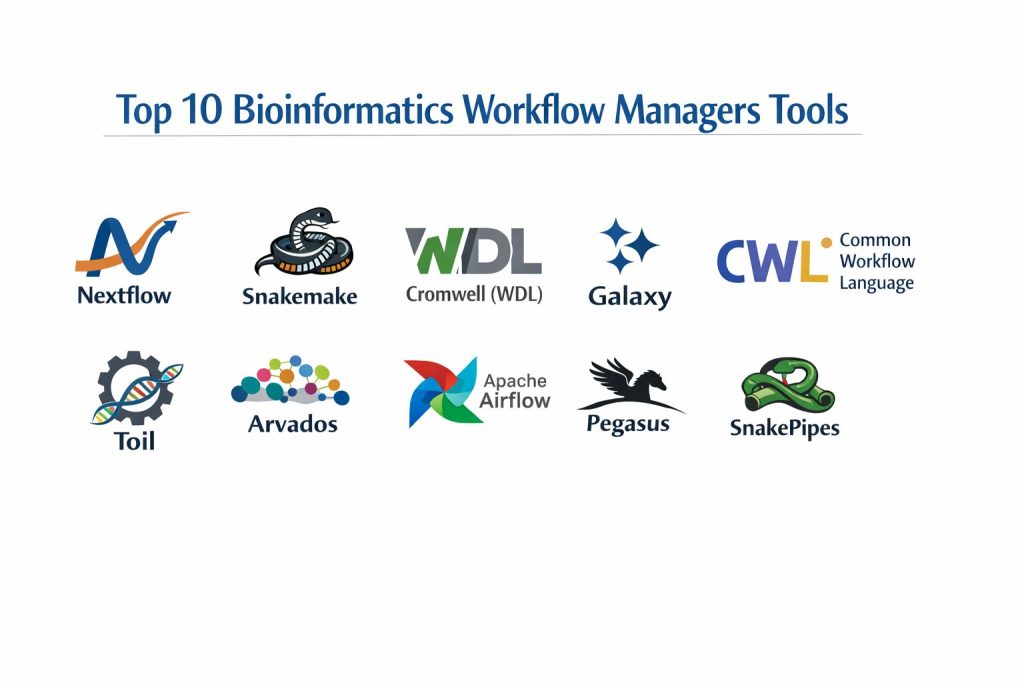
Top 10 Bioinformatics Workflow Managers
1. Nextflow
Nextflow is a powerful, DSL-driven workflow manager that focuses on ease of use and extreme portability. It utilizes a “dataflow” programming model that allows for implicit parallelization and seamless movement between local machines, HPC clusters, and major cloud providers.
Key Features
- DSL2 Syntax: A specialized domain language that allows for modular pipeline design, making it easy to reuse individual components across different projects.
- Native Container Support: Deep integration with Docker, Singularity, and Podman, ensuring that every pipeline step runs in a controlled and reproducible environment.
- Implicit Parallelism: Automatically determines which tasks can be run in parallel based on data availability, maximizing the use of available compute resources.
- nf-core Integration: Direct access to a community-built library of high-quality, peer-reviewed pipelines for almost every common bioinformatics task.
- Resumability: Robust caching system that allows users to resume a workflow from the point of failure, even if the failure occurred halfway through a massive run.
- Multi-Cloud Support: Native executors for AWS Batch, Google Life Sciences, and Azure Batch, allowing for easy scaling without changing a single line of code.
- Tower Monitoring: Compatibility with Nextflow Tower for real-time visual monitoring, resource optimization, and team collaboration on complex runs.
Pros
- Exceptional community support and a massive library of ready-to-use pipelines via the nf-core project.
- High degree of portability; a pipeline written on a laptop will run identically on a massive cloud cluster.
- Very efficient resource management, with the ability to dynamically adjust memory and CPU requests for failed jobs.
Cons
- The Groovy-based syntax can have a learning curve for those who are strictly Python or R users.
- Debugging complex dataflow logic can sometimes be difficult compared to traditional linear scripting.
- Managing very large configuration files for different environments can become cumbersome for complex setups.
Platforms / Deployment
- Linux / macOS
- HPC (Slurm, LSF, SGE) / Cloud (AWS, GCP, Azure) / Kubernetes
Security & Compliance
- Supports role-based access via Nextflow Tower.
- Compatible with secure container registries and encrypted cloud storage.
Integrations & Ecosystem
Nextflow is the center of a large ecosystem focused on reproducibility and scalability.
- Full integration with the nf-core pipeline collection.
- Direct support for Conda, Mamba, and Spack for dependency management.
- Bridges to GitHub and GitLab for version-controlled pipeline distribution.
- Integration with Slack and email for automated job notifications.
Support & Community
Nextflow has one of the largest and most active communities in bioinformatics. The nf-core project provides a centralized hub for collaboration, and Seqera Labs offers professional enterprise support and managed services.
2. Snakemake
Snakemake is a Python-based workflow manager that follows a “rules-based” logic inspired by the traditional GNU Make utility. It is highly popular among researchers because it allows them to write pipelines using standard Python code while providing advanced automation and scaling features.
Key Features
- Python-Centric DSL: Allows users to use the full power of the Python programming language within their workflow definitions for complex data manipulation.
- Automated Dependency Resolution: Uses file-based logic to determine the execution order, ensuring that every output file is generated in the correct sequence.
- Modularization: Support for “wrappers” and “modules,” allowing researchers to easily share and import specific rules and tools between different pipelines.
- Resource Constraints: Granular control over the number of threads, memory, and specialized hardware (like GPUs) used by each individual step in the workflow.
- Integrated Visualization: Automatically generates Directed Acyclic Graphs (DAGs) to visualize the structure and dependencies of the entire pipeline.
- Remote File Support: Native ability to work with files stored on Amazon S3, Google Cloud Storage, and FTP servers without manual downloading.
- Conda Integration: Seamlessly creates and manages isolated software environments for every rule, preventing version conflicts across the pipeline.
Pros
- Very easy to learn for anyone who already knows Python, which is a standard language in the bioinformatics community.
- Excellent for smaller, more custom research projects where complex logic and data transformation are required.
- Strong focus on readability and “clean code,” making pipelines easy to document and share with collaborators.
Cons
- Scaling to massive multi-cloud environments is generally considered more complex than with Nextflow.
- The rule-based execution can sometimes lead to “ambiguous rule” errors that are difficult for beginners to troubleshoot.
- Lacks a centralized project as large as nf-core for standardized, community-vetted pipelines.
Platforms / Deployment
- Linux / macOS / Windows (via WSL)
- HPC (Slurm, LSF, PBS) / Cloud (AWS, GCP) / Kubernetes
Security & Compliance
- Relies on Python and Conda security protocols.
- Supports standard cloud encryption for remote data access.
Integrations & Ecosystem
Snakemake integrates deeply with the Python data science stack and common bioinformatics repositories.
- Native support for Bioconda and BioContainers.
- Integration with Jupyter Notebooks for interactive data exploration within a workflow.
- Support for the Common Workflow Language (CWL) for metadata exchange.
- Compatibility with Panoptes for workflow monitoring and management.
Support & Community
Snakemake has a very strong academic community with extensive documentation and a dedicated subreddit. Professional support is available through various bioinformatics consultancy firms.
3. Cromwell (WDL)
Cromwell is an enterprise-grade execution engine designed to run workflows written in the Workflow Description Language (WDL). Originally developed by the Broad Institute, it is the primary engine used for major projects like the Genome Analysis Toolkit (GATK) and the Terra platform.
Key Features
- WDL Compatibility: Specifically designed to run workflows written in WDL, a language focused on being human-readable and accessible to non-programmers.
- Server Mode: Can be run as a persistent server with a REST API, allowing other applications to submit and monitor jobs programmatically.
- Call Caching: Advanced caching system that prevents the re-execution of tasks if the inputs and software versions haven’t changed.
- Database Backend: Uses a SQL database (like MySQL or PostgreSQL) to track the state of thousands of concurrent workflows, ensuring reliability at scale.
- Sub-Workflow Support: Allows for the nesting of workflows within other workflows, enabling the creation of massive, multi-component analysis systems.
- HPC and Cloud Versatility: Provides sophisticated “backend” configurations for moving between local clusters and major cloud providers.
- Workflow Visualizer: Integration with tools that generate graphical representations of WDL workflows for easier debugging and documentation.
Pros
- The “de facto” standard for GATK-based genomic analysis, with a massive library of high-quality pipelines from the Broad Institute.
- Extremely robust and designed for the heavy loads of large-scale genomic centers and clinical labs.
- WDL is often cited as the most readable and “clean” workflow language for those coming from a non-computational background.
Cons
- Cromwell itself can be resource-intensive to run, often requiring its own dedicated server and database for optimal performance.
- Configuration of backends (like AWS or GCP) is more complex and “boilerplate-heavy” compared to Nextflow.
- The development of WDL and Cromwell is heavily influenced by a few large organizations, which can make community-driven changes slower.
Platforms / Deployment
- Linux / macOS / Windows (via Java)
- Cloud (AWS, GCP, Azure) / HPC (Slurm, LSF) / Local
Security & Compliance
- Support for high-security environments, including HIPAA-compliant cloud configurations.
- Detailed logging and auditing capabilities for clinical and regulatory needs.
Integrations & Ecosystem
Cromwell is the backbone of the Broad Institute’s ecosystem and is integrated into many commercial platforms.
- Native execution engine for the Terra.bio platform.
- Deep integration with GATK (Genome Analysis Toolkit) workflows.
- Support for Docker and Singularity for task isolation.
- Connectivity with the Dockstore for pipeline discovery and sharing.
Support & Community
WDL and Cromwell have a massive user base in the clinical and large-scale genomics space. Primary support is provided through the Broad Institute’s forums and the WDL community on GitHub.
4. Galaxy
Galaxy is a web-based, “no-code” platform that allows biologists to perform complex bioinformatics analyses through a graphical user interface. While it is often seen as a portal, its underlying engine is a sophisticated workflow manager that tracks data provenance and handles job execution.
Key Features
- Web-Based Interface: Allows users to build, run, and share pipelines entirely within a web browser without writing a single line of code.
- History Tracking: Automatically records every step of an analysis, including tool versions and parameters, providing a complete and reproducible history.
- Workflow Canvas: A visual “drag-and-drop” editor for connecting different bioinformatics tools into complex multi-step pipelines.
- Tool Shed: A massive repository of thousands of pre-configured bioinformatics tools that can be installed into a Galaxy instance with a single click.
- Data Libraries: Provides shared data repositories for labs, allowing for the easy distribution of large reference genomes and common datasets.
- Interactive Environments: Supports running Jupyter and RStudio sessions directly within the Galaxy interface for ad-hoc data exploration.
- Publishing and Sharing: Built-in tools for publishing workflows and histories directly to journals or sharing them privately with collaborators.
Pros
- The most accessible platform for biologists who do not have a background in programming or command-line interfaces.
- Incredible for teaching and training, as it removes the “infrastructure barrier” to learning bioinformatics.
- Completely free to use via public servers like UseGalaxy.org, providing massive compute power to researchers without their own clusters.
Cons
- For very high-throughput, automated production environments, the graphical interface can be slower and less efficient than command-line managers.
- Managing a private Galaxy instance is a significant administrative task that requires dedicated IT staff.
- Advanced users may find the “no-code” approach restrictive for highly custom or rapidly changing experimental methods.
Platforms / Deployment
- Web-Based (Public Servers) / Private Cloud / Local Server
- Linux (for server installation)
Security & Compliance
- Supports user authentication and private data histories.
- Private instances can be configured for secure, firewalled environments.
Integrations & Ecosystem
Galaxy has one of the oldest and most mature ecosystems in the bioinformatics world.
- The Galaxy Tool Shed provides access to almost every standard tool in the field.
- Integration with the Intermine project for biological data mining.
- Support for BioBlend (Python library) for programmatic access to Galaxy.
- Connectivity with public databases like NCBI and Ensembl for direct data import.
Support & Community
Galaxy has a worldwide community with annual conferences and localized training events (GTN). Support is extensive through mailing lists, Gitter channels, and a massive wiki of documentation.
5. Common Workflow Language (CWL)
CWL is not a single tool, but a standardized specification for describing workflows and tools. It is designed to be “vendor-neutral,” allowing a pipeline written in CWL to run on many different execution engines, including Arvados, Toil, and Rabix.
Key Features
- YAML/JSON Based: Uses a structured data format to describe tools and workflows, making it highly machine-readable and easy to integrate with other software.
- Engine Independence: A CWL workflow is designed to be portable across many different runners, preventing “vendor lock-in” to a specific software tool.
- Strict Specification: Provides a formal and precise definition of inputs, outputs, and requirements, ensuring high reliability and reproducibility.
- Tool Wrappers: Focuses on creating reusable descriptions of individual command-line tools that can then be plugged into any CWL-compliant workflow.
- Metadata Rich: Includes deep support for metadata, allowing researchers to attach detailed descriptions and citations to every step of the pipeline.
- Prov-WG Integration: Support for the PROV standard for capturing and sharing the granular provenance of every generated data file.
- Workflow Visualization: Compatibility with numerous open-source tools that can generate clean, interactive diagrams of the CWL logic.
Pros
- The best choice for long-term sustainability and data sharing between large international organizations and consortiums.
- High degree of precision and strictness, which reduces the chance of unexpected errors in production pipelines.
- Supported by a wide range of academic and commercial platforms, providing ultimate flexibility in where the pipeline is executed.
Cons
- Writing CWL by hand is notoriously difficult and verbose compared to Nextflow or WDL.
- It often requires specialized “composer” tools to build workflows effectively, adding another layer to the software stack.
- The community is more focused on standards and engineering than on providing pre-built biological pipeline libraries.
Platforms / Deployment
- Multi-platform (via runners like cwltool, Toil, Arvados, and Rabix)
- Cloud / HPC / Local
Security & Compliance
- High level of compliance with GA4GH (Global Alliance for Genomics and Health) security and data standards.
- Supports detailed auditing and metadata tracking for regulated environments.
Integrations & Ecosystem
CWL is the “lingua franca” that connects many different parts of the bioinformatics world.
- Integration with the Dockstore for sharing and discovery.
- Supported by the Seven Bridges and Velsera commercial platforms.
- Connectivity with the Arvados system for petabyte-scale data management.
- Support for the Common Workflow Language viewer for web-based pipeline exploration.
Support & Community
CWL is maintained by a diverse community of academic and industry leaders. Support is primarily available through GitHub, Gitter, and regular community video calls.
6. Toil
Toil is an open-source workflow engine developed by the University of California, Santa Cruz (UCSC). It is specifically designed to run massive, petabyte-scale genomic workflows across large-scale cloud environments and supports multiple workflow languages including CWL and WDL.
Key Features
- Multi-Language Support: A single engine that can execute workflows written in Python (native), CWL, and WDL.
- Large-Scale Scalability: Proven to run workflows with tens of thousands of concurrent jobs across massive cloud clusters.
- Cloud-Native Auto-Scaling: Automatically expands and shrinks cloud clusters (AWS, Azure, GCP) based on the current demands of the workflow.
- Cross-Cloud Portability: Unique architecture that allows the same workflow to run across different cloud providers with minimal configuration changes.
- Pre-emptible Instance Support: Specifically optimized to use cheaper “Spot” or “Pre-emptible” cloud instances to drastically reduce analysis costs.
- Sophisticated File Store: A custom system for managing large-scale data movement and temporary storage during complex, multi-stage runs.
- Workflow Statistics: Provides detailed reporting on the CPU, memory, and wall-time used by every task in a massive production run.
Pros
- One of the few engines that can handle truly “Extreme Scale” genomics with thousands of simultaneous tasks.
- Excellent for labs that need to run a mix of CWL, WDL, and custom Python pipelines in a single environment.
- High focus on cost-optimization for cloud-heavy research groups.
Cons
- The installation and configuration can be more technically demanding than user-friendly tools like Nextflow.
- The native Python API, while powerful, is more verbose and “lower-level” than dedicated workflow DSLs.
- Smaller community and fewer pre-built biological pipelines compared to the Nextflow or Snakemake ecosystems.
Platforms / Deployment
- Linux / macOS
- Cloud (AWS, Azure, GCP) / HPC (Slurm, LSF, Grid Engine) / Kubernetes
Security & Compliance
- Supports cloud-native security protocols and encrypted data stores.
- Designed for high-performance research environments with standard access controls.
Integrations & Ecosystem
Toil is a key part of the UCSC genomics stack and the wider GA4GH initiative.
- Native execution engine for the Dockstore and other tool-sharing platforms.
- Deep integration with the UCSC Genome Browser for data visualization.
- Support for Docker and Singularity for task isolation.
- Connectivity with the Amazon S3 and Google Cloud Storage ecosystems.
Support & Community
Toil is maintained by the UCSC Computational Genomics Lab. Support is available through GitHub issues and a dedicated user forum.
7. Arvados
Arvados is an open-source platform for managing petabytes of genomic data and running workflows at an industrial scale. It combines a high-performance content-addressable storage system (Keep) with a CWL-compliant workflow execution engine (Crunch).
Key Features
- Content-Addressable Storage (Keep): A unique storage system that identifies data by its hash, preventing duplication and ensuring perfect data integrity.
- Crunch Workflow Engine: A powerful, horizontally scalable system for running CWL workflows across massive clusters.
- Granular Provenance: Automatically tracks the relationship between every input, software version, and output file across the entire history of a lab.
- SDKs for Multiple Languages: Provides professional-grade Software Development Kits for Python, R, Ruby, and Java for programmatic interaction.
- Federated Data Access: Allows researchers to search and analyze data across different Arvados instances in different organizations securely.
- Workbench UI: A clean, web-based interface for managing datasets, monitoring workflows, and sharing results with collaborators.
- Automatic Parallelization: Sophisticated logic for splitting large genomic files and processing them in parallel across a distributed system.
Pros
- The gold standard for organizations that need to manage massive (petabyte+) datasets alongside their analysis pipelines.
- Built-in “Zero-Trust” data integrity via content-addressable storage, making it ideal for high-stakes research.
- Exceptional for large-scale collaborations where data needs to be shared across organizational boundaries without losing provenance.
Cons
- Requires a significant infrastructure investment and dedicated systems administration to set up and maintain.
- The learning curve is steep due to the unique way it handles storage and identity management.
- Primarily focused on the “Enterprise/Core Facility” scale rather than individual researcher needs.
Platforms / Deployment
- Linux (Server-side)
- Cloud (AWS, Azure, GCP) / On-premise clusters
Security & Compliance
- Designed for high-security environments with robust access controls and auditing.
- Supports HIPAA-compliant data handling for clinical genomic centers.
Integrations & Ecosystem
Arvados is a founding member of the open-source genomics movement.
- Native support for the Common Workflow Language (CWL).
- Integration with Python/R for advanced data science.
- Connectivity with the Dockstore for tool discovery.
- Support for a wide range of cloud and on-premise storage backends.
Support & Community
Arvados is developed by Curii Corporation and supported by a global community of large-scale genomic centers. Professional enterprise support and managed services are available.
8. Apache Airflow
While not originally built for bioinformatics, Apache Airflow has become a popular choice in high-end industrial and clinical genomics labs. It is a highly programmable platform for authoring, scheduling, and monitoring complex data workflows using Python.
Key Features
- Dynamic Pipeline Generation: Workflows are defined as Python code, allowing for the programmatic creation of pipelines based on external databases or metadata.
- Rich User Interface: Provides one of the best dashboards in the industry for monitoring job status, visualizing task dependencies, and troubleshooting failures.
- Extensive Operator Library: Access to hundreds of pre-built “operators” for interacting with cloud services, databases, and messaging systems.
- Scalable Executor Architecture: Support for multiple execution models, including Celery (distributed) and Kubernetes, for handling thousands of tasks.
- Granular Task Retries: Sophisticated logic for handling transient failures, with the ability to define custom retry delays and alerting systems.
- XCom Data Exchange: A built-in system for passing small amounts of metadata and state between different tasks in a complex workflow.
- Integration with Modern Data Stack: Seamless connectivity with tools like dbt, Snowflake, and BigQuery for downstream genomic data analysis.
Pros
- Incredible visibility and monitoring; the UI makes it very easy to see exactly where a complex pipeline has stalled.
- High degree of flexibility; because pipelines are pure Python, you can integrate virtually any custom logic or external API.
- Massive industrial community, meaning that any general “workflow management” issue has already been solved and documented.
Cons
- Lacks native “Bioinformatics Intelligence”—it does not understand genomic file formats or biological software dependencies out of the box.
- The overhead of managing an Airflow instance is significant compared to simple managers like Snakemake.
- Not designed for “Dataflow” patterns, making it less efficient for some massive genomic file-splitting tasks.
Platforms / Deployment
- Linux / macOS
- Kubernetes / Cloud (Managed services like AWS MWAA or GCP Cloud Composer)
Security & Compliance
- Enterprise-grade authentication (LDAP, OAuth) and role-based access control.
- Detailed audit logs and task-level isolation.
Integrations & Ecosystem
Airflow sits at the center of the modern data engineering world.
- Deep integration with AWS, Google Cloud, and Azure.
- Support for Docker and Kubernetes for containerized bioinformatics tasks.
- Connectivity with all major SQL and NoSQL databases.
- Integration with Slack, PagerDuty, and email for incident response.
Support & Community
As a top-level Apache project, Airflow has a massive community. Support is available through hundreds of tutorials, Stack Overflow, and professional managed-service providers.
9. Pegasus
Pegasus is a long-standing workflow management system developed by the University of Southern California (USC). It specializes in mapping complex scientific workflows onto distributed compute resources and is highly optimized for reliability in unstable HPC and Grid environments.
Key Features
- Abstraction Layer: Allows users to describe a workflow in an abstract form, which Pegasus then “compiles” into a concrete execution plan for a specific cluster.
- Data Staging Automation: Automatically manages the transfer of data between the user’s machine and the remote compute nodes, handling “islands” of storage.
- Task Clustering: Groups small tasks together to reduce the overhead of the job scheduler, significantly improving performance for high-throughput pipelines.
- Job Failure Recovery: Includes sophisticated “retry and rescue” logic that can handle transient network issues or cluster outages.
- Detailed Metadata Tracking: Automatically collects and organizes metadata about every file and job for long-term scientific record-keeping.
- HPC and Grid Optimization: Specifically designed to navigate the complexities of heterogeneous high-performance computing and grid environments.
- Python and R APIs: Provides high-level interfaces for building workflows using familiar scientific programming languages.
Pros
- Exceptional at handling “dirty” computing environments where nodes may go down or network connections are unstable.
- The “abstraction” model makes it very easy to move a pipeline from one university cluster to a national grid without rewriting the logic.
- Highly efficient for pipelines consisting of thousands of very small tasks that would otherwise overwhelm a job scheduler.
Cons
- The architectural model is more “academic” and can feel complex to users used to modern cloud-first tools.
- The setup process for a new cluster is more involved than “plug-and-play” tools like Nextflow.
- The community is smaller and more focused on “large-scale physics/genomics” than on general bioinformatics.
Platforms / Deployment
- Linux / macOS
- HPC (Slurm, Condor, LSF) / National Grids / Cloud
Security & Compliance
- Supports standard grid security protocols and certificate-based authentication.
- Designed for large-scale academic research with shared compute resources.
Integrations & Ecosystem
Pegasus is a staple of the national research infrastructure.
- Integration with the HTCondor job scheduler.
- Support for Docker and Singularity for task isolation.
- Connectivity with the Globus data transfer service.
- Integration with Jupyter for workflow authoring.
Support & Community
Pegasus is maintained by the USC Information Sciences Institute. Support is provided through an active mailing list, detailed user guides, and direct interaction with the developers on GitHub.
10. SnakePipes
SnakePipes is a specialized framework built on top of Snakemake, specifically designed for common high-throughput sequencing (HTS) data analysis. It provides a set of pre-configured, modular pipelines that follow best practices for various biological assays.
Key Features
- Pre-Built Assay Pipelines: Includes production-ready workflows for RNA-seq, ChIP-seq, ATAC-seq, Whole Genome Sequencing, and Hi-C data.
- Modular Command-Line Interface: Provides a simple, unified command-line tool that allows users to run complex Snakemake workflows with a single command.
- Consistent Quality Control: Every pipeline automatically generates high-quality MultiQC reports and biological diagnostic plots.
- Standardized Directory Structure: Enforces a clean and consistent output organization across all projects in a lab.
- Easy Tool Configuration: Uses simple YAML files to manage tool parameters, making it easy to customize the pipeline for different organisms.
- HPC and Local Flexibility: Inherits the scaling capabilities of Snakemake, allowing it to run on anything from a single laptop to a Slurm cluster.
- Bioconda and Singularity Integration: Automatically manages all software dependencies via standardized bio-containers.
Pros
- The fastest way for a lab to go from “raw data” to “standard biological results” without building their own pipelines from scratch.
- Combines the flexibility of Snakemake with the ease-of-use of a “turnkey” solution.
- Developed by the Max Planck Institute, ensuring that the pipelines follow the most current biological best practices.
Cons
- Less flexible for highly “non-standard” experimental methods compared to building a raw Nextflow or Snakemake workflow.
- Dependency on the underlying Snakemake engine means that it inherits all of Snakemake’s limitations.
- Smaller tool-set than nf-core, as it focuses on a specific set of core HTS assays.
Platforms / Deployment
- Linux / macOS
- HPC (Slurm, LSF) / Cloud / Local
Security & Compliance
- Relies on standard Snakemake and Conda security protocols.
- Appropriate for academic research and internal lab pipelines.
Integrations & Ecosystem
SnakePipes is an extension of the broader Snakemake and Bioconda world.
- Deep integration with the Bioconda tool repository.
- Native support for MultiQC for standardized reporting.
- Compatibility with the deepTools suite for genomic data visualization.
- Integration with GitHub for versioned pipeline updates.
Support & Community
SnakePipes is actively maintained by the bioinformatics core at the Max Planck Institute of Immunobiology and Epigenetics. Support is available via GitHub and a dedicated Google Group.
Comparison Table (Top 10)
| Tool Name | Best For | Implementation Language | Execution Logic | Standout Feature |
| Nextflow | Cloud-Scale Portability | Groovy/DSL | Dataflow | nf-core pipeline library |
| Snakemake | Custom Research Pipelines | Python | Rule-based | Python stack integration |
| Cromwell (WDL) | GATK / Clinical Pipelines | Java/WDL | Task-based | Human-readable WDL syntax |
| Galaxy | Biologists (No-Code) | Python | Web GUI | Visual “drag-and-drop” canvas |
| CWL | Standards & Interoperability | YAML/JSON | Specification | Vendor-neutrality |
| Toil | Petabyte-scale Cloud | Python | Native/WDL/CWL | Multi-language engine |
| Arvados | Enterprise Data Management | Go/Python | CWL | Content-addressable storage |
| Apache Airflow | Enterprise Data Engineering | Python | DAG-based | Industry-leading monitoring UI |
| Pegasus | Unstable Grid / HPC | Python/Java | Abstract/Concrete | Job clustering & grid resilience |
| SnakePipes | Turnkey HTS Assays | Python/Snakemake | Rules (Modular) | Max Planck best-practice pipelines |
Evaluation & Scoring of Bioinformatics Workflow Managers
The scoring below is a comparative model intended to help shortlisting. Each criterion is scored from 1–10, then a weighted total from 0–10 is calculated using the weights listed. These are analyst estimates based on typical fit and common workflow requirements, not public ratings.
Weights:
Price / value – 15%
Core features – 25%
Ease of use – 15%
Integrations & ecosystem – 15%
Security & compliance – 10%
Performance & reliability – 10%
Support & community – 10%
| Tool Name | Scalability (25%) | Reproducibility (20%) | Ease of Use (15%) | Ecosystem (15%) | Flexibility (10%) | Reliability (15%) | Weighted Total |
| Nextflow | 10 | 10 | 8 | 10 | 9 | 10 | 9.6 |
| Snakemake | 8 | 9 | 9 | 8 | 10 | 9 | 8.8 |
| Cromwell | 10 | 10 | 7 | 9 | 8 | 10 | 9.2 |
| Galaxy | 7 | 8 | 10 | 9 | 6 | 8 | 8.0 |
| CWL | 9 | 10 | 5 | 8 | 9 | 10 | 8.6 |
| Toil | 10 | 9 | 6 | 7 | 10 | 9 | 8.6 |
| Arvados | 10 | 10 | 4 | 7 | 9 | 10 | 8.5 |
| Airflow | 9 | 8 | 7 | 8 | 10 | 9 | 8.4 |
| Pegasus | 9 | 9 | 5 | 6 | 9 | 10 | 8.1 |
| SnakePipes | 8 | 9 | 9 | 7 | 7 | 9 | 8. |
How to interpret the scores:
- Use the weighted total to shortlist candidates, then validate with a pilot.
- A lower score can mean specialization, not weakness.
- Security and compliance scores reflect controllability and governance fit, because certifications are often not publicly stated.
- Actual outcomes vary with assembly size, team skills, templates, and process maturity.
Which Bioinformatics Workflow Manager Tool Is Right for You?
Individual Researcher
If you are a bioinformatician who is comfortable with Python and wants to quickly automate custom lab analyses, Snakemake is the most intuitive and powerful choice. For researchers with no coding background, Galaxy provides the easiest “plug-and-play” experience for common tasks.
Core Facilities and Large Academic Labs
For environments that need to process diverse pipelines across massive cloud or HPC clusters, Nextflow is the gold standard due to its portability and the nf-core community. If your lab focuses primarily on standard genomic assays, SnakePipes offers the fastest “best-practice” results.
Clinical and Diagnostic Laboratories
For clinical environments where WDL/GATK pipelines are the standard, Cromwell is the most robust and widely supported execution engine. Organizations that need strict data integrity and petabyte-scale management should investigate Arvados for its content-addressable storage system.
Enterprise and Industrial R&D
Large pharmaceutical companies that need to integrate bioinformatics into a wider data engineering ecosystem often find Apache Airflow or Nextflow (with Tower) to be the best for enterprise-wide monitoring and security. Toil is an excellent alternative for teams specifically focused on cross-cloud cost optimization.
Frequently Asked Questions (FAQs)
What is the primary benefit of using a workflow manager instead of a shell script?
Workflow managers handle reproducibility, task parallelization, and error recovery automatically. Unlike shell scripts, they track software versions via containers and can resume a failed analysis from the middle without starting over.
Do I need to learn a new programming language for Nextflow?
Nextflow uses a domain-specific language (DSL) based on Groovy. While it is a new language, the syntax is designed specifically for data movement, making it relatively straightforward for people with basic coding experience to pick up.
Can Snakemake run on Windows?
Snakemake is natively a Linux/macOS tool, but it can be run on Windows through the Windows Subsystem for Linux (WSL). This allows researchers on Windows machines to access the full power of bioinformatics rules and Rule-based logic.
Is Galaxy powerful enough for large-scale genomic datasets?
While the interface is simple, the backend of public Galaxy instances is connected to massive high-performance computing clusters. It can handle whole-genome sequencing files, though very high-throughput labs often prefer command-line tools for better automation.
What is the difference between WDL and CWL?
WDL (Workflow Description Language) is designed to be human-readable and is popular in the GATK community. CWL (Common Workflow Language) is a more rigid, machine-readable specification designed for high interoperability across many different execution engines.
How does containerization (Docker/Singularity) fit into these tools?
Most modern workflow managers like Nextflow and Snakemake treat containers as a first-class citizen. They automatically download and run the correct container for each task, ensuring the software environment is identical everywhere.
Can I run these managers on AWS or Google Cloud?
Yes, almost all the tools on this list (especially Nextflow, Cromwell, and Toil) have native “executors” for cloud platforms. They can automatically spin up and shut down cloud compute nodes as needed to run your pipeline.
Why is resumability important in bioinformatics?
Genomic pipelines can run for days and consume thousands of dollars in compute time. If a job fails due to a network glitch, resumability allows you to fix the issue and restart only the failed step, preventing the loss of work and money.
What is nf-core?
nf-core is a community-led project that provides a collection of peer-reviewed, high-quality pipelines written in Nextflow. It is the gold standard for labs that want to use validated workflows instead of building their own from scratch.
Is Apache Airflow specifically for bioinformatics?
No, it is a general-purpose data engineering tool. However, its superior monitoring and scheduling make it very attractive for large companies that need to run bioinformatics as part of a larger, enterprise-wide data pipeline.
Conclusion
The selection of a bioinformatics workflow manager is one of the most consequential decisions a lab can make, as it defines the portability and longevity of their research code. In the current landscape, Nextflow and Snakemake have emerged as the clear leaders for academic and general research, while Cromwell remains the dominant force in the GATK and clinical space. The move toward standardized specifications like CWL ensures that even as tools evolve, the scientific logic remains reproducible. By adopting one of these platforms, researchers can move beyond the complexities of infrastructure and dedicate their energy to the biological discoveries that these data-intensive pipelines enable.