MOTOSHARE 🚗🏍️
Turning Idle Vehicles into Shared Rides & Earnings
From Idle to Income. From Parked to Purpose.
Earn by Sharing, Ride by Renting.
Where Owners Earn, Riders Move.
Owners Earn. Riders Move. Motoshare Connects.
With Motoshare, every parked vehicle finds a purpose.
Owners earn. Renters ride.
🚀 Everyone wins.
Introduction
In 2025, businesses across the globe are increasingly turning to automation platforms to streamline processes, enhance operational efficiency, and drive digital transformation. Automation platforms such as Robotic Process Automation (RPA) and Business Process Automation (BPA) tools are enabling companies to automate mundane tasks, manage workflows, and improve decision-making without requiring much human intervention.
RPA focuses on automating repetitive, rule-based tasks that traditionally require human effort. It mimics human interactions with digital systems to perform tasks like data entry, transaction processing, and email responses. On the other hand, BPA is a broader concept that focuses on automating end-to-end business processes, including decision-making and communications. BPA tools integrate multiple systems, applications, and people to optimize workflows.
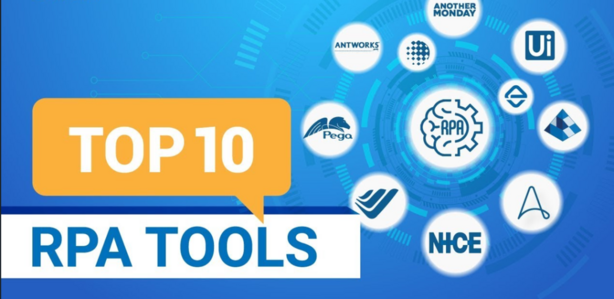
As organizations strive to stay competitive, choosing the right automation platform has become crucial. In this blog post, we’ll look at the top 10 RPA and BPA tools for 2025, comparing their features, pros, cons, and helping you determine which solution is best suited for your needs.
Top 10 Automation Platforms (RPA, BPA) Tools in 2025
1. UiPath
Short Description:
UiPath is one of the leading RPA platforms, offering intelligent automation solutions to streamline complex workflows. With a strong presence in global markets, UiPath enables businesses to automate manual processes across various departments, including finance, HR, and IT.
Key Features:
- Visual workflow design with drag-and-drop functionality.
- Integrates with AI and machine learning for smarter automation.
- Robust orchestration capabilities for managing bots at scale.
- Extensive integrations with ERP, CRM, and other business applications.
- Cloud-based deployment options for scalability.
Pros:
- User-friendly interface, ideal for both technical and non-technical users.
- Strong community support and resources for learning.
- Offers scalability for large enterprises.
Cons:
- Can be expensive for small and medium-sized businesses.
- May require extensive training to fully utilize advanced features.
2. Blue Prism
Short Description:
Blue Prism is another heavyweight in the RPA space, offering enterprise-level automation solutions. It provides secure, scalable, and reliable automation for business processes, helping companies achieve greater efficiency.
Key Features:
- Digital workforce automation with AI integration.
- Advanced analytics and reporting tools.
- Strong security features, ensuring data privacy.
- Flexible deployment options (on-premise and cloud).
- Designed for large enterprises with high-scale automation needs.
Pros:
- Robust security features and compliance.
- Highly scalable, ideal for large organizations.
- Extensive API integrations.
Cons:
- Complex setup and configuration.
- Steeper learning curve compared to some competitors.
3. Automation Anywhere
Short Description:
Automation Anywhere is a cloud-native RPA platform that integrates AI, analytics, and bots to automate complex workflows. It is designed to cater to both large enterprises and small businesses looking to improve productivity.
Key Features:
- Cloud-native with real-time monitoring and orchestration.
- AI-powered bots for advanced automation.
- End-to-end automation, from process discovery to execution.
- Integrates with popular tools like SAP, Oracle, and Salesforce.
- Easy-to-use interface with drag-and-drop functionality.
Pros:
- Highly flexible and scalable, suitable for both small and large businesses.
- Strong AI and cognitive automation features.
- Intuitive, low-code interface.
Cons:
- Pricing can be a barrier for smaller businesses.
- Limited support for certain legacy systems.
4. Pega Systems
Short Description:
Pega Systems focuses on both RPA and BPA, providing businesses with the tools they need to automate complex processes and enhance operational efficiency. It is a highly customizable platform used by large enterprises across various sectors.
Key Features:
- End-to-end process automation with integrated decision-making.
- AI and machine learning capabilities for smart automation.
- Customizable workflows and business rules.
- Excellent customer support and training resources.
- Real-time analytics and business intelligence.
Pros:
- Supports both RPA and BPA, providing an integrated solution.
- Strong AI capabilities for smarter decision-making.
- High level of customization.
Cons:
- Complexity may overwhelm smaller organizations.
- High licensing cost.
5. WorkFusion
Short Description:
WorkFusion offers an RPA and AI-powered automation platform designed to manage both structured and unstructured data. It focuses on driving digital transformation and process optimization across industries like finance, healthcare, and telecom.
Key Features:
- Combines RPA with AI and machine learning for enhanced automation.
- Process mining for discovering automation opportunities.
- Intelligent document processing (IDP) for unstructured data.
- Scalable to handle complex workflows.
- Cloud deployment options.
Pros:
- Advanced AI-powered automation for complex workflows.
- Combines RPA and AI to enhance business intelligence.
- Good scalability for enterprise-level automation.
Cons:
- High cost for smaller businesses.
- May require advanced technical knowledge for full implementation.
6. Kryon Systems
Short Description:
Kryon is known for its intelligent automation solutions, particularly in RPA. The platform uses AI and machine learning to automate repetitive tasks and business processes, providing businesses with more accurate and faster results.
Key Features:
- AI-driven RPA with real-time process discovery.
- Easy integration with existing IT infrastructure.
- Flexible deployment models (on-premise and cloud).
- Analytics and performance monitoring tools.
- Scalable automation for various industries.
Pros:
- Easy-to-use and customizable.
- Excellent customer support and training resources.
- Strong process discovery features.
Cons:
- Limited integrations with certain systems.
- Relatively high pricing.
7. WorkFusion
Short Description:
WorkFusion offers an RPA and AI-powered automation platform designed to manage both structured and unstructured data. It focuses on driving digital transformation and process optimization across industries like finance, healthcare, and telecom.
Key Features:
- Combines RPA with AI and machine learning for enhanced automation.
- Process mining for discovering automation opportunities.
- Intelligent document processing (IDP) for unstructured data.
- Scalable to handle complex workflows.
- Cloud deployment options.
Pros:
- Advanced AI-powered automation for complex workflows.
- Combines RPA and AI to enhance business intelligence.
- Good scalability for enterprise-level automation.
Cons:
- High cost for smaller businesses.
- May require advanced technical knowledge for full implementation.
Comparison Table:
| Tool Name | Best For | Platform(s) Supported | Standout Feature | Pricing | Rating (G2/Capterra/Trustpilot) |
|---|---|---|---|---|---|
| UiPath | Enterprises, Tech-savvy users | Windows, Cloud | AI and ML integration | Starts at $500 | 4.5/5/4.6 |
| Blue Prism | Large Enterprises, Security Needs | On-Premise, Cloud | Robust security features | Custom Pricing | 4.4/5/4.5 |
| Automation Anywhere | SMEs and Large Enterprises | Cloud, SaaS | Cognitive automation with AI | Starts at $360 | 4.6/5/4.7 |
| Pega Systems | Complex Workflows, Big Business | Cloud, On-premise | Decision-driven process automation | Custom Pricing | 4.3/5/4.4 |
| WorkFusion | AI-Driven Automation, Industries | Cloud, SaaS | Combines RPA with AI and Machine Learning | Custom Pricing | 4.6/5/4.6 |
| Kryon Systems | Enterprises, Process Optimization | On-Premise, Cloud | Real-time process discovery with AI | Starts at $400 | 4.5/5/4.5 |
Which Automation Platforms (RPA, BPA) Tool is Right for You?
When choosing an RPA or BPA tool, it’s important to consider your company’s size, industry, budget, and automation needs:
- For Small to Medium Businesses (SMBs): Automation Anywhere and UiPath are great options for those who want robust yet affordable automation tools with cloud-based deployments.
- For Large Enterprises: Blue Prism and Pega Systems offer enterprise-grade features, scalability, and integrations, ideal for large organizations with complex workflows and security needs.
- For AI-driven Automation: WorkFusion and Kryon Systems stand out for their ability to integrate AI and machine learning with traditional RPA to handle more complex, data-driven tasks.
Conclusion
In 2025, the landscape of automation platforms (RPA, BPA) is rapidly evolving, offering businesses the opportunity to drastically reduce manual effort and increase operational efficiency. Whether you’re a small business or a large enterprise, there’s a platform tailored to your automation needs. We recommend trying demos or free trials to assess which tool works best for your specific requirements.
FAQs
- What is RPA, and how is it different from BPA?
RPA focuses on automating repetitive, rule-based tasks, whereas BPA automates entire business processes, including decision-making. - Which RPA tool is the best for small businesses?
Automation Anywhere and UiPath are ideal for small businesses due to their affordable pricing and scalability. - Can I integrate these tools with my existing systems?
Yes, most of the tools on this list offer integrations with popular enterprise systems like SAP, Oracle, and Salesforce. - Are these tools cloud-based?
Most platforms, including Automation Anywhere and Kryon Systems, offer cloud-based solutions for easier scalability and access. - How much do these tools cost?
Pricing varies widely depending on the platform and the scale of automation needed. Some start at $360, with custom pricing for large enterprises.