MOTOSHARE 🚗🏍️
Turning Idle Vehicles into Shared Rides & Earnings
From Idle to Income. From Parked to Purpose.
Earn by Sharing, Ride by Renting.
Where Owners Earn, Riders Move.
Owners Earn. Riders Move. Motoshare Connects.
With Motoshare, every parked vehicle finds a purpose.
Owners earn. Renters ride.
🚀 Everyone wins.
Step 1:
Add the html package to your pubspec.yaml file:
dependencies:
  flutter:
    sdk: flutter
  html: ^0.15.0 # Use the latest version of the html package
Code language: PHP (php)
Step 2:
Import the necessary package in your Dart file:
import 'package:flutter/material.dart';
import 'package:html/parser.dart'; // Import the HTML parser

// ... (rest of your imports)
Code language: JavaScript (javascript)
Step 3:
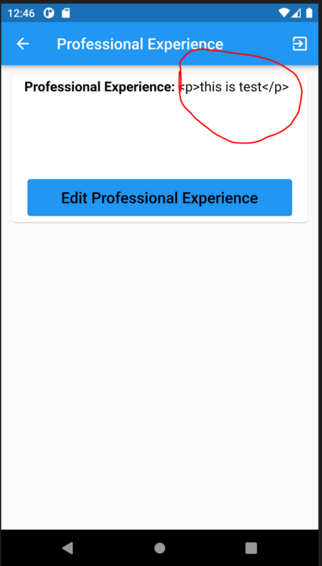
Modify the TextSpan widget to parse and display the HTML content: