MOTOSHARE 🚗🏍️
Turning Idle Vehicles into Shared Rides & Earnings
From Idle to Income. From Parked to Purpose.
Earn by Sharing, Ride by Renting.
Where Owners Earn, Riders Move.
Owners Earn. Riders Move. Motoshare Connects.
With Motoshare, every parked vehicle finds a purpose.
Owners earn. Renters ride.
🚀 Everyone wins.
In Android Studio, the “open for editing” feature allows you to edit a Flutter package that is imported as a dependency in your project. Here are the steps to enable it:
- Open the Flutter project in Android Studio.
- In the Project view, locate the package that you want to edit. It will be displayed as a dependency under the “External Libraries” section.
- Right-click on the package and select “Library Properties” from the context menu.
- In the “Library Properties” dialog, select the “Sources” tab.
- Check the box next to “Specify sources for the package”.
- Click the “Choose” button and navigate to the location of the package’s source code.
- Click “OK” to close the dialog.
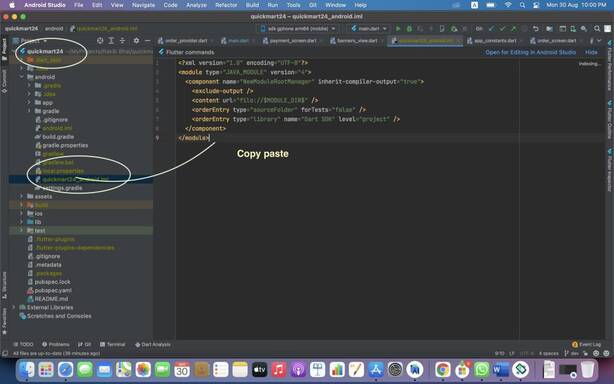
reate a file in android studio inside android name
[project_name]_android.iml