MOTOSHARE 🚗🏍️
Turning Idle Vehicles into Shared Rides & Earnings
From Idle to Income. From Parked to Purpose.
Earn by Sharing, Ride by Renting.
Where Owners Earn, Riders Move.
Owners Earn. Riders Move. Motoshare Connects.
With Motoshare, every parked vehicle finds a purpose.
Owners earn. Renters ride.
🚀 Everyone wins.
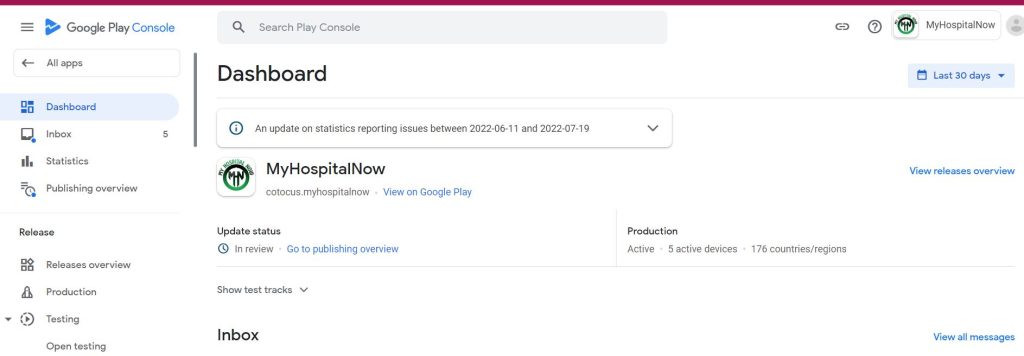
Step 1:
Click your app in the Google Play console

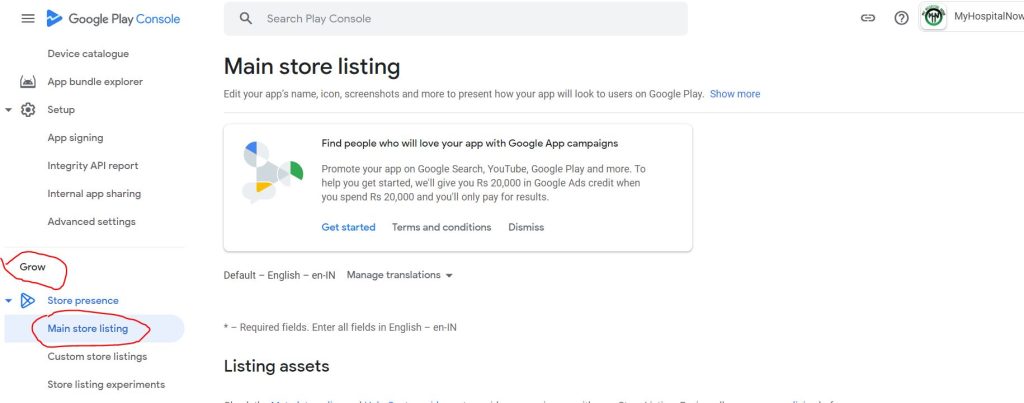
Step 2:
Go to Grow setting and click Main store listing
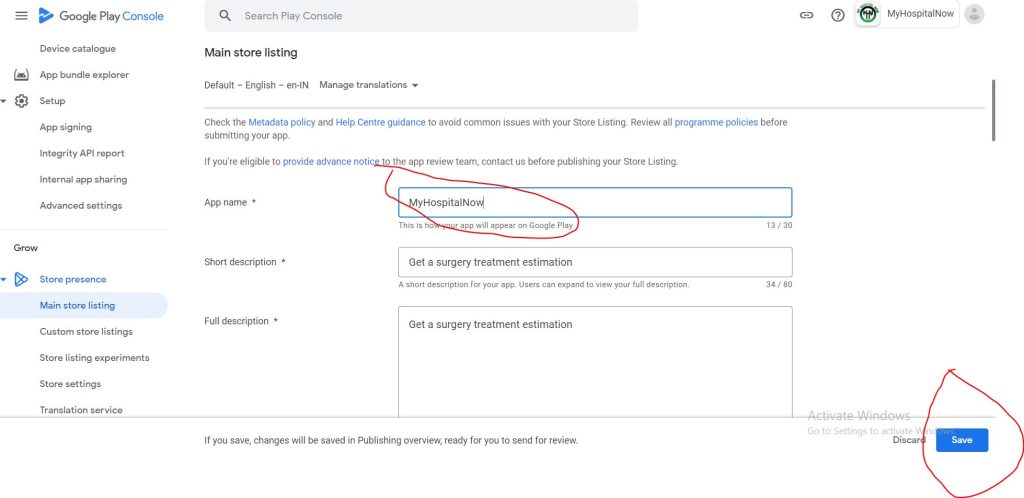
Step 3:
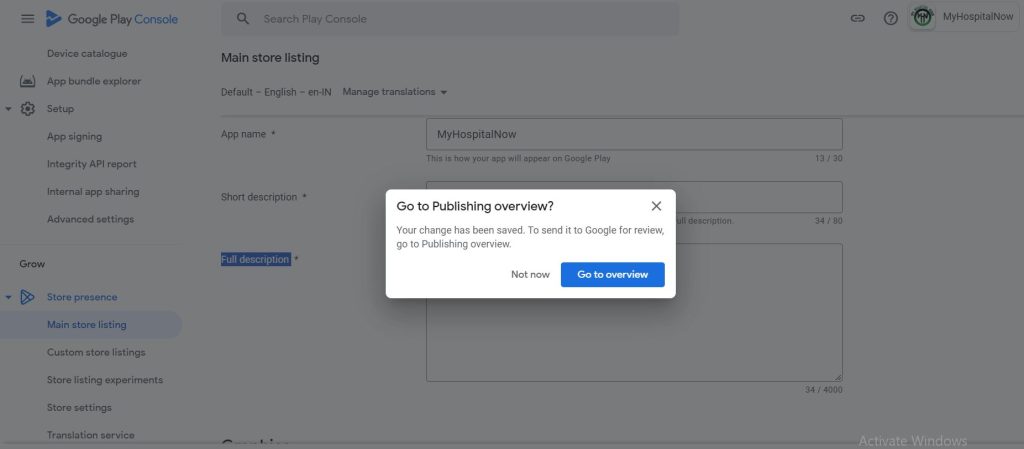
Change name, Short description, and Full description, after that click save
Step 4:
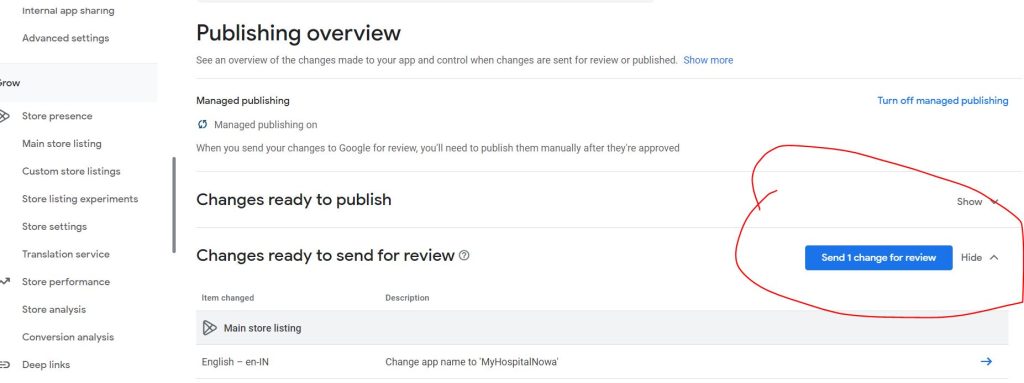
Go to overview
Step 5:
Go to Send 1 change for review