MOTOSHARE 🚗🏍️
Turning Idle Vehicles into Shared Rides & Earnings
From Idle to Income. From Parked to Purpose.
Earn by Sharing, Ride by Renting.
Where Owners Earn, Riders Move.
Owners Earn. Riders Move. Motoshare Connects.
With Motoshare, every parked vehicle finds a purpose.
Owners earn. Renters ride.
🚀 Everyone wins.
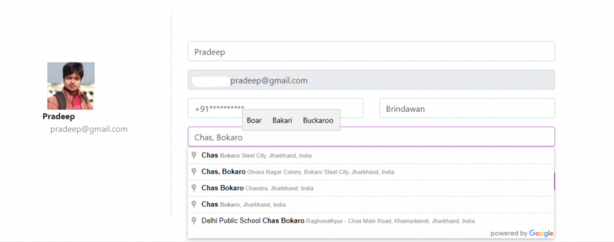
First of all we need to get a google maps API, go through this documentation to get an API of your own.
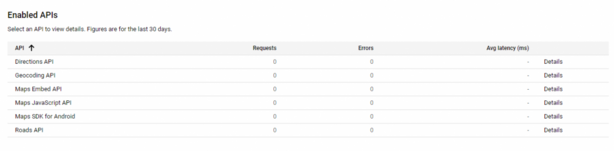
Next thing we need to do is to put a initializing script in our blade file
<script src="https://maps.googleapis.com/maps/api/js?key=YOUR_API_KEY&callback=initAutocomplete&libraries=places&v=weekly"async></script>Code language: HTML, XML (xml)- Make sure to provide your api key in the script
The above script will call a method name initAutocomplete that we have to write in our .js file
<form>
   <div class="row mt-3">
     <div class="col-md-12">
       <input type="text" id="address-input" name="address1" class="form-control" value="">
      <input type="hidden" name="address_latitude" id="address-latitude" value="" required/ >
      <input type="hidden" name="address_longitude" id="address-longitude" value="" required/>
     </div>
   </div>
   <div><button class="btn btn-primary" type="submit">Save Profile</button>
 </div>
</form>Code language: HTML, XML (xml)- Make sure you form have these matching selectors
What i have done in above code
- In the above code the first method initAutocomplete() method is initializing by our script call-back
- Next thing we are getting the input keywords in locationInput constant
- Then with the help of geocoder we are manipulating our provided key word to form let long and
- Next we initializing autocomplete = new google.maps.places.Autocomplete(input);
- At the end we are getting the provide address in our place variable
- There is an another method setLocationCoordinates() i used this method to set let long so that I can store the co-ordinates along with the address in DB
That’s it, hope this help ;