MOTOSHARE 🚗🏍️
Turning Idle Vehicles into Shared Rides & Earnings
From Idle to Income. From Parked to Purpose.
Earn by Sharing, Ride by Renting.
Where Owners Earn, Riders Move.
Owners Earn. Riders Move. Motoshare Connects.
With Motoshare, every parked vehicle finds a purpose.
Owners earn. Renters ride.
🚀 Everyone wins.
Introduction
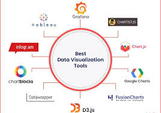
AI Data Visualization Tools have revolutionized how businesses, researchers, and analysts interpret vast amounts of data. As data continues to grow in volume and complexity, AI-driven visualization tools are helping users create intuitive, interactive, and insightful graphics, making data easier to understand and act upon. In 2025, the landscape of data visualization continues to evolve, with AI providing enhanced capabilities for automation, pattern recognition, and predictive insights. Choosing the right tool involves evaluating factors such as ease of use, customization options, integration with other platforms, and advanced AI features that support data exploration.
This guide explores the top 10 AI Data Visualization tools in 2025, comparing features, pros, cons, and helping you make an informed decision based on your business needs.
Top 10 AI Data Visualization Tools in 2025
1. Tableau
Short Description: Tableau is one of the leading platforms for data visualization, offering powerful AI-driven features for analytics. It allows users to create interactive dashboards and visualize data in real time.
Key Features:
- Easy drag-and-drop interface for building visualizations
- AI-powered predictive analytics and insights
- Integration with multiple data sources
- Customizable templates and dashboards
- Real-time collaboration and sharing capabilities
Pros:
- Highly intuitive interface
- Extensive library of visualizations
- Strong community support
Cons:
- Expensive for small businesses
- Steeper learning curve for beginners
Official Website: Tableau
2. Power BI
Short Description: Power BI, a Microsoft product, integrates seamlessly with other Microsoft services. It provides AI-powered analytics for data visualization with an easy-to-use interface, ideal for businesses of all sizes.
Key Features:
- Natural language query support
- AI insights and anomaly detection
- Integration with Excel, Azure, and third-party apps
- Customizable reporting and dashboards
- Embedded analytics in websites and applications
Pros:
- Affordable pricing tiers
- Great for Microsoft ecosystem users
- Excellent data refresh options
Cons:
- Limited customization in free version
- Can be slow with large datasets
Official Website: Power BI
3. Qlik Sense
Short Description: Qlik Sense is a self-service data analytics tool that uses AI to provide smart, interactive data visualizations. It’s known for its associative data engine that connects various data sources for comprehensive insights.
Key Features:
- Associative data indexing for deeper insights
- AI-powered augmented analytics
- Advanced data integration capabilities
- Smart visualizations and dashboards
- Data storytelling features
Pros:
- Flexible and powerful data engine
- AI-driven recommendations for visualization types
- Strong mobile capabilities
Cons:
- High learning curve
- Expensive for small businesses
Official Website: Qlik Sense
4. Looker (Google Cloud)
Short Description: Looker is an AI-based data visualization tool designed for businesses to analyze and visualize data across their organizations. It integrates deeply with Google Cloud, allowing users to get meaningful insights from their data quickly.
Key Features:
- Data exploration and reporting in real-time
- Advanced AI insights and predictive analytics
- Customizable dashboards and reports
- Integration with Google BigQuery and other databases
- Scalability for large enterprises
Pros:
- Seamless integration with Google Cloud services
- Advanced data modeling and exploration
- Strong security features
Cons:
- Complex pricing structure
- Limited built-in visualizations
Official Website: Looker
5. Sisense
Short Description: Sisense is an AI-powered business intelligence tool that enables users to visualize complex data and extract insights through customizable dashboards. It focuses on simplifying large data sets and presenting them in interactive formats.
Key Features:
- In-chip analytics for faster data processing
- AI-driven predictive insights
- Customizable visualizations and reports
- Embedded analytics for websites and applications
- Strong integration options
Pros:
- Handles big data seamlessly
- Highly customizable dashboards
- Scalable for various industries
Cons:
- Requires technical expertise to fully utilize
- Expensive pricing for small teams
Official Website: Sisense
6. Zoho Analytics
Short Description: Zoho Analytics is a business intelligence and data analytics platform that uses AI and machine learning to help users build powerful visualizations and analyze data with ease.
Key Features:
- AI-driven data cleaning and preparation
- Built-in templates for easy visualization
- Natural language queries for faster insights
- Custom dashboards and reports
- Integration with over 250 data sources
Pros:
- Affordable pricing plans
- Seamless integration with Zoho suite
- Strong AI and ML capabilities
Cons:
- Limited features in lower-tier plans
- User interface can be overwhelming
Official Website: Zoho Analytics
7. Domo
Short Description: Domo is a cloud-based AI data visualization platform designed to streamline data integration, visualization, and analysis. It’s ideal for businesses looking for end-to-end analytics solutions.
Key Features:
- AI-powered data analysis and forecasting
- Real-time data updates
- Customizable reporting and dashboards
- Data integration with over 1,000 apps
- Collaborative data sharing features
Pros:
- Easy-to-use interface
- Robust cloud data integration
- Great customer support
Cons:
- High cost for smaller organizations
- Limited data transformation features
Official Website: Domo
8. TIBCO Spotfire
Short Description: TIBCO Spotfire is a comprehensive analytics and visualization tool that uses AI to generate real-time data insights and advanced analytics, aimed at businesses needing robust data exploration.
Key Features:
- AI-based data insights and anomaly detection
- Real-time streaming analytics
- Customizable dashboards and reporting
- Predictive analytics capabilities
- Integration with Hadoop, SQL, and cloud services
Pros:
- Powerful data processing and analysis features
- Strong AI-powered anomaly detection
- Highly customizable visualizations
Cons:
- Steep learning curve
- Expensive for small businesses
Official Website: TIBCO Spotfire
9. Chartio (Acquired by Atlassian)
Short Description: Chartio is a user-friendly data visualization tool that focuses on simplifying complex data sets. It uses AI to automate insights and helps businesses create detailed, interactive dashboards.
Key Features:
- AI-powered insights for data analysis
- Drag-and-drop interface for building charts
- Easy integration with popular data sources
- Customizable visualizations and dashboards
- Data collaboration and sharing capabilities
Pros:
- Easy to use for non-technical users
- Affordable pricing for small businesses
- Great for quick data visualization tasks
Cons:
- Limited advanced analytics features
- Limited support for large data sets
Official Website: Chartio
10. IBM Cognos Analytics
Short Description: IBM Cognos is an AI-driven analytics platform that offers powerful reporting and data visualization features. It enables businesses to perform AI-based insights, helping in decision-making.
Key Features:
- AI-powered data exploration and reporting
- Automated data visualizations and reports
- Integrates with cloud and on-premise data sources
- Customizable dashboards
- Predictive analytics features
Pros:
- Advanced AI-powered analytics
- Strong reporting capabilities
- Scalable for large enterprises
Cons:
- Expensive for smaller businesses
- Complex interface for beginners
Official Website: IBM Cognos Analytics
Comparison Table
| Tool Name | Best For | Platform(s) Supported | Standout Feature | Pricing | Rating |
|---|---|---|---|---|---|
| Tableau | Large Enterprises | Windows, Mac, Web | Interactive Dashboards | Starts at $70/user/month | 4.5/5 |
| Power BI | Small to Mid-sized | Windows, Web, Mobile | Natural Language Query Support | Free / Starts at $9.99 | 4.6/5 |
| Qlik Sense | Advanced Users | Windows, Web, Mobile | Associative Data Engine | Custom | 4.4/5 |
| Looker | Google Cloud Users | Web, Cloud | Deep Google Cloud Integration | Custom | 4.5/5 |
| Sisense | Data-heavy Industries | Windows, Web | In-chip Analytics | Custom | 4.3/5 |
| Zoho Analytics | Small to Medium Biz | Web, Mobile | AI-driven Data Cleaning | Free / Starts at $25 | 4.2/5 |
| Domo | Enterprises | Cloud-based | Real-time Data Collaboration | Custom | 4.5/5 |
| TIBCO Spotfire | Data Scientists | Windows, Web | Predictive Analytics | Custom | 4.4/5 |
| Chartio | Small to Mid-sized | Web, Cloud | Drag-and-drop Interface | Starts at $40/user/month | 4.3/5 |
| IBM Cognos | Enterprises | Windows, Web, Mobile | Predictive Analytics | Custom | 4.2/5 |
Which AI Data Visualization Tool is Right for You?
Choosing the best AI Data Visualization Tool depends on your business size, industry, and specific needs. Here’s a breakdown of which tools may be best for your scenario:
- Small Businesses: Tools like Zoho Analytics, Power BI, and Chartio are affordable and easy to use for small businesses looking to get insights from their data without a large investment.
- Medium Enterprises: Domo, Sisense, and Qlik Sense offer more robust features and can handle larger datasets, making them ideal for growing businesses.
- Large Enterprises: Tableau, IBM Cognos, and Looker are suited for large enterprises needing enterprise-grade features, scalability, and advanced data integration capabilities.
Conclusion
AI Data Visualization tools are rapidly changing how businesses understand and utilize data. With advanced features like predictive analytics, real-time insights, and automation, these tools empower organizations to make informed, data-driven decisions. As we move further into 2025, AI tools will continue to innovate, bringing more powerful and accessible solutions to users.
Explore demos, try free versions, and invest time in selecting the tool that aligns with your business needs to make the most of the future of data visualization.
FAQs
- What is AI Data Visualization?
AI Data Visualization uses artificial intelligence to automate data interpretation and create visual representations such as charts and graphs for better insights. - Why should I choose AI Data Visualization Tools?
These tools help businesses interpret large data sets efficiently, providing actionable insights through automated data analysis and predictive analytics. - Are these tools suitable for small businesses?
Yes, many tools like Power BI, Zoho Analytics, and Chartio offer scalable pricing and features suitable for small businesses. - How do AI Data Visualization Tools improve decision-making?
By offering predictive insights, anomaly detection, and automated reporting, AI tools enable faster and more accurate decision-making based on real-time data. - Are free versions available for these tools?
Many tools, including Power BI and Zoho Analytics, offer free versions with limited features, allowing businesses to try before committing to a paid plan.