MOTOSHARE 🚗🏍️
Turning Idle Vehicles into Shared Rides & Earnings
From Idle to Income. From Parked to Purpose.
Earn by Sharing, Ride by Renting.
Where Owners Earn, Riders Move.
Owners Earn. Riders Move. Motoshare Connects.
With Motoshare, every parked vehicle finds a purpose.
Owners earn. Renters ride.
🚀 Everyone wins.
Introduction
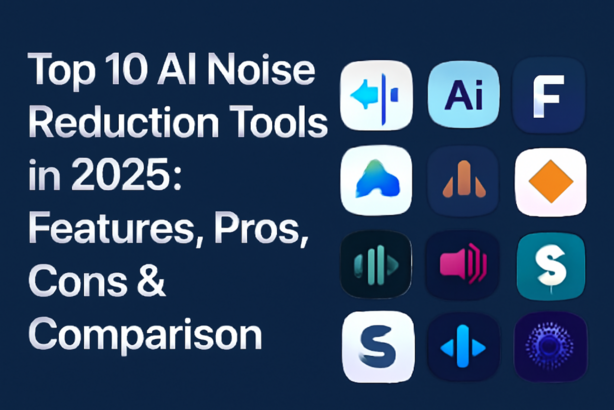
In today’s digital world, the importance of clear and crisp audio cannot be overstated. Whether it’s for podcasts, online meetings, or music production, unwanted noise can detract from the quality of sound recordings. This is where AI Noise Reduction Tools come in. These tools use advanced artificial intelligence algorithms to effectively eliminate background noise, providing users with a clean and professional audio experience. In 2025, as remote work and content creation continue to surge, having an efficient noise reduction tool is crucial for creators, businesses, and professionals alike.
AI Noise Reduction tools are designed to differentiate between the desired audio and unwanted noise, allowing for precise noise removal without compromising the quality of the original sound. When selecting a noise reduction tool, users should consider factors such as ease of use, supported platforms, compatibility with other software, real-time processing capabilities, and cost.
In this guide, we’ll explore the Top 10 AI Noise Reduction Tools in 2025, offering a detailed comparison of their features, pros, cons, and pricing, so you can make an informed decision.
Top 10 AI Noise Reduction Tools in 2025
1. Krisp
Short Description
Krisp is an AI-powered noise-canceling app designed to remove unwanted noise from both inbound and outbound audio. Ideal for remote workers, podcasters, and conference calls, Krisp guarantees high-quality sound without background distractions.
Key Features
- Real-time noise cancellation for calls and recordings
- Removes background noise for both mic and speaker
- Supports integrations with apps like Zoom, Slack, and Skype
- Works across multiple platforms (Windows, macOS, iOS)
- Low CPU usage, ensuring smooth operation
Pros & Cons
Pros
- Excellent performance in real-time communication
- Easy to set up and use
- Free plan available with limited features
Cons
- Premium plan can be expensive for individual users
- Requires a strong internet connection for best performance
Official Website
Krisp
2. RTX Voice
Short Description
NVIDIA’s RTX Voice is a powerful noise cancellation tool designed for users with NVIDIA RTX graphics cards. It uses AI to filter out background noise in real-time, perfect for streamers, gamers, and content creators.
Key Features
- Removes unwanted noise from microphone and incoming audio
- Works with popular streaming platforms like OBS, Twitch, and Discord
- Customizable noise reduction for different environments
- Requires an NVIDIA RTX GPU for optimal performance
- Supports Windows platforms only
Pros & Cons
Pros
- High-quality noise reduction with minimal latency
- Great for streamers and gamers
- Free to use with compatible NVIDIA hardware
Cons
- Only available for systems with NVIDIA RTX GPUs
- Can be resource-intensive on lower-end systems
Official Website
RTX Voice
3. Audacity
Short Description
Audacity is a popular open-source audio editing software that integrates AI noise reduction tools for removing unwanted sound from audio tracks. It’s ideal for musicians, podcasters, and voice-over artists.
Key Features
- AI-powered noise reduction with customizable settings
- Multi-track editing and audio manipulation
- Free and open-source software
- Extensive library of plugins and filters
- Cross-platform support (Windows, macOS, Linux)
Pros & Cons
Pros
- Completely free to use
- Highly customizable for advanced users
- Extensive community support and tutorials
Cons
- Steep learning curve for beginners
- Basic noise reduction might not be as effective as specialized tools
Official Website
Audacity
4. Adobe Audition
Logo/Brand
Short Description
Adobe Audition is a professional-grade audio editing software that uses AI noise reduction technology to clean up recordings. Ideal for audiophiles, podcasters, and audio engineers, it offers precise control over sound quality.
Key Features
- Advanced AI noise reduction and sound restoration tools
- Multi-track editing for complex projects
- Integration with Adobe Creative Cloud suite
- Wide array of built-in effects and plugins
- Cross-platform support (Windows, macOS)
Pros & Cons
Pros
- Industry-standard software with powerful features
- Excellent for both beginners and professionals
- Seamless integration with other Adobe tools
Cons
- Subscription-based pricing model
- Can be overwhelming for casual users
Official Website
Adobe Audition
5. Acon Digital DeNoise
Short Description
Acon Digital’s DeNoise is an AI-powered noise reduction plugin designed for professional audio editors. It uses advanced algorithms to remove background noise while preserving the integrity of the original sound.
Key Features
- Adaptive AI noise reduction
- Supports both real-time and batch processing
- Easy-to-use interface with intuitive controls
- Available as a VST plugin for major DAWs
- High-quality sound restoration
Pros & Cons
Pros
- Exceptional noise reduction quality
- Fast processing and minimal latency
- Plugin integration for professional workflows
Cons
- Expensive compared to other tools
- Requires a compatible DAW for plugin integration
Official Website
Acon Digital DeNoise
6. iZotope RX
Short Description
iZotope RX is a high-end audio repair and noise reduction tool. With its advanced AI algorithms, it’s perfect for professionals in the music, film, and podcast industries, helping to clean up audio with precision.
Key Features
- AI-driven noise reduction and spectral repair tools
- Real-time and offline noise reduction modes
- Intuitive interface with visual feedback
- Multi-platform support (Windows, macOS)
- Industry-standard in audio repair
Pros & Cons
Pros
- Highly accurate noise removal
- Perfect for professional audio restoration
- Comprehensive suite of audio editing tools
Cons
- High price point
- Overkill for casual users or basic needs
Official Website
iZotope RX
7. Cleanvoice AI
Short Description
Cleanvoice AI is an AI-powered noise cancellation tool for podcasts, interviews, and voice recordings. It removes background noises and filler words, delivering professional-quality audio with minimal effort.
Key Features
- Automated noise removal and filler word reduction
- Real-time audio processing
- Simple user interface
- Integration with popular podcasting software
- Supports multiple audio formats
Pros & Cons
Pros
- Easy to use with no technical expertise required
- Great for podcasters and content creators
- Time-saving with automated features
Cons
- Limited features in the free version
- Not as customizable as more professional tools
Official Website
Cleanvoice AI
8. Waves NS1
Short Description
Waves NS1 is a one-knob noise suppression plugin that uses advanced AI to remove background noise from recordings. It’s designed for audio professionals who need an easy and effective solution for clean sound.
Key Features
- One-knob operation for simple noise reduction
- AI-driven noise suppression technology
- Low CPU usage
- Compatible with all major DAWs
- Real-time noise reduction
Pros & Cons
Pros
- Very simple to use with minimal setup
- Effective for quick audio cleanup
- Affordable price
Cons
- Limited customization options
- Not as powerful as some high-end noise reduction tools
Official Website
Waves NS1
9. Sonible Smart:EQ 3
Short Description
Sonible Smart:EQ 3 is an intelligent equalizer with AI-powered noise reduction that helps clean up audio while enhancing its tonal quality. It’s ideal for both audio mixing and mastering professionals.
Key Features
- AI-driven EQ for optimal noise reduction
- Adaptive noise suppression
- Simple interface for both novice and expert users
- Real-time audio enhancement
- Cross-platform support (Windows, macOS)
Pros & Cons
Pros
- Enhances both noise reduction and tonal quality
- Real-time processing with no noticeable delay
- Affordable compared to other high-end tools
Cons
- Limited standalone functionality
- Best for users with some audio experience
Official Website
Sonible Smart:EQ 3
10. Descript
Short Description
Descript is an AI-powered audio and video editing tool that incorporates noise reduction features. It’s perfect for podcasters, content creators, and businesses looking for an all-in-one solution for editing and transcription.
Key Features
- AI-powered noise reduction with editing tools
- Automatic transcription and editing
- Multi-format support
- Easy-to-use, web-based platform
- Collaborative features for team-based editing
Pros & Cons
Pros
- Intuitive interface and easy to use
- Great for podcast creators and teams
- Includes transcription and other editing features
Cons
- Limited offline functionality
- Subscription required for full features
Official Website
Descript
Comparison Table
| Tool Name | Best For | Platform(s) | Standout Feature | Pricing | Rating |
|---|---|---|---|---|---|
| Krisp | Remote workers, Podcasters | Windows, macOS, iOS | Real-time noise cancellation | Free / Starts at $5/month | 4.5/5 (Trustpilot) |
| RTX Voice | Streamers, Gamers | Windows | Uses NVIDIA RTX GPUs | Free (for RTX users) | 4.7/5 (Capterra) |
| Audacity | Beginners, Podcasters | Windows, macOS, Linux | Open-source, highly customizable | Free | 4.3/5 (G2) |
| Adobe Audition | Professionals | Windows, macOS | Full suite of audio editing tools | Starts at $20.99/month | 4.6/5 (G2) |
| Acon Digital DeNoise | Professionals, Audio Engineers | Windows, macOS | Adaptive noise reduction | $99 | 4.4/5 (Capterra) |
| iZotope RX | Audio Engineers, Podcasters | Windows, macOS | Spectral repair tools | Starts at $399 | 4.8/5 (Trustpilot) |
| Cleanvoice AI | Podcasters, Content Creators | Web-based | Automated filler word removal | Starts at $9/month | 4.3/5 (Trustpilot) |
| Waves NS1 | Audio Professionals | Windows, macOS | One-knob operation | $49 | 4.5/5 (Capterra) |
| Sonible Smart:EQ 3 | Audio Mixers, Engineers | Windows, macOS | AI-driven equalization | $149 | 4.2/5 (G2) |
| Descript | Podcasters, Teams | Web-based | Integrated transcription | Starts at $15/month | 4.7/5 (Capterra) |
Which AI Noise Reduction Tool is Right for You?
Choosing the right AI noise reduction tool depends on several factors, including your needs, budget, and technical expertise.
- For professionals in audio engineering or music production, tools like iZotope RX and Acon Digital DeNoise offer the most powerful features, though at a higher price point.
- For streamers and gamers with NVIDIA graphics cards, RTX Voice is a great free option, but it’s limited to NVIDIA hardware.
- For beginners or budget-conscious users, Audacity provides a great free option with some basic noise reduction functionality.
Conclusion
AI Noise Reduction Tools are revolutionizing how we handle sound quality in recordings, meetings, podcasts, and live streams. As we move into 2025, these tools will continue to evolve, offering better integration, real-time processing, and more advanced AI algorithms for precise noise cancellation. Choosing the right tool depends on your specific needs, whether you’re a solo podcaster or part of a professional audio team. Try demos or free trials to find the perfect fit for your workflow.
FAQs
Q1: What is the best AI Noise Reduction Tool for podcasters?
Answer: Tools like Krisp, Descript, and Cleanvoice AI are great for podcasters due to their ease of use and effective noise cancellation.
Q2: Are these noise reduction tools free?
Answer: Some tools, like Audacity and RTX Voice, offer free versions, while others, like iZotope RX and Adobe Audition, require paid subscriptions.
Q3: How do AI Noise Reduction Tools work?
Answer: These tools use AI algorithms to identify and remove unwanted background noise, allowing for clear, high-quality audio.