MOTOSHARE 🚗🏍️
Turning Idle Vehicles into Shared Rides & Earnings
From Idle to Income. From Parked to Purpose.
Earn by Sharing, Ride by Renting.
Where Owners Earn, Riders Move.
Owners Earn. Riders Move. Motoshare Connects.
With Motoshare, every parked vehicle finds a purpose.
Owners earn. Renters ride.
🚀 Everyone wins.
Introduction
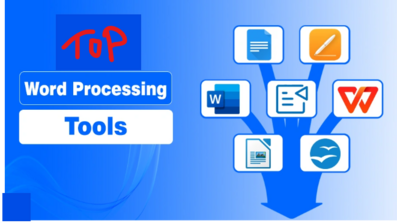
Word processing software allows users to create, edit, format, save, and share text-based documents—from simple letters to detailed reports and collaborative manuscripts. In 2025, these tools have evolved far beyond basic typing applications. They now offer AI-powered writing assistance, real-time collaboration, cloud integration, and multi-platform support to cater to the needs of students, professionals, businesses, and creative writers.
When choosing the right tool, consider:
- Collaboration features — real-time editing, commenting, and version tracking.
- Cross-platform compatibility — support for Windows, macOS, Linux, mobile, and web.
- Advanced formatting & export options — for professional, academic, or creative use.
- AI integration — grammar, style suggestions, and content generation.
- Security & privacy — encryption and access control for sensitive documents.
- Pricing & licensing models — free, open-source, subscription, or one-time payment.
Here are the 10 best word processing software tools in 2025, their key features, pros, cons, and a detailed comparison to help you make the right choice.
Top 10 Word Processing Software Tools in 2025
1. Microsoft Word (Microsoft 365)
Short Description
The industry leader in word processing, Microsoft Word remains the go-to choice for professionals, businesses, and academic users who need powerful document creation and formatting tools.
Key Features
- Rich text formatting, styles, and layout tools.
- Real-time collaboration via OneDrive and SharePoint.
- Integrated AI-powered writing assistant with Microsoft Copilot.
- Cloud synchronization with offline editing support.
- Extensive template library and multiple export formats (DOCX, PDF, HTML).
- Seamless integration with Excel, PowerPoint, Teams, and Outlook.
Pros
- Extremely versatile and feature-rich.
- Excellent for enterprise, academic, and legal documentation.
- Continuous updates and strong customer support.
Cons
- Subscription-based pricing can be expensive.
- Complex interface for beginners.
- Formatting large documents may require fine-tuning.
2. Google Docs (Google Workspace)
Short Description
Google Docs is a lightweight, cloud-native word processor designed for effortless collaboration, sharing, and cross-platform access.
Key Features
- Real-time multi-user editing and commenting.
- Automatic cloud saving and seamless accessibility.
- Integration with Google Drive, Gmail, Sheets, and other apps.
- AI-assisted grammar and spelling suggestions.
- Offline editing via browser or mobile app.
- Extensive template gallery.
Pros
- Excellent for teams and remote collaboration.
- Free for individuals and cost-effective for businesses.
- Easy sharing and document version control.
Cons
- Limited formatting options compared to Microsoft Word.
- Heavily dependent on internet connectivity.
- Exporting to complex formats may cause compatibility issues.
3. LibreOffice Writer
Short Description
An open-source alternative to Microsoft Word, LibreOffice Writer offers powerful formatting tools and robust offline capabilities without any subscription costs.
Key Features
- Native OpenDocument Format (ODF) with support for DOCX, PDF, and more.
- Advanced layout tools, templates, and styles.
- Built-in formula editor for academic and technical documents.
- Supports Windows, macOS, and Linux.
- Extensive export options including hybrid PDFs.
- Strong community-driven development.
Pros
- Completely free and open-source.
- Excellent for offline work and professional formatting.
- Compatible with multiple file formats.
Cons
- Lacks real-time collaboration tools.
- Interface is less polished compared to premium alternatives.
- Occasional formatting issues when importing/exporting DOCX files.
4. Scrivener
Short Description
Scrivener is ideal for long-form writing projects such as novels, research papers, and screenplays, offering superior organizational tools for creative writers.
Key Features
- Binder and corkboard views for structured writing.
- Multi-format export (Word, PDF, ePub, Kindle).
- Split-screen editing and distraction-free writing modes.
- Snapshot tools for version tracking.
- Integrated research library to manage references and notes.
- Available for Windows, macOS, and iOS.
Pros
- Perfect for complex, large-scale writing projects.
- Excellent organization and research integration.
- Strong export capabilities for publishing.
Cons
- Not ideal for collaborative work.
- Requires time to master advanced features.
- Formatting final outputs may require post-processing.
5. Apple Pages
Short Description
Apple Pages is a clean, design-friendly word processor, perfect for users within the Apple ecosystem who want visually appealing documents.
Key Features
- Stunning templates for reports, resumes, brochures, and flyers.
- iCloud integration for seamless syncing across Apple devices.
- Real-time collaboration via iCloud.
- Export support for Word, PDF, and ePub formats.
- Integrated charts, tables, and multimedia tools.
- Intuitive interface optimized for macOS and iOS.
Pros
- Free for Apple device users.
- Ideal for design-heavy documents.
- Smooth cross-device experience for Mac and iPhone users.
Cons
- Limited compatibility with non-Apple platforms.
- Not suitable for advanced academic or enterprise formatting.
- Collaboration features less robust than Google Docs.
6. WPS Writer (WPS Office)
Short Description
WPS Writer is a versatile alternative to Microsoft Word, offering excellent compatibility and affordability without compromising on essential features.
Key Features
- Full support for DOC, DOCX, PDF, and other formats.
- Cross-platform availability (Windows, macOS, Linux, Android, iOS).
- Built-in templates and PDF conversion tools.
- Free version available with optional premium upgrades.
- Lightweight design optimized for speed and performance.
Pros
- Excellent value with strong MS Word compatibility.
- Easy to use with minimal learning curve.
- Free version sufficient for most personal use cases.
Cons
- Advanced features locked behind a paywall.
- Occasional ads in the free version.
- Limited enterprise-level support compared to Microsoft Word.
7. Open Source Docs
Short Description
An emerging open-source collaborative word processor focused on security, privacy, and seamless document editing for institutions and businesses.
Key Features
- Real-time collaboration with offline capabilities.
- Export to DOCX, PDF, and ODF formats.
- Simple, minimalistic user interface.
- Granular access control and data privacy.
- Open-source framework suitable for customization.
Pros
- High data privacy and security.
- Free and modifiable for institutional deployment.
- Ideal for organizations avoiding vendor lock-in.
Cons
- Fewer advanced features compared to mature tools.
- Smaller user base and limited ecosystem.
- Occasional stability issues due to ongoing development.
8. Ulysses
Short Description
A distraction-free writing tool designed for creative writers, bloggers, and solo authors, Ulysses focuses on simplicity and clean writing experiences.
Key Features
- Markdown-based editing environment.
- Unified library for organizing writing projects.
- Multi-format export (DOCX, PDF, ePub, HTML).
- Built-in goal tracking and writing statistics.
- Sync across Apple devices via iCloud.
Pros
- Minimalist, user-friendly interface.
- Great for writers focused on creative flow.
- Excellent export features for digital publishing.
Cons
- Exclusive to the Apple ecosystem.
- No real-time collaboration tools.
- Requires a subscription.
9. AbiWord
Short Description
AbiWord is a lightweight, open-source word processor ideal for basic document creation and older hardware.
Key Features
- Simple interface optimized for speed.
- Supports common formats like DOC, RTF, and ODF.
- Low system resource usage.
- Available on Windows and Linux.
- Free to download and use.
Pros
- Extremely fast and efficient.
- Ideal for older computers.
- Completely free and open-source.
Cons
- Limited advanced features.
- Outdated interface design.
- Poor collaboration and cloud integration options.
10. Typora
Short Description
Typora is a markdown-focused word processor for developers, bloggers, and web content creators who prioritize clean, structured writing.
Key Features
- Real-time markdown preview.
- Lightweight, distraction-free environment.
- Multiple export options including PDF, DOCX, and HTML.
- Cross-platform support (Windows, macOS, Linux).
- Ideal for technical writing and blogging workflows.
Pros
- Excellent markdown support.
- Streamlined interface for writing without distractions.
- Great export capabilities for web and print.
Cons
- Lacks collaborative features.
- Minimal templates compared to traditional processors.
- Not suitable for advanced document layouts.
Comparison Table
| Tool Name | Best For | Platforms | Standout Feature | Pricing | Rating* |
|---|---|---|---|---|---|
| Microsoft Word | Business & academics | Windows, macOS, Web, Mobile | AI-powered editing + advanced formatting | Subscription-based | 4.9/5 |
| Google Docs | Teams & collaboration | Web, Android, iOS | Real-time multi-user editing | Free / Workspace plans | 4.8/5 |
| LibreOffice Writer | Offline & open-source | Windows, macOS, Linux | Advanced formatting + free usage | Free | 4.7/5 |
| Scrivener | Authors & researchers | Windows, macOS, iOS | Long-form project organization | One-time purchase | 4.6/5 |
| Apple Pages | Apple ecosystem users | macOS, iOS, Web | Polished templates + layout design | Free | 4.6/5 |
| WPS Writer | Budget-friendly editing | Windows, macOS, Linux, Mobile | MS Word compatibility + free version | Free / Paid plans | 4.5/5 |
| Open Source Docs | Privacy-conscious users | Web, Cross-platform | Open-source + secure collaboration | Free | 4.4/5 |
| Ulysses | Creative writers | macOS, iOS | Minimalist markdown writing | Subscription-based | 4.4/5 |
| AbiWord | Lightweight processing | Windows, Linux | Fast, efficient basic editing | Free | 4.2/5 |
| Typora | Developers & bloggers | Windows, macOS, Linux | Real-time markdown support | One-time license | 4.3/5 |
Which Word Processing Software Tool Is Right for You?
| User Type | Best Tools | Why |
|---|---|---|
| Business professionals | Microsoft Word, WPS Writer | Advanced formatting & enterprise features |
| Students & educators | Google Docs, LibreOffice | Free, collaborative, academic-friendly |
| Authors & researchers | Scrivener, Ulysses | Great for long-form, structured writing |
| Design-focused users | Apple Pages, Microsoft Word | Attractive templates & visual layouts |
| Privacy-conscious users | Open Source Docs, LibreOffice | Data sovereignty and open formats |
| Basic document creators | AbiWord, Typora | Lightweight and simple writing experience |
Conclusion
In 2025, word processing software has become smarter, faster, and more collaborative than ever. From AI-driven assistants in Microsoft Word to real-time teamwork in Google Docs and privacy-focused open-source solutions, there’s a perfect tool for every writer, business, and creative.
Before choosing, try free trials or demos where possible, and select the software that best matches your workflow, collaboration needs, platform preferences, and budget.
FAQs
Q1. Which word processing software is best for businesses in 2025?
Microsoft Word remains the top choice for enterprises, but Google Docs and WPS Writer are great cost-effective alternatives.
Q2. Are there free word processing software options?
Yes. Google Docs, LibreOffice Writer, AbiWord, and WPS Writer’s free version are excellent options.
Q3. Which tool is best for collaborative document editing?
Google Docs leads in real-time collaboration, while Microsoft Word and Open Source Docs also offer strong options.
Q4. What’s the best software for long-form writing?
Scrivener and Ulysses are ideal for novels, research papers, and structured manuscripts.
Q5. Do AI features really improve productivity?
Yes. AI-powered suggestions in tools like Microsoft Word and Google Docs streamline editing, reduce errors, and save time.