MOTOSHARE 🚗🏍️
Turning Idle Vehicles into Shared Rides & Earnings
From Idle to Income. From Parked to Purpose.
Earn by Sharing, Ride by Renting.
Where Owners Earn, Riders Move.
Owners Earn. Riders Move. Motoshare Connects.
With Motoshare, every parked vehicle finds a purpose.
Owners earn. Renters ride.
🚀 Everyone wins.
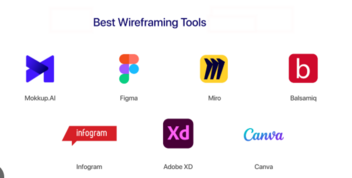
Introduction
Wireframing is the process of creating a visual blueprint of a digital product, such as a website, mobile app, or software interface. It shows the structure, layout, and flow of content before diving into high-fidelity design or development. In 2025, with increasing complexity in digital products and a growing demand for seamless user experiences, wireframing tools have become more vital than ever.
Why wireframing tools matter in 2025:
- They allow fast, low-cost iteration during the early design stages.
- Enhance collaboration between designers, developers, product managers, and stakeholders.
- Offer built-in templates, design systems, and AI-powered assistance.
- Facilitate responsive layouts and cross-platform designs.
- Integrate seamlessly with prototyping and development workflows.
When choosing the best wireframing tools in 2025, consider factors such as ease of use, collaboration capabilities, templates, integrations, pricing, and AI-powered automation features.
Top 10 Wireframing Tools for 2025
Below are the top 10 wireframing tools to explore in 2025, with descriptions, features, pros, and cons.
1. Figma
Short Description
Figma is a cloud-based design and prototyping platform ideal for wireframing, UI/UX design, and collaboration. Perfect for teams working remotely or across multiple locations.
Key Features:
- Real-time collaboration with multiple editors.
- Auto-layout for responsive designs.
- Vast plugin ecosystem and reusable component libraries.
- AI-assisted wireframe and design generation.
- Cross-platform compatibility with web and desktop apps.
Pros:
- Exceptional for team collaboration.
- Scales from basic wireframes to advanced prototypes.
- Extensive library of templates and UI kits.
Cons:
- Premium plans can be expensive for larger teams.
- Requires a stable internet connection for cloud-based editing.
2. Adobe XD
Short Description
Adobe XD is a powerful vector-based design tool, ideal for creating wireframes, prototypes, and UI layouts. It integrates seamlessly with other Adobe Creative Cloud tools.
Key Features:
- Responsive resize and Repeat Grid features.
- Built-in prototyping tools with interactive transitions.
- Deep integration with Photoshop and Illustrator.
- Cross-platform compatibility for desktop and mobile previews.
- Libraries and templates tailored for UX/UI workflows.
Pros:
- Ideal for users already in the Adobe ecosystem.
- Powerful vector editing and prototyping in one tool.
- Highly professional results for detailed designs.
Cons:
- Real-time collaboration features are less robust than Figma.
- Pricing can be costly for individuals and small teams.
3. Axure RP
Short Description
Axure RP is a professional-grade wireframing and prototyping tool designed for complex projects requiring conditional logic, dynamic interactions, and adaptive views.
Key Features:
- Interactive wireframes with conditional logic.
- Adaptive views for responsive designs.
- Automated specification generation and developer hand-offs.
- Team collaboration and version control.
- Robust widget libraries for UI elements.
Pros:
- Excellent for enterprise-level UX projects.
- Highly detailed wireframes and prototypes.
- Ideal for technical and data-driven workflows.
Cons:
- Steeper learning curve for beginners.
- More expensive than other wireframing tools.
- Overkill for basic sketches or lightweight projects.
4. Balsamiq
Short Description
Balsamiq focuses on low-fidelity wireframes with a sketch-style interface, helping teams focus on structure and functionality rather than visual details.
Key Features:
- Hand-drawn style to emphasize concepts.
- Pre-built UI components for quick wireframing.
- Simple drag-and-drop interface.
- Cloud-based and desktop versions available.
- Easy sharing and collaboration options.
Pros:
- Beginner-friendly with minimal learning curve.
- Great for brainstorming and early-stage design.
- Affordable pricing for individuals and small teams.
Cons:
- Limited support for high-fidelity designs.
- Lacks advanced prototyping and animations.
- May require transitioning to another tool later in the design process.
5. Justinmind
Short Description
Justinmind is a wireframing and prototyping tool built for creating interactive, high-fidelity prototypes of websites and mobile applications.
Key Features:
- Interactive components with gestures and animations.
- Mobile device emulators for real-time previews.
- Built-in UI kits and customizable templates.
- Cloud-based collaboration and feedback tools.
- Form-building and data visualization capabilities.
Pros:
- Excellent for creating realistic, clickable prototypes.
- Optimized for mobile app development.
- Great for usability testing.
Cons:
- Slightly more complex for beginners.
- Performance may lag on larger projects.
- Paid plans can become costly for bigger teams.
6. Whimsical
Short Description
Whimsical is a lightweight wireframing and visual collaboration tool, perfect for brainstorming and rapid prototyping in early-stage projects.
Key Features:
- Combines wireframes, flowcharts, and mind maps.
- Intuitive drag-and-drop interface.
- Real-time collaboration and commenting features.
- Ready-to-use UI libraries and templates.
- Clean, distraction-free design environment.
Pros:
- Extremely easy to learn and use.
- Affordable for freelancers and small teams.
- Ideal for early-stage ideation and fast concepting.
Cons:
- Lacks advanced prototyping features.
- Limited integrations compared to premium tools.
- Not ideal for scaling into high-fidelity design workflows.
7. Miro
Short Description
Miro is a collaborative whiteboard platform that doubles as a versatile wireframing tool, making it ideal for distributed teams.
Key Features:
- Infinite canvas for wireframes, flows, and diagrams.
- Extensive template library for wireframing and brainstorming.
- Real-time collaboration and built-in video chat.
- Integrates with tools like Slack, Jira, and Asana.
- AI-powered assistance for layouts and sticky-note summarization.
Pros:
- Perfect for brainstorming and design workshops.
- Highly collaborative for remote or hybrid teams.
- Versatile—supports wireframes, diagrams, and more.
Cons:
- Less suited for highly detailed, technical wireframes.
- Some features locked behind premium tiers.
- Can feel overwhelming for simple projects.
8. Sketch
Short Description
Sketch is a Mac-exclusive design tool popular among UI designers, offering robust features for wireframing, prototyping, and component-driven design.
Key Features:
- Vector editing and reusable symbols/components.
- Large library of plugins and templates.
- Seamless developer hand-off workflows.
- Offline desktop application for macOS users.
- Lightweight yet powerful performance.
Pros:
- Ideal for Mac-based design teams.
- Highly customizable with plugins and add-ons.
- Exceptional for creating polished wireframes and UI designs.
Cons:
- Exclusively available for macOS users.
- Limited real-time collaboration compared to Figma.
- Requires third-party tools for cloud-based workflows.
9. Penpot
Short Description
Penpot is an open-source, browser-based wireframing and prototyping tool, making it a great choice for teams seeking transparency and flexibility.
Key Features:
- 100% free and open-source.
- Supports self-hosting for greater control.
- Interactive prototyping with sharing capabilities.
- Cross-platform browser access.
- Growing community of templates and UI kits.
Pros:
- Completely free with no licensing costs.
- Ideal for privacy-conscious teams.
- Excellent for cross-platform accessibility.
Cons:
- Smaller community compared to mainstream tools.
- Fewer integrations and advanced features.
- Still maturing compared to premium competitors.
10. Wireframe.cc
Short Description
Wireframe.cc is a minimalist wireframing tool designed for quick sketches and early-stage concepting.
Key Features:
- Extremely simple, distraction-free interface.
- Drag-and-drop wireframe creation.
- Cloud-based with easy sharing and exporting.
- Free and premium plans available.
- Ideal for freelancers or solo designers.
Pros:
- Fast, lightweight, and beginner-friendly.
- Excellent for rapid prototyping sessions.
- Affordable pricing for individual use.
Cons:
- Limited features for advanced design workflows.
- Lacks interactivity and responsive design tools.
- Best suited for simple, low-fidelity mockups.
Comparison Table
| Tool Name | Best For | Platforms | Standout Feature | Pricing | Rating* |
|---|---|---|---|---|---|
| Figma | Teams needing collaboration | Web, Windows, Mac | Real-time editing, AI | Free / From $12 | 4.8/5 |
| Adobe XD | Adobe ecosystem users | Windows, Mac | Vector + prototyping | Paid plans | 4.6/5 |
| Axure RP | Enterprise-level UX | Windows, Mac | Conditional logic | From $25 | 4.7/5 |
| Balsamiq | Low-fidelity wireframes | Web, Desktop | Sketch-style UI | From $9 | 4.5/5 |
| Justinmind | High-fidelity prototypes | Web, Desktop | Interactive components | Free / From $9 | 4.6/5 |
| Whimsical | Brainstorming & early wireframes | Web | Flowcharts + wireframes | Free / Paid tiers | 4.7/5 |
| Miro | Remote collaboration | Web, Desktop, App | Infinite canvas | Free / From $8 | 4.8/5 |
| Sketch | Mac-based designers | macOS | Plugin ecosystem | Paid plans | 4.7/5 |
| Penpot | Open-source flexibility | Web | Free + self-hosting | Free | 4.5/5 |
| Wireframe.cc | Quick mockups | Web | Minimalist interface | Free / From $5 | 4.4/5 |
Which Wireframing Tool is Right for You?
| Scenario | Best Options |
|---|---|
| Large teams needing collaboration | Figma, Miro |
| Advanced prototypes with logic | Axure RP, Justinmind |
| Quick, low-fidelity wireframes | Balsamiq, Wireframe.cc |
| Open-source and cost-free | Penpot |
| Designers on macOS | Sketch |
| Integrated with Adobe workflows | Adobe XD |
Conclusion
In 2025, wireframing tools are evolving beyond basic sketches to offer AI-powered assistance, real-time collaboration, and seamless integration with prototyping and development workflows. Whether you’re a freelancer, startup, or enterprise, choosing the right tool depends on your team size, project complexity, and budget.
Explore free plans, test interactive prototypes, and select the tool that aligns with your workflow to create stunning, user-friendly designs faster than ever before.
FAQs
Q1. What are wireframing tools used for?
Wireframing tools help visualize layouts, structure, and functionality of digital products before moving into detailed design and development.
Q2. Which is the best free wireframing tool in 2025?
Figma, Penpot, and Whimsical offer excellent free plans ideal for individuals and small teams.
Q3. Can AI help with wireframing?
Yes. Tools like Figma and Miro now offer AI-powered layout generation and design suggestions, speeding up workflows.
Q4. Which tool is best for beginners?
Balsamiq and Wireframe.cc are perfect for beginners thanks to their intuitive, minimalist interfaces.
Q5. Which tool is best for advanced prototypes?
For interactive, high-fidelity prototypes with conditional logic, Axure RP and Justinmind are top picks.