MOTOSHARE 🚗🏍️
Turning Idle Vehicles into Shared Rides & Earnings
From Idle to Income. From Parked to Purpose.
Earn by Sharing, Ride by Renting.
Where Owners Earn, Riders Move.
Owners Earn. Riders Move. Motoshare Connects.
With Motoshare, every parked vehicle finds a purpose.
Owners earn. Renters ride.
🚀 Everyone wins.
Introduction
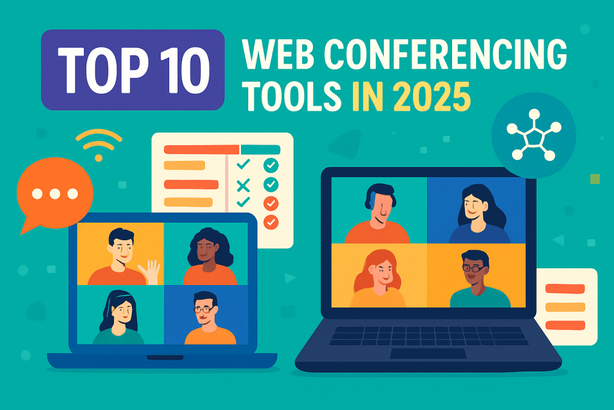
In an increasingly remote-first world, Web Conferencing Tools have become the backbone of digital collaboration across industries. As of 2025, organizations—from startups to enterprises—rely heavily on real-time video meetings, webinars, and virtual collaboration for seamless communication. Whether it’s for internal meetings, client presentations, team standups, or global training sessions, having a reliable, feature-rich, and secure web conferencing tool is no longer optional—it’s essential.
With rapid advancements in AI, security, and hybrid work environments, choosing the right tool in 2025 involves assessing features like HD video, real-time transcription, integrations, breakout rooms, and pricing flexibility. This blog explores the Top 10 Web Conferencing Tools in 2025, compares their standout features, and helps you decide the best fit for your organization.
Top 10 Web Conferencing Tools (2025)
1. Zoom

Short Description:
Zoom continues to lead the space with robust video conferencing, seamless webinar hosting, and powerful collaboration tools for businesses of all sizes.
Key Features:
- HD video and audio with screen sharing
- Breakout rooms and polling features
- AI-powered meeting summaries
- Virtual whiteboards
- Zoom Apps & integrations (Slack, Google, etc.)
- End-to-end encryption
- Automated transcriptions
Pros:
- Extremely user-friendly
- Scalable for individuals and enterprises
Cons:
- Security concerns in early days still haunt some users
- Can be expensive for advanced features
2. Microsoft Teams
Short Description:
Part of Microsoft 365, Teams is ideal for internal communication, project collaboration, and web conferencing within enterprises.
Key Features:
- Deep integration with Microsoft Office apps
- Chat, voice, and video all-in-one
- AI meeting recap and real-time translation
- Customizable meeting layouts
- Live captions and transcription
- High-level security and compliance
Pros:
- Perfect for Microsoft 365 users
- Excellent enterprise-level security
Cons:
- Steep learning curve for new users
- Can be resource-heavy on older devices
3. Google Meet
Short Description:
Google Meet offers secure, lightweight video conferencing deeply integrated into the Google Workspace ecosystem.
Key Features:
- Seamless integration with Google Calendar and Gmail
- Noise cancellation & live captions
- Background blur and visual effects
- Up to 500 participants
- Easy browser access (no app needed)
- AI-powered lighting and audio enhancements
Pros:
- Great for G Suite users
- Clean, minimal interface
Cons:
- Fewer features than Zoom/Teams
- Limited advanced webinar tools
4. Cisco Webex
Short Description:
A secure, enterprise-grade conferencing solution preferred by industries with strict compliance needs.
Key Features:
- Enterprise-grade security & compliance
- AI-based noise reduction & meeting summaries
- Webex Assistant for automated tasks
- Extensive hardware support (Cisco Room devices)
- Real-time translation into 100+ languages
- Breakout sessions and whiteboarding
Pros:
- Highly secure and reliable
- Excellent for global corporations
Cons:
- UI is more complex than competitors
- Pricing is higher for small businesses
5. GoTo Meeting
Short Description:
GoTo Meeting is a tried-and-tested video conferencing tool known for reliability, especially in small to mid-sized businesses.
Key Features:
- 250+ participants
- One-click meetings from calendar integrations
- Meeting transcription and cloud recording
- Mobile app with commuter mode
- Smart Meeting Assistant
- Drawing tools and presenter swap
Pros:
- Strong mobile performance
- Reliable video/audio quality
Cons:
- UI can feel dated
- Limited integrations compared to Zoom/Teams
6. BlueJeans by Verizon
Short Description:
BlueJeans excels in HD conferencing with Dolby Voice and is favored by enterprise and healthcare sectors.
Key Features:
- Dolby Voice for immersive audio
- Smart meeting transcription
- Interactive dashboards and meeting insights
- Real-time analytics
- HIPAA-compliant security
- Integrations with Slack, Microsoft, Trello
Pros:
- Superior audio quality
- Secure for healthcare & finance
Cons:
- Less intuitive for non-tech users
- Lacks some creative features
7. ClickMeeting
Short Description:
Ideal for webinars, training sessions, and marketing presentations with interactive audience features.
Key Features:
- Webinar and live streaming support
- Polls, Q&A, surveys for engagement
- Custom branding
- Certificate generation for attendees
- Cloud storage for recordings
- Detailed analytics and reports
Pros:
- Perfect for marketing teams
- Easy to host large events
Cons:
- Not great for everyday team meetings
- Some features locked behind higher plans
8. BigBlueButton
Short Description:
An open-source video conferencing system built for online education and training.
Key Features:
- Real-time sharing of slides, audio, video, chat
- Breakout rooms for group work
- Multi-user whiteboard
- Polling and student feedback tools
- Integration with LMS platforms (Moodle, Canvas)
- No licensing fees
Pros:
- Free and open-source
- Tailored for education
Cons:
- Limited support for corporate features
- Requires self-hosting for full control
9. Zoho Meeting
Short Description:
Part of the Zoho ecosystem, Zoho Meeting is a simple and effective conferencing tool for businesses using Zoho tools.
Key Features:
- Instant meetings and webinars
- Integration with Zoho CRM, Projects, and Calendar
- Embed meeting widget on website
- Polls and Q&A for webinars
- End-to-end encryption
- GDPR and CCPA compliant
Pros:
- Cost-effective
- Best for Zoho users
Cons:
- Not suitable for large enterprises
- Limited third-party integrations
10. Whereby
Short Description:
Whereby offers hassle-free browser-based video meetings, no downloads or logins required for guests.
Key Features:
- Join via a URL – no app required
- Custom branding & room layouts
- YouTube and Miro integrations
- End-to-end encrypted
- Breakout groups
- Live reactions & emojis
Pros:
- Ideal for freelancers and small teams
- Quick setup and access
Cons:
- Not built for large teams or enterprises
- Fewer admin controls
Comparison Table
| Tool Name | Best For | Platforms Supported | Standout Feature | Pricing | Avg Rating |
|---|---|---|---|---|---|
| Zoom | All-round video conferencing | Windows, macOS, iOS, Web | Breakout rooms + Zoom Apps | Free / Starts at $14.99 | 4.5/5 |
| Microsoft Teams | Microsoft 365 users | All major platforms | Deep Office integration | Included in M365 | 4.3/5 |
| Google Meet | Google Workspace users | Web, Android, iOS | Seamless Gmail/Calendar sync | Free / Starts at $6 | 4.2/5 |
| Cisco Webex | Enterprises, Compliance-driven | All major platforms | Webex Assistant + Translation | Free / Starts at $13.50 | 4.4/5 |
| GoTo Meeting | SMBs needing reliability | Desktop & Mobile | Smart Meeting Assistant | Starts at $12 | 4.3/5 |
| BlueJeans | Healthcare & enterprise users | Windows, macOS, Mobile | Dolby Audio | Starts at $9.99 | 4.1/5 |
| ClickMeeting | Webinars & marketing events | Web | Custom branding + Analytics | Starts at $25 | 4.2/5 |
| BigBlueButton | Online education | Web-based, open-source | Free + LMS integration | Free | 4.0/5 |
| Zoho Meeting | Zoho ecosystem users | All major platforms | CRM & Projects integration | Starts at $3 | 4.1/5 |
| Whereby | Freelancers, small teams | Web | One-click join (no login) | Free / Starts at $6.99 | 4.2/5 |
Which Web Conferencing Tool is Right for You?
By Company Size:
- Freelancers & Solo Entrepreneurs: Whereby, Google Meet, Zoho Meeting
- Small to Mid-size Teams: Zoom, GoTo Meeting, ClickMeeting
- Large Enterprises: Microsoft Teams, Cisco Webex, BlueJeans
By Industry:
- Education: BigBlueButton, Zoom
- Healthcare/Finance: BlueJeans, Cisco Webex
- Marketing & Sales: ClickMeeting, Zoom
- Tech Teams & Startups: Google Meet, Zoom, Whereby
By Feature Needs:
- Advanced Webinar Tools: ClickMeeting, Zoom
- High Security: Cisco Webex, BlueJeans
- Deep Integrations: Microsoft Teams, Zoho Meeting
Conclusion
As digital transformation accelerates in 2025, Web Conferencing Tools continue to be mission-critical for productivity, training, and collaboration. Whether you’re running a startup, teaching online, or managing global enterprise meetings, the right platform can save time, reduce miscommunication, and drive engagement.
Use this guide to explore the features, weigh the pros and cons, and try out the free plans or demos of the tools that best fit your organizational goals.
FAQs
1. What is the best free web conferencing tool?
Google Meet and Zoom offer robust free versions with generous participant limits.
2. Which tool is best for large webinars?
ClickMeeting and Zoom Webinar are excellent choices for marketing events and online seminars.
3. Are web conferencing tools secure?
Yes, especially Cisco Webex, BlueJeans, and Zoom, all of which offer end-to-end encryption and compliance features.
4. What’s the most user-friendly conferencing app?
Whereby is one of the easiest to use—just share a link and join, no login or app required.
5. Can I record meetings with these tools?
Almost all major tools like Zoom, Teams, Webex, and GoTo Meeting offer cloud/local recording options.