MOTOSHARE 🚗🏍️
Turning Idle Vehicles into Shared Rides & Earnings
From Idle to Income. From Parked to Purpose.
Earn by Sharing, Ride by Renting.
Where Owners Earn, Riders Move.
Owners Earn. Riders Move. Motoshare Connects.
With Motoshare, every parked vehicle finds a purpose.
Owners earn. Renters ride.
🚀 Everyone wins.
Introduction
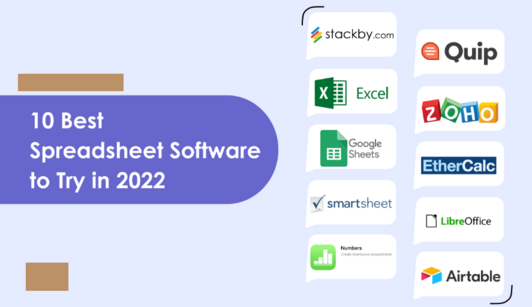
In 2025, spreadsheet software continues to play a crucial role in business operations, data management, financial planning, and collaborative analytics. With the rise of AI-powered automation, cloud integration, and real-time data analysis, modern spreadsheet tools have evolved far beyond simple data entry. They now provide advanced visualization, predictive analytics, collaboration features, and integrations with CRMs, ERPs, and BI platforms.
Whether you’re a small business owner, financial analyst, project manager, or data scientist, choosing the right spreadsheet software is vital for productivity and decision-making. In this guide, we’ll explore the top 10 spreadsheet software tools in 2025, comparing their features, pricing, pros, and cons to help you select the perfect solution for your needs.
Top 10 Spreadsheet Software Tools in 2025
1. Microsoft Excel ![Excel Logo]
Short Description:
Microsoft Excel remains the gold standard in spreadsheet software, offering unmatched features for data analysis, automation, and visualization. Perfect for professionals, enterprises, and finance teams.
Key Features:
- Advanced formulas, pivot tables, and macros
- Integration with Microsoft 365 and Power BI
- Real-time cloud collaboration via OneDrive
- AI-powered data analysis and forecasting
- Support for Power Query and Power Pivot
- Customizable dashboards and charts
Pros:
- Most feature-rich spreadsheet software
- Strong integration with Microsoft ecosystem
- Widely used and supported worldwide
Cons:
- Steeper learning curve for beginners
- Requires subscription for full cloud features
2. Google Sheets ![Google Sheets Logo]
Short Description:
A cloud-based spreadsheet tool perfect for real-time collaboration, Google Sheets is widely used by teams and startups looking for simplicity, accessibility, and seamless integration with Google Workspace.
Key Features:
- Real-time editing and commenting
- Built-in AI insights via Google Duet AI
- Seamless integration with Google Workspace and Google Data Studio
- Pre-built templates for finance, reporting, and project management
- Add-ons marketplace for extended functionality
- Automatic cloud storage and version history
Pros:
- Free for personal use
- Excellent collaboration tools
- Accessible from any device
Cons:
- Limited offline features
- Lacks some advanced Excel-level capabilities
3. Airtable ![Airtable Logo]
Short Description:
Airtable combines spreadsheets with database power, making it ideal for teams that need collaborative workflows and project management capabilities.
Key Features:
- Spreadsheet-database hybrid interface
- Pre-built templates for content, inventory, and CRM
- Kanban, calendar, and gallery views
- API and third-party integrations (Slack, Zapier, etc.)
- Real-time collaboration and permissions
- Automations and scripting support
Pros:
- Intuitive and visually appealing
- Perfect for managing structured projects
- Flexible integrations
Cons:
- Free plan has limited storage
- Advanced features require premium tiers
4. Smartsheet ![Smartsheet Logo]
Short Description:
Smartsheet is a project-centric spreadsheet tool designed for enterprises, providing powerful workflow automation, resource management, and reporting tools.
Key Features:
- Spreadsheet-like UI for project tracking
- Automated workflows and approvals
- Resource allocation and workload management
- Advanced reporting and analytics
- Integration with Microsoft Teams, Slack, and Jira
- Secure enterprise-level permissions
Pros:
- Ideal for project-driven teams
- Strong automation capabilities
- Enterprise-grade security
Cons:
- Less suitable for casual spreadsheet users
- Premium pricing for full features
5. Zoho Sheet ![Zoho Logo]
Short Description:
Part of the Zoho Office Suite, Zoho Sheet is a cloud-first spreadsheet platform offering strong collaboration features and business-focused integrations.
Key Features:
- AI-powered data cleaning and insights
- Integration with Zoho CRM and Zoho Analytics
- Collaborative commenting and tagging
- Extensive template library
- Advanced charting and dashboards
- Secure cloud sharing with access control
Pros:
- Excellent for Zoho ecosystem users
- Affordable pricing
- Built-in AI-powered analysis
Cons:
- Less intuitive for first-time users
- Limited offline capabilities
6. Quip (by Salesforce) ![Quip Logo]
Short Description:
Quip is a collaboration-driven spreadsheet tool designed for teams working within the Salesforce ecosystem, blending spreadsheets with documents and chat.
Key Features:
- Spreadsheet + document integration
- Real-time collaboration with built-in chat
- Salesforce CRM integration
- Automated workflows and approvals
- Embedded charts, graphs, and tables
- Offline sync for mobile
Pros:
- Perfect for Salesforce-centric businesses
- Streamlined team collaboration
- Integrated document management
Cons:
- Less suitable for standalone spreadsheet use
- Limited advanced analysis features
7. WPS Office Spreadsheets ![WPS Logo]
Short Description:
WPS Spreadsheets is a lightweight, budget-friendly alternative to Excel, ideal for individuals and small teams looking for powerful features without high costs.
Key Features:
- Excel-like interface with compatibility
- Cloud synchronization and sharing
- Hundreds of templates for business use
- Formula library and pivot tables
- Multi-device accessibility
- Free and premium versions available
Pros:
- Free version available
- Familiar Excel-like interface
- Supports most common file formats
Cons:
- Lacks AI-powered analytics
- Collaboration tools are basic compared to Google Sheets
8. LibreOffice Calc ![LibreOffice Logo]
Short Description:
LibreOffice Calc is a free, open-source spreadsheet tool, perfect for users seeking a robust offline solution with full Excel compatibility.
Key Features:
- Extensive formula library
- Pivot tables and advanced filtering
- Open-source and free forever
- Excel-compatible file formats
- Charting and visualization tools
- Customizable extensions and plugins
Pros:
- Completely free and open source
- Offline-first design
- Great for privacy-focused users
Cons:
- Outdated UI compared to cloud tools
- Limited real-time collaboration
9. Apple Numbers ![Numbers Logo]
Short Description:
Apple Numbers offers a modern, visually rich spreadsheet experience, ideal for Mac and iOS users who value simplicity and aesthetics.
Key Features:
- Intuitive drag-and-drop interface
- Real-time collaboration via iCloud
- Built-in templates and design options
- Seamless integration with Keynote and Pages
- Optimized for macOS and iOS
- Free for all Apple device users
Pros:
- Beautiful, clean interface
- Great for visual data presentation
- Free for Apple users
Cons:
- Limited compatibility with Windows
- Not as feature-rich as Excel or Sheets
10. EtherCalc ![EtherCalc Logo]
Short Description:
EtherCalc is an open-source, browser-based spreadsheet designed for real-time collaboration without sign-ups or installations.
Key Features:
- No account required to create or edit
- Real-time collaborative editing
- Open-source and free forever
- Lightweight and browser-based
- Works seamlessly across platforms
- Export support for multiple formats
Pros:
- Completely free and open source
- Instant collaboration setup
- Ideal for quick, ad-hoc tasks
Cons:
- Limited advanced data analysis
- No offline functionality
Comparison Table
| Tool Name | Best For | Platforms | Standout Feature | Pricing | Rating |
|---|---|---|---|---|---|
| Microsoft Excel | Enterprises, analysts | Windows, Mac, Web | AI-powered analytics | Starts at $6.99/mo | 4.8/5 |
| Google Sheets | Teams & startups | Web, iOS, Android | Real-time collaboration | Free / Paid plans | 4.7/5 |
| Airtable | Project management | Web, iOS, Android | Spreadsheet + database | Free / From $10/mo | 4.6/5 |
| Smartsheet | Enterprise projects | Web, Desktop, Mobile | Workflow automation | Starts at $7/mo | 4.7/5 |
| Zoho Sheet | Business users | Web, Mobile | AI-powered data cleanup | Free / From $4/mo | 4.5/5 |
| Quip | Salesforce users | Web, Mobile | Integrated docs + chat | Starts at $10/mo | 4.4/5 |
| WPS Spreadsheets | Individuals, SMBs | Windows, Mac, Mobile | Excel compatibility | Free / From $3/mo | 4.3/5 |
| LibreOffice Calc | Offline users | Windows, Mac, Linux | Open-source freedom | Free | 4.4/5 |
| Apple Numbers | Mac & iOS users | macOS, iOS, Web | Sleek visual design | Free | 4.3/5 |
| EtherCalc | Quick collaboration | Web | No-login editing | Free | 4.1/5 |
Which Spreadsheet Software Tool is Right for You?
- For Enterprises & Finance Teams: Microsoft Excel or Smartsheet
- For Startups & Collaborative Teams: Google Sheets or Airtable
- For Project Management: Smartsheet or Airtable
- For Salesforce-Centric Businesses: Quip
- For Budget-Conscious Users: WPS Office or LibreOffice Calc
- For Apple Ecosystem Users: Apple Numbers
- For Quick Ad-Hoc Collaboration: EtherCalc
FAQs
1. What is the best spreadsheet software in 2025?
Microsoft Excel remains the most powerful, while Google Sheets leads in collaboration.
2. Which spreadsheet tool is free and best for collaboration?
Google Sheets and EtherCalc are excellent free options for real-time teamwork.
3. What’s the best spreadsheet software for project management?
Airtable and Smartsheet are ideal for managing structured projects.
4. Is Excel still better than Google Sheets?
Excel offers more advanced analytics, while Google Sheets excels in cloud-based collaboration.
5. Which spreadsheet tool is best for small businesses?
Zoho Sheet and WPS Spreadsheets offer affordability with essential features.
Conclusion
In 2025, spreadsheet software tools have evolved into powerful business intelligence platforms, integrating AI, automation, and real-time collaboration. Whether you need advanced analytics, team productivity, or budget-friendly solutions, there’s a tool for every need.
Try free trials and demos to find the one that perfectly matches your workflow, team size, and goals.