MOTOSHARE 🚗🏍️
Turning Idle Vehicles into Shared Rides & Earnings
From Idle to Income. From Parked to Purpose.
Earn by Sharing, Ride by Renting.
Where Owners Earn, Riders Move.
Owners Earn. Riders Move. Motoshare Connects.
With Motoshare, every parked vehicle finds a purpose.
Owners earn. Renters ride.
🚀 Everyone wins.
Introduction
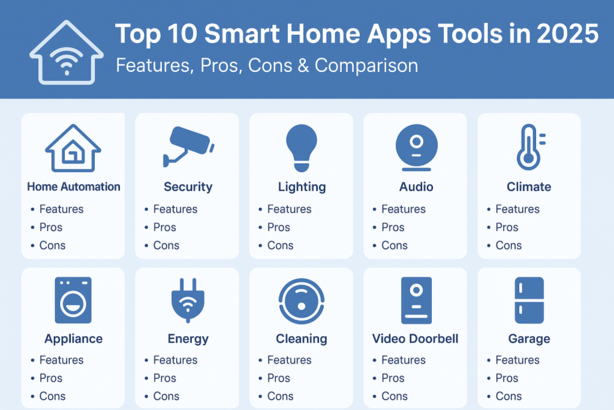
In 2025, Smart Home Apps tools have become the control centers of modern living, enabling homeowners to automate, monitor, and manage their home devices through a unified platform. With the rise of AI, IoT, and edge computing, these apps have evolved from simple remote control tools to intelligent ecosystems that offer energy efficiency, security, and convenience.
Whether it’s adjusting your thermostat, unlocking your front door, dimming lights, or monitoring security cameras—all from your phone or voice command—smart home apps are indispensable. But with so many solutions available, choosing the best smart home apps software depends on your devices, budget, automation needs, and privacy preferences.
In this post, we rank the Top 10 Smart Home Apps Tools in 2025, compare their features, pros & cons, and help you decide the best option for your smart living setup.
🏆 Top 10 Smart Home Apps Tools in 2025
1. Google Home
Short Description: A comprehensive smart home hub for Google ecosystem users, enabling voice and app control of all compatible devices via Google Assistant.
Key Features:
- Native support for Nest products
- Routines & automation flows
- Voice control via Google Assistant
- Integration with 50,000+ devices
- Real-time home alerts and camera views
- Home/Away presence detection
- Works on Android, iOS, tablets
Pros:
- Excellent integration with Android & Google ecosystem
- Intuitive UI and voice command accuracy
Cons:
- Limited features for non-Google hardware
- Privacy concerns due to data usage
2. Amazon Alexa
Short Description: Amazon’s powerhouse app that controls Echo devices, smart plugs, thermostats, lights, and more using Alexa voice commands.
Key Features:
- Wide device compatibility
- Alexa routines & scenes
- Multi-room audio & device grouping
- Skills library for custom integrations
- Guard & Guard Plus for home security
- Voice & text-based controls
Pros:
- Rich customization via Alexa Skills
- Huge device ecosystem support
Cons:
- Some features locked behind subscriptions
- Slight learning curve for advanced routines
3. Apple Home (HomeKit)
Short Description: Designed for Apple users, HomeKit ensures seamless control and automation with deep privacy and secure device pairing.
Key Features:
- Strong focus on user privacy
- Siri voice integration
- Automation with geofencing and time triggers
- iCloud remote access
- HomePod & Apple TV as home hubs
- Thread & Matter protocol support
Pros:
- Exceptional privacy & security
- Seamless experience across Apple devices
Cons:
- Limited device compatibility
- Only works on Apple ecosystem
4. Samsung SmartThings
Short Description: A robust smart home platform with broad device support, automation, and seamless integration across Samsung products.
Key Features:
- Extensive third-party device compatibility
- Works with Zigbee, Z-Wave, Matter
- Scene automation and triggers
- SmartThings Find for device tracking
- Works with Galaxy Watches and phones
- Voice support via Bixby, Alexa, Google Assistant
Pros:
- Cross-protocol support (Zigbee, Z-Wave, Matter)
- Easy setup and device linking
Cons:
- Occasional sync issues with some brands
- UI could be more intuitive
5. Home Assistant
Short Description: A powerful open-source platform for power users and privacy enthusiasts who want local control over their smart home.
Key Features:
- Fully local control (no cloud dependency)
- Extensive integrations with 2000+ platforms
- Advanced automation using YAML or GUI
- Custom dashboards
- Community add-ons and integrations
- Runs on Raspberry Pi, Docker, etc.
Pros:
- Total data privacy & full local control
- Unmatched flexibility
Cons:
- Requires technical know-how
- Not ideal for beginners
6. Aqara Home
Short Description: Aqara Home app connects and controls Zigbee/Matter-based devices with a focus on security, automation, and ecosystem expansion.
Key Features:
- High-quality sensors & automation gear
- Strong Apple HomeKit support
- Supports Zigbee 3.0 and Matter
- Scene & rule-based automation
- AI face recognition for cameras
- Energy usage monitoring
Pros:
- Affordable smart devices
- Reliable Zigbee performance
Cons:
- Works best within Aqara ecosystem
- Some features unavailable outside Asia
7. TP-Link Tapo
Short Description: A user-friendly smart home app focused on cameras, plugs, bulbs, and sensors—ideal for first-time smart home users.
Key Features:
- Simple device onboarding
- AI person detection for cameras
- Scheduling & automation
- Cloud storage for video clips
- Remote access & 2-way audio
- Amazon Alexa/Google Assistant integration
Pros:
- Affordable hardware and free features
- Smooth mobile app UX
Cons:
- Limited device range
- Cloud storage needs subscription for advanced features
8. Tuya Smart
Short Description: A white-label smart home app that powers dozens of brands, allowing control over a vast range of OEM smart devices.
Key Features:
- Controls plugs, lights, cameras, locks, sensors
- Schedule, timer, and automation rules
- Multilingual support
- Multi-user control and device sharing
- Global cloud infrastructure
- Supports Matter and Wi-Fi devices
Pros:
- Huge compatibility across budget brands
- Global app presence
Cons:
- Privacy and data collection concerns
- UI inconsistencies across brands
9. Wemo
Short Description: Wemo’s minimalist app helps control switches, plugs, and lights with easy automation rules and Apple HomeKit support.
Key Features:
- One-tap device control
- Schedules & automation
- Native Apple HomeKit integration
- Remote access via home hub
- Simple firmware updates
- Compact and efficient UI
Pros:
- Great for minimalist automation setups
- Ideal for Apple ecosystem
Cons:
- Limited to Wemo products
- No built-in camera or advanced AI
10. Hubitat Elevation
Short Description: Designed for enthusiasts, Hubitat offers 100% local control and extensive rule-based automation for power users.
Key Features:
- Rule Machine for advanced automation
- Local automation (no cloud delay)
- Compatible with Zigbee, Z-Wave
- Device dashboards and logging
- Security monitoring via Rule Machine
- Works with Alexa, Google Assistant
Pros:
- Lightning-fast automation response
- Highly customizable
Cons:
- UI not very modern
- Learning curve for beginners
📊 Comparison Table: Smart Home Apps Tools (2025)
| Tool Name | Best For | Platforms | Standout Feature | Pricing | Rating (G2/Capterra) |
|---|---|---|---|---|---|
| Google Home | Google ecosystem users | Android, iOS | Integration with Google devices | Free | 4.6/5 |
| Amazon Alexa | Alexa-powered homes | Android, iOS | Skills customization | Free | 4.7/5 |
| Apple Home | Apple users | iOS, macOS | Privacy and iCloud integration | Free | 4.6/5 |
| Samsung SmartThings | Cross-device control | Android, iOS | Zigbee/Z-Wave/Matter support | Free | 4.5/5 |
| Home Assistant | Privacy-focused users | Web, Android, iOS | Full local control | Free/Open Source | 4.8/5 |
| Aqara Home | Affordable automation | Android, iOS | HomeKit and AI automation | Free | 4.4/5 |
| TP-Link Tapo | Entry-level users | Android, iOS | Camera AI and device scheduling | Free | 4.3/5 |
| Tuya Smart | Budget brand control | Android, iOS | White-label OEM support | Free | 4.2/5 |
| Wemo | Minimalist automation | iOS, Android | Simple device control | Free | 4.1/5 |
| Hubitat Elevation | Advanced automation | Web, Android, iOS | Rule Machine | $129 (one-time) | 4.5/5 |
🤔 Which Smart Home Apps Tool is Right for You?
| User Type | Best Tool |
|---|---|
| Apple Enthusiast | Apple Home, Aqara, Wemo |
| Android/Google User | Google Home, SmartThings |
| Privacy-Conscious | Home Assistant, Hubitat |
| Beginner/New User | TP-Link Tapo, Tuya Smart |
| Tech Enthusiast/DIYer | Hubitat, Home Assistant |
| Security-Focused Homeowner | Amazon Alexa, Aqara |
📝 Conclusion
In 2025, the Smart Home Apps tools landscape is smarter, faster, and more secure than ever. Whether you’re a tech novice setting up your first smart plug or a seasoned automation pro running rule-based systems, there’s a perfect tool for every lifestyle and preference.
From user-friendly apps like TP-Link Tapo to powerful local platforms like Home Assistant, each of these apps brings a unique advantage to the table. Prioritize what matters—privacy, budget, automation complexity, or brand compatibility—and start with free trials or demos to explore your options.
🔍 FAQs
Q1. What is the best Smart Home App for Apple users?
A1. Apple Home (HomeKit) is ideal, but Aqara and Wemo also offer excellent HomeKit compatibility.
Q2. Which Smart Home App works best with Google devices?
A2. Google Home is built for the Google ecosystem and integrates seamlessly with Nest and Chromecast.
Q3. Is there a smart home app that works without internet?
A3. Yes, Home Assistant and Hubitat Elevation provide full local control without cloud reliance.
Q4. Can I control devices from multiple brands in one app?
A4. Yes, platforms like SmartThings, Tuya, and Home Assistant support a wide range of third-party devices.
Q5. Are smart home apps free?
A5. Most apps are free to download, but some features (like cloud video storage) may require subscriptions.