MOTOSHARE 🚗🏍️
Turning Idle Vehicles into Shared Rides & Earnings
From Idle to Income. From Parked to Purpose.
Earn by Sharing, Ride by Renting.
Where Owners Earn, Riders Move.
Owners Earn. Riders Move. Motoshare Connects.
With Motoshare, every parked vehicle finds a purpose.
Owners earn. Renters ride.
🚀 Everyone wins.
Introduction
In today’s digital world, map design software plays an essential role in everything from urban planning and geospatial analysis to game design and logistics. Whether you are a cartographer, urban planner, business owner, or developer, the need for high-quality, customizable maps is greater than ever. These tools enable users to create visually appealing, interactive, and functional maps that help with spatial decision-making, storytelling, and data visualization.
As we look toward 2025, advancements in geospatial technology, cloud integration, and user-friendly design tools are shaping the future of map creation. Map design software tools have become more accessible, allowing professionals and hobbyists alike to craft detailed maps without the need for complex coding or graphic design skills.
But with so many options available, how do you know which map design software is the right fit for your project? In this guide, we’ll explore the top 10 map design software tools of 2025, compare their features, and help you make an informed decision on the best tool for your needs.
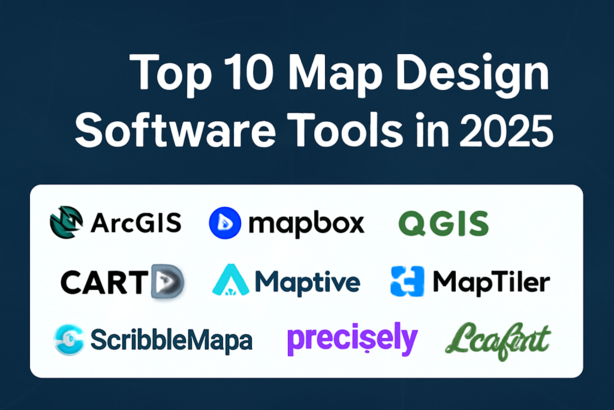
Top 10 Map Design Software Tools for 2025
1. ArcGIS Pro
Short Description:
ArcGIS Pro is one of the leading GIS (Geographic Information System) platforms used by professionals across industries. It offers an integrated mapping, spatial analysis, and geospatial data visualization experience, widely used in urban planning, environmental management, and more.
Key Features:
- Advanced spatial analytics and mapping tools
- Seamless integration with other ArcGIS products
- 3D visualization and analysis capabilities
- Customizable and interactive map designs
- High level of geospatial data accuracy
Pros:
- Robust analysis tools for complex datasets
- High precision in map creation
- Great for professional and enterprise-level projects
Cons:
- Steep learning curve for beginners
- Expensive pricing, may be out of budget for small businesses
- Requires significant computing power for large datasets
2. Mapbox Studio
Short Description:
Mapbox Studio allows users to design and style custom maps with an easy-to-use interface. It’s particularly popular for mobile applications and web development due to its flexible, scalable maps and integration with various data sources.
Key Features:
- Customizable map styles and themes
- Data-driven design with full control over map aesthetics
- Integration with various APIs and platforms (e.g., Unity, iOS, and Android)
- Real-time map updates with cloud support
- Powerful location-based data visualizations
Pros:
- Fast and intuitive map creation tools
- High degree of customization for interactive maps
- Extensive library of map templates
Cons:
- Requires an internet connection for cloud services
- Limited advanced GIS functionality compared to competitors
- Can be expensive for larger-scale projects
3. QGIS
Short Description:
QGIS is an open-source GIS platform with a vast range of mapping and geospatial analysis capabilities. It’s a free alternative to ArcGIS and is favored by non-profit organizations, governments, and academia for its advanced features and extensibility.
Key Features:
- Full support for spatial analysis and geospatial data formats
- Plugin architecture for customized functionality
- Integration with external databases and data sources
- Vector and raster data support
- 3D and temporal data visualization
Pros:
- Free and open-source with a large supportive community
- High level of customization through plugins
- Cross-platform support (Windows, macOS, Linux)
Cons:
- Can be overwhelming for new users
- Less polished than some commercial alternatives
- Some advanced features require additional configuration
4. Google My Maps
Short Description:
Google My Maps is a user-friendly, web-based map design tool from Google. It’s great for creating basic maps with custom locations, paths, and regions, and integrates well with other Google services.
Key Features:
- Easy drag-and-drop map creation
- Collaboration tools for team-based projects
- Integration with Google Earth and other Google services
- Ability to add markers, lines, and shapes
- Import data from spreadsheets or Google Sheets
Pros:
- Free to use with a Google account
- Extremely easy to use for beginners
- Great for basic map visualization and personal projects
Cons:
- Limited advanced mapping features
- Cannot handle large datasets effectively
- No 3D visualization or spatial analysis tools
5. Carto
Short Description:
Carto is a cloud-based mapping platform focused on data-driven visualizations. It offers powerful analytics, big data capabilities, and is often used by organizations to create interactive maps with real-time data.
Key Features:
- Data-driven styling and mapping
- Integration with geospatial data APIs
- Ability to visualize large datasets in real time
- Built-in spatial analytics tools
- Easy sharing and embedding of maps on websites
Pros:
- Ideal for interactive, data-centric maps
- Cloud-based, making it accessible from anywhere
- Integration with popular data analysis tools (e.g., R, Python)
Cons:
- Pricing can be high for large-scale projects
- Limited offline capabilities
- Learning curve for users unfamiliar with GIS tools
6. Scribble Maps
Short Description:
Scribble Maps is a simple, online map design tool aimed at quick, casual map creation. It’s ideal for users who want to sketch maps, annotate locations, or add custom shapes without needing advanced GIS functionality.
Key Features:
- User-friendly interface with drawing tools
- Ability to annotate maps with text, shapes, and lines
- Customizable markers and icons
- Supports uploading images and custom data layers
- Basic sharing and embedding options
Pros:
- Free version available
- Fast and simple for quick map creation
- Good for basic visualizations and personal projects
Cons:
- Lacks advanced geospatial analysis tools
- Limited customization compared to professional tools
- Not suitable for large-scale or detailed mapping
7. Maptive
Short Description:
Maptive is an online tool that enables users to create detailed maps from Excel data or other sources. It’s highly suitable for businesses that need to visualize locations, trends, or territories on custom maps.
Key Features:
- Easy import of data from CSV, Excel, and Google Sheets
- Ability to customize map styles and themes
- Real-time data updates
- Integration with Google Maps for location-based tools
- Customizable data visualizations (e.g., heat maps)
Pros:
- Ideal for businesses with location-based data
- Simple user interface for quick map creation
- Powerful data visualization capabilities
Cons:
- Pricing starts at $250 per year
- Limited advanced GIS functionality
- Can be slow with large datasets
8. MapTiler
Short Description:
MapTiler is a powerful map design software that specializes in turning geographic data into customized, interactive maps. It supports both raster and vector tiles and is favored by developers and data scientists.
Key Features:
- Support for both raster and vector map tiles
- Advanced styling options for data layers
- Ability to create interactive web maps
- Geo-referencing and tile generation
- Integration with popular frameworks like Leaflet and OpenLayers
Pros:
- Great for developers who need custom, interactive maps
- Excellent tile-based mapping options
- Can handle large datasets with ease
Cons:
- Requires some coding knowledge to get the most out of it
- Paid versions are expensive for individual users
- May not be intuitive for non-technical users
9. MapInfo Professional
Short Description:
MapInfo Professional is an advanced GIS software tool used for creating, analyzing, and sharing spatial data. It’s suitable for professional map designers, engineers, and geospatial analysts.
Key Features:
- Comprehensive geospatial analysis and mapping tools
- Support for 2D and 3D maps
- Advanced data import/export capabilities
- Ability to work with large datasets
- Detailed reporting tools
Pros:
- Best-in-class geospatial analysis tools
- Strong customization options for map styling
- Suitable for enterprise-level projects
Cons:
- Expensive for small businesses or freelancers
- Requires a steep learning curve for new users
- Not cloud-based, requires installation
10. Leaflet
Logo/Brand:
Short Description:
Leaflet is an open-source JavaScript library for creating mobile-friendly interactive maps. It’s widely used by developers for web applications and can be easily customized to suit various needs.
Key Features:
- Lightweight, open-source, and customizable
- Excellent for embedding interactive maps on websites
- Integration with various map tile providers (e.g., OpenStreetMap)
- Supports custom data overlays and markers
- High performance for mobile devices
Pros:
- Free and open-source
- Highly flexible and developer-friendly
- Ideal for lightweight, interactive maps
Cons:
- Requires programming knowledge to fully utilize
- Not as feature-rich as some commercial GIS tools
- Limited functionality for non-developers
Comparison Table
| Tool Name | Best For | Platform(s) | Standout Feature | Pricing | Rating |
|---|---|---|---|---|---|
| ArcGIS Pro | Professionals, enterprise GIS | Windows, macOS | Advanced spatial analysis | Starts at $1,500/year | 4.7/5 (Capterra) |
| Mapbox Studio | Developers, mobile/web apps | Web-based | Real-time map updates | Free, paid plans | 4.5/5 (Trustpilot) |
| QGIS | Open-source users, academia | Windows, macOS, Linux | Free, open-source mapping | Free | 4.8/5 (G2) |
| Google My Maps | Beginners, casual users | Web-based | Easy-to-use interface | Free | 4.2/5 (Trustpilot) |
| Carto | Data analysts, marketers | Web-based | Data-driven visualization | Starts at $199/month | 4.6/5 (Capterra) |
| Scribble Maps | Casual users, quick maps | Web-based | Quick, simple map creation | Free, paid plans | 4.0/5 (G2) |
| Maptive | Businesses, data visualization | Web-based | CSV/Excel integration | Starts at $250/year | 4.5/5 (Capterra) |
| MapTiler | Developers, advanced users | Windows, macOS, Linux | Tile-based maps | Custom pricing | 4.3/5 (Trustpilot) |
| MapInfo Professional | Professionals, geospatial experts | Windows | Comprehensive GIS tools | Starts at $1,295/year | 4.4/5 (Capterra) |
| Leaflet | Developers, web applications | Web-based | Open-source and lightweight | Free | 4.7/5 (G2) |
Decision-Making Guide
Choosing the right map design software depends on your specific needs. Here’s a quick guide to help you decide:
- For enterprises and professionals needing advanced geospatial analysis: Choose ArcGIS Pro or MapInfo Professional.
- For developers creating interactive maps for mobile/web apps: Mapbox Studio and Leaflet are ideal.
- For budget-conscious users or those just getting started: Google My Maps or Scribble Maps offer easy-to-use options at no cost.
- For data analysts or businesses needing complex visualizations: Carto and Maptive provide powerful mapping and data visualization tools.
Conclusion
As we enter 2025, the world of map design software is evolving, offering more flexibility, better customization options, and improved performance. Whether you are a GIS professional, a developer, or someone looking to visualize data on a map, there is a tool suited for your needs.
Take advantage of free trials and demos before committing to a paid version, and experiment with various tools to find the best fit for your project. The future of map design is bright, and the right software can help you unlock the potential of spatial data.
FAQs
Q1: What is the best map design software for beginners?
Google My Maps and Scribble Maps are both great for beginners due to their simple interfaces and ease of use.
Q2: Can I use map design software for large-scale datasets?
Yes, tools like ArcGIS Pro, Carto, and MapInfo Professional are designed to handle large datasets and provide advanced analytics.
Q3: Is there any free map design software available?
Yes, QGIS, Leaflet, and Google My Maps offer free versions with varying levels of functionality.
Meta Description:
Explore the top 10 map design software tools of 2025, including their features, pros, cons, and comparisons. Find the perfect map design tool for your needs today!