MOTOSHARE 🚗🏍️
Turning Idle Vehicles into Shared Rides & Earnings
From Idle to Income. From Parked to Purpose.
Earn by Sharing, Ride by Renting.
Where Owners Earn, Riders Move.
Owners Earn. Riders Move. Motoshare Connects.
With Motoshare, every parked vehicle finds a purpose.
Owners earn. Renters ride.
🚀 Everyone wins.
Introduction
Load testing is a critical aspect of ensuring the performance, scalability, and reliability of applications and websites. As businesses increasingly rely on web-based applications, ensuring they can handle high traffic loads without crashing or underperforming is essential. Load testing tools help developers and businesses simulate heavy user traffic to identify potential bottlenecks, performance issues, or infrastructure weaknesses.
In 2025, load testing tools are more advanced than ever, with support for complex scenarios, integration with CI/CD pipelines, cloud-based scalability, and enhanced analytics for real-time monitoring. As organizations face higher user expectations and increased traffic volumes, selecting the best load testing tool is crucial. When choosing a load testing tool, key considerations include scalability, ease of use, integrations with other tools, pricing models, and reporting capabilities.
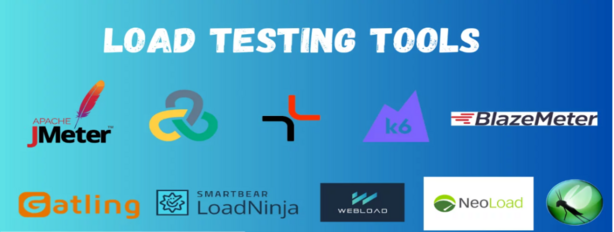
In this blog, we’ll explore the top 10 load testing tools for 2025, breaking down their features, pros, cons, and unique strengths to help you choose the best one for your needs.
Top 10 Load Testing Tools in 2025
1. Apache JMeter
Short Description:
Apache JMeter is one of the most popular open-source load testing tools used for performance testing of web applications. It is designed to simulate heavy loads on servers, networks, and web applications.
Key Features:
- Open-source with extensive community support.
- Supports multiple protocols including HTTP, HTTPS, FTP, SOAP, and more.
- Distributed testing to simulate large numbers of users.
- Easy-to-use graphical interface and reporting.
- Integration with CI/CD pipelines.
Pros:
- Free and open-source.
- Highly customizable with plugins.
- Supports a variety of protocols and testing scenarios.
Cons:
- Steeper learning curve for beginners.
- Requires substantial resources for large-scale tests.
- Limited advanced analytics features out-of-the-box.
2. LoadRunner by Micro Focus
Short Description:
LoadRunner is a powerful, enterprise-grade load testing tool that provides detailed performance insights and supports a variety of applications, including web, mobile, and enterprise applications.
Key Features:
- Supports a wide range of protocols.
- Real-time load and performance monitoring.
- Advanced scripting for complex test scenarios.
- Cloud and on-premise deployment options.
- Extensive reporting and analytics.
Pros:
- High scalability for enterprise-level testing.
- Detailed performance metrics and reports.
- Support for load testing both on-premise and in the cloud.
Cons:
- Expensive for small businesses.
- Complex setup and configuration.
- Not as intuitive as some other tools.
3. BlazeMeter
Short Description:
BlazeMeter is a cloud-based load testing tool that integrates seamlessly with Apache JMeter, providing enhanced features like cloud scalability and advanced analytics.
Key Features:
- Cloud-based platform for testing scalability.
- Integration with Apache JMeter.
- Supports continuous testing and CI/CD pipelines.
- Detailed reporting with real-time analytics.
- Performance insights through a user-friendly interface.
Pros:
- No infrastructure setup required; purely cloud-based.
- Scales easily with cloud-based testing.
- Excellent for testing APIs, web, and mobile applications.
Cons:
- Pricing may be high for small to medium businesses.
- Can become expensive with high traffic volumes.
- Some advanced features require deeper technical knowledge.
4. Gatling
Short Description:
Gatling is an open-source load testing tool designed for continuous integration and performance testing. It allows for high-scale testing with a focus on ease of use and real-time monitoring.
Key Features:
- High-performance and lightweight.
- Supports HTTP, WebSockets, JMS, and more.
- Real-time monitoring with detailed reports.
- Easy integration with CI/CD pipelines.
- Supports scripting in Scala.
Pros:
- Open-source and free to use.
- Fast and scalable.
- Easy to integrate with existing DevOps environments.
Cons:
- Requires Scala knowledge for scripting.
- Limited support for non-HTTP protocols.
- May not be suitable for large enterprise needs without additional configuration.
5. Neotys NeoLoad
Short Description:
NeoLoad by Neotys is a load testing tool designed for enterprise-scale applications. It focuses on the user experience and provides robust testing for web and mobile applications.
Key Features:
- User-friendly interface with drag-and-drop capabilities.
- Supports cloud and on-premise testing.
- Integrates easily with CI/CD workflows.
- Comprehensive reporting and analytics tools.
- Scalable to handle large, complex applications.
Pros:
- High scalability for enterprise-level applications.
- User-friendly with minimal learning curve.
- Excellent integration with CI/CD pipelines.
Cons:
- High cost for small businesses.
- Limited flexibility for custom scripting.
- Some users report a slower response time with large-scale tests.
6. TestComplete by SmartBear
Short Description:
TestComplete is an automation tool that provides load testing capabilities along with functional testing. It is widely used for testing web, mobile, and desktop applications.
Key Features:
- Supports various scripting languages, including JavaScript, Python, and VBScript.
- Integrates with popular CI/CD tools like Jenkins.
- Real-time performance monitoring.
- Rich reporting and analytics.
- Scalable cloud-based testing.
Pros:
- All-in-one testing tool for both functional and load testing.
- Strong scripting flexibility and support.
- Excellent integration with CI/CD workflows.
Cons:
- Expensive for smaller teams.
- Steep learning curve for beginners.
- Limited support for non-web-based applications.
7. LoadNinja
Short Description:
LoadNinja is a cloud-based load testing tool designed for testing web applications. It allows real browsers to run test scripts, enabling highly accurate performance testing.
Key Features:
- Real browser load testing for highly accurate results.
- Integration with CI/CD tools.
- Scalable cloud-based testing platform.
- Detailed, customizable reports.
- Easy-to-use interface for creating and running tests.
Pros:
- Accurate results with real browser testing.
- Cloud-based, no infrastructure required.
- Seamless integration with DevOps and CI/CD pipelines.
Cons:
- Pricing may be prohibitive for smaller organizations.
- Not suitable for non-web application testing.
- Limited scripting capabilities compared to other tools.
8. LoadUI Pro
Short Description:
LoadUI Pro is a popular tool for performance testing APIs and web services. It provides advanced load testing features with an emphasis on ease of use and integration.
Key Features:
- Load testing for APIs, web services, and microservices.
- Drag-and-drop interface for easy test creation.
- Real-time performance monitoring.
- Detailed analysis and reporting features.
- Seamless integration with other SmartBear tools.
Pros:
- Highly effective for API and microservices testing.
- User-friendly interface.
- Integration with the SmartBear ecosystem.
Cons:
- Focuses mainly on API testing, not full-scale application load testing.
- Pricing can be expensive for smaller businesses.
- Limited in comparison to enterprise-grade tools like LoadRunner.
9. WebLOAD
Short Description:
WebLOAD is a scalable load testing tool that helps simulate heavy traffic loads and measure application performance. It’s widely used for testing web and mobile applications.
Key Features:
- Supports various protocols including HTTP, WebSockets, and more.
- Real-time load monitoring and analytics.
- Cloud and on-premise testing options.
- Detailed, customizable reporting.
- Supports CI/CD pipeline integration.
Pros:
- Scalable for enterprise-level applications.
- Comprehensive reporting and analytics tools.
- Flexibility with both on-premise and cloud-based testing.
Cons:
- Learning curve for new users.
- Pricing may be high for small to mid-sized companies.
- Some users find the user interface clunky.
10. K6
Short Description:
K6 is an open-source performance testing tool focused on load testing and stress testing. It is designed for DevOps teams and integrates seamlessly into modern CI/CD workflows.
Key Features:
- Scripting in JavaScript for flexibility.
- Cloud-based testing with scaling capabilities.
- Real-time performance monitoring and analytics.
- Integrates with CI/CD tools like Jenkins, GitLab, and others.
- Easy integration with cloud platforms for scalable testing.
Pros:
- Lightweight and fast.
- Open-source and free.
- Ideal for continuous performance testing in DevOps environments.
Cons:
- Limited GUI interface for those who prefer graphical tools.
- Requires JavaScript knowledge for scripting.
- May not be as feature-rich as enterprise-grade tools.
Comparison Table
| Tool Name | Best For | Platform(s) Supported | Standout Feature | Pricing | Rating |
|---|---|---|---|---|---|
| Apache JMeter | Open-source users | Windows, Linux, macOS | Free & open-source | Free | 4.5/5 |
| LoadRunner | Enterprise applications | Windows, Linux | Extensive protocol support | Custom pricing | 4.3/5 |
| BlazeMeter | CI/CD integration | Cloud | JMeter integration | Starts at $99 | 4.4/5 |
| Gatling | DevOps teams | Windows, Linux, macOS | High scalability | Free | 4.2/5 |
| NeoLoad | Enterprise teams | Cloud, On-premise | Real-time analytics | Custom pricing | 4.4/5 |
| TestComplete | Functional & load testing | Windows | All-in-one testing tool | Starts at $1,000 | 4.3/5 |
| LoadNinja | Web application testing | Cloud | Real browser testing | Custom pricing | 4.5/5 |
| LoadUI Pro | API testing | Windows | Easy-to-use interface | Custom pricing | 4.2/5 |
| WebLOAD | Enterprise testing | Windows, Linux | Scalable performance | Starts at $249 | 4.1/5 |
| K6 | DevOps integration | Cloud | Open-source with JavaScript | Free | 4.6/5 |
Which Load Testing Tool is Right for You?
When selecting the best load testing tool, consider the following factors:
- Enterprise vs. Small Business: Enterprise-level tools like LoadRunner and NeoLoad are perfect for large organizations with complex testing requirements, while smaller businesses may benefit from open-source or cost-effective solutions like Apache JMeter or K6.
- Feature Requirements: If you need a comprehensive tool with support for functional and load testing, TestComplete is an all-in-one solution. For API-heavy applications, LoadUI Pro or BlazeMeter may be more suitable.
- Budget: Tools like Apache JMeter and K6 are open-source and free, while enterprise tools such as LoadRunner and NeoLoad may come with a significant cost.
- Integration Needs: For DevOps environments, tools like Gatling and K6 excel due to their seamless integration with CI/CD workflows.
Conclusion
Load testing tools are essential in 2025 for businesses aiming to ensure their applications and websites can handle increased traffic and deliver optimal performance. Whether you are a small business or a large enterprise, the tools reviewed in this blog offer various features suited for different testing scenarios. Make sure to consider your specific needs, budget, and scalability when choosing the right tool.
FAQs
Q1: What is load testing?
Load testing simulates heavy traffic on applications to assess their performance under stress and identify potential bottlenecks.
Q2: What are the best load testing tools for beginners?
Apache JMeter and K6 are great options for beginners due to their open-source nature and ease of use.
Q3: How much do load testing tools cost?
Prices vary significantly. Tools like Apache JMeter and K6 are free, while enterprise solutions like LoadRunner and NeoLoad may have custom pricing.
Q4: Can load testing be integrated with CI/CD pipelines?
Yes, many load testing tools like BlazeMeter, Gatling, and K6 support seamless integration with CI/CD pipelines for continuous testing.
Q5: What are the key features to look for in a load testing tool?
Look for scalability, ease of use, protocol support, real-time analytics, and integrations with your existing DevOps tools.